From nothing to a protected site, in the order that will not break it. This page is the path through the other ten: install an agent, add a site, watch before blocking, read what you see, then turn protection on.
The whole route takes about an hour of work and a week of waiting — and the waiting is the part that matters. A WAF switched straight to blocking on an application nobody has observed is how a site loses customers on a Monday morning.
¶ Before you start
- The console (EdgeGuard Central) reachable on
https://<address>:8082. - An nginx reverse proxy with the EdgeGuard module, in front of the application you want to protect.
- An administrator account on the console; if MFA is enabled, your enrolment done.
¶ 1. Register the agent
The agent is the decision engine that sits next to nginx.
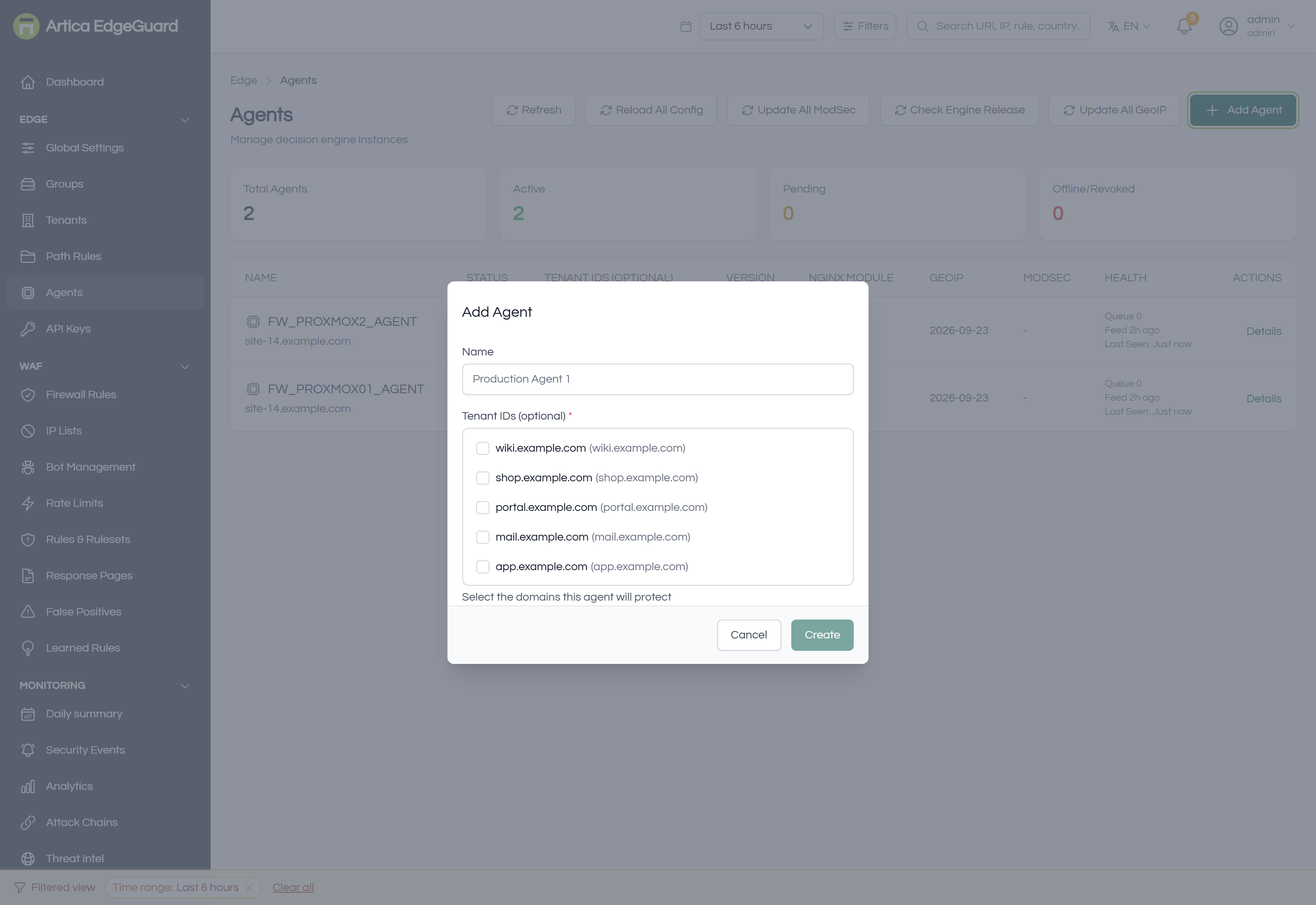
- Edge → Agents → Add Agent.
- Name it for the machine it runs on —
Production Agent 1, notagent2. - Leave the site list empty for now; you have not created the site yet.
- Create, and copy the key into the agent's configuration.
- Within about half a minute the agent appears as active.
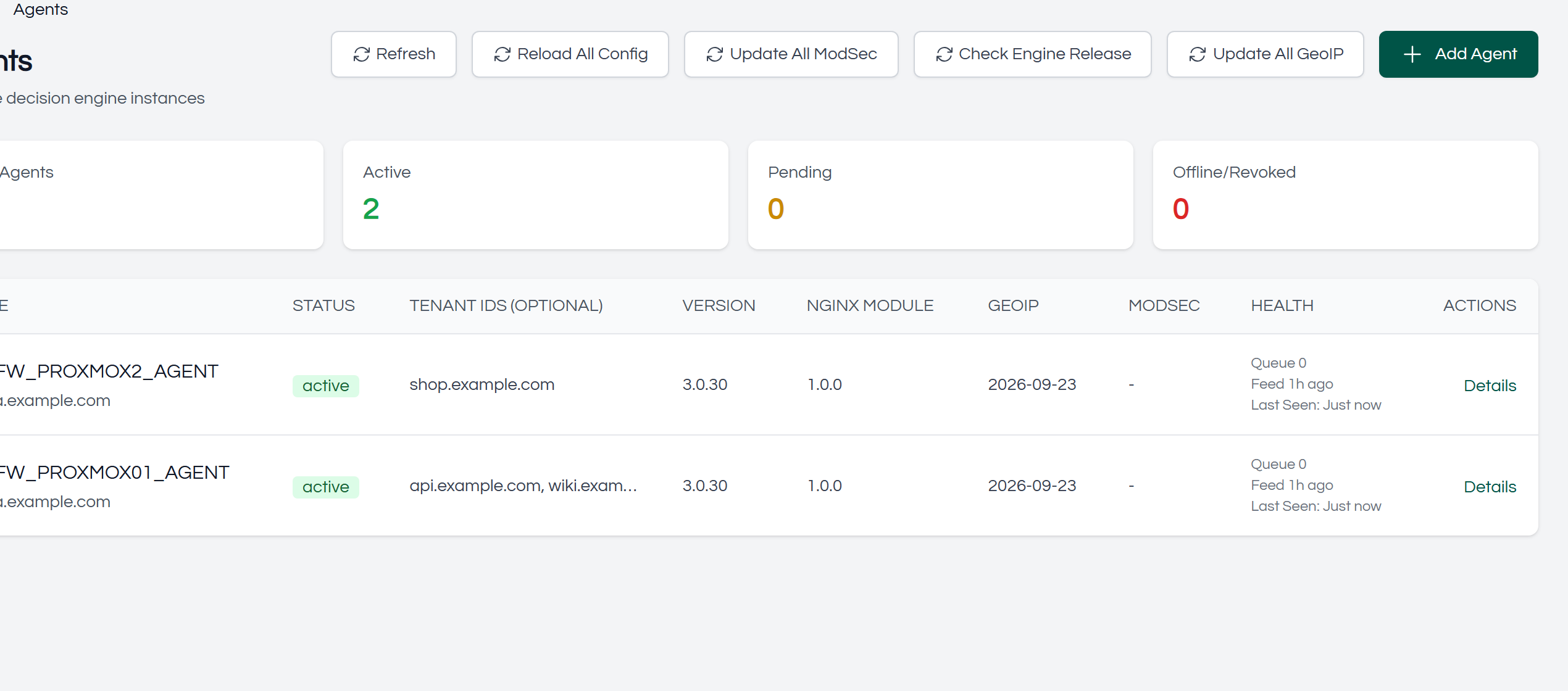
Full detail: Agents.
¶ 2. Create the site
Edge → Tenants → Add Tenant: pick the group it belongs to, give it a name and its domain. Then go back to the agent and tick the new site, so the agent knows to protect it.
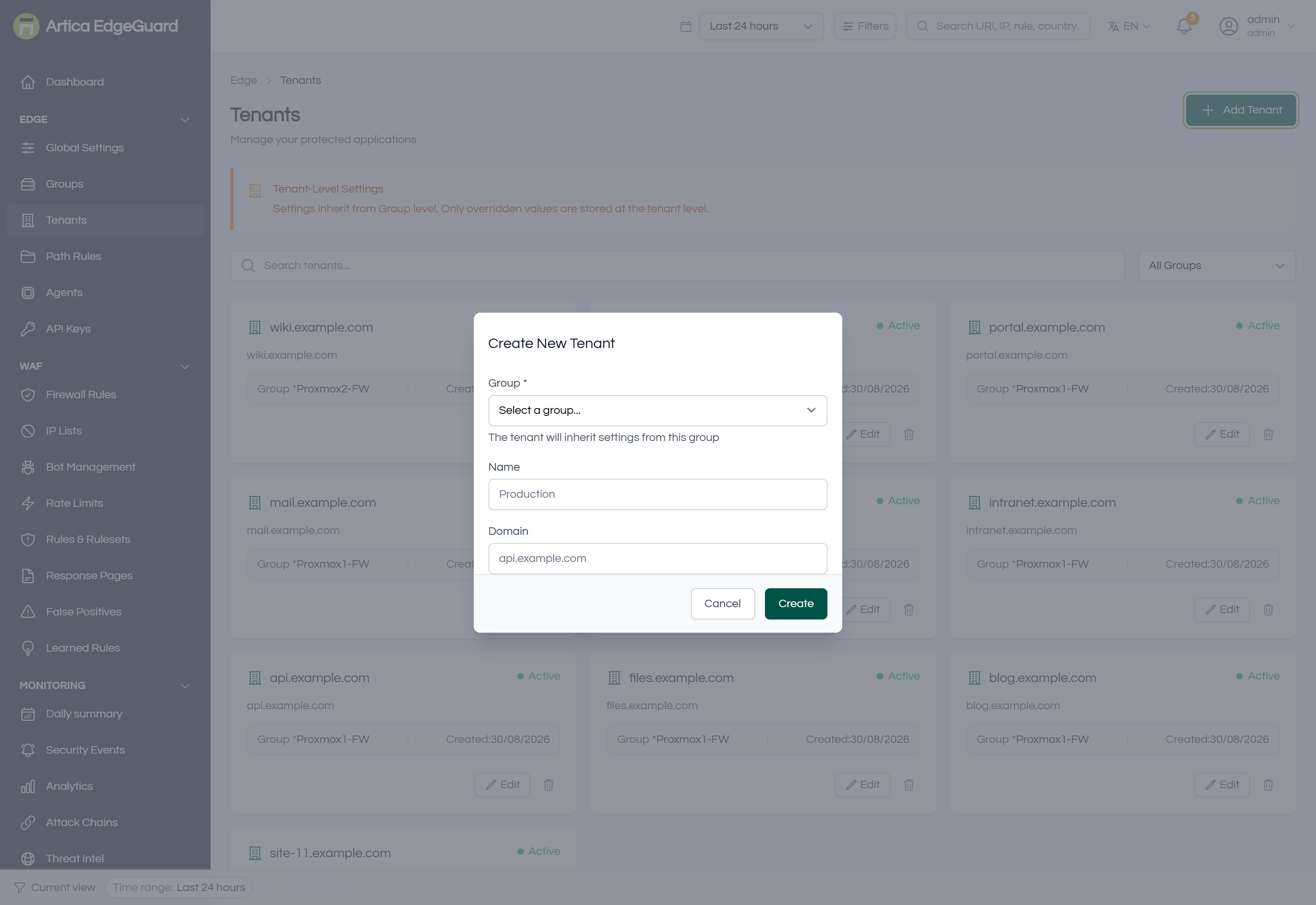
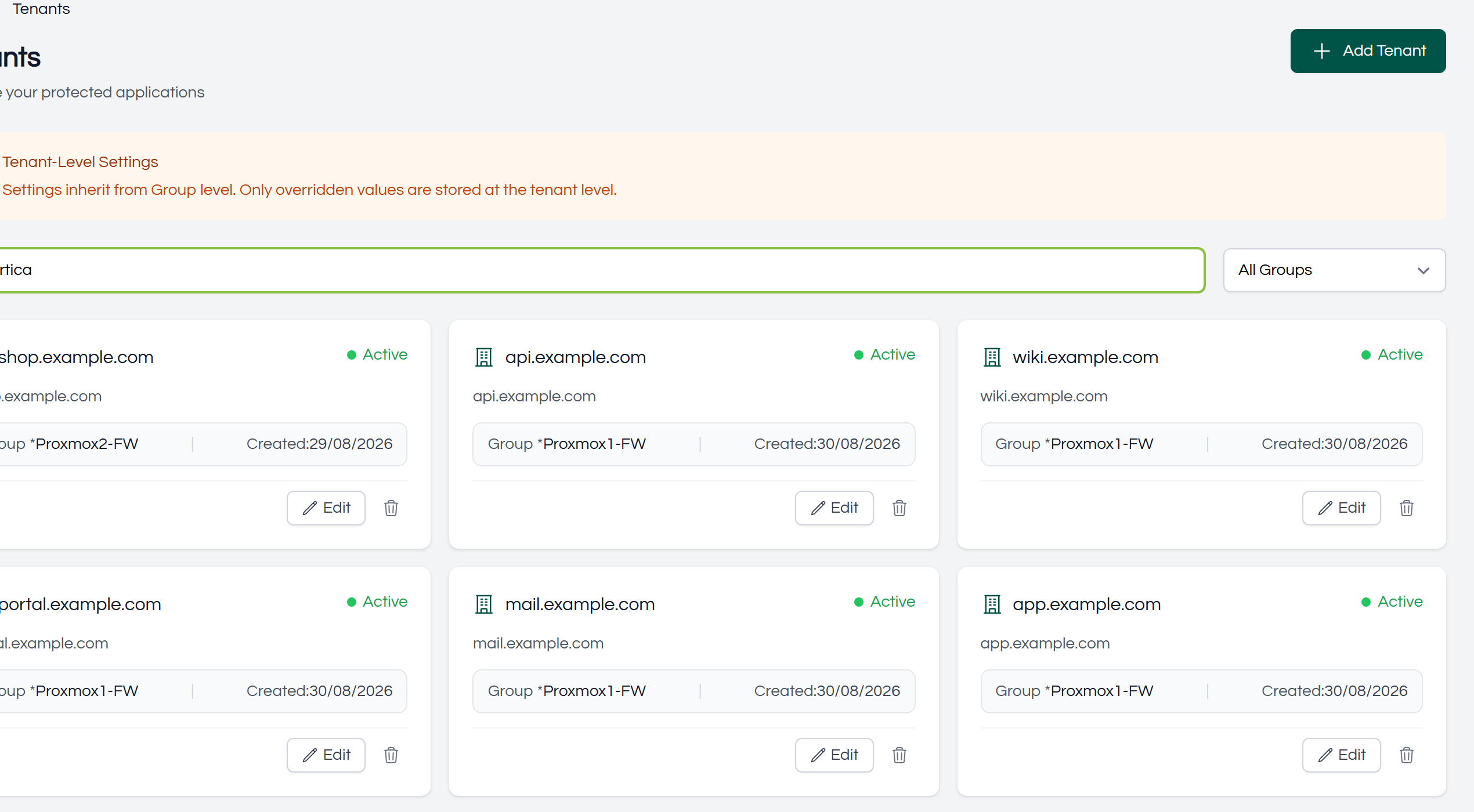
A site inherits everything from its group, which inherits from the global settings. You have not configured anything yet, and that is correct: the defaults are a working policy.
¶ 3. Turn it on in learning mode
This is the step people skip, and the one that decides whether the rest goes well.
Global Settings → General → WAF Operating Mode → Learning (detect only, no blocking) — or set it on the site alone, if the rest of the estate is already in blocking mode.
In learning mode EdgeGuard inspects everything and blocks nothing. Every decision it would have made is recorded, with its score and the rules that fired.
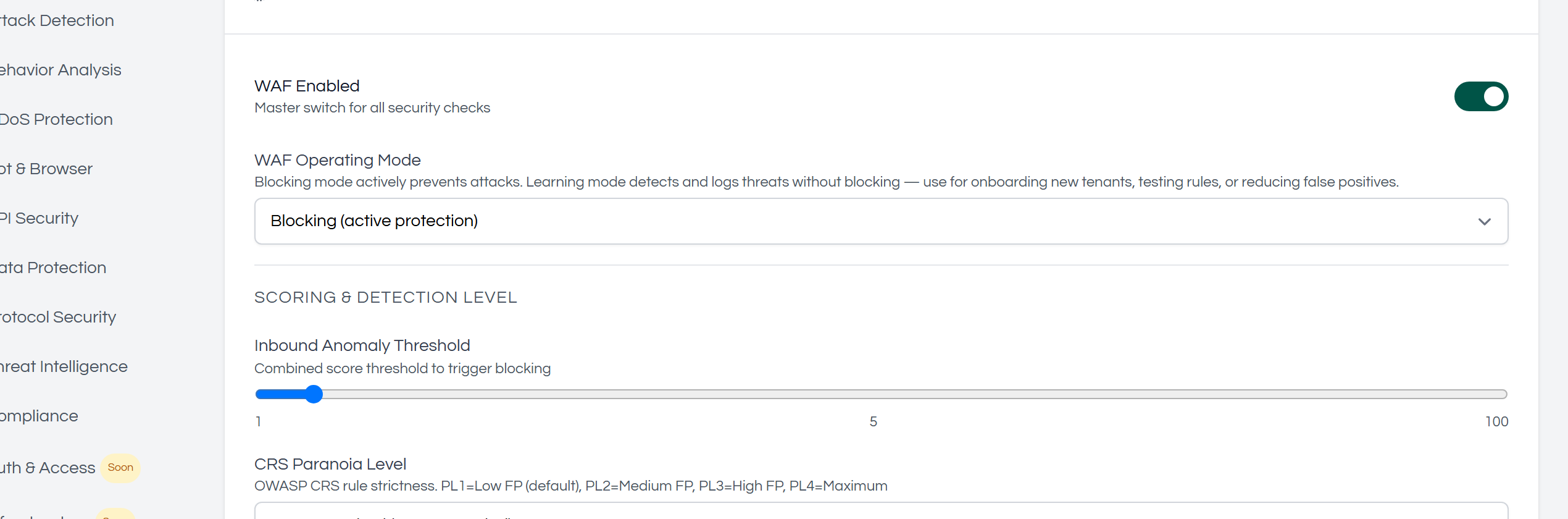
Leave it here for at least a few days of ordinary traffic — including whatever runs at the weekend, and the batch jobs nobody remembers. You are not waiting for the product; you are waiting for your application to show you its habits.
¶ 4. Read what it found
After a few days, four pages answer four questions:
| Question | Page |
|---|---|
| What has been happening? | Monitoring → Daily summary — one page per day, exportable |
| What exactly was decided, and why? | Monitoring → Security Events — open any row for the rules and what they matched on |
| Which rules are costing me false positives? | Monitoring → Analytics → Performance & quality, the False Positive Rate Estimate table |
| Is anything already being suppressed for me? | WAF → False Positives, lower table |
Work through the events that would have been blocked. For each one, decide: was it an attack, or was it your application?
- An attack → nothing to do; it will be blocked when you switch modes.
- Your application → fix it now, with the narrowest instrument that works: a false-positive exclusion for one rule on one field, a path rule for one endpoint, and only then anything wider.
¶ 5. Add the cheap protections
These cost nothing to get right and stop a great deal of noise:
- Bot Management — allow the crawlers you want, with reverse-DNS verification so a spoofed User-Agent gains nothing.
- Rate Limits — a low allowance on the login endpoint, a generous one elsewhere.
- IP Lists — your own monitoring addresses, if they need to bypass challenges. Use expiries.
- Response Pages — at minimum set the branding, and make sure the page shows the EdgeGuard ID. Your support desk will need it on the first day of blocking.
¶ 6. Switch to blocking
When the events for a normal week contain nothing you would be sorry to refuse:
Global Settings → General → WAF Operating Mode → Blocking, or on the one site.
Then watch the same four pages for a day. The first hours of blocking are when a missed false positive shows itself, and undoing one is a minute's work: the event that was refused carries Mark false positive and Create rule from event in its detail panel.
¶ 7. Settle in
Once it is quiet, three habits keep it that way:
- The bell. It carries what needs a person — learned rules waiting, exclusions nobody uses, agents that stopped reporting. It is deliberately not a feed of blocks.
- The daily summary. Two minutes a morning; it is the record of what was handled while you were not looking.
- A quarterly tidy. Sort exclusions by Allowed and remove the ones that have never allowed anything; check the VERSION column on Agents; look at Silent in this window in Analytics before adding any new rule.
¶ 8. When the traffic has settled: learned rules
After a fortnight of steady traffic, WAF → Learned Rules begins proposing rules built from your own application's habits — "user_id is always a whole number of 1 to 6 digits". Accepting one only measures it; it blocks nothing until you have the evidence and say so.
Full detail: Learned Rules.
¶ The order everything is decided in
Worth knowing once, because it explains most surprises:
- Path rule action override
- IP lists — allowlist, then blocklist
- Threat intelligence
- Geo blocking
- Firewall rules
- Behavioural analysis, bot detection, browser integrity
- Rate limits
- Managed rulesets, custom rulesets and learned rules
An earlier step ends the request. So an allowlisted address is never inspected, a firewall Allow skips every detection that follows it, and a rule you expected to fire may simply never have been reached.
¶ Where to go next
| The console, screen by screen | Dashboard Guide |
| Your own block/allow/challenge rules | Firewall Rules |
| The detection rules and how scoring works | Rules & Rulesets |
| Recording a rule that was wrong | False Positives |
| Rules learned from your traffic | Learned Rules |
| Addresses, limits, bots, paths, pages | IP Lists · Rate Limits · Bot Management · Path Rules · Response Pages |
| The fleet | Agents · Threat Intelligence |