A path rule is a site's settings, for one URL pattern. Stricter on
/admin, looser on a webhook, a different rate limit on/api/auth— without touching the rest of the site.
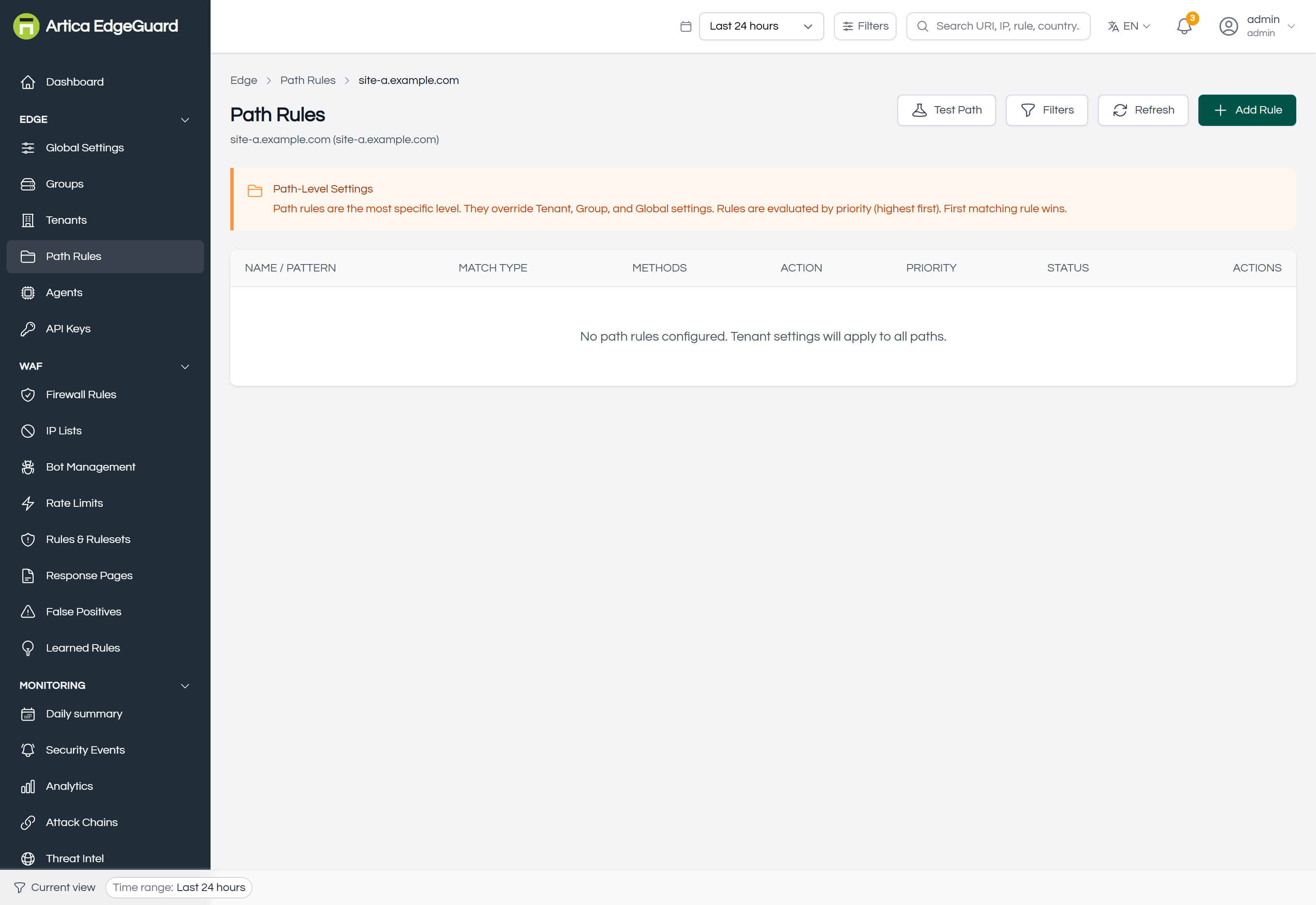
Path rules are the last level of the inheritance chain:
Global → Group → Tenant → Path rule
Everything a site inherits, a path rule can override for the paths it matches. A value it leaves alone still comes from the site.
¶ Two different things in one page
A path rule can do either or both:
- Override an action. Allow, Block, Challenge or Log Only for that path — decided before anything else in the product, including IP lists and firewall rules. This is the earliest and bluntest thing a path rule can do.
- Override settings. The WAF mode, thresholds, which detection categories apply, rate limits — the same settings the site has, applied to that path only.
An action override is absolute. Allow on a path means that path is not inspected at all, by anything — the same cost as an allowlisted address, restricted to one pattern. Leave the action on Inherit from Tenant unless you specifically want that.
¶ Choosing the site
The page asks which site you are working on. When the header's global filter already names one, it is selected for you; otherwise pick it from the list.
¶ Creating a rule
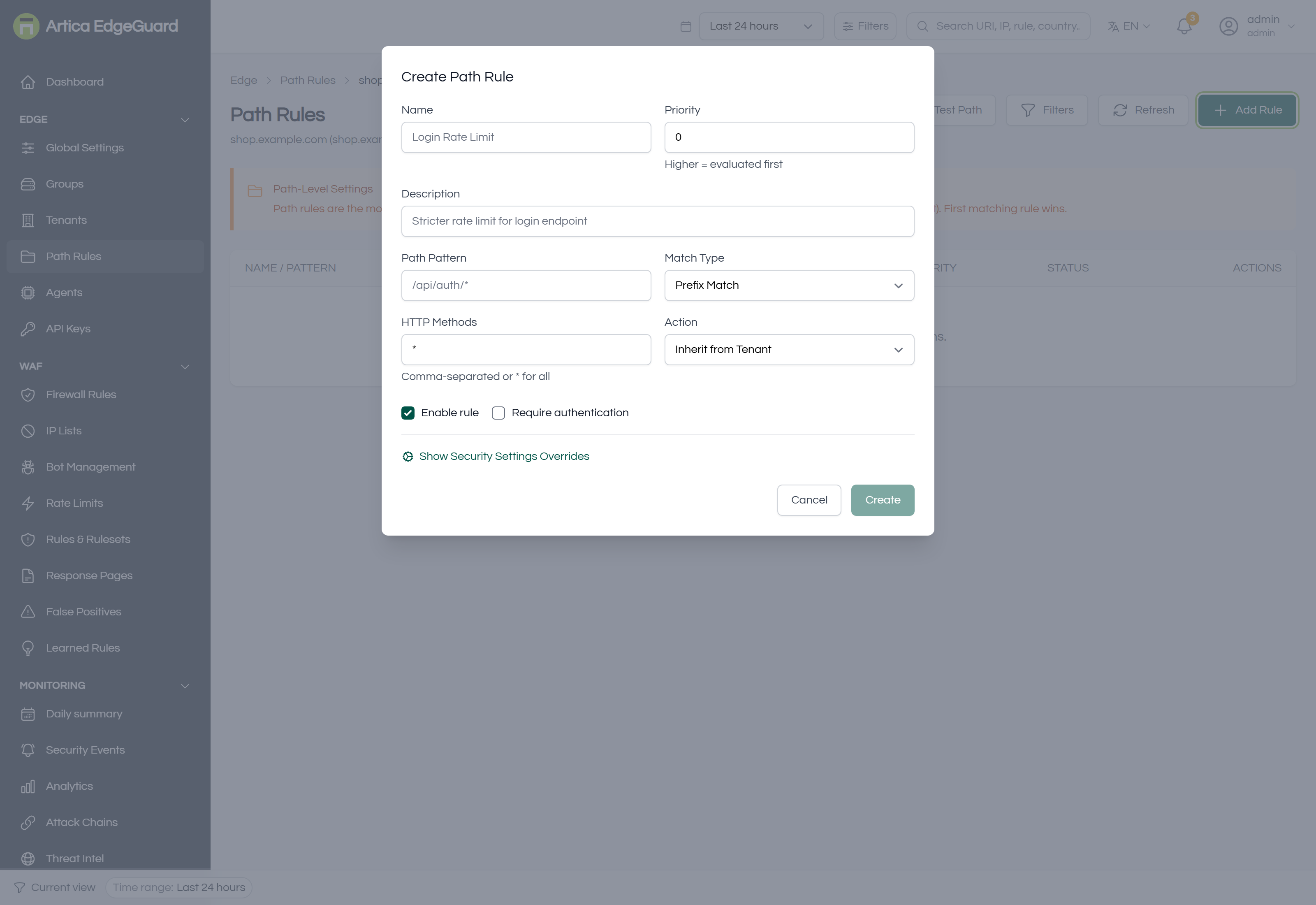
Click Add Rule.
- Name and Description — e.g.
Login rate limit. The description is what the next administrator reads. - Path Pattern — e.g.
/api/auth/*. - Match Type:
- Exact Match — this URL and no other.
- Prefix Match — this path and everything under it.
- Glob Pattern —
*and?wildcards, e.g./files/*.php. - Regular Expression — when nothing simpler will do. Keep it anchored; it runs on every request to the site.
- HTTP Methods —
GET,POST, or*for all. - Action — Inherit from Tenant (the usual choice: change settings, not the verdict), Allow, Block, Challenge, Rate Limit or Log Only.
- Priority — higher is evaluated first, which decides who wins when two patterns both match.
- Enable rule, and optionally Require authentication.
- Create.
Changes reach the agents within about 30 seconds.
¶ Matching, and who wins
Rules are evaluated by priority, highest first, and the first pattern that matches decides. Two habits keep that predictable:
- Give the specific rule the higher priority.
/api/auth/*should out-rank/api/*, or the general rule will answer first and the specific one will never run. - Prefer prefix and glob over regular expressions. They are easier to read at three in the morning and cheaper on every request.
¶ What to use it for
| Goal | How |
|---|---|
| Harden an admin area | prefix /admin/, lower the anomaly threshold, raise the paranoia level |
| Protect a login form | prefix /api/auth/, action Rate Limit, a low allowance |
| Quieten a webhook that carries odd payloads | exact path, turn off the category that misfires — not the whole WAF |
| Let a health check through | exact path, action Allow, and nothing else on that path |
| Try a stricter setting safely | the path you are worried about, action Log Only, read the events for a day |
The third row is the common case, and the one people get wrong by reaching for Allow. Turning off one category on one path keeps every other protection; allowing the path keeps none.
¶ Verifying
1. Does the rule match the path you meant?
curl -o /dev/null -w '%{http_code}\n' \
  -H 'User-Agent: Mozilla/5.0 (Windows NT 10.0; Win64; x64) Chrome/140.0.0.0' \
  "https://site.example.com/api/auth/login"
With an action override, the answer changes immediately — Block gives 403, Allow gives whatever the origin gives.
2. With a settings override, the answer is in the events rather than the status code: send something that the site's normal settings would refuse and the path's settings should not, and look at Security Events. The detail panel shows the score and the threshold it was measured against — and the threshold is the one that proves which level answered.
3. Which rule answered? A block from an action override reads path-rule-allow, path rule or X-Path-Rule-Action in the event detail. If you expected a path rule to answer and something else did, check the priorities.
¶ When a path rule is the wrong tool
| Situation | Better tool |
|---|---|
| One rule misfires on one field | a false-positive exclusion — narrower, and it keeps the rest of the category |
| You want to allow or block by who is asking, not what they ask for | a firewall rule |
| The whole site needs the setting | change it on the site, or on the group if every site needs it |
| The path is fine but too popular | a rate limit |