Status on October 21, 2026: CVE-2026-109618 and CVE-2026-109619
The PHP project has not yet published its advisory or the list of fixed versions.
This page is based on the first public reports and will be updated when the official release is out.
¶ Summary
CVE-2026-109618 and CVE-2026-109619 are two remote code execution flaws in the PHP engine itself, reported under the name "PHP2Shell".
Both are scored 9.2 (CVSS v4.0).
According to the reports, an attacker who can send HTTP requests to a PHP application can run code on the server without logging in.
The affected PHP component has not been officially disclosed.
No attack in the wild had been reported when this page was written, but an exploit tool is said to be circulating.
¶ How Artica is affected
The Artica Web Console is written in PHP and runs on PHP-FPM, so every Artica appliance runs an affected engine until fixed PHP packages are installed.
The login page of the console answers without credentials, which is enough for an unauthenticated flaw.
| Component | PHP engine | Exposure |
|---|---|---|
| Web Console (HTTPS, port 9000 by default) | PHP package of the Debian system: 7.3 or 7.4 on Debian 10, 8.2 on Debian 12, 8.4 on Debian 13 | Depends on who can reach the console port. |
| PHP websites published by the reverse-proxy | PHP 8.3 build shipped by Artica | Usually published on the Internet. This engine is fixed by an Artica package update, not by Debian. |
| Background tasks run by the system | Same engine as the Web Console | Not reachable from the network. |
For the websites published by the reverse proxy, see CVE-2026-109618 and CVE-2026-109619: protect PHP websites with the reverse proxy.
The reports say that PHP 8.1 and older versions will not receive an official fix.
Appliances still running Debian 10 are in this group and should be upgraded (see Debian 10 upgrade status).
Debian 10: Freexian Extended LTS publishes a fixed PHP 7.3 (
7.3.31-1~deb10u16). See PHP2Shell on Debian 10: install the fixed PHP 7.3.
October 23, 2026: PHP announced a related flaw, CVE-2026-115560, which uses the same
session.upload_progress.enabled = 0mitigation. See CVE-2026-115560: PHP session upload progress RCE.
¶ Check the PHP version of your appliance
Open the Packages center page of the Web Console (https://your-appliance:9000/packages-center).
The PHP Version line at the top of the table gives the engine used by the console.

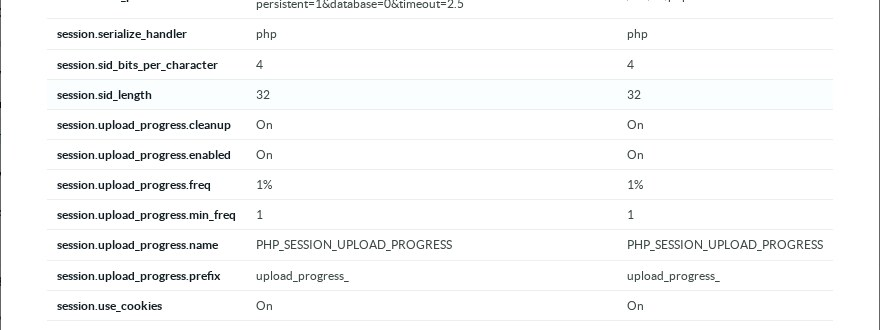
Click the version number to display the PHP information of the console, and look for the session.upload_progress.enabled line.
If it shows On, the interim mitigation described below is not applied yet on this appliance.
¶ What Artica changes
Until PHP publishes fixed versions , the Sansec researchers recommend two settings as a partial mitigation:
session.upload_progress.enabled = 0 and session.use_strict_mode = 1.
They do not claim that these settings block the attack in every case.
The Artica ( Service Pack 10 Hotfix 20261021-14) applies both settings automatically:
- in the
php.inifile generated by Artica; - in the PHP-FPM pools of the Web Console and of the hosted websites, where a
.user.inifile can no longer switch upload progress back on; - in the configuration of the PHP websites published by the reverse-proxy, which previously ran with
session.use_strict_mode = 0.
The Web Console already forced session.use_strict_mode each time a session starts, so nothing changes for it on that side.
It does not use the PHP upload progress feature either:
The progress bars you see when uploading a snapshot or an import file are drawn by Artica, and uploads keep working.
A third-party website published by the reverse-proxy that draws its own upload bar with this PHP feature will lose the bar, while the upload itself still completes.
Do not edit
php.iniby hand on an appliance.
Artica regenerates the file and a manual change would be lost.
When PHP releases the fixed versions, upgrade the system to update the engine of the Web Console.
The engine of the reverse-proxy websites is updated by an Artica package.
¶ Reduce the exposure of the Web Console now
The flaw is reported as exploitable before authentication.
The protections that count today are therefore the ones that stop a request before it reaches PHP.
Most methods described in Secure the Artica Web console run inside the console code, after PHP has started processing the request:
They still protect against password guessing and session theft, but not against this flaw.
¶ Protections that block the request before PHP
- Network Limitations (the Limit access setting):
The web server refuses PHP requests from any address that is not in your list.
This is the most effective setting against this flaw. - Use namespace:
Moves the Web Console into a dedicated network namespace instead of the host's interfaces. - Listen interface,
In the HTTP Service section: bind the console to your administration interface instead of all interfaces. - Your firewall or VPN:
Do not publish port 9000 on the Internet.
For remote administration, reach the console through a VPN.
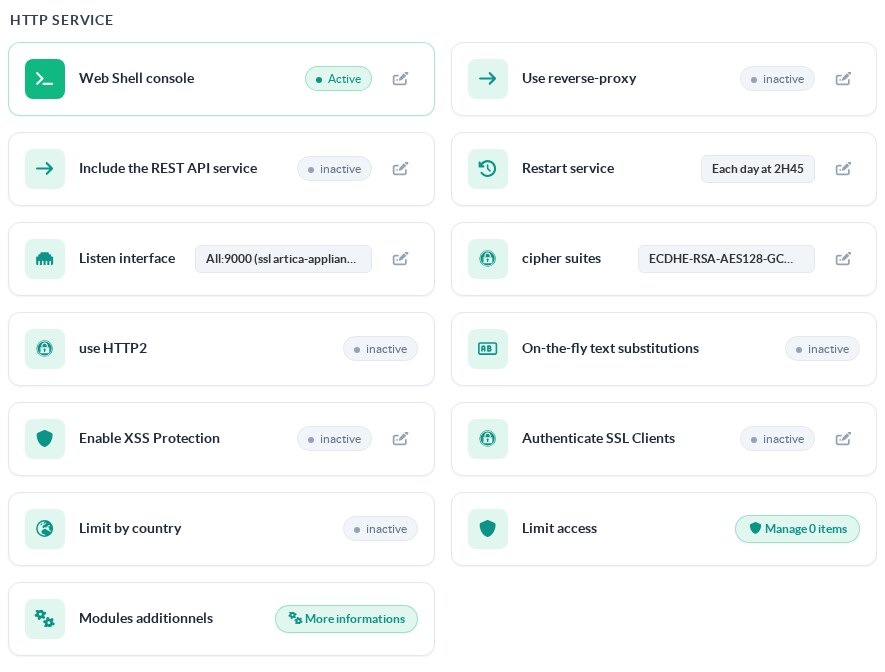
Listen interface and Limit access
To restrict the networks allowed to reach the console:
- On the left menu, go to Your System > Web Console.
- In the HTTP Service section, click Manage x items next to Limit access.
- Click New rule and allow your administration network, for example
192.168.1.0/24. - Add a last rule that denies
*(all other addresses).
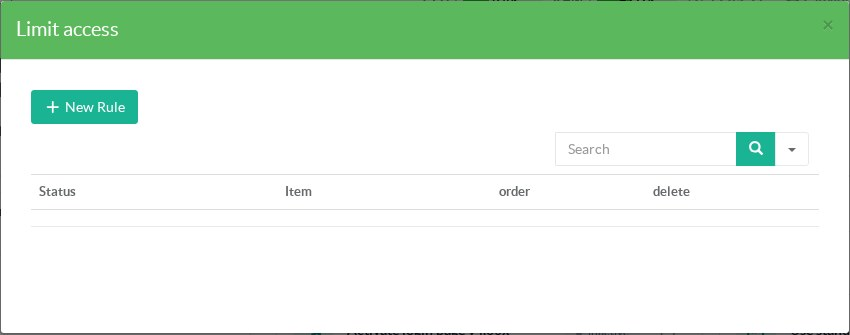
Create the rule for your own network first, otherwise you will lose access to the console.
If that happens, follow Reset Default Settings from the Unix console.
¶ Protections applied after PHP has started
Keep these methods enabled for what they are designed for.
They do not stop this flaw, because the request has already reached the PHP engine when they run:
- Clients restrictions (AUTH Link) and SAML Single Sign-On;
- Restrict login page by geolocation, which hides the login form for visitors from denied countries;
- Authenticate administrators using an SSL certificate;
- Fingerprint Web access;
- Two-factor authentication;
- Session termination and closing the session by inactivity;
- Administrator privileges (RBAC).
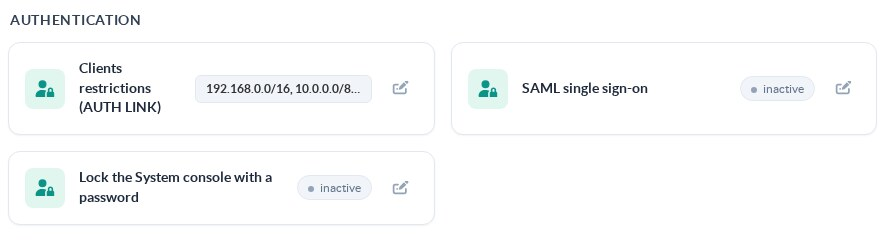
Your System > Web Console, Authentication section¶ References
- watchTowr: PHP remote code execution FAQ
- Sansec: Critical PHP RCE (PHP2Shell)
- Tenable: CVE-2026-109618
- PHP project, for the official advisory and the fixed versions