Back to the Web Application Firewall section
¶ Summary
CVE-2026-109618 and CVE-2026-109619, reported under the name "PHP2Shell", are two remote code execution flaws in the PHP engine. Both are scored 9.2 (CVSS v4.0). According to the reports, anyone who can send HTTP requests to a PHP application can run code on the server without logging in. The PHP project had not confirmed the technical details when this page was written (21 October 2026).
This page is about the websites you publish through the Artica reverse proxy.
The Artica appliance itself is covered by PHP2Shell remote code execution in PHP.
The reverse proxy reads every request before the PHP server does, so it can stop a malicious request on the way. It does not repair PHP: update the PHP servers behind it as soon as fixed versions are published.
¶ Which websites are concerned
Any website whose server runs PHP is concerned:
WordPress, Drupal, Nextcloud, PrestaShop, Moodle, GLPI or an in-house application.
The PHP server can sit behind the reverse proxy (site type Reverse Proxy) or be hosted by the appliance (site type Web site using PHP).
Websites that run no PHP at all (static pages, Java, .NET, Node.js) are not affected by these two flaws.
¶ Protection methods
| Method | What it stops | Limit |
|---|---|---|
| Authentication in front of the website (OIDC SSO) | Every request from a visitor who has not logged in, whatever the attack technique. | Only for websites whose users have an account with an identity provider. Not offered for the Web site using PHP type. |
| Web Application Firewall rule on the upload progress field | The attack path suggested by the published workaround, on any website, public ones included. | No effect if the real exploit goes through another part of PHP. |
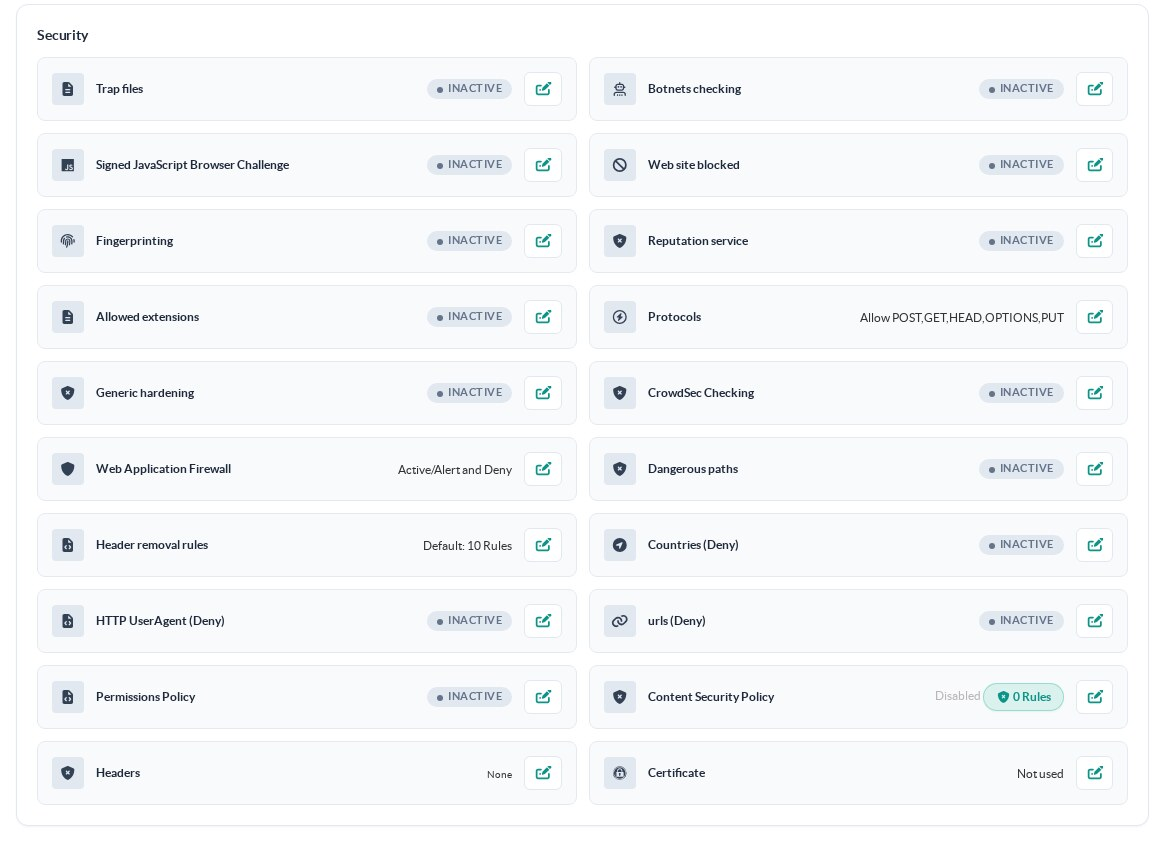
| Countries (Deny), Reputation service, CrowdSec Checking | Part of the attackers, based on where they come from or on their history. | A targeted attacker can use an address that none of these lists blocks. |
For a website reserved for staff or partners, use authentication. For a public website, use the WAF rule. Both can be combined.
All these settings are on the website itself: Web services, click the website name, then the Security section of the General settings tab.
¶ Method 1: require authentication before the website
With OIDC SSO enabled, the reverse proxy sends each visitor to your OpenID Connect identity provider before forwarding anything.
A request without a valid session is answered by the reverse proxy and never reaches the PHP server.
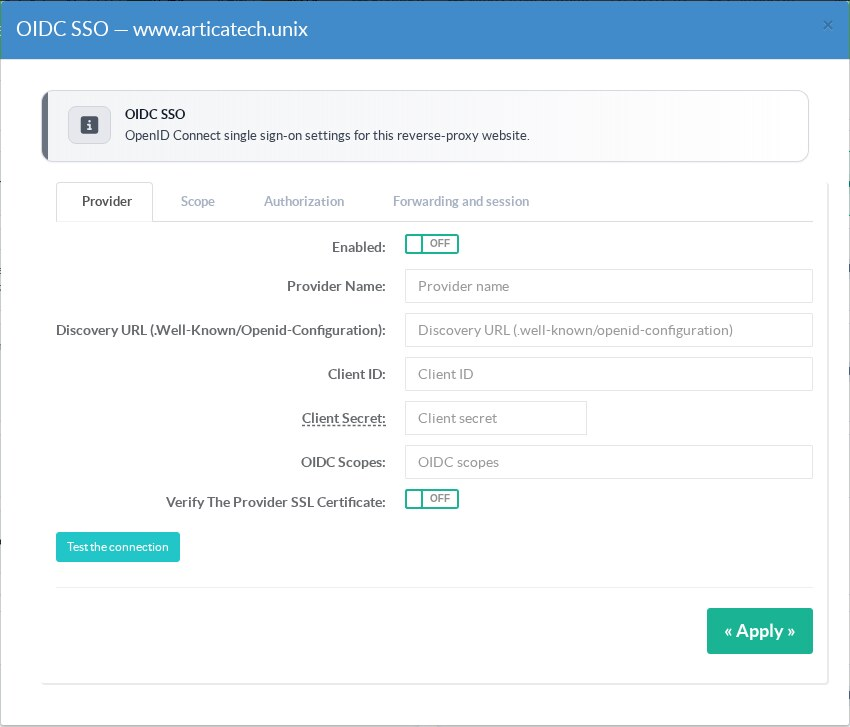
- Open the website, then click the edit button of OIDC SSO in the Security section.
- Fill in the provider name, the discovery URL (
.well-known/openid-configuration), the client ID and the client secret given by your identity provider. - Click Test the connection, turn on Enabled and click Apply.
¶ Method 2: block the upload progress field with a WAF rule
The workaround published for these flaws is to turn off the PHP upload progress feature (session.upload_progress.enabled), which suggests that the attack goes through it.
PHP starts tracking an upload when the request carries a form field named PHP_SESSION_UPLOAD_PROGRESS.
Ordinary web applications almost never send it, so the rule below refuses any request that contains it.
The Web Application Firewall must be installed on the appliance.
If it is not, see Install the Web Application Firewall.
¶ Step 1: turn on the WAF in blocking mode for the website
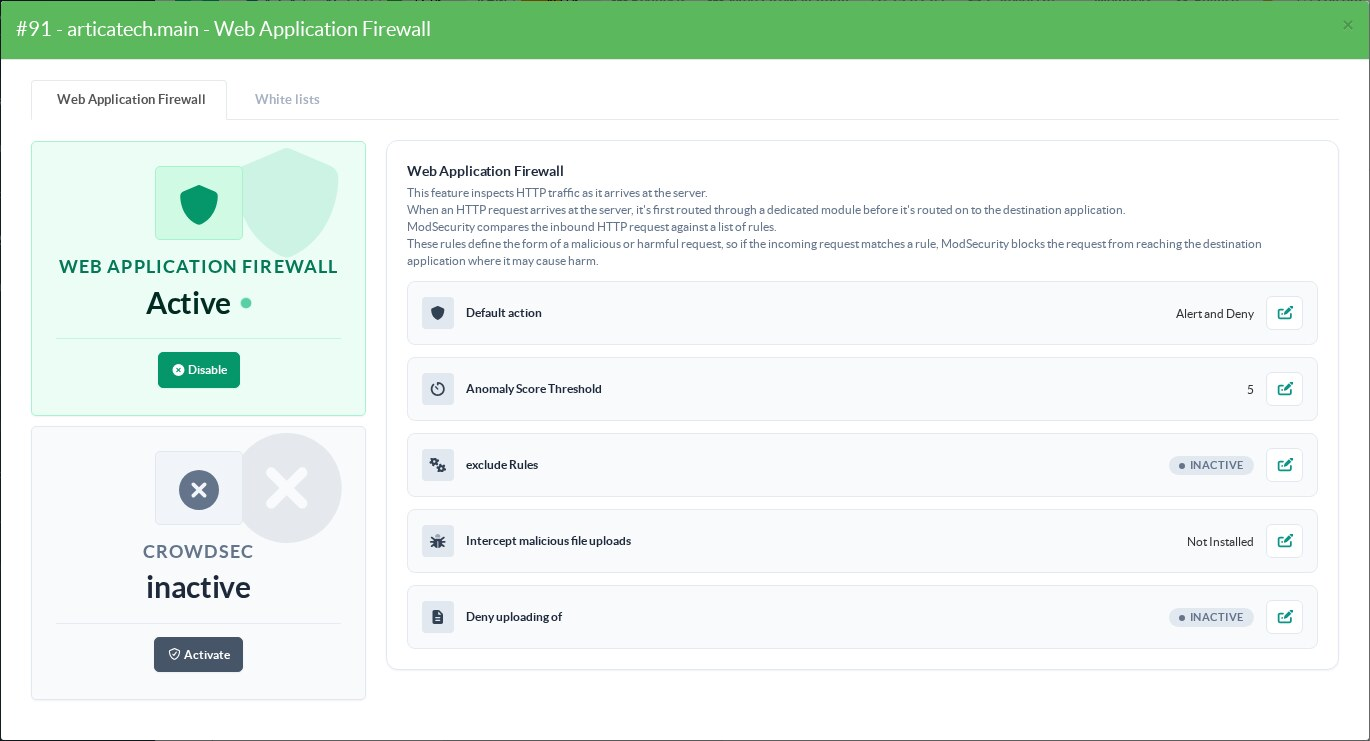
- Open the website and click the edit button of Web Application Firewall in the Security section.
- Click Activate.
- Click the edit button of Default action, choose Alert and Deny and click Apply.
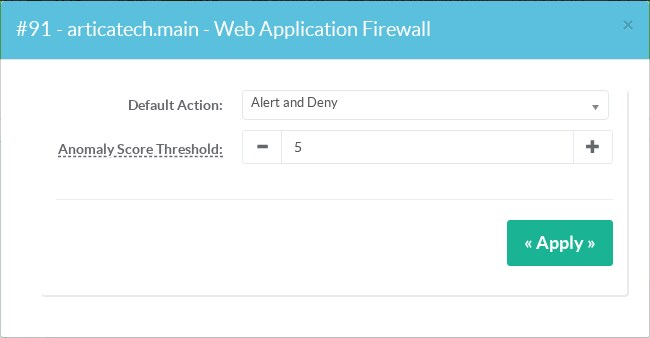
The default action decides whether the WAF blocks anything on this website.
With Alert and Pass it only writes events, and the rule below would let every request through.
Alert and Deny also lets the standard OWASP rules block requests on this website.
Watch the Web Firewall Audit page for a few days after the change.
If a legitimate request is refused, exclude the rule concerned as explained in Disable rules using threats events.
¶ Step 2: create the rule
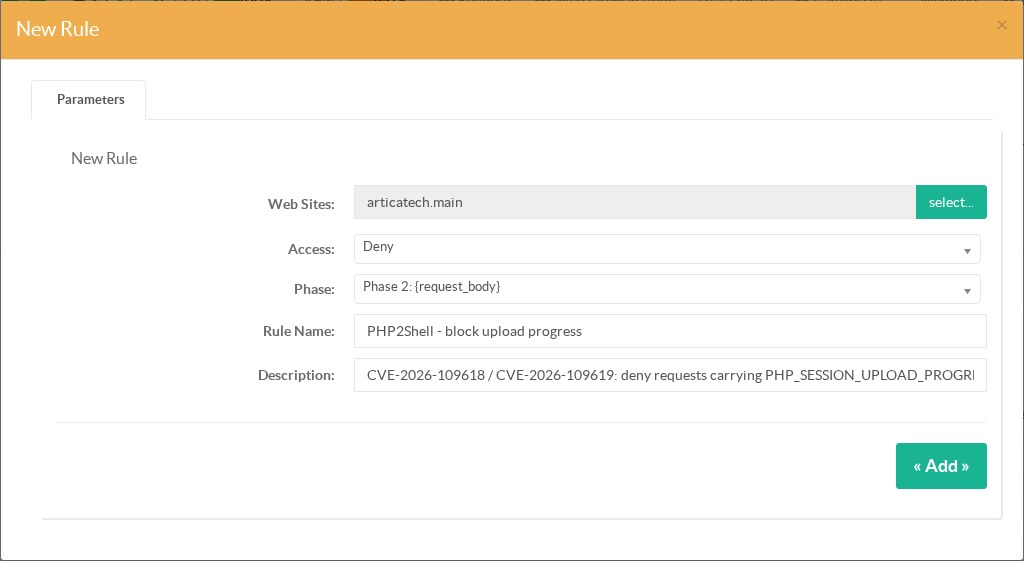
- Go to Web Firewall > Rules and click New Rule.
- Web Sites: select the website. Keep All websites to apply the rule to every website where the WAF is active in Alert and Deny mode.
- Access: Deny.
- Phase: Phase 2 (request body). Form fields are only read in phase 2: in phase 1 the rule would never see the field.
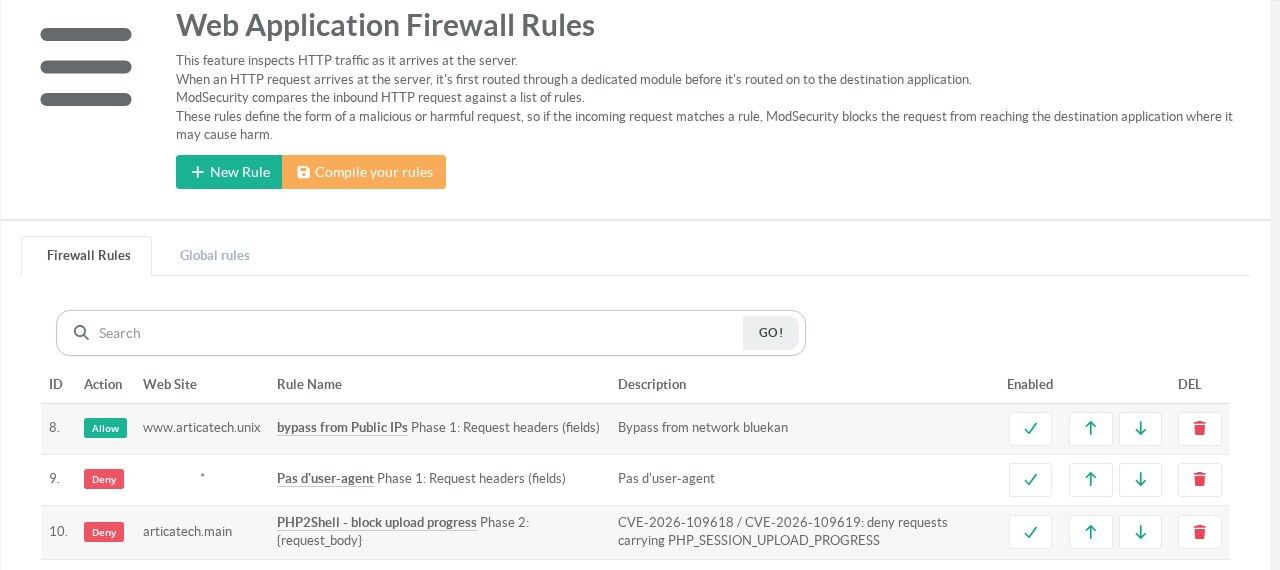
- Give the rule a name and a description, then click Add.
¶ Step 3: add the condition
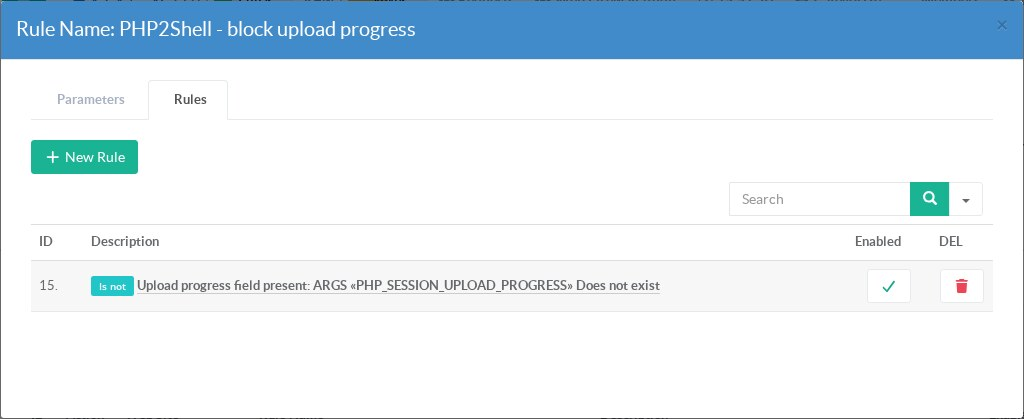
- Click the rule name, open the Rules tab and click New Rule. An empty condition is added to the list: click it.
- Set the fields as follows, then click Apply.
| Field | Value |
|---|---|
| Enabled | ON |
| Name | Upload progress field present |
| Scope | ARGS (click Browse...) |
| Operator | Does not exist |
| Negation | ON |
| Fields | PHP_SESSION_UPLOAD_PROGRESS |
| Pattern | leave empty |
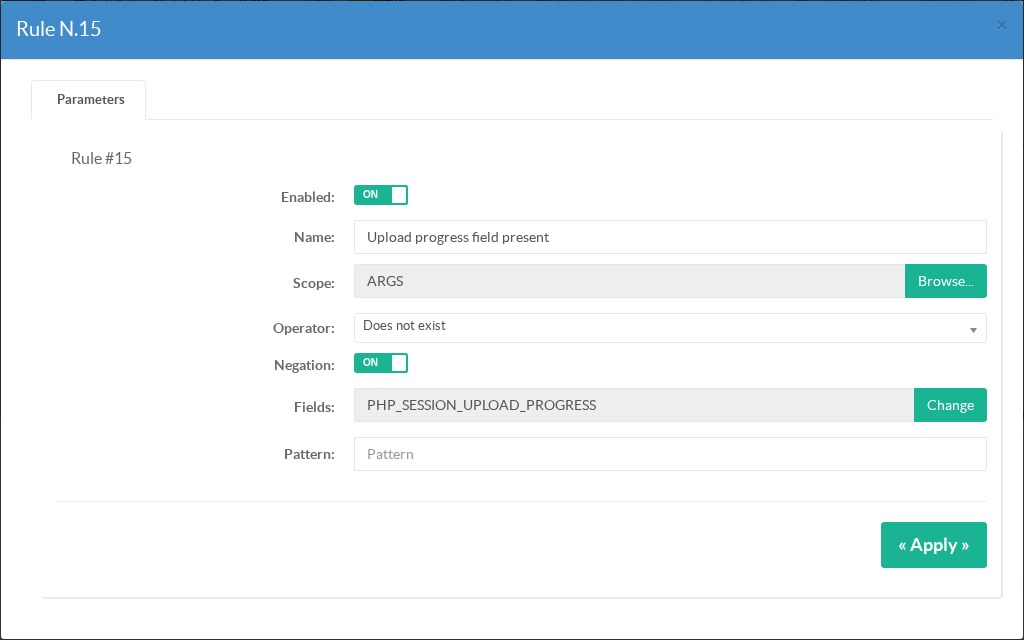
Does not exist combined with Negation means "the field is present". The ARGS scope covers the query string, ordinary form posts and file upload forms (multipart).
¶ Step 4: compile the rules
Back on Web Firewall > Rules, click Compile your rules. The reverse proxy checks the new configuration, then reloads the web server.
The rule is active once Success is displayed.
Known issue: on reverse proxies where GeoIP is enabled, builds released before 21 October 2026 answer Error... at this step and apply nothing.
The reverse proxy log then contains unknown "geoip2_data_country_code" variable. The fix is in the next reverse proxy update.
¶ Step 5: check that the rule blocks
From any computer, send one request with the field and one without it. Use the scheme and port the website really listens on: a request sent in HTTPS to a website published only in HTTP is answered by another website.
echo test > test.txt

# With the field: the reverse proxy answers 405
curl -s -o /dev/null -w '%{http_code}\n' -F PHP_SESSION_UPLOAD_PROGRESS=test -F file=@test.txt https://www.example.com/index.php

# Without the field: the website answers as usual
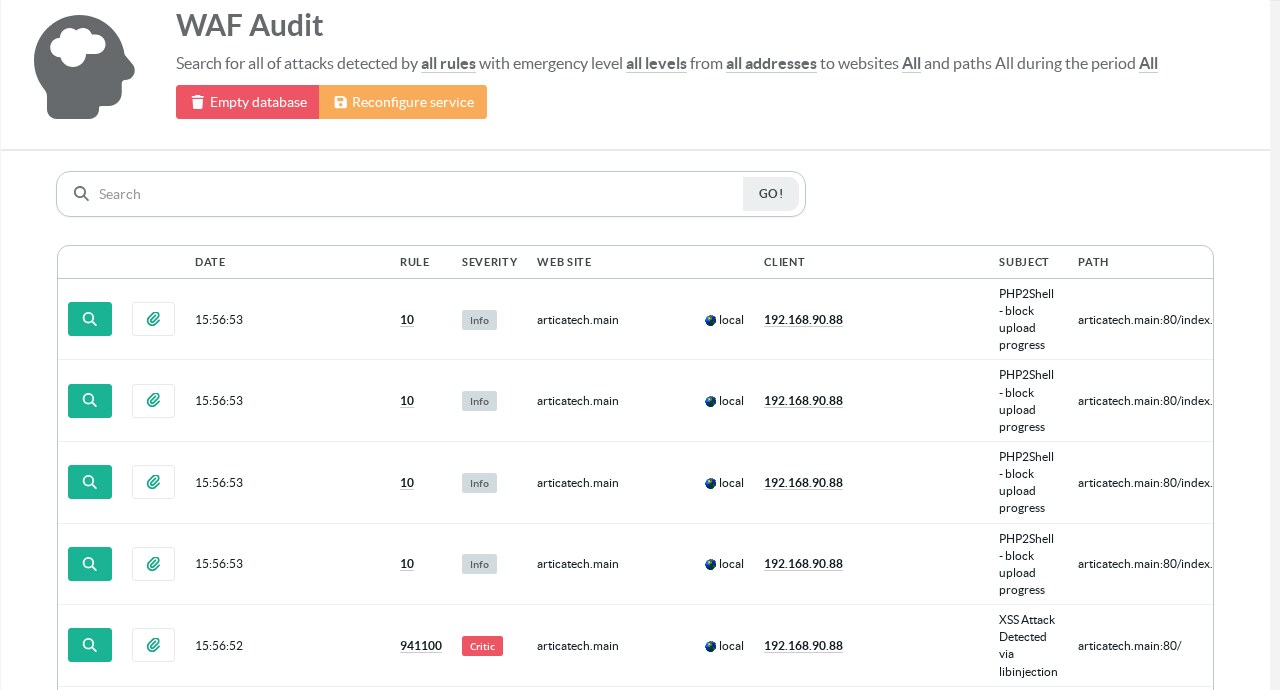
curl -s -o /dev/null -w '%{http_code}\n' -F file=@test.txt https://www.example.com/index.phpEach blocked request appears in Web Firewall Audit with the number and the name of the rule.
¶ Limits
- The rule is based on the published workaround, not on a confirmed description of the exploit.
If the attack goes through another part of PHP, only authentication and the PHP update protect the website. - If the application has renamed the field (PHP setting
session.upload_progress.name), put that name in Fields. - The WAF compares field names without regard to case, so
php_session_upload_progressis refused too. - An upload progress bar built on this PHP feature stops working on the website.
Turning the feature off in PHP has the same effect. - Only requests that go through the reverse proxy are checked. Make sure the PHP servers cannot be reached directly from the Internet.
¶ References
- PHP2Shell remote code execution in PHP (the Artica appliance and its Web Console)
- Activate the WAF engine on your websites
- How to check the Web Application firewall
- Limit access to your websites by countries