A tenant is one protected application — a site. It is the level most configuration is actually made at, and the thing every event, rule and report is filtered by.
Global → Group → Tenant (site) → Path rule
A site inherits from its group, or from Global if it has none, and overrides what it needs. Everything else in the console hangs off it: events carry a tenant, rules can be scoped to one, reports are generated for one, and the filter bar at the top of the console selects one.
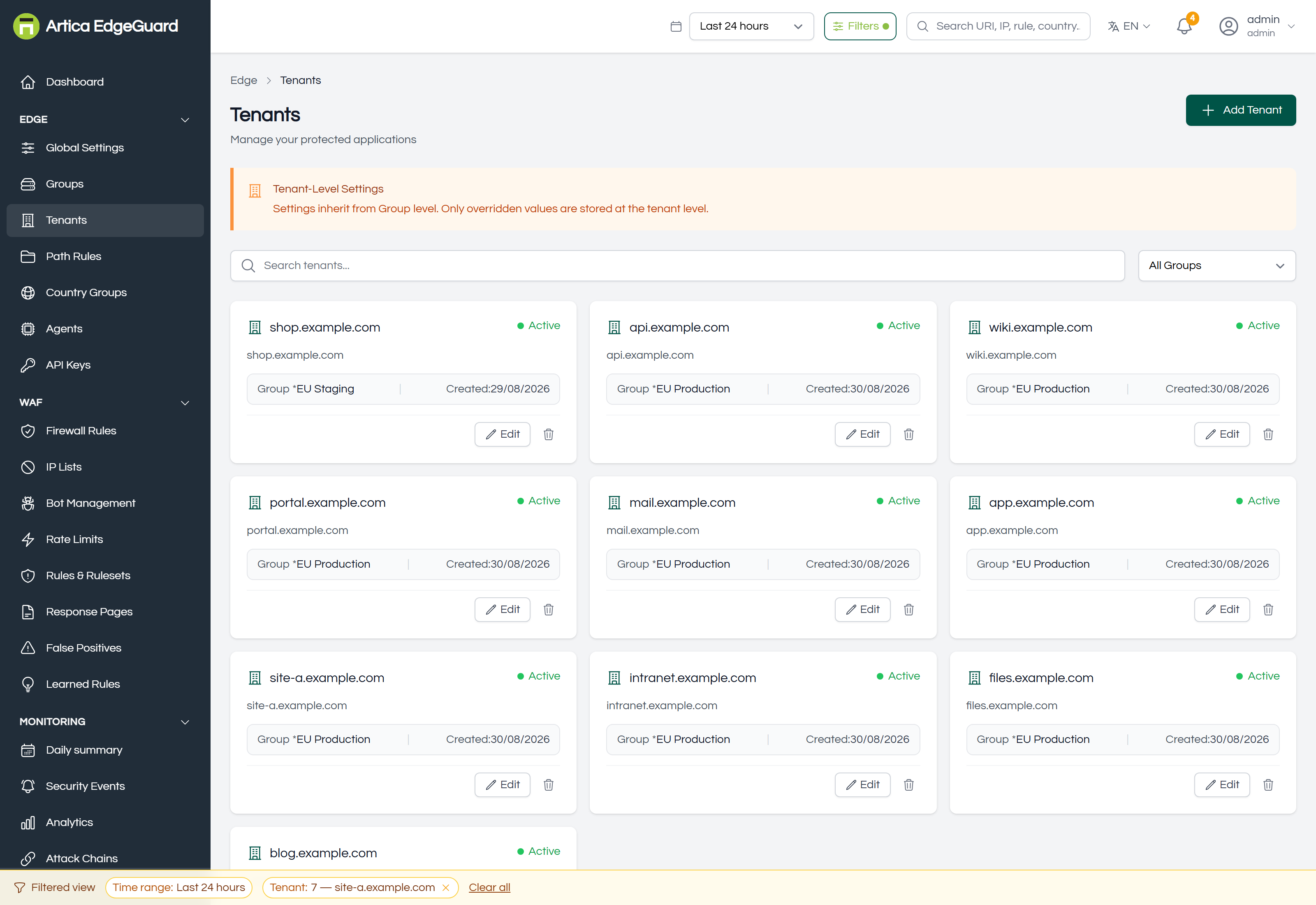
Each card carries the site's name, its domain, its group, when it was created and whether it is active.
Page actions: Add Tenant · search · filter by group · Edit · delete.
¶ How a request finds its site
This is the part worth being precise about, because it is not what most people assume.
The site is decided by nginx, not by the Host header EdgeGuard sees. Each server block names its site:
server {
    server_name shop.example.com;

    security_check on;
    security_tenant_id 7;        # ← this is what makes it site 7
    ...
}
The engine receives that number with every request. The Domain and Domain Aliases fields on the site are how the console names, groups and reports on it — they are not a lookup table. If security_tenant_id is missing or names a site that does not exist, the request is handled with the default configuration rather than that site's.
So: creating a site in the console and not setting security_tenant_id in nginx protects nothing, and the symptom is a site that shows no events at all. The Getting Started page has the full sequence.
¶ Adding one
Click Add Tenant.
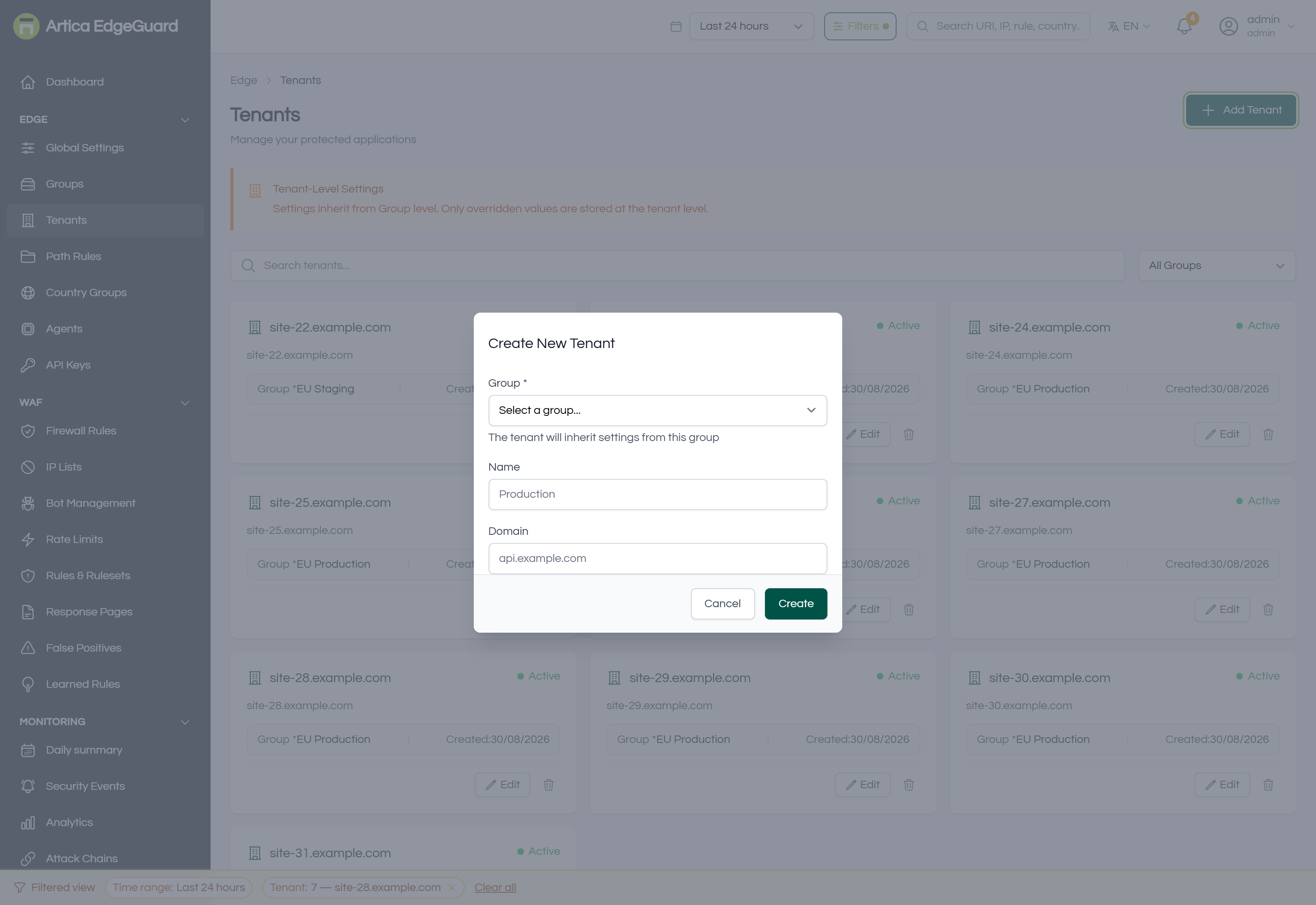
- Name — what you will recognise in every list and filter. The domain is the usual choice.
- Domain — the site's primary hostname.
- Group — optional; leave it empty to inherit straight from Global.
- Create.
Then note the site's Tenant ID and put it in the nginx server block. The ID is shown on the site's own page.
¶ The site's own page
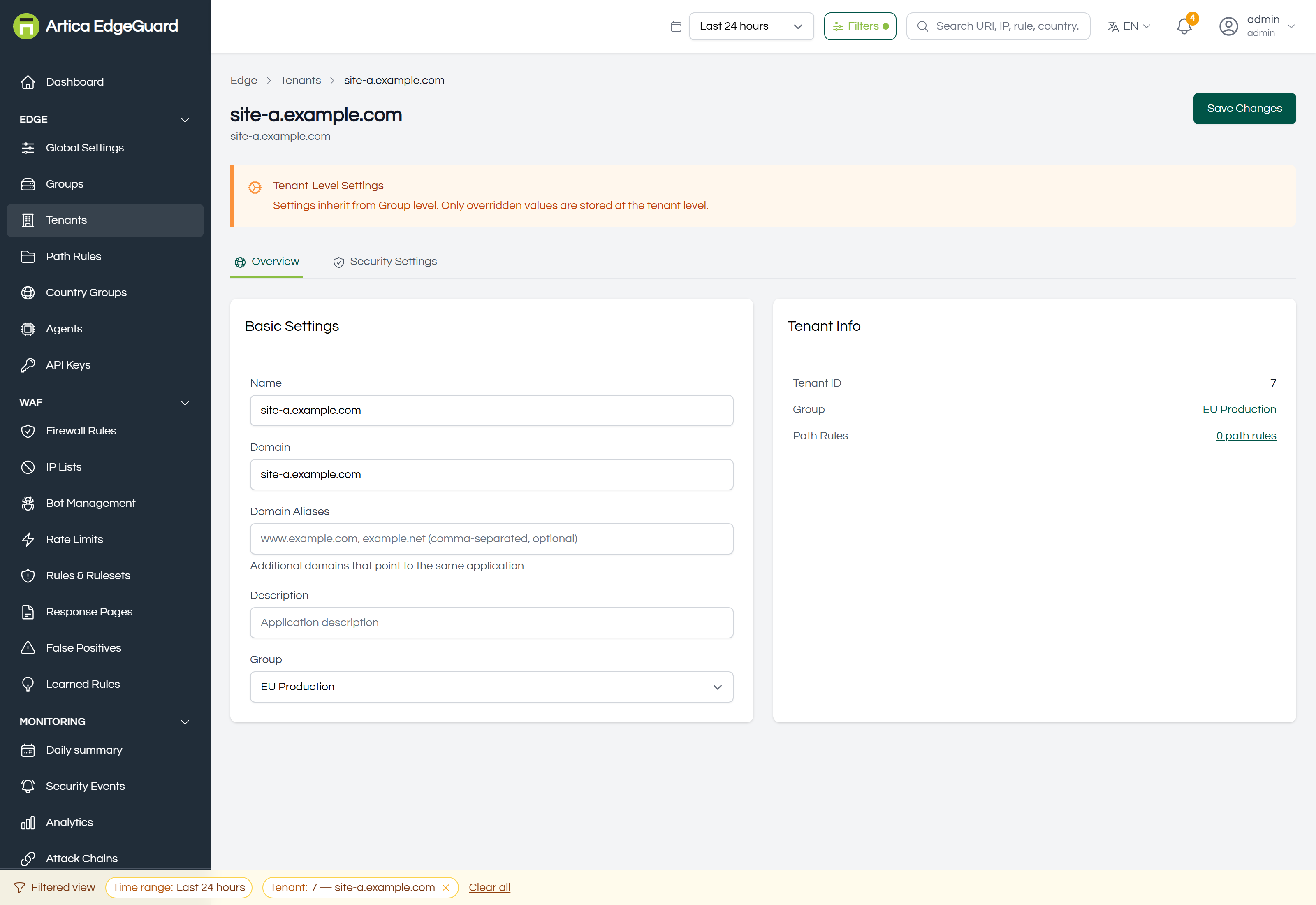
Overview → Basic Settings — name, domain, domain aliases (comma-separated; additional hostnames pointing at the same application), description and group. Beside it, Tenant Info: the tenant ID, the group, and a link to the site's path rules.
Security Settings — the same panel as Global, at site level.
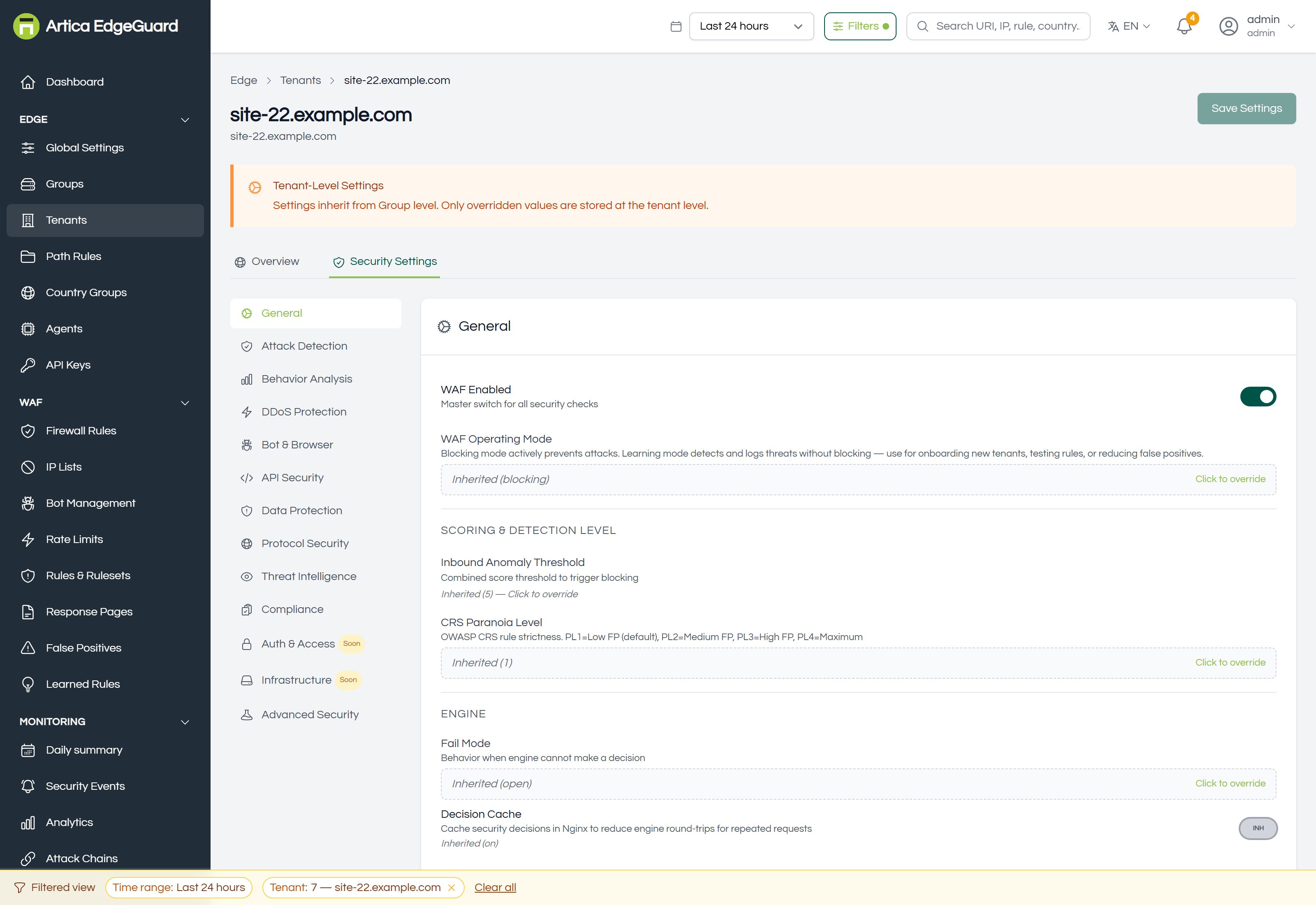
The banner says where inheritance comes from — the group if it has one, Global if not — and every field shows whether it is inherited, overridden here, or cleared back to inheriting. Only overridden values are stored on the site.
This tab is where most real work happens: a site in learning mode while it settles, a threshold raised for an application that legitimately posts odd payloads, a category switched off for an API that is nothing but JSON.
¶ Disabling versus deleting
Disabling a site is a real decision at the edge, not a cosmetic one: the engine allows every request for that site and answers with X-Security-Bypass: waf-disabled. The site is still there, still configured, and completely unprotected. It is the right tool for an emergency — a false positive is breaking production at nine in the morning and you need the site working while you find out why — and the wrong tool for anything left overnight.
Deleting removes the site and its configuration. Its events remain, because they are a record of what happened, and they keep the tenant ID they were recorded with.
Neither changes nginx. A deleted site whose server block still carries security_tenant_id 7 keeps sending requests for site 7, which no longer exists, and they are handled with the default configuration.
¶ Verifying
1. The site sees traffic at all. Filter Security Events to it. Nothing at all, on a site with visitors, almost always means security_tenant_id is missing or wrong.
2. It resolves the settings you expect. Open Security Settings and read the inheritance labels rather than the values: "inherited from EU Production" tells you the group is in play; a plain value means this site overrides it.
3. A change reached the edge. Agents pull roughly every 30 seconds.
# A request that should be refused on a protected site
curl -s -o /dev/null -w '%{http_code}\n' \
  -H 'User-Agent: Mozilla/5.0 (Windows NT 10.0; Win64; x64) Chrome/140.0.0.0' \
  "https://shop.example.com/?id=1' OR '1'='1"
A 403 and a matching event under that site is the whole chain proved: nginx named the site, the engine resolved its settings, the decision was recorded against it.
4. The bypass header is not there. If a site answers 200 to the request above and the response carries X-Security-Bypass: waf-disabled, the site is disabled — not misconfigured.
¶ Where the site level is the wrong tool
- Every site the same → Global Settings.
- Several sites the same → a group.
- One URL inside the site → a path rule.
- One rule on one field → a false-positive exclusion.
- Which agent serves it → Agents, where each agent's site list is set.