A group is a set of sites that share configuration. It sits between Global and the sites themselves, and exists so that a change meant for twelve sites is made once.
Global → Group → Tenant (site) → Path rule
A group holds the same settings a site does — every tab of Global Settings, at group level. A site belonging to the group inherits them unless it sets its own. Nothing else about a group is special: it is a level of the hierarchy with a name.
Groups are optional. A site with no group inherits straight from Global.
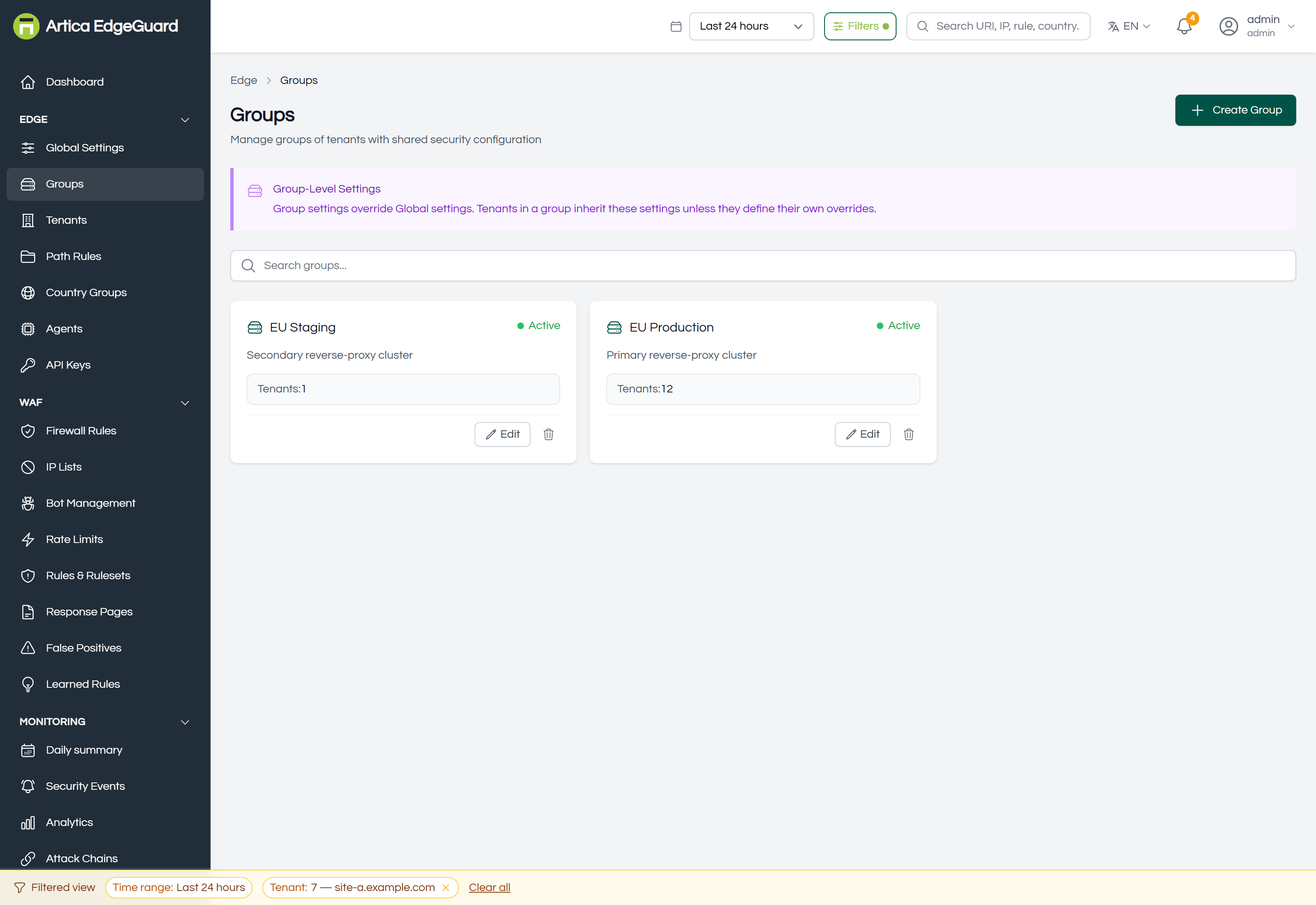
Each card shows the group's name, its description, whether it is active, and how many sites belong to it.
Page actions: Create Group · search · Edit (opens the group) · delete.
¶ When a group earns its keep
Use one when several sites need the same answer to the same question and you do not want to answer it twelve times:
- By environment — production strict, staging in learning mode.
- By node — the sites behind one reverse-proxy cluster, which is usually the same as "the sites one agent serves".
- By customer — a reseller's sites, so their policy can be changed in one place.
- By risk — the public marketing sites in one group, the authenticated applications in another with a lower threshold.
Do not create a group per site. A group whose membership is one is a site with extra steps, and the settings belong on the site.
¶ Creating one
Click Create Group.
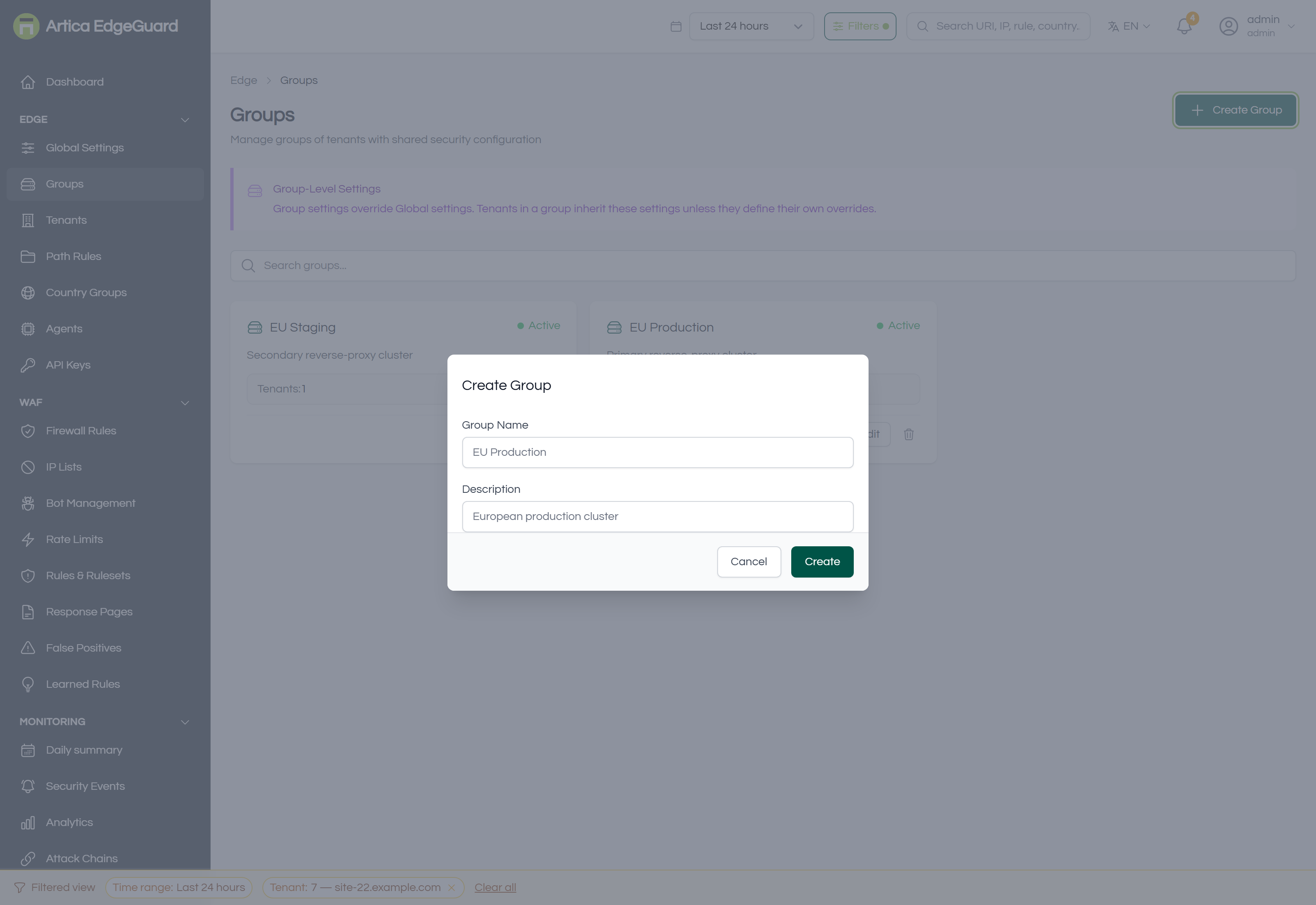
- Group Name — how it appears everywhere else:
EU Production. - Description — what belongs in it, in a sentence. This is the field that stops somebody putting a staging site in the production group next year.
- Create.
Security settings are not asked for here. A new group is created empty, which means it inherits everything from Global and changes nothing for the sites you put in it — deliberately: a group that arrived with opinions would change behaviour the moment a site joined.
¶ The group's own page
Edit opens the group, with two tabs.
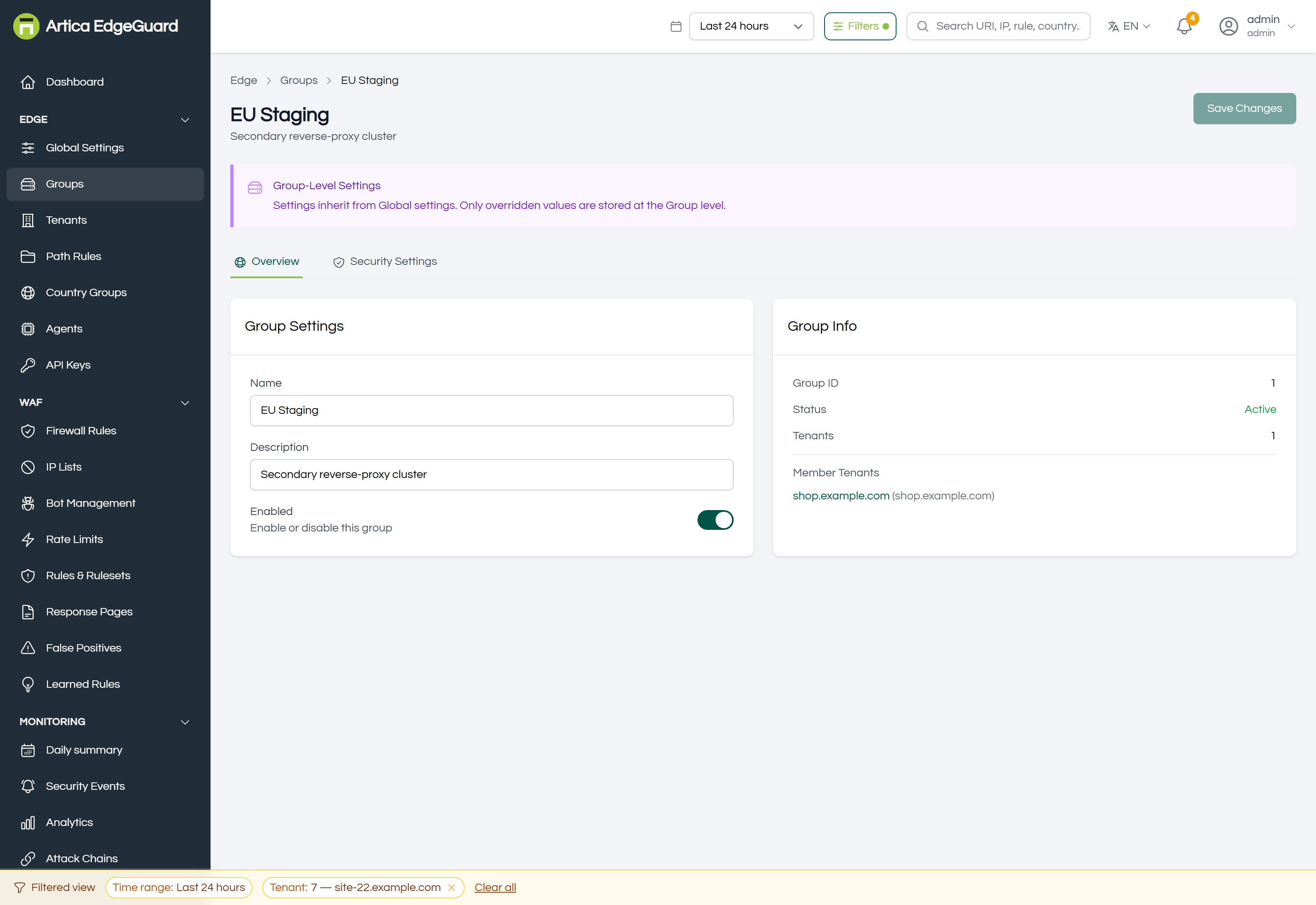
Overview — name, description, and the switch that enables or disables the group. Beside it, Group Info: the group's ID, its status, how many sites belong to it and which ones.
Security Settings — the full settings panel at group level.
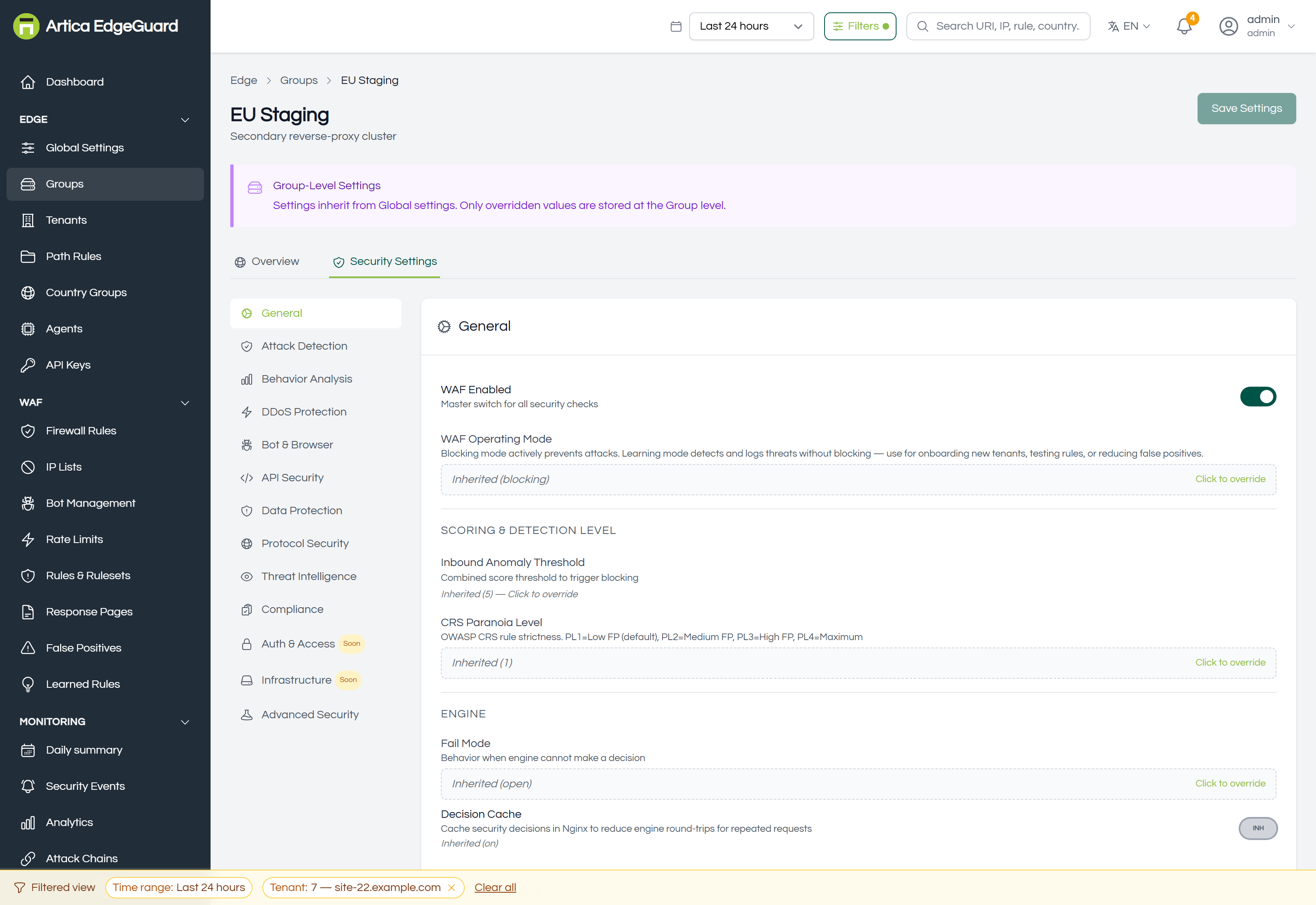
Every field here shows one of three states, and the distinction matters: inherited from Global, overridden at this group, or explicitly cleared back to inheriting. Setting a field to "off" and clearing it are not the same thing — off is a decision this group makes and keeps, cleared is "whatever Global says, now and later".
¶ Adding and removing sites
Membership is set on the site, not on the group: open the site under Tenants and choose its Group. The group's page lists its members but does not edit the list.
This is the right way round, because a site has exactly one group and a group has many sites — but it does mean that "move these four sites to the new group" is four edits, on four pages.
¶ Deleting one
Delete on the card, with a confirmation.
Deleting a group does not delete its sites. They keep working and fall back to inheriting directly from Global — which silently changes their effective configuration, by exactly the settings the group was overriding. Read the group's Security Settings tab before deleting it, so you know what the sites are about to lose.
¶ Verifying
1. Check what a site actually resolves to. Open a member site's Security Settings. Fields the group sets should be shown as inherited, naming the group. If one shows a different value, that site has its own override — which is the answer to most "the group change did nothing" reports.
2. Wait for the pull. Agents fetch configuration roughly every 30 seconds; Agents shows each one's last contact and can force a reload.
3. Prove it at the edge with a request that the group's setting should now catch, and find it in Security Events.
¶ Where a group is the wrong tool
- Everything, everywhere → Global Settings.
- One site → that site, under Tenants.
- One URL → a path rule.
- Which agent serves which sites → Agents. A group is a configuration scope, not a deployment unit: an agent's site list is set on the agent.