Every decision EdgeGuard made, one row per request it acted on: what arrived, which rule fired, what was done about it, and what to do next.
Security Events is the record of traffic. Its counterpart is the Audit Log, which records people. If a visitor was refused and wants to know why, the answer is here; if a rule was changed and you want to know by whom, the answer is there.
An event is written for every request EdgeGuard acted on — blocked, challenged, rate-limited, allowed by an explicit rule, or recorded by a Log Only rule. Ordinary traffic that matched nothing is not stored one row per request: that would be a web server access log, and you already have one.
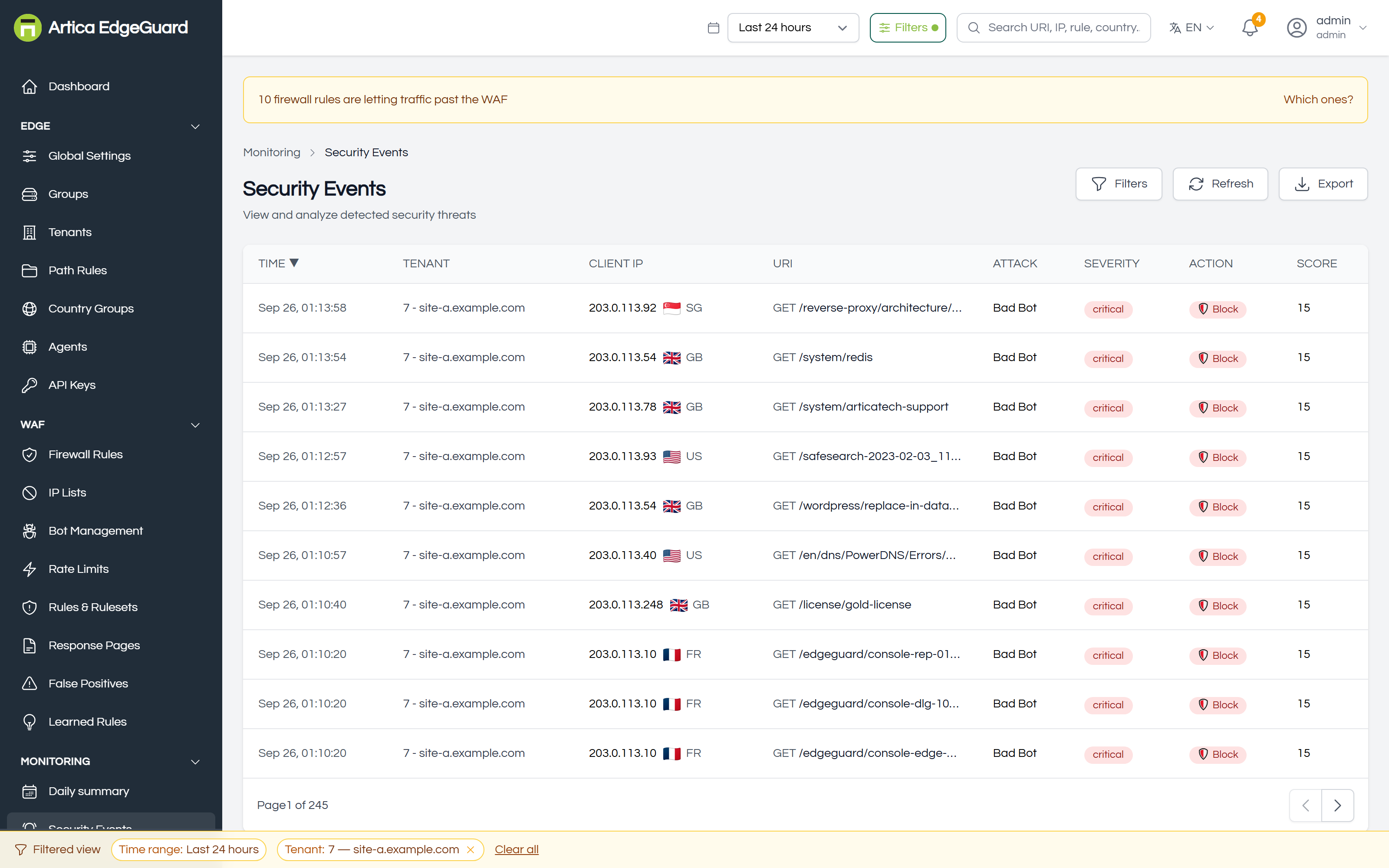
¶ Reading a row
| Column | What it tells you |
|---|---|
| Time | when the decision was made, in your own time zone |
| Client IP | the address the request came from, after EdgeGuard has resolved the real client behind any proxy |
| URI | the path asked for |
| Attack | the rule or category that fired — sqli, Bad Bot, a firewall rule's own name, learned:5 |
| Severity | critical, high, medium, low, or policy for a decision that carries no score |
| Action | Block, Challenge, Rate Limit, Allow, Log Only |
| Score | the anomaly score reached. A dash means the decision was a policy, not a score — a country block has no score to report |
A synthetic badge marks traffic EdgeGuard generated itself (health checks, synthetic monitoring) so it cannot be mistaken for a real visitor.
¶ Finding one request
Three ways in, in order of precision:
By its EdgeGuard ID. Every block page shows one. Paste it into the global search at the top of the console and that exact event opens — no filtering, no scrolling. This is the answer to a support call: the visitor reads you eight characters and you have their request.
By filter. The Filters panel narrows by attack type, severity, action, site, address, rule and period.
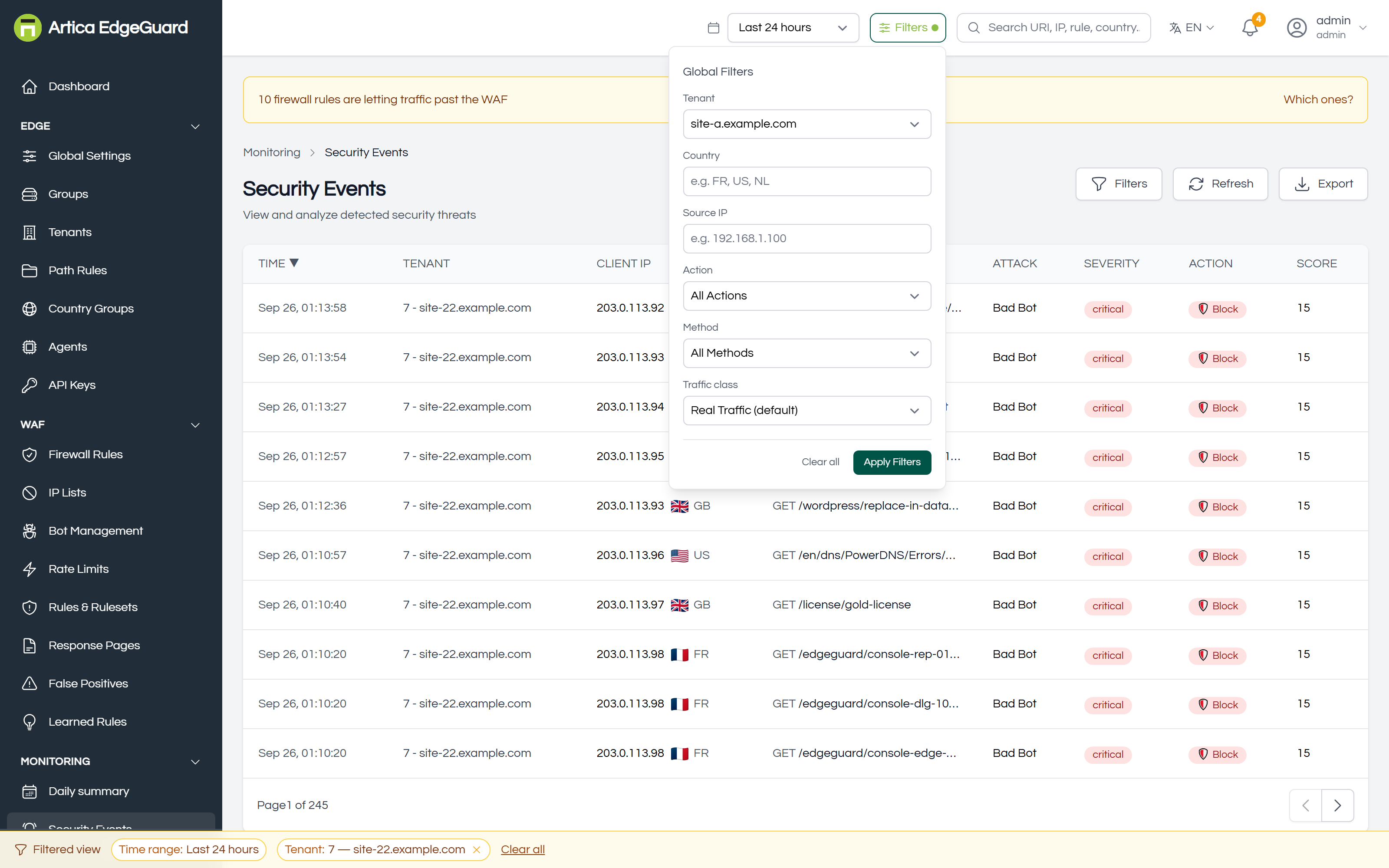
By the time range and site in the top bar, which every page in the console shares. The bar along the bottom always says what is currently filtered, so a page that looks empty can be understood at a glance rather than mistaken for no activity.
¶ What an event holds
Click a row.
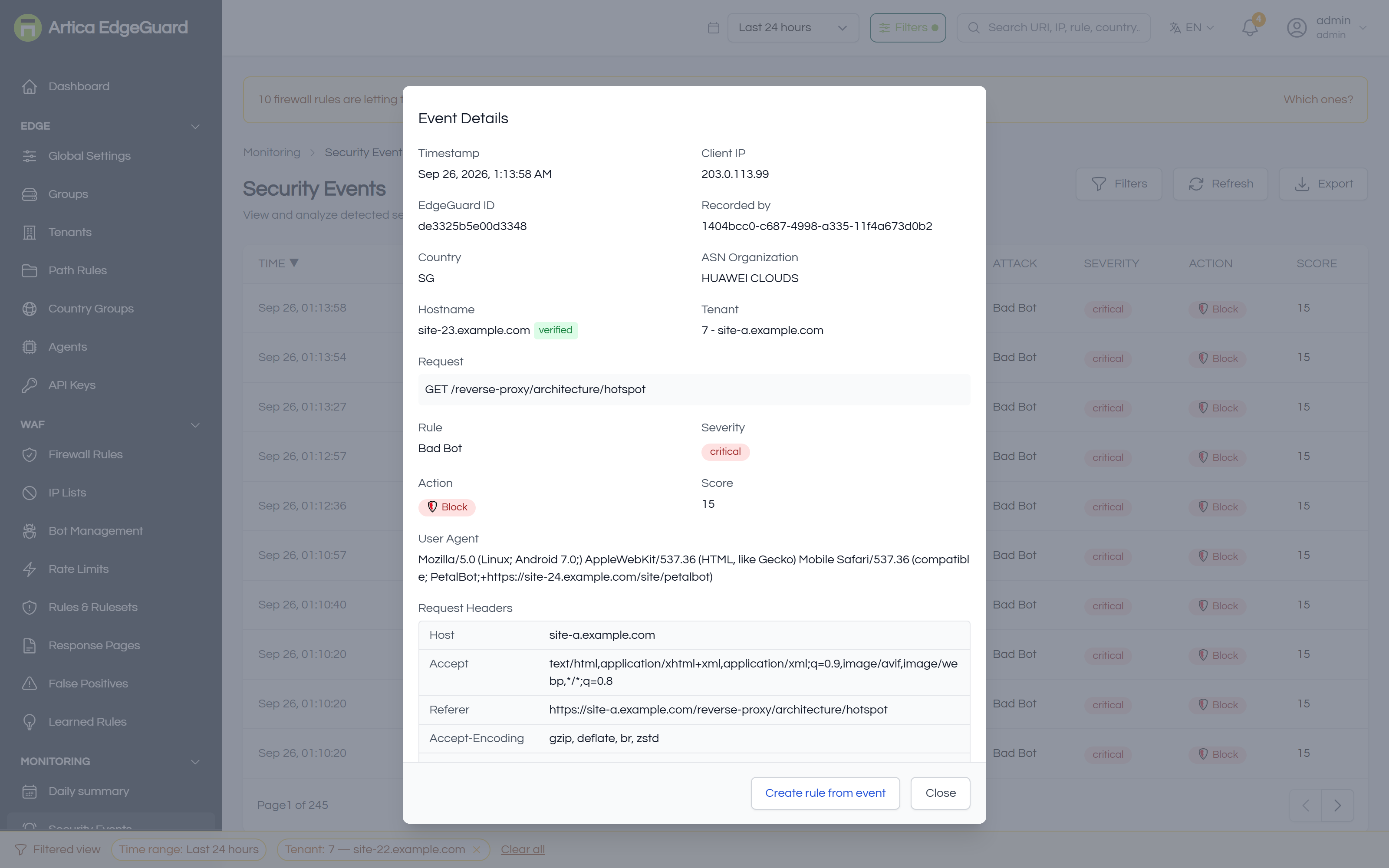
Beyond the columns:
- EdgeGuard ID — the identifier on the block page, and the
ray_idin anything shipped to a SIEM. - Recorded by — which agent made the decision. On a multi-node edge this is how you find the node that disagreed with the others.
- Country and ASN Organization — where the address is and who owns it. "HUAWEI CLOUDS" answers a different question than "Singapore".
- Hostname — reverse DNS, resolved on demand, marked verified only when the forward lookup comes back to the same address. An unverified
googlebot.comis not Google. - Request headers — what actually arrived, which is usually where the surprise is.
- Matched rules — every rule that contributed, with its own score and the total against the threshold. This is the difference between "one rule was certain" and "six rules were each slightly suspicious", and it changes what you should do about it.
- Masked values — where a rule matched inside a sensitive field, the match is shown with the value masked, plus its offset and length. You can see that a password field triggered a rule without the page showing the password.
If an exclusion already applies to this request, the panel says so and links to it. If the event has been marked a false positive, it says that too, with the flag removable from the same place.
¶ Acting on an event
¶ Quick actions
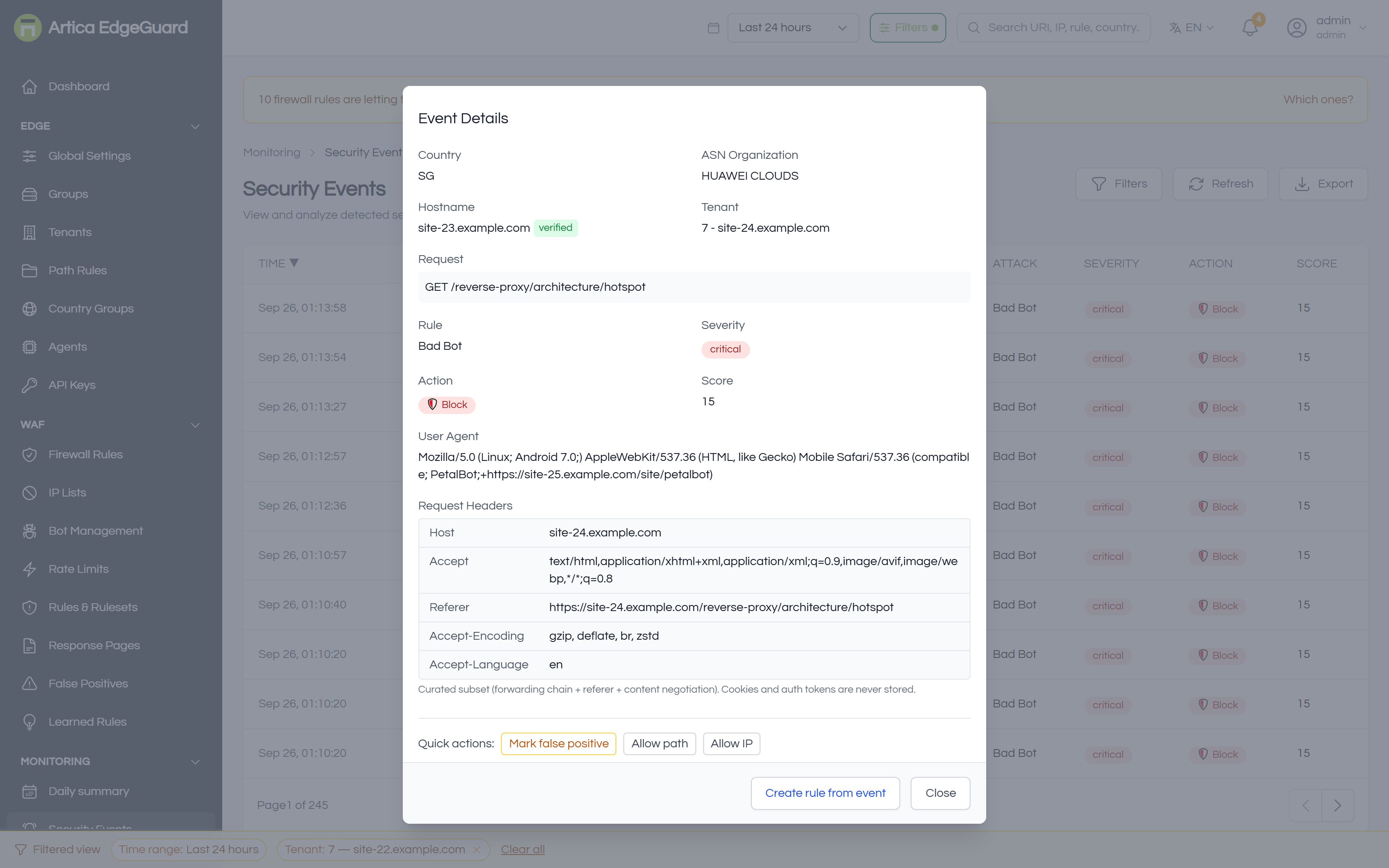
Shortcuts for the decision this event most likely calls for: mark it a false positive, allow this path, allow or block this address, block this path, block this path from this address. Each one asks for confirmation and names exactly what it will create — a quick action is still a rule, and it appears in Firewall Rules or False Positives like any other.
¶ Create rule from event
For anything more considered, Create rule from event opens the builder with the event's own values filled in.
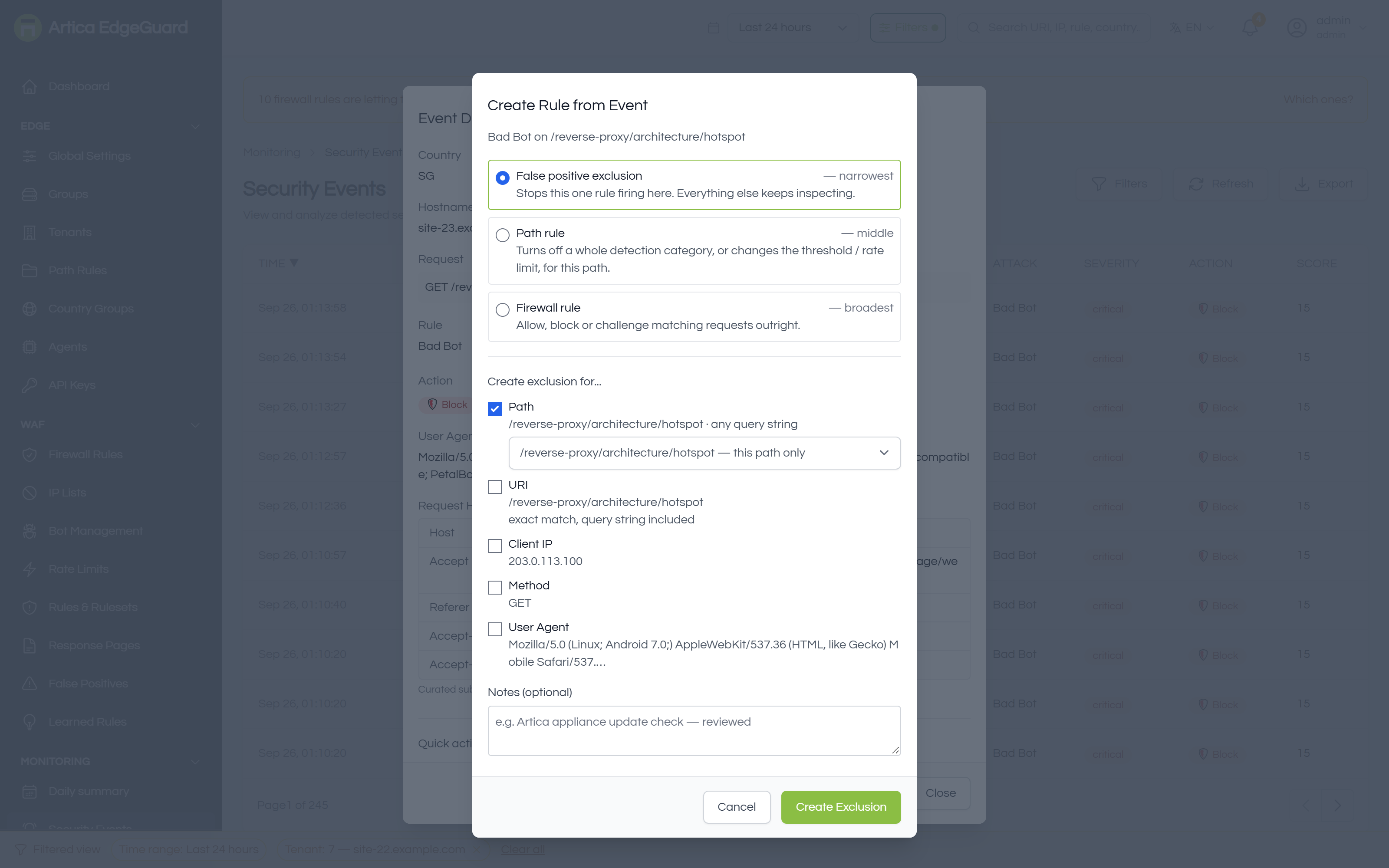
It offers three widths, and says which is which:
| Choice | What it does | When |
|---|---|---|
| False positive exclusion — narrowest | stops this one rule firing here; everything else keeps inspecting | a legitimate request tripped one rule |
| Path rule — middle | turns off a whole detection category for a path, or changes its threshold or rate limit | an endpoint that is wrong for a class of rules — a webhook receiving odd payloads |
| Firewall rule — broadest | allow, block or challenge matching requests outright | a decision about who, not about detection |
Then you tick what to narrow it by: path (this path only, or a prefix, or with the query string), client IP, method, user agent. Nothing ticked is a scope of "anywhere", and the dialog says so rather than letting you find out later.
Start at the top. An exclusion that stops one rule on one path is a scalpel; a firewall allow for the same path switches off every check EdgeGuard has, for everyone.
¶ Exporting
Export downloads the filtered list. The same data is available continuously through a log connector, which is the better answer if you export the same thing twice.
¶ Verifying your own understanding
1. Make an event on purpose.
curl -s -o /dev/null -w '%{http_code}\n' \
  -H 'User-Agent: Mozilla/5.0 (Windows NT 10.0; Win64; x64) Chrome/140.0.0.0' \
  "https://site.example.com/?id=1' OR '1'='1"
A blocked request answers 403 and appears within a second or two. Open it: the matched rules list should name an SQL-injection rule, and the score should be at or above the threshold.
2. Follow the ID. The 403 page carries an EdgeGuard ID. Search for it. You should land on the same event you just opened.
3. Check the rule you just wrote. After creating an exclusion or a firewall rule from an event, repeat the request. The new decision appears as a new event — the old one is history and does not change.
¶ Where Security Events is the wrong tool
- Trends rather than requests → Analytics.
- Who changed a rule → Audit Log.
- A campaign rather than a request → Attack Chains, which groups related events.
- What is being attacked overall → Attack Surface.
- Evidence for an auditor → Compliance Reports; events are the raw material, a report is the statement.