Sending EdgeGuard's events somewhere else: a SIEM, Elasticsearch, Splunk, a syslog collector, or an HTTP endpoint of your own.
A log connector is a destination. EdgeGuard keeps every security event and every administrative action in its own database and shows them in Security Events and Audit Log; a connector copies them, as they arrive, to the system your organisation already watches.
Nothing is moved. A connector never removes anything from EdgeGuard, and turning one off changes nothing except that shipping stops.
¶ Why ship at all
The console answers questions about EdgeGuard. A SIEM answers questions across everything: this address was refused at the WAF — did it also authenticate anywhere, touch a file share, appear in a VPN log? That correlation is the whole reason the destination exists, and it is why events are shipped with their identifiers intact (the ray ID, the site, the agent node) rather than as prose.
Two other reasons come up in practice:
- Retention. EdgeGuard prunes security events on a schedule — the retention set in Global Settings, 90 days by default. A connector puts them somewhere that keeps them for as long as your policy requires, which for PCI-DSS is a year.
- Alerting. EdgeGuard tells you about what it refused. A SIEM can page somebody at three in the morning.
¶ What gets shipped
Security events always: one JSON object per event, with id, ray_id, timestamp, tenant_id and tenant_name, node_id, client_ip, country, method, uri, action, rule_name, score, user_agent and the details object the event carries.
Audit entries optionally, when Ship audit logs is on: actor, action, resource_type, resource_id, ip_address, user_agent and details — who changed what in the console.
The two travel separately, on separate cursors, so a destination that rejects one does not lose the other.
¶ Where the console shows it
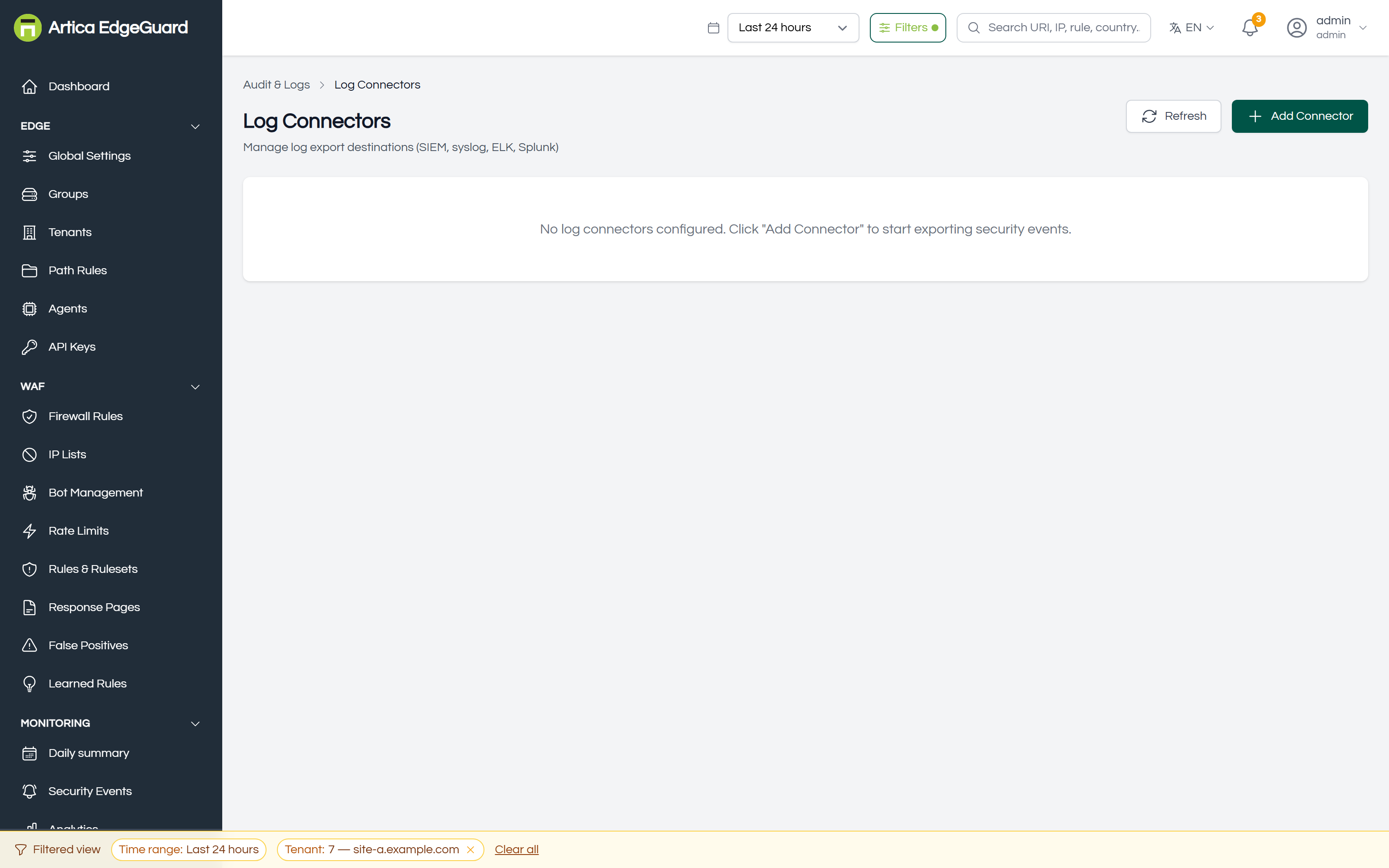
Each row carries the destination, its scope, whether audit entries are included, how many events it has shipped, its status and the last error if there is one.
Page actions: Add Connector · Test a connector · Backfill a period · enable, disable or delete one.
¶ Adding a destination
Click Add Connector.
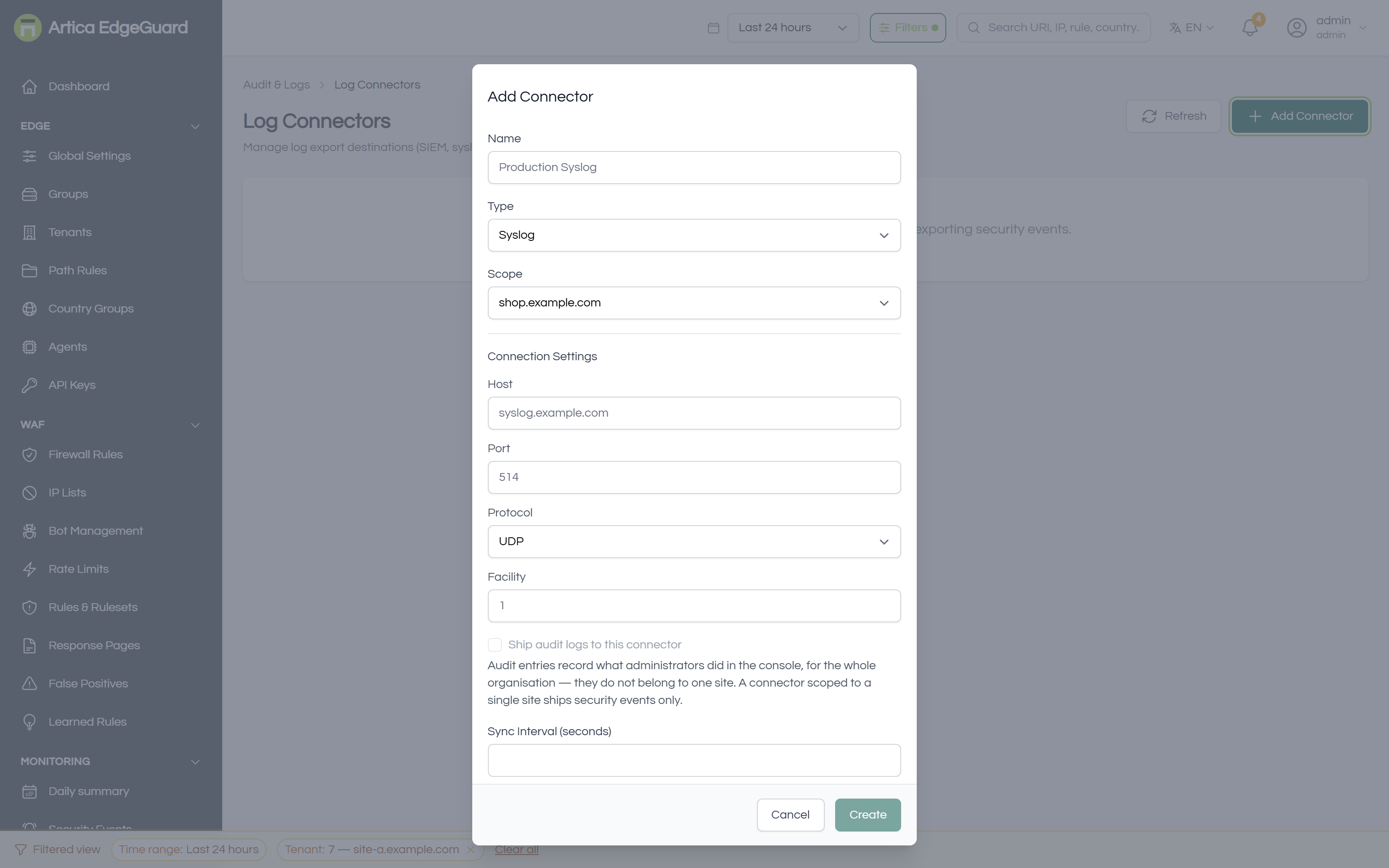
- Name — what you will look for in this list:
Production Syslog,Splunk HEC. - Type — the five below, each with its own fields.
- Scope — All sites, or one site. A site-scoped connector ships only that site's events, which is how you give a customer their own feed without giving them everyone else's.
- Type-specific fields — destination, credentials, index.
- Ship audit logs — only offered on an all-sites connector, and the reason is in the dialog: an audit entry records what an administrator did across the whole organisation and belongs to no single site, so a customer's own feed cannot carry them.
- Sync Interval (seconds) — minimum 5, default 10.
- Create.
¶ The five types
| Type | Where it sends | What it needs |
|---|---|---|
| Syslog / SIEM (CEF) | a TCP or UDP socket | host, port (514), protocol, facility |
| Elasticsearch / ELK | the _bulk endpoint |
endpoint URL, index, and either an API key or a username and password |
| Splunk HEC | the HTTP Event Collector | endpoint URL, HEC token, and optionally index, source, sourcetype |
| Webhook | any HTTP endpoint | URL, method, headers, bearer token or basic auth |
| Custom | the same as Webhook | as above |
Syslog and SIEM ship CEF, not JSON. One line per event, RFC 3164 framing, with the anomaly score as the CEF severity:
<14>2026-09-26T00:12:44Z edgeguard CEF:0|Artica|EdgeGuard|1.0|sqli|block|9|src=203.0.113.4 request=/login act=block
An audit entry maps idiomatically rather than being forced into the event fields — suser is the actor, cs1 is the resource:
<14>2026-09-26T00:13:02Z edgeguard CEF:0|Artica|EdgeGuard|1.0|audit:firewall_rule|update firewall_rule|3|suser=ana@example.com src=10.0.0.9 act=update cs1Label=resource cs1=firewall_rule:42
Elasticsearch gets two indices, not one. The index you configure gains a suffix: edgeguard-security_events and edgeguard-audit_logs. The two documents have nothing in common, and sharing an index would make Elasticsearch's own mapping reject one of them.
Splunk and the webhook types receive the JSON array — up to 100 events per request.
¶ How delivery behaves
- Batches of 100. Up to ten batches of events and five of audit entries per connector per tick, so a busy period drains rather than queueing for ever.
- Every 5 seconds a tick, your interval a gate. Each connector ships at its own interval; the worker itself wakes every five seconds because that is the shortest interval you can configure.
- Connectors are independent. They ship in parallel: a Splunk endpoint taking two seconds does not hold up the ELK one, and a connector that crashes does not stop the others.
- A cursor, not a queue. Each connector remembers the timestamp it last shipped, separately for events and audit entries. A connector created today starts 24 hours back, so switching one on brings yesterday with it.
- Backoff when the far end is down. First failure waits 10 seconds, then doubles to a ceiling of 5 minutes. Nothing is lost: the cursor does not advance past what was not delivered.
- At least once, not exactly once. A batch that fails after the far end accepted part of it will be sent again, because the cursor only advances on success. Deduplicate on the event
idif that matters to you. - Every attempt is recorded. The last 200 attempts per connector, with row counts, duration and any error.
¶ Verifying it works
1. Test the connection. Test on the row sends one synthetic event — uri /test-connectivity, rule_name test-connectivity, client IP 0.0.0.0. It travels the real path to the real destination, so a failure here is a genuine failure, and the error it returns is the far end's own words.
2. Watch it with no destination software at all. For syslog, before pointing it at the SIEM:
# On the collector host — prints whatever arrives
nc -u -l 514
# or for TCP
nc -l 514
3. Look at the row. After one interval: Status connected, Events shipped climbing, Last error empty. A connector that stays at zero with no error is shipping nothing because nothing matched — check the scope.
4. Prove it end to end with real traffic. Make a request that will certainly be refused, then look for it at the destination by its ray ID:
curl -s -o /dev/null -w '%{http_code}\n' "https://site.example.com/?id=1' OR '1'='1"
The block page carries an EdgeGuard ID. That is the ray_id field; searching for it in Splunk or Kibana is the shortest proof that the whole chain works.
5. Fill in the past. Backfill ships a date range that predates the connector, 100 events a second. Progress is reported while it runs; it is not resumed if central restarts, so a large range is best done in a few smaller ones.
¶ When something is not arriving
| What you see | What it usually is |
|---|---|
| Status error, "connection refused" | nothing listening, or a firewall between central and the collector. Test with nc from the central host. |
| Status connected, count not moving | no events match the scope. A site-scoped connector on a quiet site is the common case. |
| ELK accepts everything, Kibana shows nothing | the index pattern. Look for <your index>-security_events, not <your index>. |
| Splunk returns HTTP 403 | the HEC token, or HEC not enabled on that port. |
| Audit entries never arrive | Ship audit logs is off, or the connector is scoped to one site, where they are not available. |
| Events arrive twice | expected after a failure — delivery is at least once. Deduplicate on id. |
| A TLS error against your own collector | Skip TLS verification exists for a self-signed collector. Prefer trusting the CA. |
¶ Worked examples
A customer's own feed. Add a webhook connector, scope it to that customer's site, point it at their endpoint with a bearer token. They receive their events and nothing else — not other sites', not the audit trail.
PCI retention without a SIEM. An Elasticsearch connector with a one-year ILM policy on the index, EdgeGuard's own retention left at 90 days. The console stays fast and the evidence lives as long as the standard requires.
Alert on a single rule. Ship everything to the SIEM and alert there, rather than trying to express the condition here. A connector has no filter beyond its scope: it is a pipe, deliberately, and the destination is where the questions are asked.
¶ Where a connector is the wrong tool
- You want an email when something happens → the daily summary and the notification bell, not a connector.
- You want to reduce what is stored → log retention in Global Settings.
- You want to see events now → Security Events, which is live.
- You want the agent to send to your syslog directly → not the same thing: connectors ship from central, which is where every agent's events already are.