VnStat
vnStat is a resource-efficient, console-based network traffic monitor that leverages kernel-provided network interface statistics to track bandwidth usage.
vnStat is a resource-efficient, console-based network traffic monitor that leverages kernel-provided network interface statistics to track bandwidth usage.
Unlike packet capture utilities, vnStat does not intercept or analyze individual packets, eliminating any additional load on network throughput and minimizing CPU and memory usage.
By relying on the cumulative counters maintained by the kernel, vnStat ensures accurate traffic accounting with negligible system impact, making it particularly suitable for high-traffic and production environments.On Debian 12, you need at least the Artica v4.50 Service Pack 3 or Artica v4.50 Service Pack 2 Hotfix 20250426-18
- Install/upgrade the VnStat software
The software is compiled and distributed through the Artica update servers, and installation or updates are performed via the Packages Center.
- Enable the VnStat feature
Installing through the Package Center places the binaries and libraries onto the disk but does not start the service.
To activate it, you must manually enable the feature.
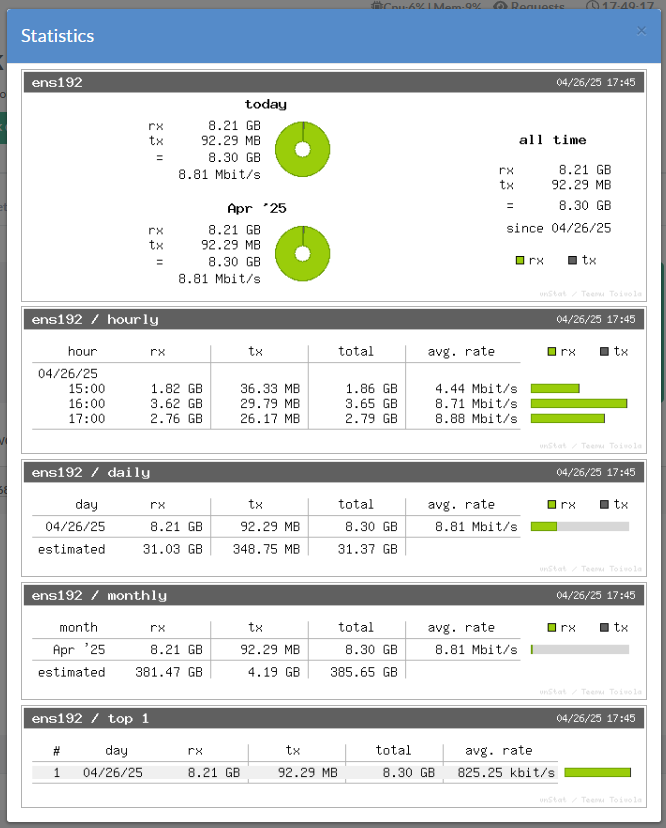
- Display Network interface statistics
Statistics are generated per interface and are available in the network interfaces status section.