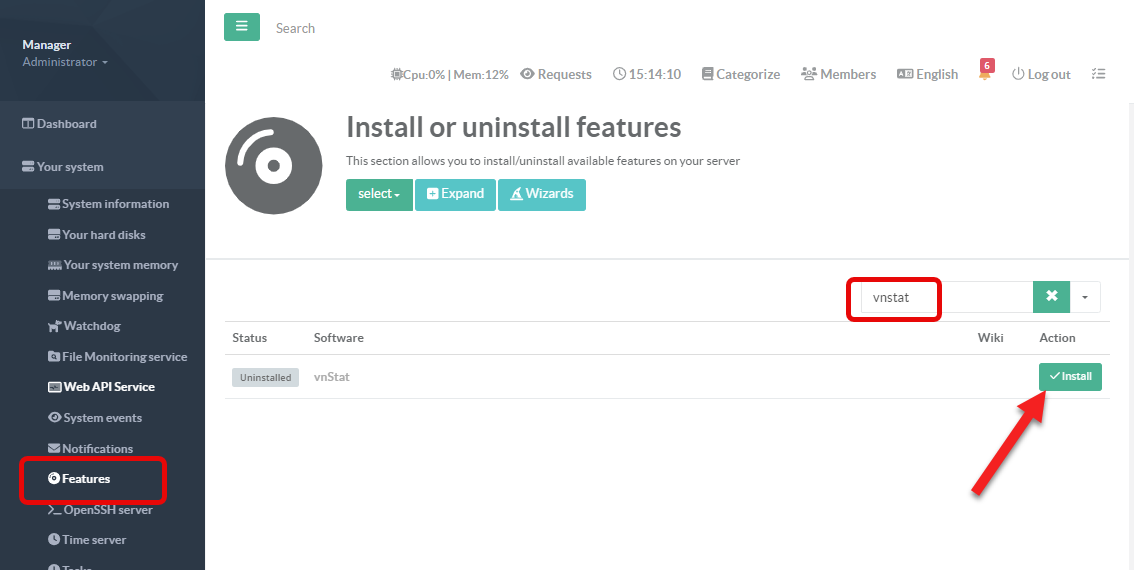
Enable the VnStat feature
Installing through the Package Center places the binaries and libraries onto the disk but does not start the service.To activate it, you must manually enable the feature.
Installing through the Packages Center places the binaries and libraries onto the disk but does not start the service.
To activate it, you must manually enable the feature.
- On the left menu, go to
Your System > Features - On the search field, type “vnstat”
- Click on “Install” button under the vnStat row