← Back to the RDS Proxy main page
A policy decides who may connect to which servers, from where and when. A connection is allowed only if one enabled policy matches the member, the source network, the current time and the requested target. Open RDS Proxy » Policies.
Each policy is shown as a card that summarizes, at a glance, who has access, when and from where, which targets are reachable, and the security options (recording, second factor, session rights, patterns). A warning appears on the card when something prevents it from working, for example a policy without network or without target.

¶ Create a policy
- Click New policy.
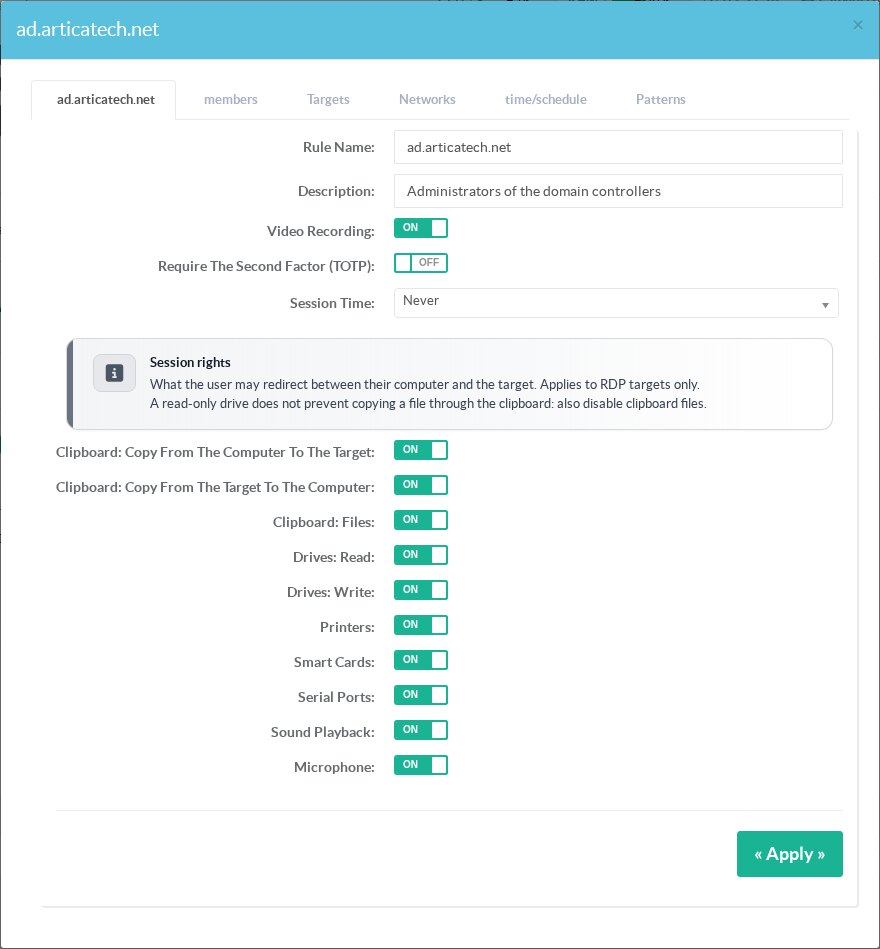
- Give a Rule name and a Description.
- Turn on Video recording to record the sessions of this policy (see Video recording).
- Turn on Require the second factor (TOTP) to ask for a one-time code (see Second factor).
- Choose the Session time: the maximum duration of a session (Never = no limit).
- Set the session rights (below), then click Add.
¶ Members, targets, networks and schedules
Open the policy and use its tabs:
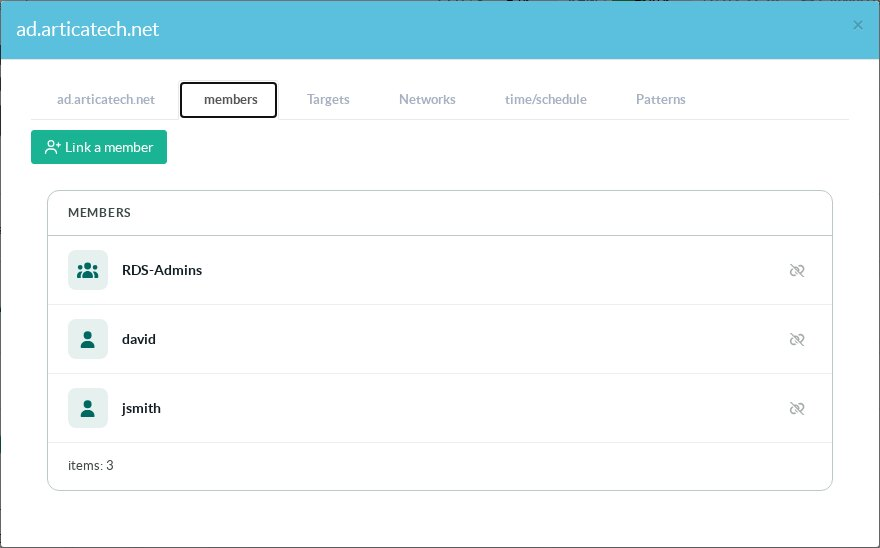
- Members: link the gateway accounts or Active Directory groups allowed by this policy.
- Targets: link the servers this policy gives access to.
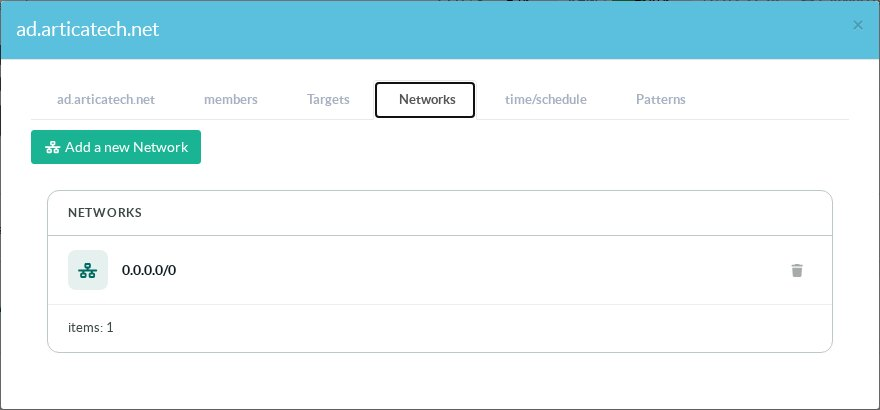
- Networks: the source networks users may connect from. A policy without network refuses every connection. Use
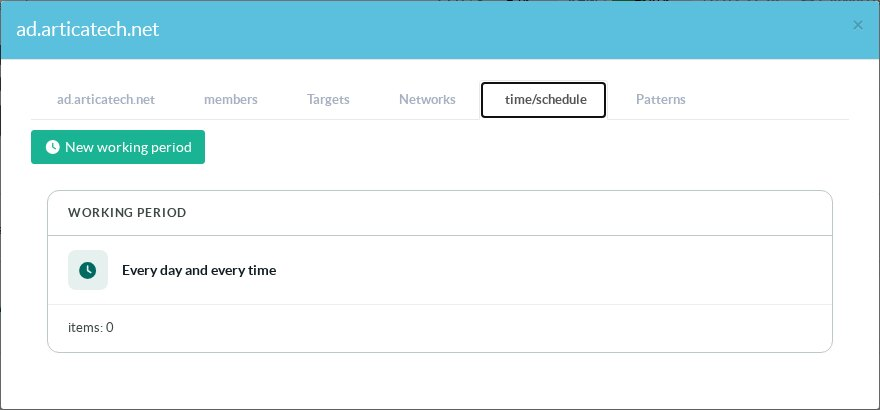
0.0.0.0/0to allow any address (not recommended for a gateway reachable from the Internet). - Time/Schedule: the days and hours during which the policy applies. Without a schedule, access is permanent. When a period ends, connected users are disconnected.
¶ Session rights
Session rights decide what the user may redirect between their computer and the target. All rights are allowed by default.
| Right | What it controls |
|---|---|
| Clipboard: copy from the computer to the target | Pasting into the session text copied on the user's computer. |
| Clipboard: copy from the target to the computer | Copying text out of the session. |
| Clipboard: files | Copying files through the clipboard, in both directions. |
| Drives: read / write | Access to the user's local drives redirected into the session. |
| Printers | Printing to the user's local printers. |
| Smart cards | Using the user's smart card reader inside the session. |
| Serial ports | Redirected COM ports. |
| Sound playback / Microphone | Audio output and input. |
A read-only drive does not prevent a user from copying a file through the clipboard: also disable Clipboard: files. Session rights apply to RDP targets only; VNC consoles are not affected.
Session rights require RDP Proxy authenticator 1.4.0 or later. With an older version, a warning is shown in the policy and every channel stays allowed.
¶ Detection patterns
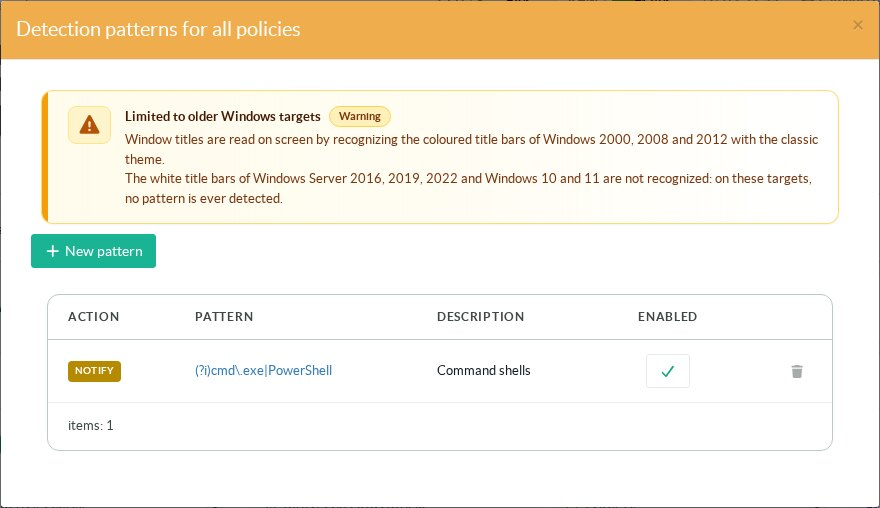
A detection pattern is a regular expression matched against the window titles the gateway reads on screen during a recorded session. Its action is either Notify (an event and a system notification) or Disconnect (the session is closed within about two seconds of the window appearing, and the user sees Session terminated: a forbidden window was detected). Patterns are set per policy (Patterns tab) or for all policies (Detection patterns for all policies on the status page).
A pattern can also apply to the commands typed in SSH sessions, with a third action that refuses the command.
See Add command patterns.
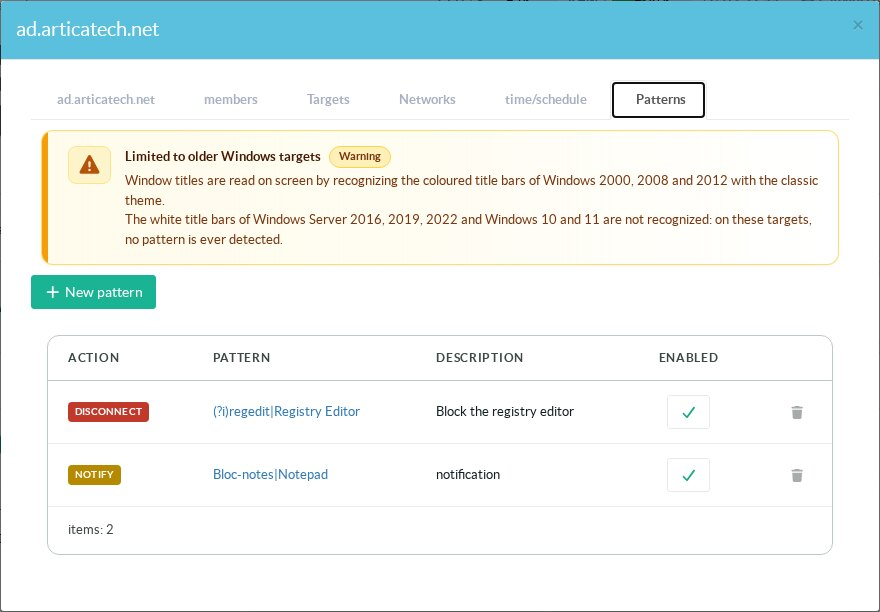
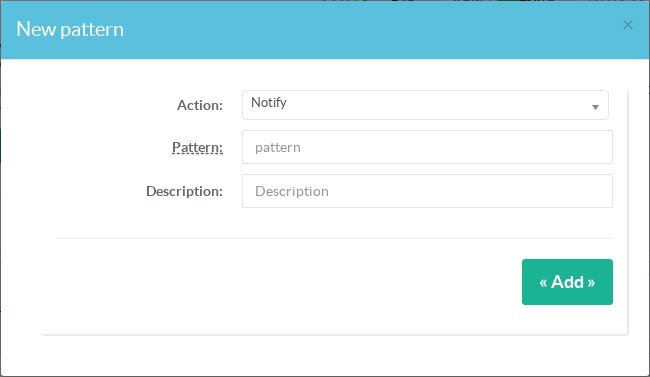
- Patterns are case-sensitive; start with
(?i)to ignore case. Example:(?i)regedit|Registry Editor. - A pattern that matches any text (such as
.or(?i)alone) is refused: as a Disconnect pattern it would close every session. - Patterns only apply to policies that record their sessions: window titles are read from the recording.
¶ Which Windows versions are supported
| Target | How titles are read |
|---|---|
| Windows 2000, 2008, 2012 (classic theme) | Always: the colored title bars are recognized by the built-in engine. |
| Windows 10, Windows 11, Windows Server 2016, 2019, 2022 | With Enhanced title recognition (RDS Proxy package 12.3.17 or later, enabled by default): the white, dark or accent-colored title bars are located from their window buttons and read by a text recognition engine (English and French). |
Enhanced title recognition is turned on or off in Service settings » RDP and session authentication settings. Only recorded sessions of policies that have patterns are analysed. A title usually triggers its pattern within one to two seconds, and a maximized window is read as well as a normal one.
Limits: applications that draw their own title bar (Chrome, Edge, Visual Studio Code, Teams…) may not expose a readable title. Typed text is never analysed.
Disconnect requires RDP Proxy authenticator 1.5.2 or later. With an older authenticator, a Disconnect pattern is detected, logged and notified, but the session stays open.
Detections are written to the access events, raise a system notification, and disconnections are sent to the SIEM.