Tune your Kernel for Proxy/Gateway
Artica is capable of tuning the system kernel to optimize server bandwidth.
By automatically adjusting key network parameters, Artica enhances overall throughput, reduces latency, and ensures better handling of high-concurrency environments. This optimization is particularly effective for proxy, gateway, and remote desktop scenarios, where consistent and efficient bandwidth usage is critical.
This feature is available with Artica v4.50 Service Pack 3 or Artica v4.50 SP2 Hotfix 20250424-13
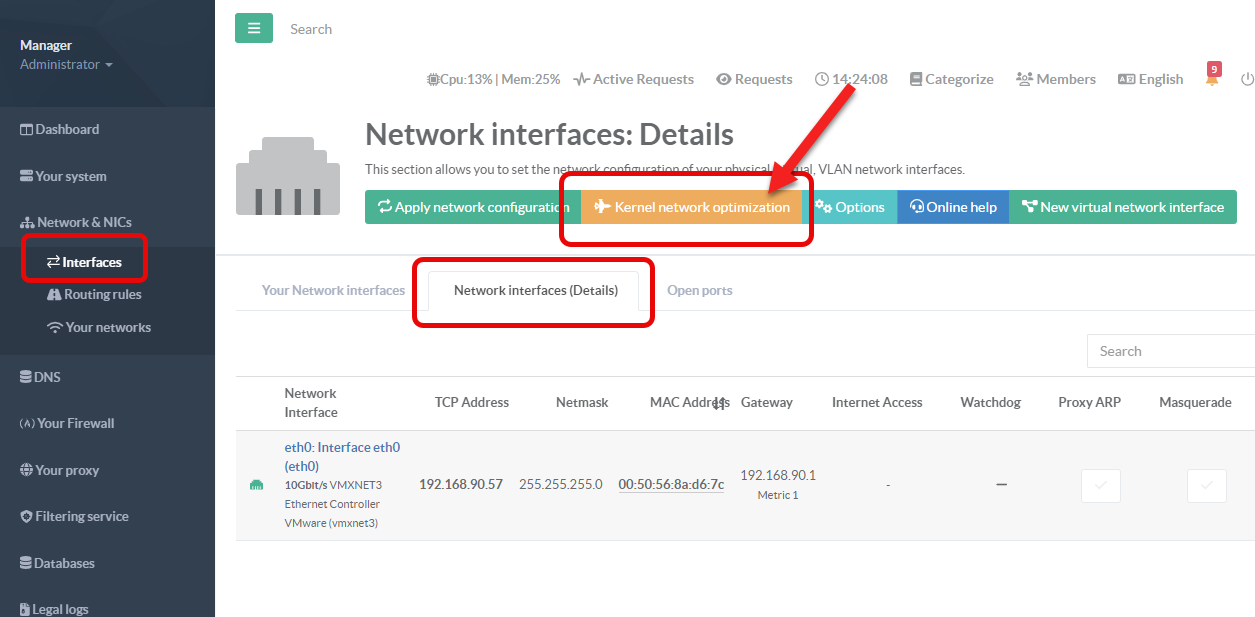
- On the left menu, go to
Network & NICs> Interfaces - Select the “Network Interfaces (Details)” tab
- Click on the Kernel network optimization button
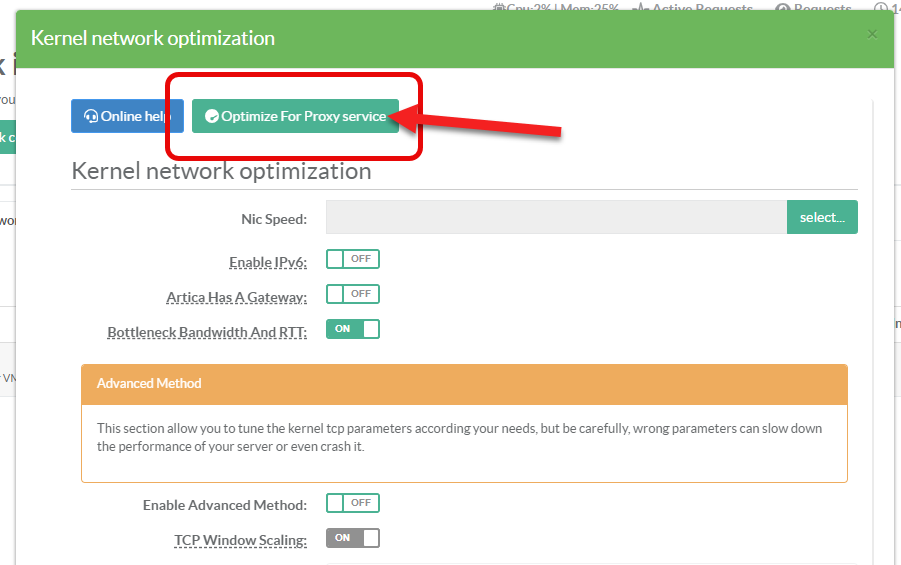
- Click on “Optimize for Proxy service”
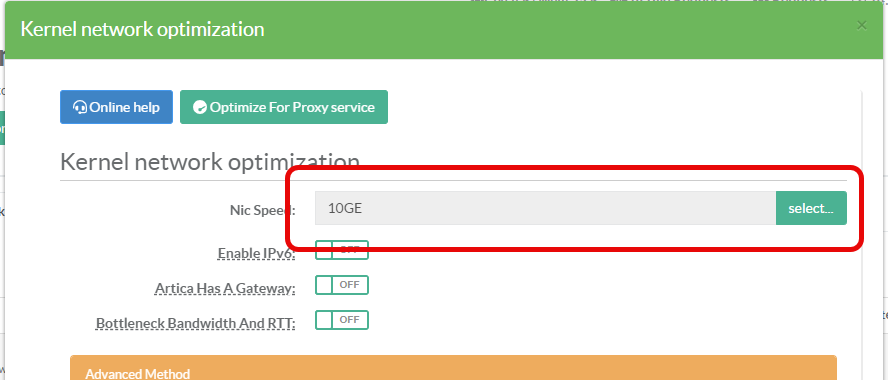
- By default, the feature turn your Nic Speed to
10GE( standard in most Virtualization systems ), if you Network card did not have this capacity, modify it.