Back to Artica SIEM for FortiGate
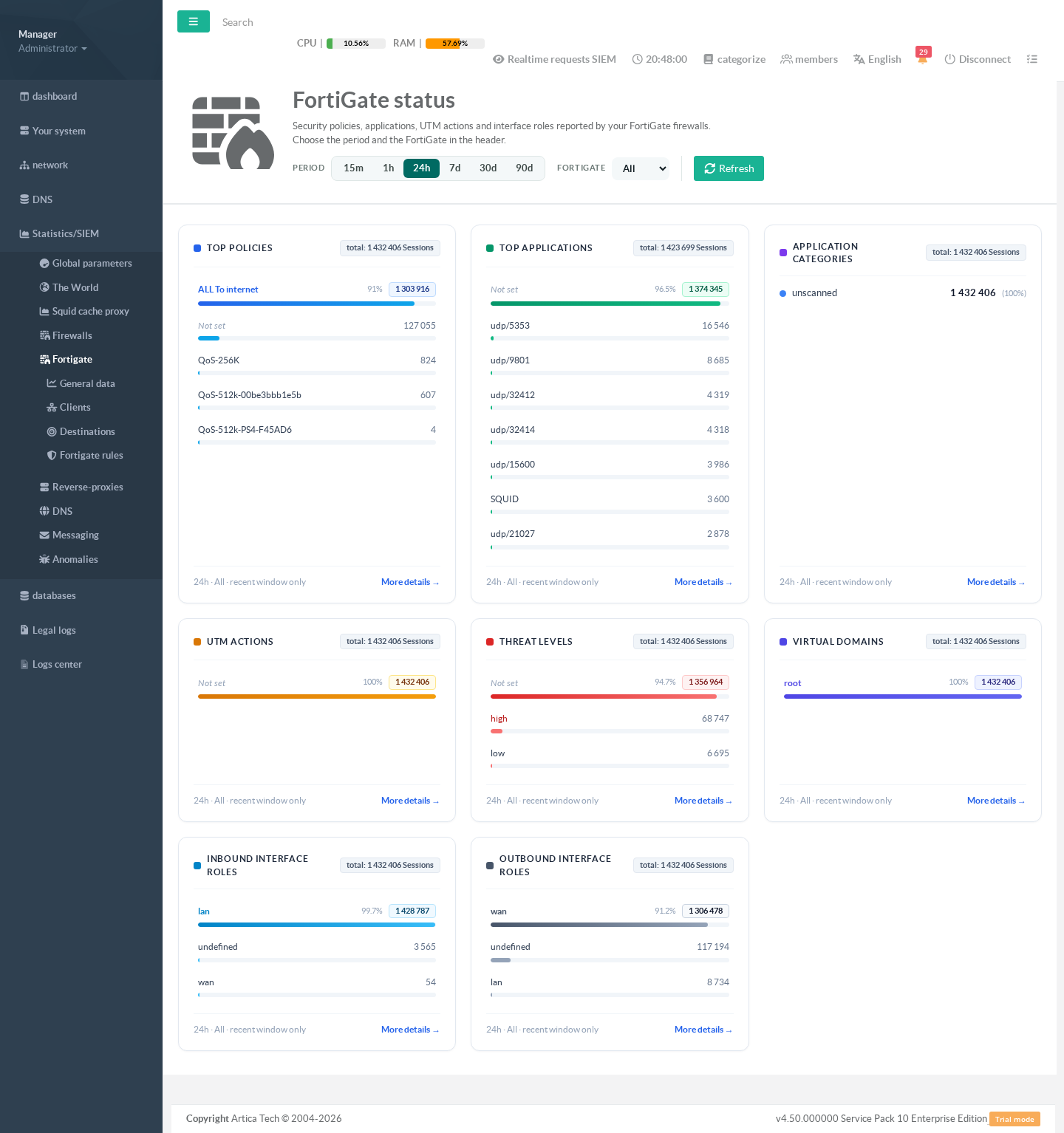
The FortiGate status page ranks what the recent logs say about the firewall itself: which policies matched, which applications and categories passed, which UTM actions and threat levels were reported, and how traffic crossed the interfaces.
¶ Why use it
- You see at once which policy carries most of the traffic, and whether a rule you expect to match ever does.
- Threat levels and UTM actions show whether the security profiles are blocking anything.
- Each card opens its full ranking, with sessions, volume and share.
¶ Opening the page
Click Statistics/SIEM > Fortigate. The header holds the period and the FortiGate.
¶ The cards
Each card ranks one field of the FortiGate logs by number of sessions: top policies, top applications, application categories, UTM actions, threat levels, virtual domains, and inbound and outbound interface roles. The first value is highlighted with its share; the others carry a bar proportional to their share.
Blocked UTM actions are marked in red, and so are the critical and high threat levels. A value the FortiGate did not send for a session (no application, no UTM action) is shown as Not set.
More details at the bottom of a card opens the full ranking, up to 50 values, with sessions, volume and share.
¶ What the period covers
These fields exist only in the detailed logs, which the SIEM keeps for a few hours before summarizing them. The footer of each card says recent window only when that is the case. For trends over weeks, use General data and Policies.