Back to Artica SIEM for FortiGate
The Policies page shows what each FortiGate firewall policy does over time: how much traffic it let through, how many log lines and denials it produced, and which clients and destinations crossed it. It keeps 21 days of history, far longer than the detailed logs.
¶ Why use it
- You can check that a policy actually matches, and see who uses it.
- The policies that refuse the most traffic are ranked, which points to scans, misconfigured devices or rules that are too strict.
- Inbound policies are covered too: traffic from the Internet is counted under External sources.
¶ How to read it
A policy is identified by its FortiGate and its policy ID. Policy 0 is the FortiGate's implicit deny and the traffic sent to the firewall itself; it is shown as Implicit policy.
Logs counts FortiGate log lines, not sessions: a long session writes several lines. Denied counts the lines whose action is a deny or a block.
¶ Statistics tab
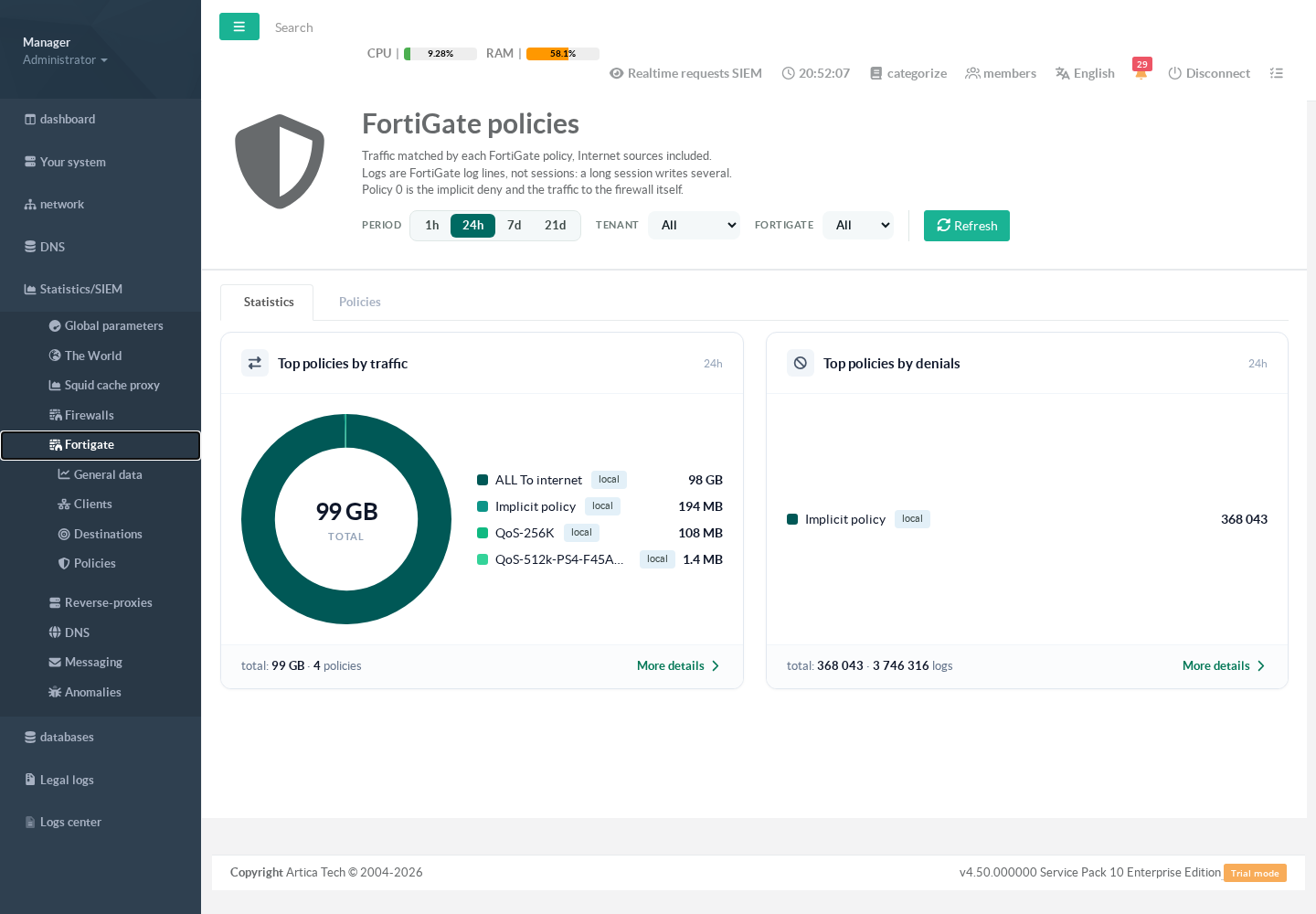
Statistics/SIEM > Fortigate > Policies. Two rings rank the policies by traffic and by denials. Click a policy to open its details.
¶ Policies tab
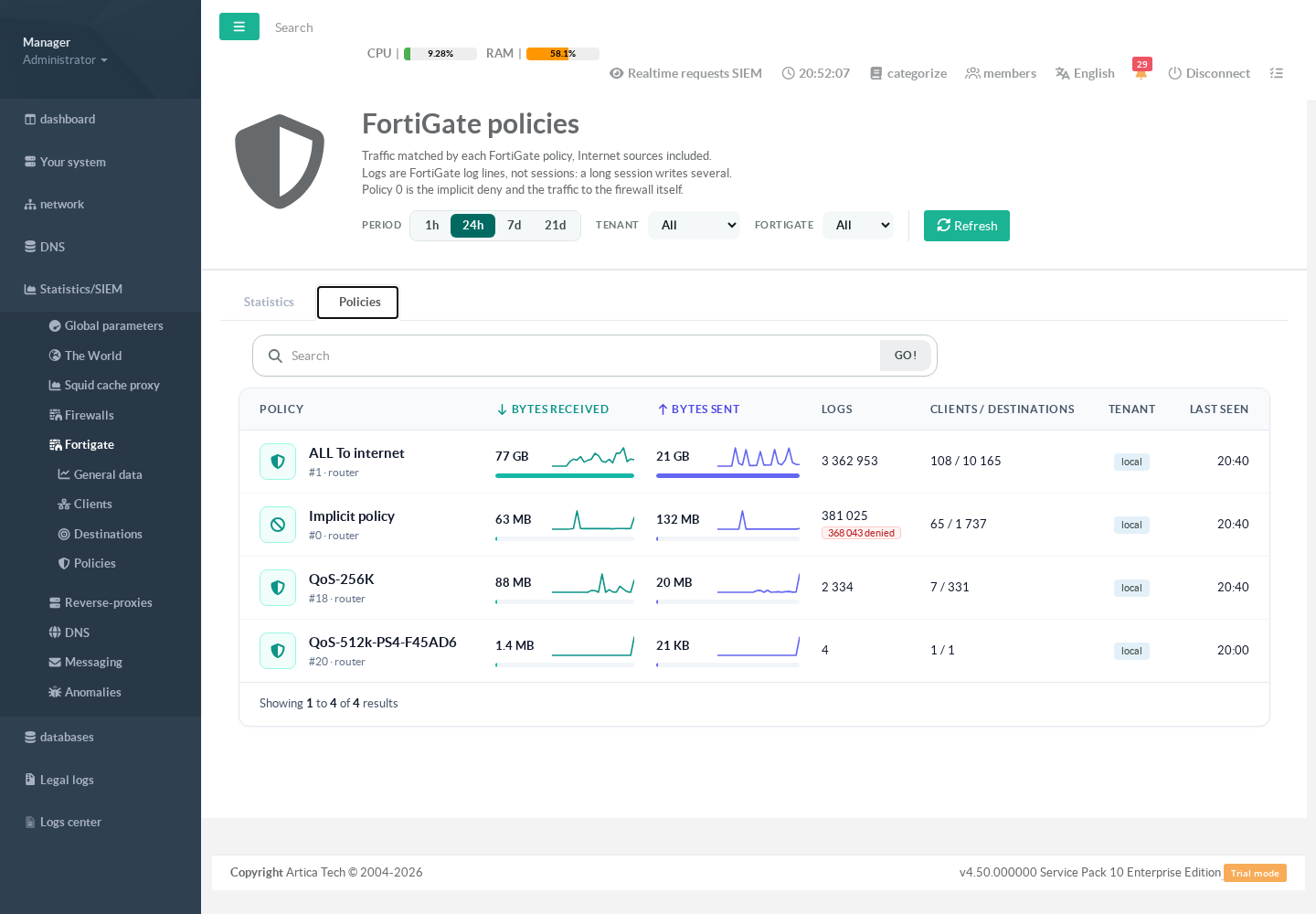
Each line shows the policy name and ID, its FortiGate, the data received and sent with trend lines, the log lines with the denials in red, the number of clients and destinations, and when it last matched. The search box matches the policy name or its exact ID.
¶ Policy details
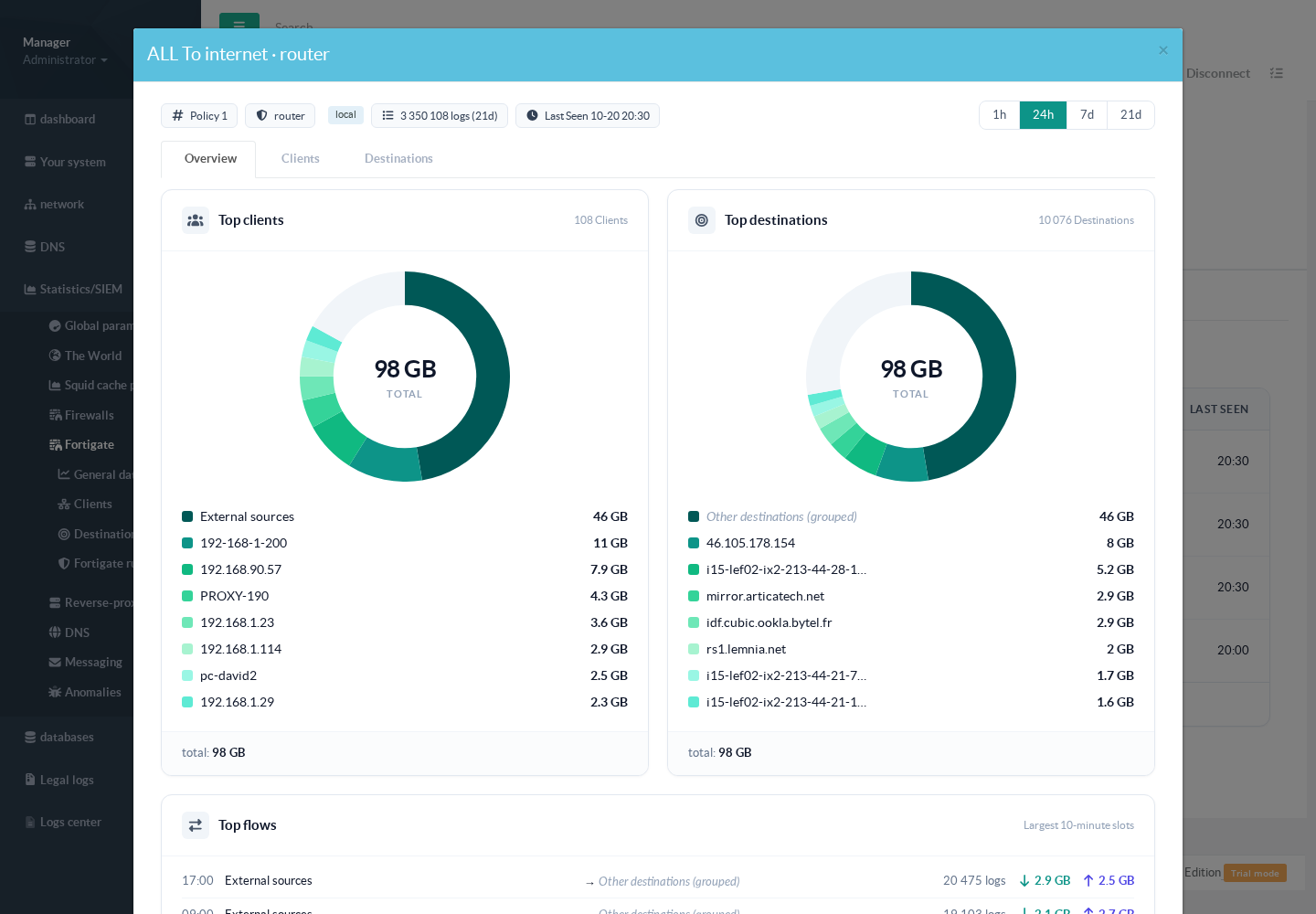
Click a policy. The Overview tab shows its top clients (external sources included), its top destinations, its largest 10-minute flows with the number of log lines, and its bandwidth. The Clients and Destinations tabs list them all, with search.