Back to Artica SIEM for FortiGate
The Artica 4.50 ISO installs Debian 13 and Artica in one pass. When the setup wizard asks what the server is for, choose SIEM: it then downloads ClickHouse and starts the SIEM service on its own, so the appliance is ready to receive FortiGate logs when the wizard ends.
¶ Why use the ISO
- One image gives you the operating system, the Artica console and the SIEM, with no package to add by hand.
- The wizard's SIEM choice installs the ClickHouse database and the SIEM service in the right order and shows its progress.
- The Community Edition is free, FortiGate pages included.
¶ Before you start
- Size the machine with the Prerequisites page. An SSD or NVMe disk makes a large difference.
- The appliance needs Internet access during the wizard: ClickHouse is downloaded from the Artica repository at that moment.
- Keep the appliance dedicated to the SIEM. Do not enable the proxy, SMTP or reverse-proxy services on it.
¶ Step 1: download the ISO
Download the Artica 4.50 image for Debian 13 (amd64):
artica-full-4.50.000000.debian13-amd64.dvd.iso
¶ Step 2: install the server
Boot the virtual machine or the physical server from the ISO and complete the installer. When it finishes, open the Artica console in a browser at https://<appliance address>:9000. The setup wizard starts.
¶ Step 3: run the setup wizard
The wizard has five steps:
- Welcome.
- Network settings of the appliance.
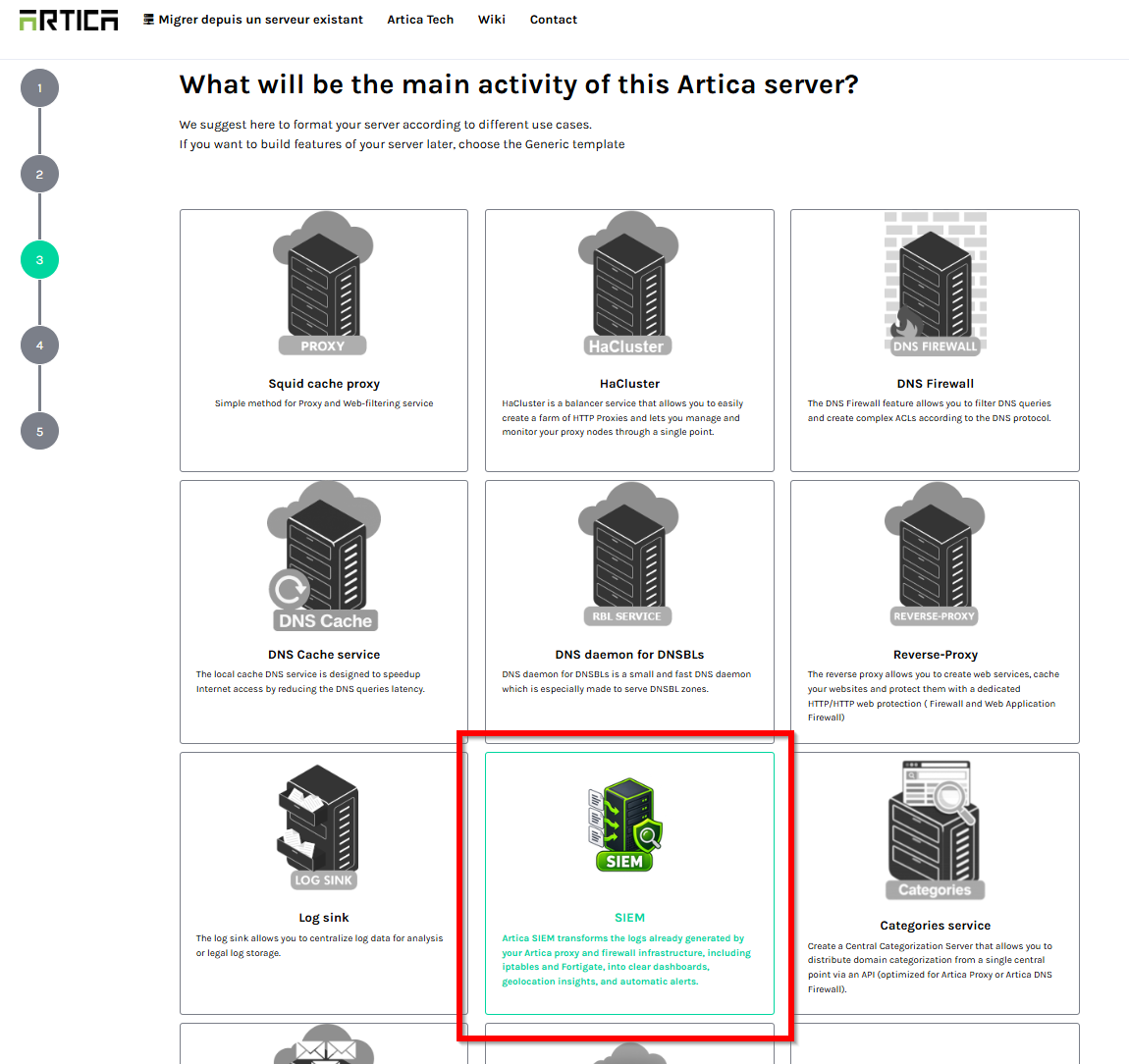
- The main activity of the server. Choose the SIEM tile.
- The administrator account and your organization.
- Preparing the server. With SIEM selected, this step installs ClickHouse, then the Artica SIEM service. The progress bar follows both.
If the ClickHouse download fails (no Internet access, for example), the rest of the wizard still completes. You can then install the two components by hand as described in Install Artica SIEM.
¶ Step 4: check the result
After the wizard, the left menu shows Statistics/SIEM. On the appliance, /usr/local/bin/artica-siem version prints the SIEM version.
Next: connect your FortiGate.