Whether an agent is still running the configuration it was given, or whether somebody has changed it on the machine.
Configuration that comes from the console is already accounted for: every change is in the Audit Log with a name and a time against it. What nothing else sees is a change made on the edge node itself — somebody editing config.json over SSH, a deployment script overwriting it, a restore from a backup taken before a decision was made.
That is drift, and this page is where it appears.
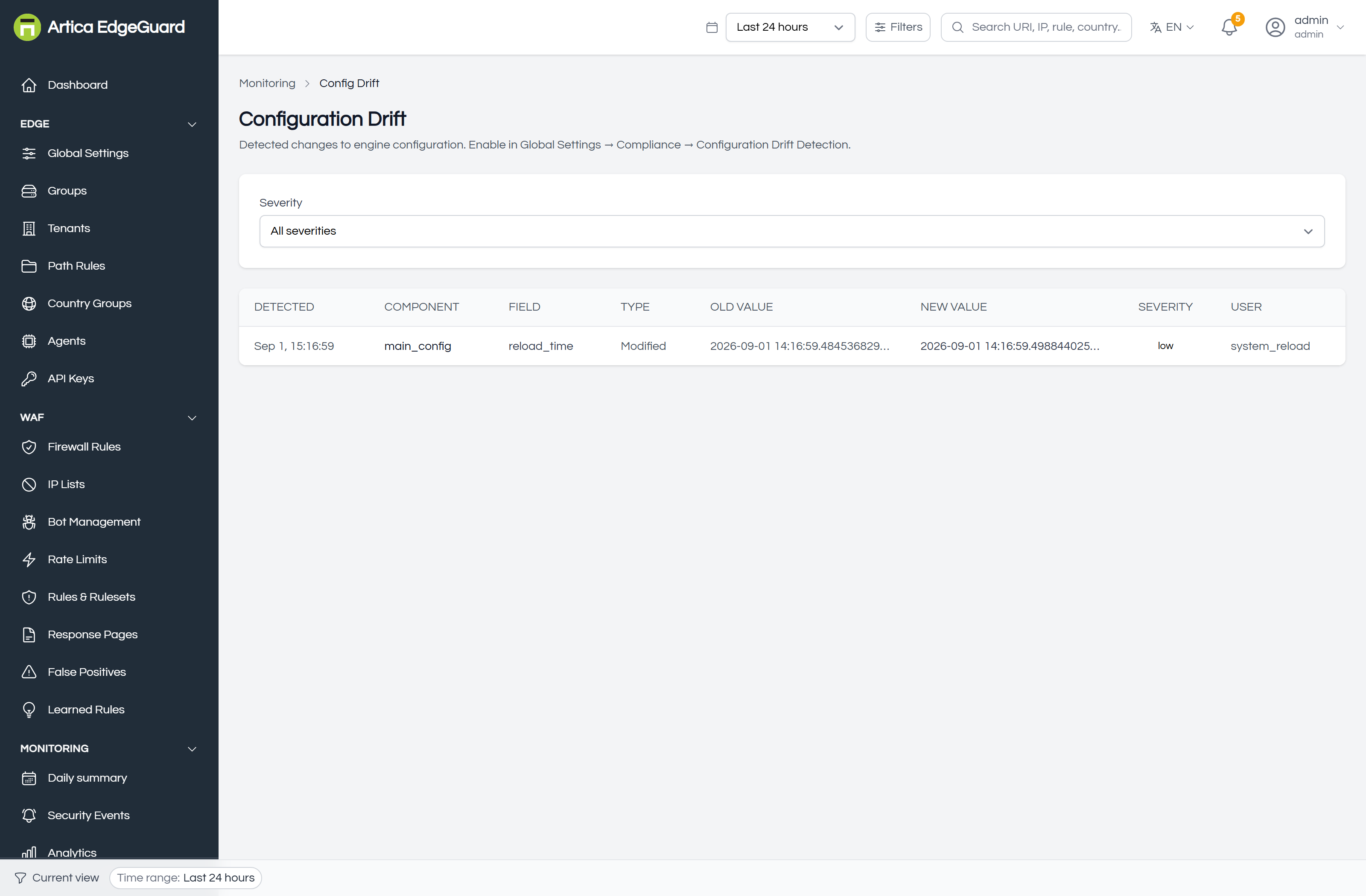
Each row: when it was detected, which agent, which field, what it was, what it became, how serious it is, and who or what changed it.
¶ Turning it on
Global Settings → Compliance → Configuration Drift Detection:
| Switch | What it does |
|---|---|
| Enabled | compare the configuration against the baseline |
| Check Interval (sec) | how often, for the periodic check |
| Alert on Drift | raise an alert when a difference is found |
| Auto-Revert | put the baseline back automatically |
| Require Approval | hold the change as pending until somebody approves it |
Needs engine 3.0.38. Before that, the detector was handed a map containing the time of the last reload and the path of the config file — the only field that could differ between two reloads was a timestamp. It reported that time had passed, and could never report that anything had changed. Every drift event on every installation before that version is about a clock.
¶ What is watched
A chosen list, not the whole file — a detector that reports a changed log level every afternoon is one nobody reads:
| Field | Why it is on the list |
|---|---|
central_url |
where this agent takes its orders from |
central_tls_skip_verify |
whether it checks who is giving them |
central_api_key |
compared as a fingerprint, never reported as a value |
socket_path |
how nginx reaches the engine |
storage_backend, database_path |
where runtime state and the config cache live |
config_pull_enabled, config_pull_interval_seconds |
whether it still listens to the console, and how often |
health_addr, metrics_addr |
what it exposes, and to where |
log_level |
how much it records |
Those are the fields somebody edits on a machine they have reached. The first two are the ones to read first: an agent pointed at a different central, or one that stopped verifying TLS, is a different problem from a changed socket path.
Secrets are compared as fingerprints. That the agent key changed is the finding; what it changed to does not belong in an event that travels to the console and into a compliance report. A fingerprint still detects a rotation — two different keys give two different fingerprints — without printing either.
¶ Severity
| Severity | When |
|---|---|
| critical | a field that decides behaviour or carries a credential changed — enabled, action, threshold, a key, a certificate |
| high | a field was removed |
| medium | more than five fields changed at once, or an ordinary edit |
| low | everything else |
¶ The baseline
Taken at startup: the file as it is when the agent begins. Every later comparison is against that, so the first reload after a restart reports nothing rather than reporting every field as new.
Re-establishing the baseline deliberately — after a change you meant to make — is a restart of the agent. There is no "accept this drift" button yet, and this page says so rather than implying one.
¶ Reading a drift event
Start with who. The changed_by column distinguishes startup, config_reload and a person. A reload with changes behind it means the file on that machine is not what it was.
Then what. One field changed is an edit. Eight fields changed at once is a file replaced — a deployment, a restore, or a different machine's configuration copied over.
Then when. Drift detected at three in the morning during a deployment window is one story. The same drift on a Sunday is another.
¶ Verifying
1. Confirm the baseline exists. Restart the agent and watch its log for the drift detector starting. Nothing should be reported: a baseline compared against itself is not drift.
2. Make some, on purpose. On the agent, change something harmless in config.json — the log level — and reload the engine:
# On the agent host
sed -i 's/"level": "info"/"level": "debug"/' /etc/artica-edgeguard/config.json
systemctl reload artica-edgeguard-agent   # or however this host reloads it
Within a minute the event appears here, naming log_level, info → debug.
3. Check a secret is not printed. Change the agent key and confirm the event says the fingerprint changed, and shows neither the old key nor the new one.
¶ Where drift detection is the wrong tool
- Who changed a setting in the console → the Audit Log; that is a record of intent, this is a record of divergence.
- Whether an agent is up to date → Agents, which compares versions and database dates.
- Whether two sites have the same policy → their tenant settings, where inheritance is shown per field.
- Whether the configuration is correct → nothing here can tell you that. Drift detection says it changed, not that it was wrong.