A key lets a script do what you can do in the console: read events, write rules, generate reports. It is issued once, shown once, and revoked the moment it is not needed.
The console itself does not use these keys — it authenticates you with a session. API keys exist for everything else: a deployment pipeline that adds a firewall rule, a monitoring script that reads the fleet's health, an integration that pulls events into a system of your own.
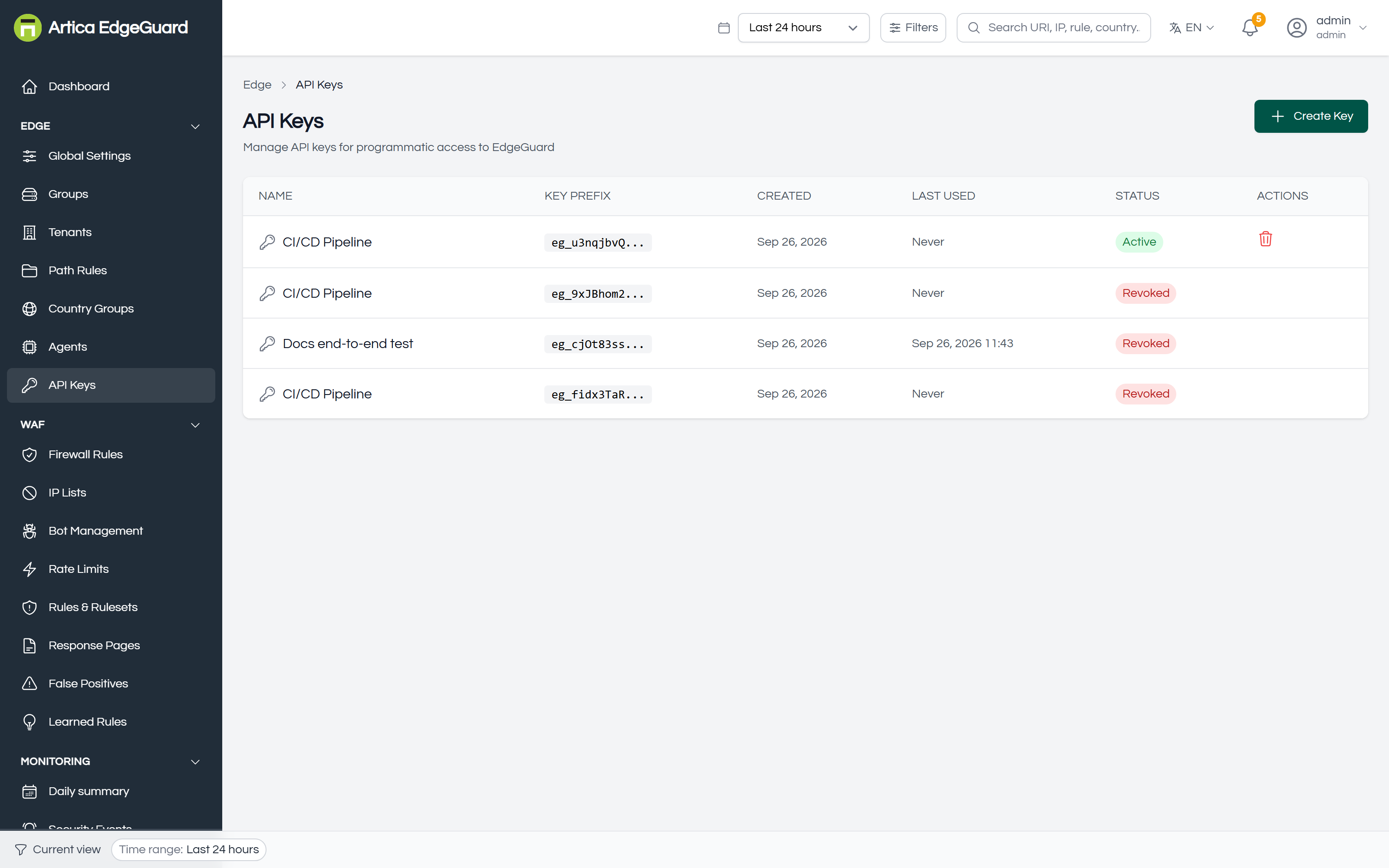
The list shows each key's name, its prefix, when it was created, when it was last used and whether it is active or revoked. The key itself is not there and cannot be recovered: only a hash is stored.
Page actions: Create Key · Revoke.
¶ What a key can do
A key acts as the person who created it — same role, same organisation, the same sites and groups that account can see. An admin's key can do admin things; a viewer's key can only read.
There is no separate permission model, and this page will not pretend otherwise: EdgeGuard has one role per account and a key inherits it. If a script should only read, make an account that can only read and issue the key from it. That is the whole mechanism, and it is more honest than a list of scopes that are not enforced.
Treat a key as the account it belongs to. Anyone holding an admin's key can change the WAF for every site that admin can reach.
¶ Creating one
Click Create Key.
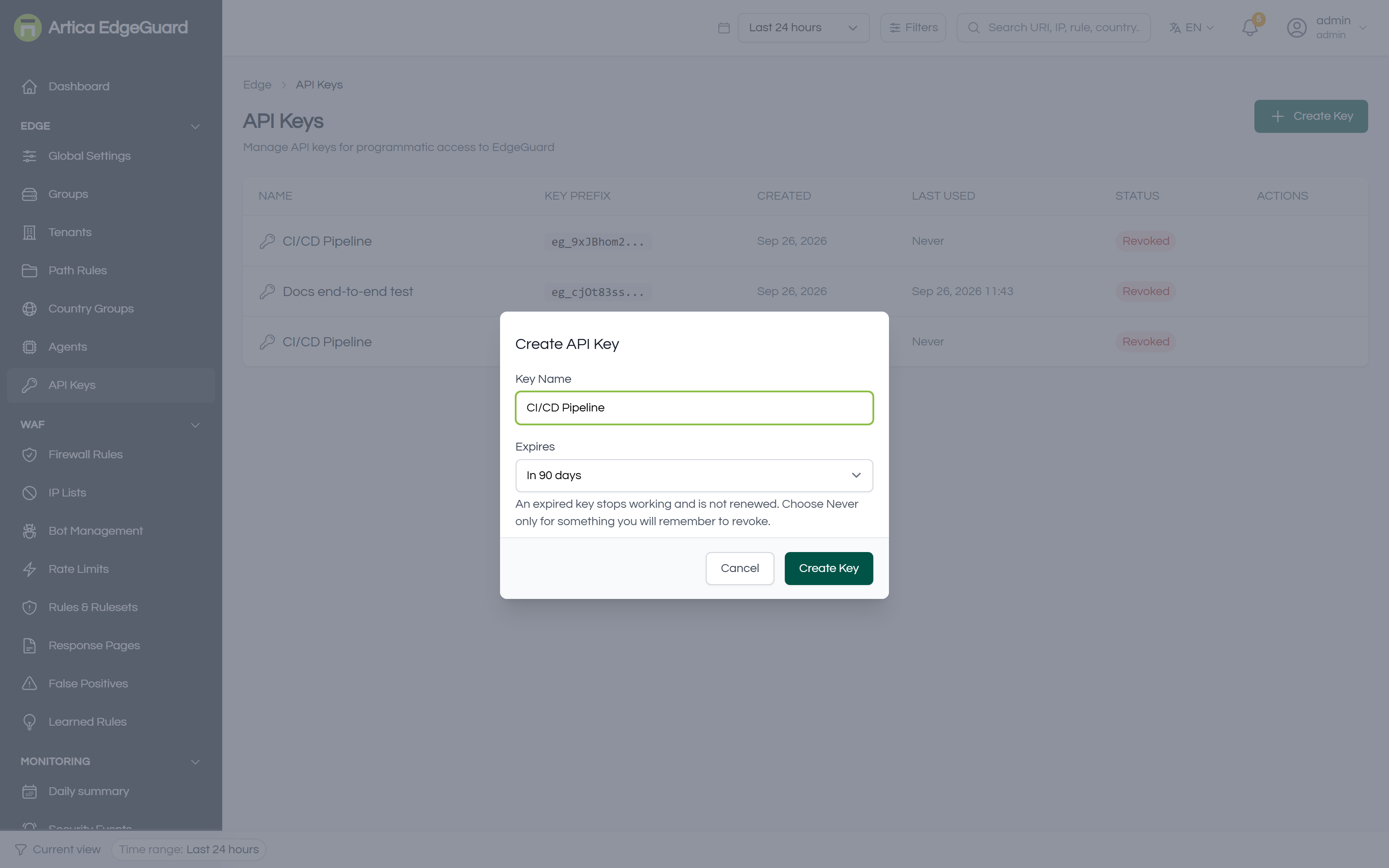
- Key Name — what the key is for, not who made it:
CI/CD Pipeline,Grafana,Nightly export. You will be reading this name in the audit trail. - Expires — 30 days, 90 days, a year, or never. The default is 90.
- Create Key.
The key is shown once, at that moment, and never again.
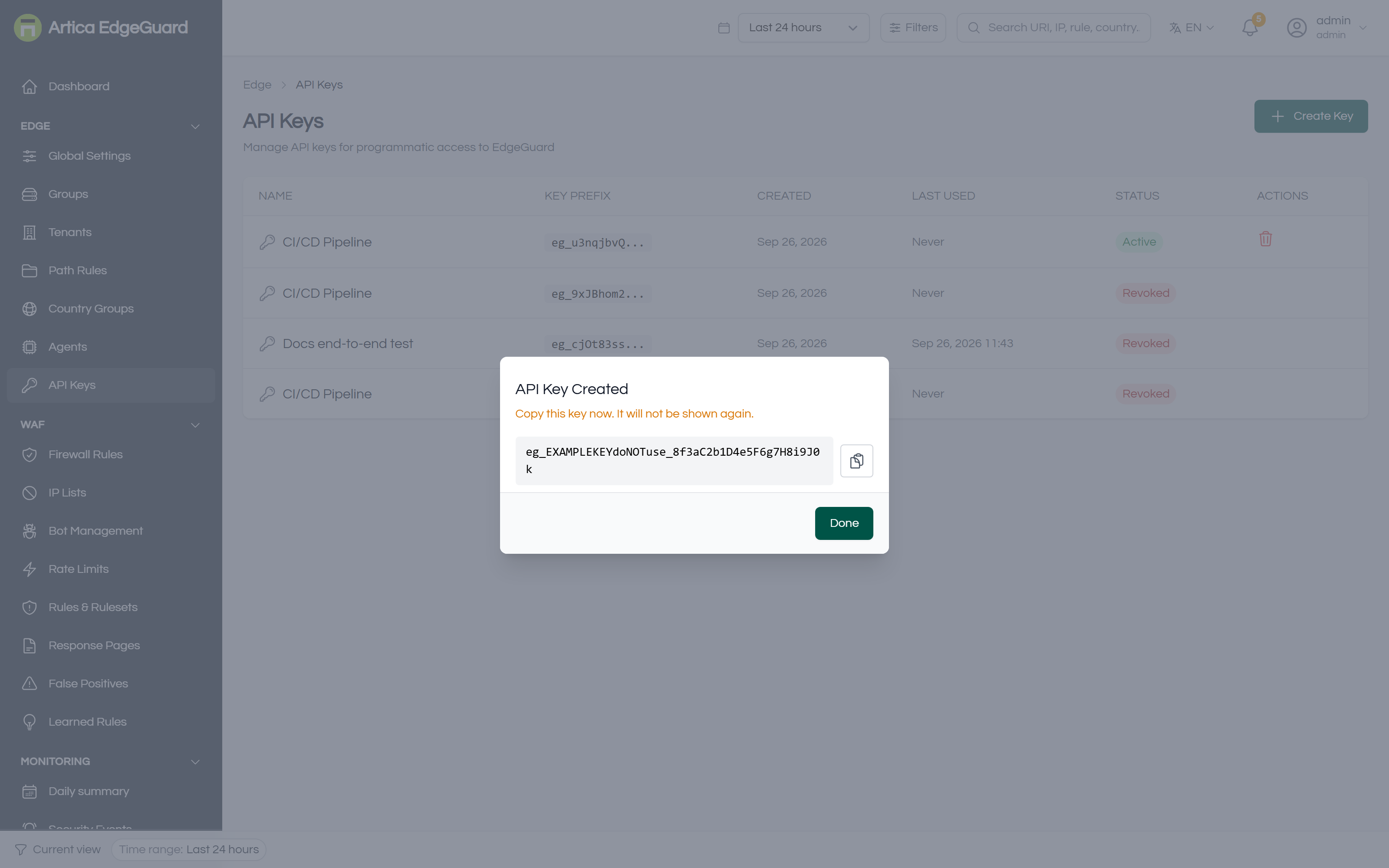
Copy it into wherever it is going before closing the dialog; if you lose it, revoke it and make another, which costs nothing.
A key looks like this:
eg_EXAMPLEKEYdoNOTuse_8f3aC2b1D4e5F6g7H8i9J0k
The eg_ prefix is how the server tells a key from a session token. The first eleven characters are stored in plain text so the list can show you which key is which; the rest exists only in your copy and as a SHA-256 hash in the database.
Keys created before central 2.4.25 never expire, because nothing asked. Revoke and reissue the ones that matter.
¶ Using one
Either header works. X-API-Key is the explicit one; bearer is what most client libraries reach for first:
# The fleet's agents, as JSON
curl -s -H "X-API-Key: $EDGEGUARD_KEY" \
  https://central.example.com:8082/api/v2/agents

# The same thing as a bearer credential
curl -s -H "Authorization: Bearer $EDGEGUARD_KEY" \
  https://central.example.com:8082/api/v2/agents

# Write: add a firewall rule from a deployment pipeline
curl -s -X POST -H "X-API-Key: $EDGEGUARD_KEY" -H 'Content-Type: application/json' \
  -d '{"name":"Block scanner ASN","match_asn":"AS64512","action":"block","scope":"global","priority":50}' \
  https://central.example.com:8082/api/v2/firewall-rules
Every endpoint the console uses is available to a key, with the same rules about who may call what. The API reference lists them: EdgeGuard Central — API & Management.
¶ The audit trail knows it was a key
Anything a key does is recorded like anything else, with the key named alongside its owner:
ana@example.com (api key: CI/CD Pipeline) create firewall_rule 87
Without that, a script acting at three in the morning and the person who owns it are the same line in the Audit Log. This is the main reason to give each integration its own key rather than sharing one: not the security of it, the readability.
¶ Revoking
Revoke on the row, with a confirmation. It takes effect immediately — the next request with that key is refused. Revoked keys stay in the list so the audit trail continues to make sense; they cannot be reactivated.
Revoke when:
- the integration is retired;
- the key has been in a repository, a CI log or a chat message;
- the person who created it has left;
- you are not sure, which is reason enough — reissuing is one dialog.
Deleting the account that owns a key also stops the key working. It does not inherit whatever the account becomes.
¶ Verifying
1. The key works at all.
curl -s -o /dev/null -w '%{http_code}\n' \
  -H "X-API-Key: $EDGEGUARD_KEY" \
  https://central.example.com:8082/api/v2/tenants
200 is a working key. 401 is revoked, expired, mistyped, or from an account that no longer exists — the server deliberately does not say which, because the difference is only useful to someone who should not have the key.
2. It is being used. The Last Used column. It is written at most once a minute, so a key hammering the API shows a recent time rather than a time per request — and a key that shows nothing days after you deployed it is a key your integration is not actually sending.
3. It can only do what it should. Call something the owning account should not be allowed to do and confirm it is refused. A key issued from an admin account is an admin key; there is no lesser version of it.
Keys issued before central 2.4.25 were never accepted by the server at all — the authentication path only understood session tokens, so every key failed on first use and Last Used stayed empty. If you have a key from before that upgrade and an integration that never worked, that is why.
¶ Where an API key is the wrong tool
- An agent connecting to the console → an agent key, issued on the Agents page. They are different things: an agent key pulls configuration and ships events, and does not authorise the management API.
- A person → an account, so that revoking access does not depend on remembering which key was theirs.
- Something a webhook should push to you → a log connector, which sends events out rather than having something poll for them.