Masquerading (IP masquerade, MASQ) lets the computers of a private network reach other networks — usually the Internet — behind the address of an Artica interface: the outgoing traffic appears to come from Artica, and the replies are sent back to the right computer.
Use it when Artica is the gateway of a network and the next router does not know the route back to that network.
¶ Three ways to masquerade an interface
| Where | Effect |
|---|---|
| Masquerade page (this page) | Masquerades the traffic leaving the interface; optionally restricted by rules (see below). |
| Masquerading option of the interface (parameters page) | Masquerades all the traffic leaving the interface. The Masquerade page then shows every outgoing packets, defined in the interface option. |
| Masquerading option of an interface connector | Masquerades all the traffic leaving the destination interface of the connector. |
¶ Enable masquerading on an interface
Go to Your Firewall › Masquerade. The page lists the interfaces of the appliance:
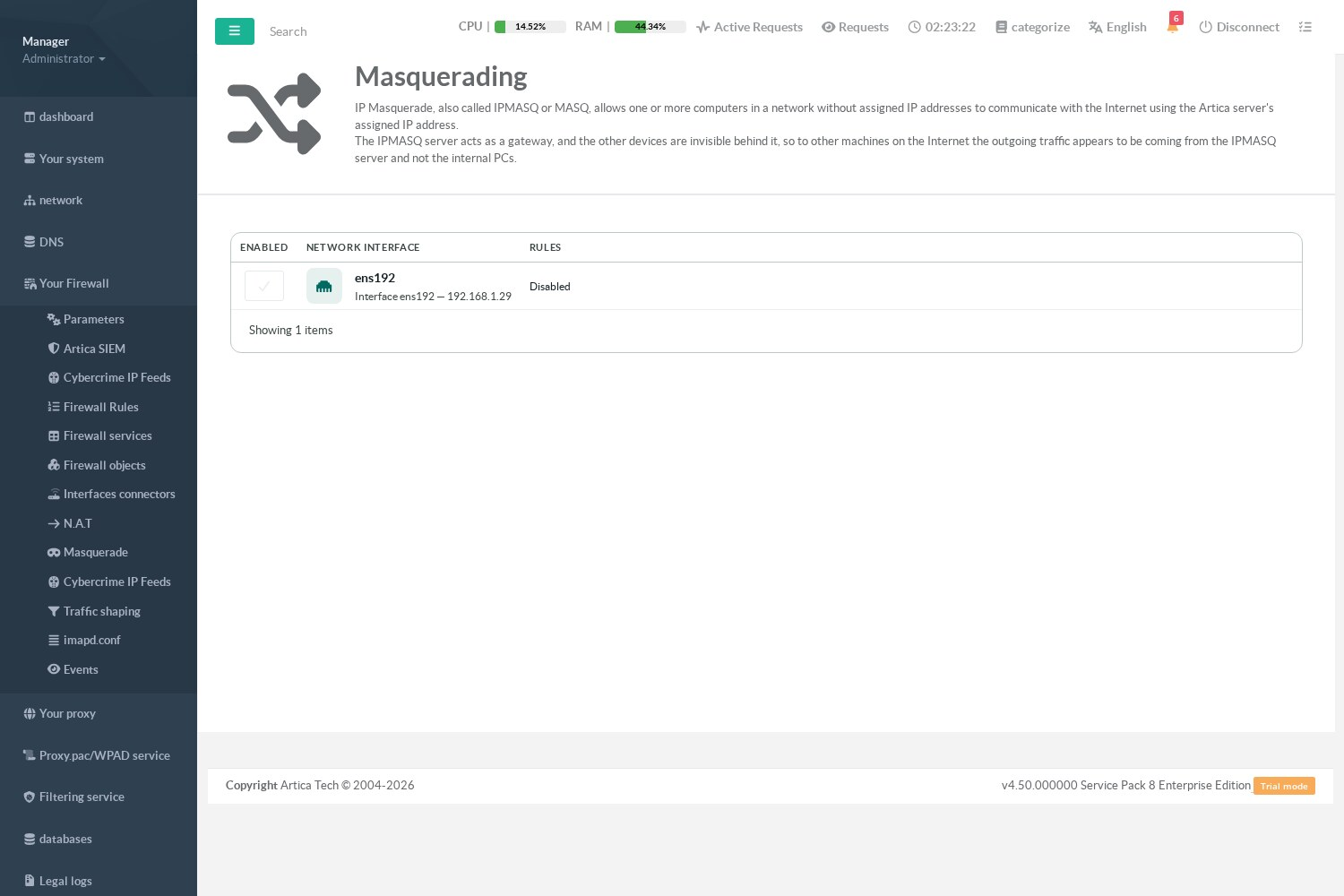
- Check Enabled on the interface through which the traffic leaves (for example the Internet interface).
- The Rules column then shows every outgoing packets: all new connections leaving the interface are masqueraded.
The interface must be linked to the firewall; otherwise the column shows that the firewall is disabled on it.
¶ Masquerade only some networks
¶ With source networks and excluded destinations (simple)
Click the text of the Rules column to open the lists of the entry:
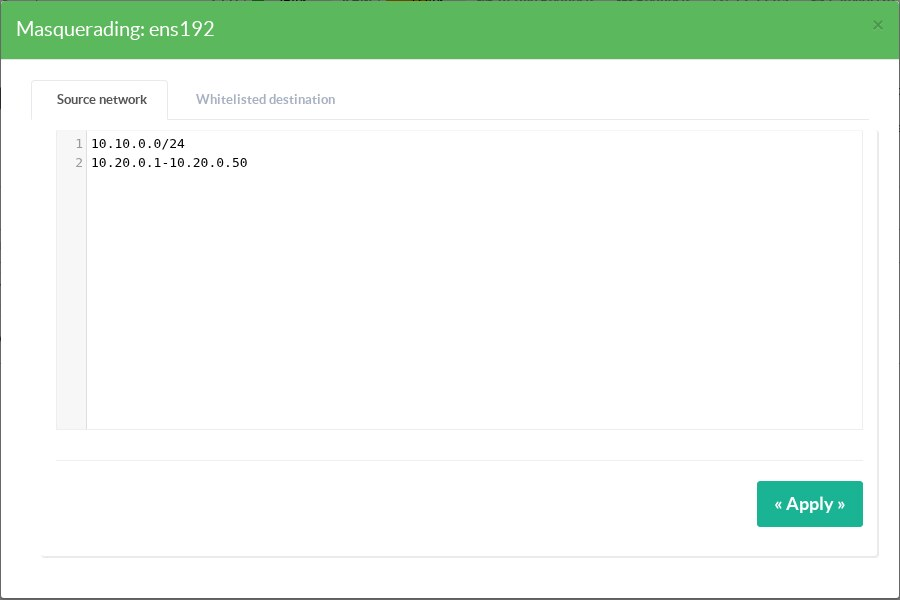
- Source network: only the traffic coming from these networks is masqueraded. One address, network (
10.10.0.0/24) or range (10.20.0.1-10.20.0.50) per line. Empty: all the traffic leaving the interface. - Whitelisted destination: traffic going to these destinations keeps its original source address, for example towards a site reached through a VPN or a router that knows the route back.
The column then summarizes the entry, for example from 10.10.0.0/24, 10.20.0.1-10.20.0.50 — except to 192.168.0.0/16. Only IPv4 values are applied; a source list that contains only IPv6 networks masquerades nothing.
¶ With firewall rules (advanced)
A masquerade entry can also be restricted with firewall rules, which can combine sources, destinations and services. Rules take precedence over the lists above. The entry appears as an interface named MASQ:<id> in the Network Interface list of a firewall rule.
- Create a rule on the
MASQ:<id>interface. - Restrict it with Inbound object (source networks), Outbound object (destinations) and services.
- Action Accept: the matching traffic is masqueraded. Any other action makes an exception: the matching traffic leaves without being masqueraded.
As soon as an entry has at least one enabled rule, only the traffic described by its rules is masqueraded, in the order of the rules: the Rules column lists them. Remove or disable all the rules to go back to the source networks and excluded destinations of the entry.
When the interface option or a connector already masquerades the interface, everything is masqueraded whatever the lists and rules of the Masquerade page.
¶ Masquerading or source NAT?
- Masquerading uses the current address of the interface; it follows the address if it changes (DHCP, PPPoE).
- Source NAT uses a fixed address that you choose; see Network address translation.