Artica Incident Reporting
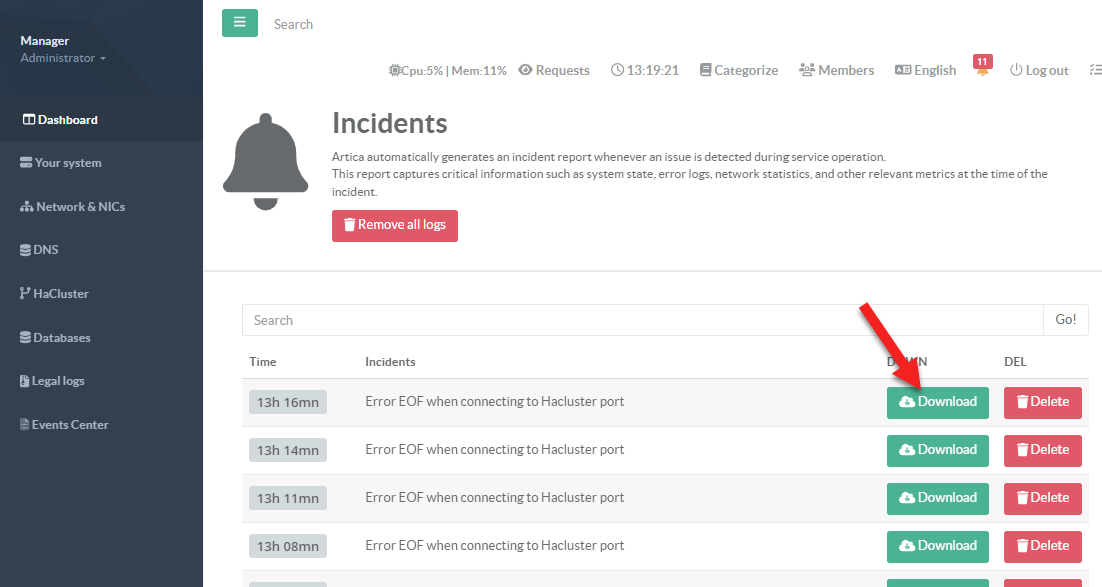
Artica automatically generates an incident report whenever an issue is detected during service operation.This report captures critical information such as system state, error logs, network statistics, and other relevant metrics at the time of the incident
Artica automatically generates an incident report whenever an issue is detected during service operation.
This report captures critical information such as system state, error logs, network statistics, and other relevant metrics at the time of the incident.
The goal is to provide a detailed snapshot that can be analyzed later to understand the root cause of the problem, improve system stability, and implement corrective actions.
Each incident report is stored securely and can be reviewed through the administrative interface for troubleshooting and auditing purposes.
This feature is available on Artica v4.50 Service Pack 3 or Artica v4.50 Service Pack 2 Hotfix 20250426-13
- When incidents are detected, you are notified via the bell icon located at the top right of the interface.
It is recommended to review the dedicated Incident section for detailed analysis and management. - You can also access to it using
Your System > watchdogandincidentstab
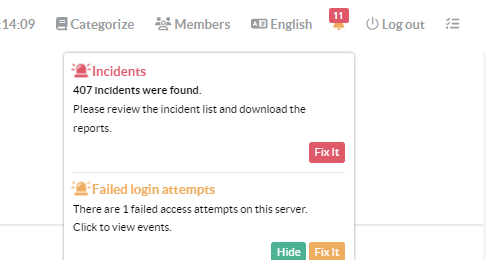
The notification in the bell icon is automatically cleared when the incident list is empty.
- The incident list allows you to download a compressed file in
.gzformat.
This archive contains system exports that provide critical information to assess the nature and relevance of the encountered issue.