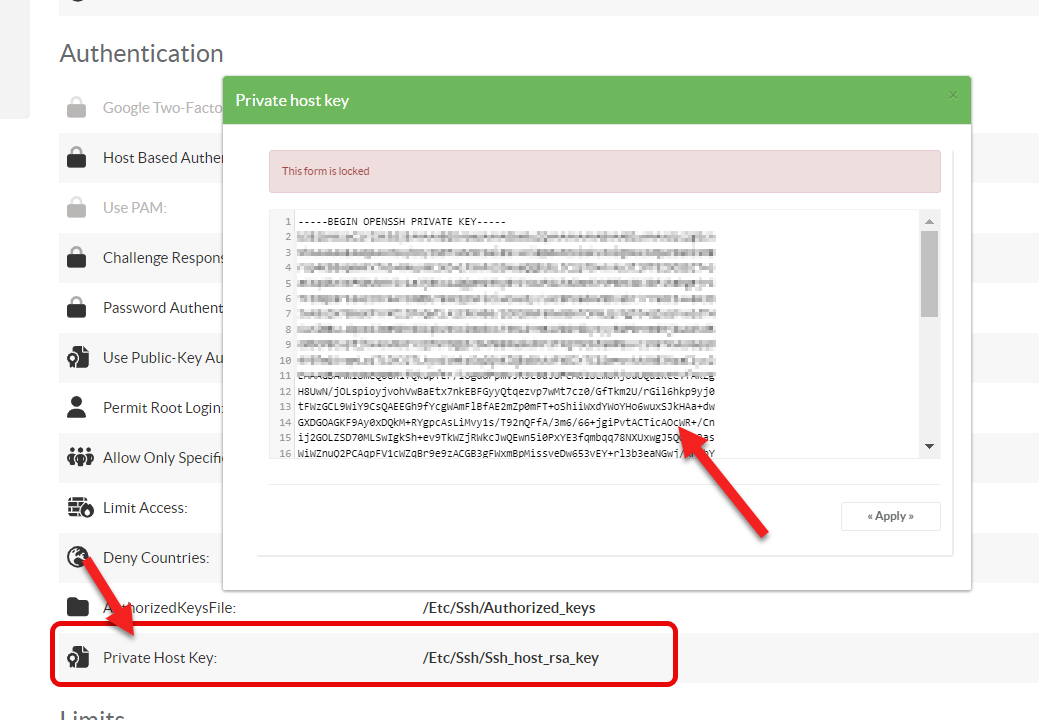
Get the Private host key from Artica
Private host key used by the OpenSSH server to identify the server during SSH connections. It is part of the server's host key pair
private host key used by the OpenSSH server to identify the server during SSH connections.
It is part of the server's host key pair, which enables:
- Authentication of the server to clients:
When a client connects, the server presents its public key to prove its identity.- Establishing a secure connection:
Ensures clients are talking to the right server and not a man-in-the-middle.This feature is available on Artica v4.50 Service Pack 3 or Artica v4.50 Service Pack 2 Hotfix 20250513-02
Retreive the Private host key
- On the left menu, go to
Your System > OpenSSH server - Down to “Private Host key” row and click on it.
- You will be able to get the content of the Private Host key