This feature restricts which sender addresses an authenticated user is allowed to use. It maps each envelope sender (the
MAIL FROM/Fromaddress) to the SASL login name(s) permitted to send as it, and — combined with Postfix’s sender/login mismatch check — rejects any attempt by an authenticated user to send mail as someone else’s address.It is the natural companion of local SMTP authentication and Active Directory authentication: authentication proves who the client is; sender/login binding controls what address that client may claim to be.
This feature is available Artica v4.50 Service Pack 7 or Artica v4.50 Service Pack 6 Hotfix 20260704-16
¶ Why you need it
By default, once a client is authenticated it can put any address in the MAIL FROM and From fields — including the CEO’s, another employee’s, or a partner’s.
This is internal spoofing, and it is a common vector for CEO-fraud / business-email-compromise attacks that originate from a single compromised or careless internal account.
Sender/login binding closes that gap: an authenticated user can only send as the addresses you explicitly bind to their login.
A compromised jdoe account can no longer send “from the CFO”.
Trade-off to understand before enabling.
Once enforcement is on, every authenticated sender address must be accounted for.
Legitimate cases — a user who also sends as a shared mailbox, an application that sends as a whole domain, aliases — must each be declared as an entry, or that mail will be rejected.
Plan your entries first, test, then enable enforcement.
¶ How it works
- Each entry binds a sender to a SASL login. Artica compiles the entries into a SMTP
mapslookup table. - The sender can be a full address (
jdoe@corp.example.com) or a whole domain (@sales.example.com, meaning “any address in that domain”). - The SASL login is the exact name the client authenticates with (from local accounts or the directory).
- The enforcement restriction is what actually rejects a mismatched message at SMTP time. Without a restriction, the map exists but nothing is blocked.
- Only checks authenticated clients (unauthenticated senders are handled by your other restrictions).
- Additionally requires a login for any sender that appears in the map.
Start with the authenticated variant unless you have a reason not to.
¶ 1. Open the Sender/login binding page
- On the left menu, choose
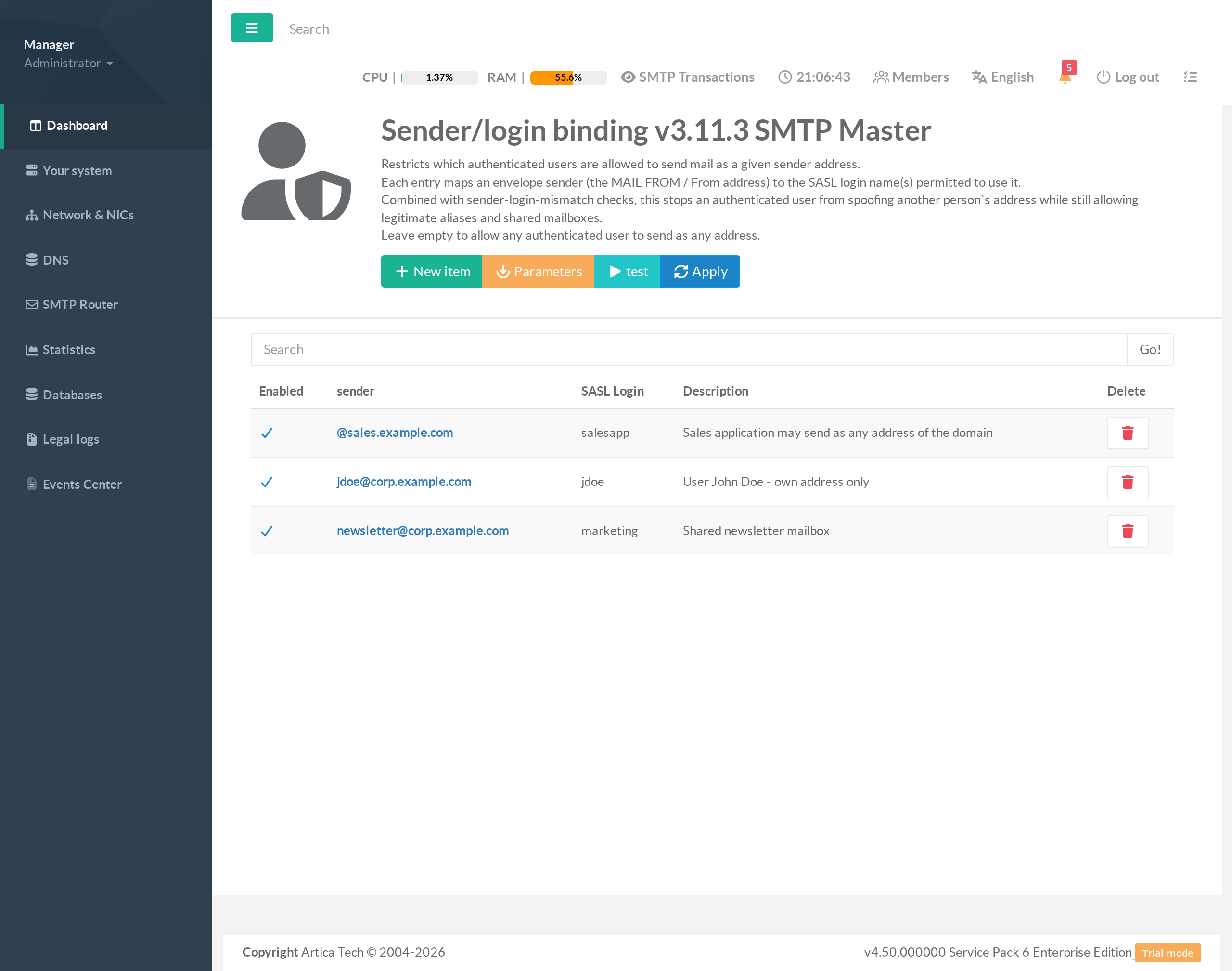
SMTP Router > Authentication > Sender/login binding. - The page shows the list of sender→login entries for the current SMTP instance (instance 0 is the default “SMTP Master”).
Leaving the list empty and enforcement off means any authenticated user may send as any address (the default Postfix behaviour).
¶ 2. Add the sender→login entries
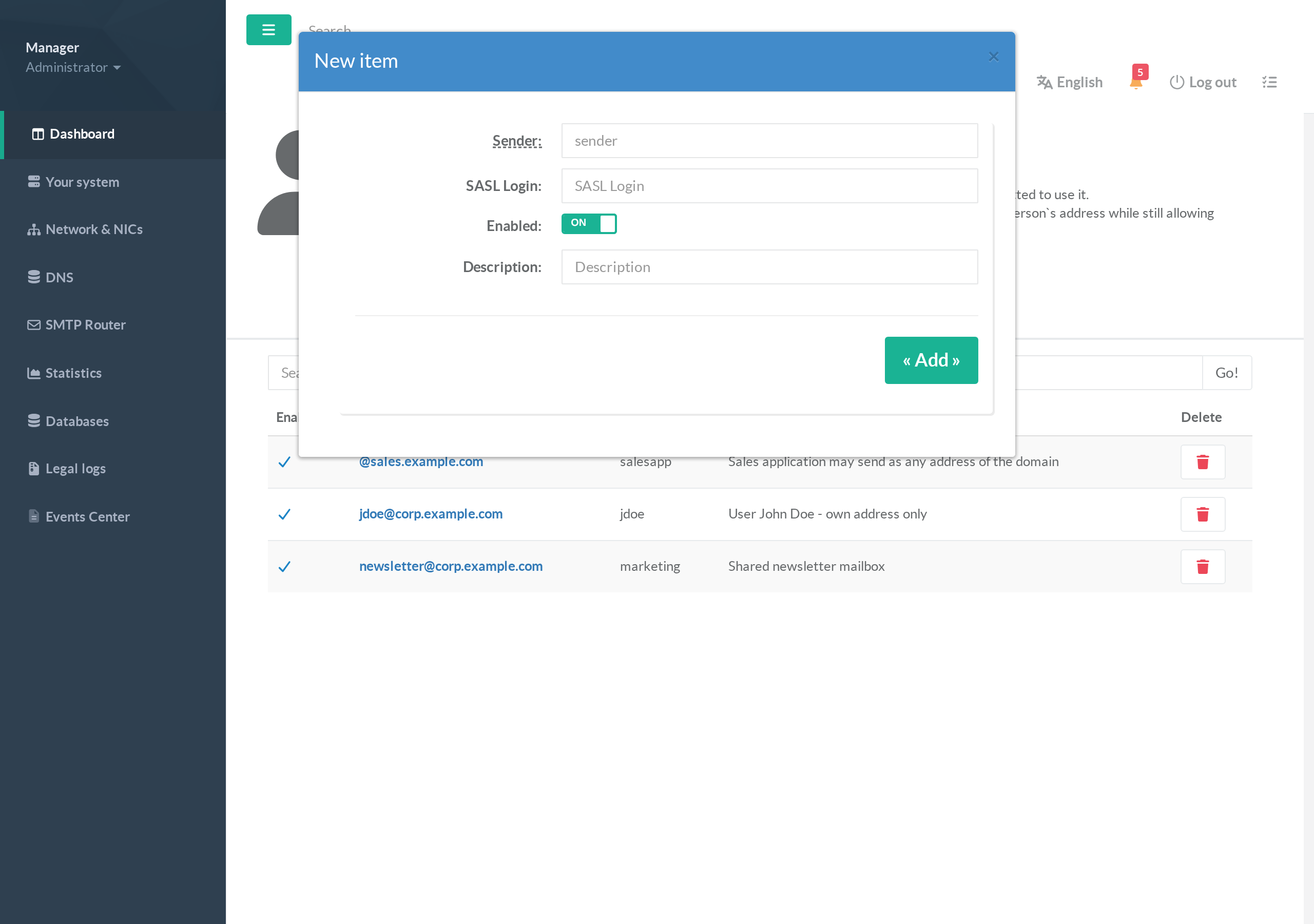
- Click New item.
- Fill in:
- Sender — a full address (
jdoe@corp.example.com) or a domain (@example.com). - SASL Login — the login allowed to send as that sender.
- Enabled — only enabled entries are compiled into the map.
- Description — a note to remember why the entry exists.
- Sender — a full address (
- Click Add.
Common patterns
• One user, own address:jdoe@corp.example.com>jdoe.
• Shared mailbox:newsletter@corp.example.com>marketing(the marketing login may send as the shared newsletter address).
• Application sending as a whole domain:@sales.example.com>salesapp.
To let two logins share one address, add two entries with the same sender and different logins.
¶ 3. Set the parameters
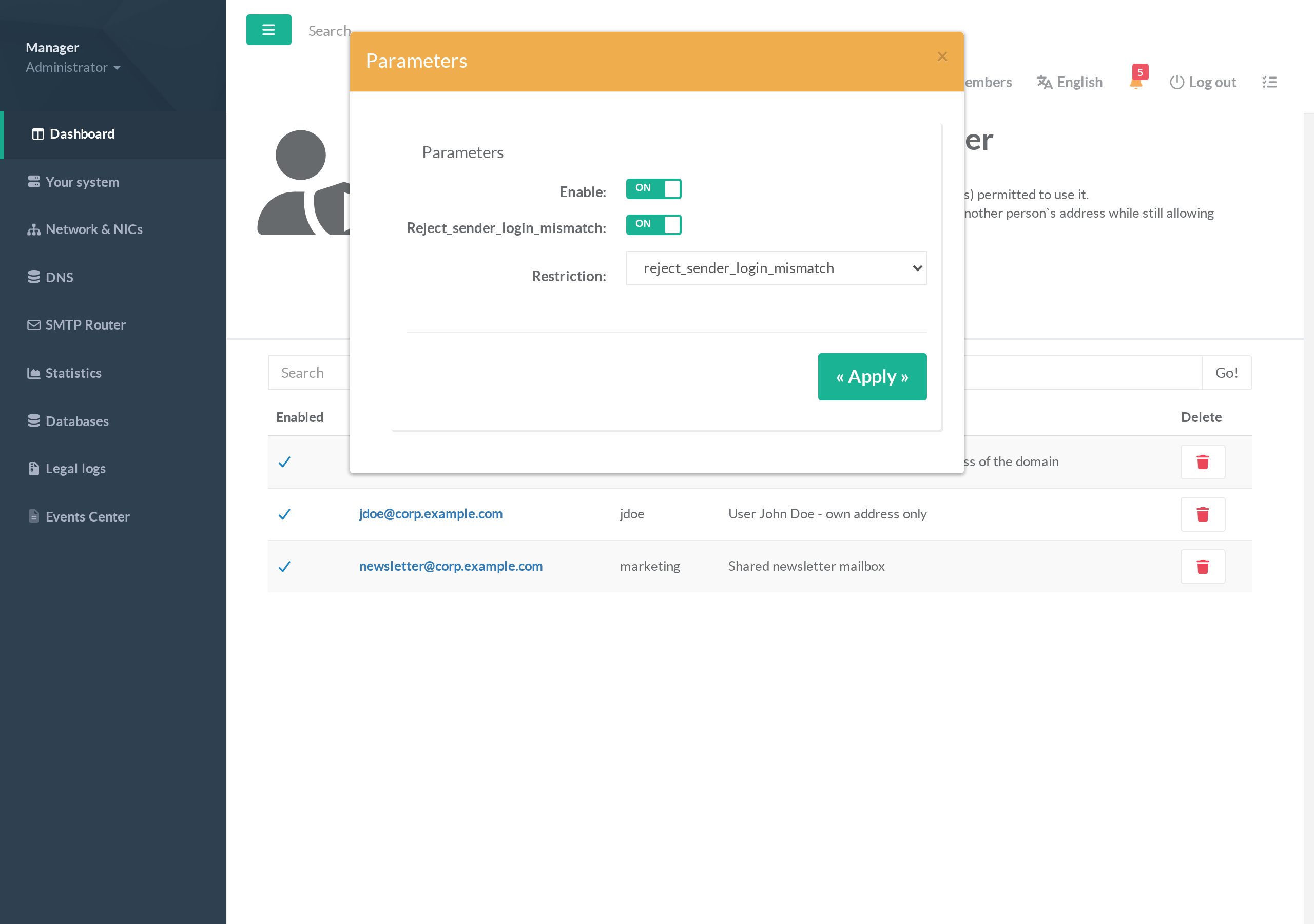
- Click Parameters.
- Enable — turns the feature on for this instance.
- Reject Sender Login Mismatch — turns on the actual enforcement (mismatched messages are rejected).
Leave it off while you build and verify your entries, then turn it on. - Restriction — choose
Reject Sender Login MismatchorReject Authenticated Sender Login Mismatch. - Click Apply.
¶ 4. Test a sender/login pair
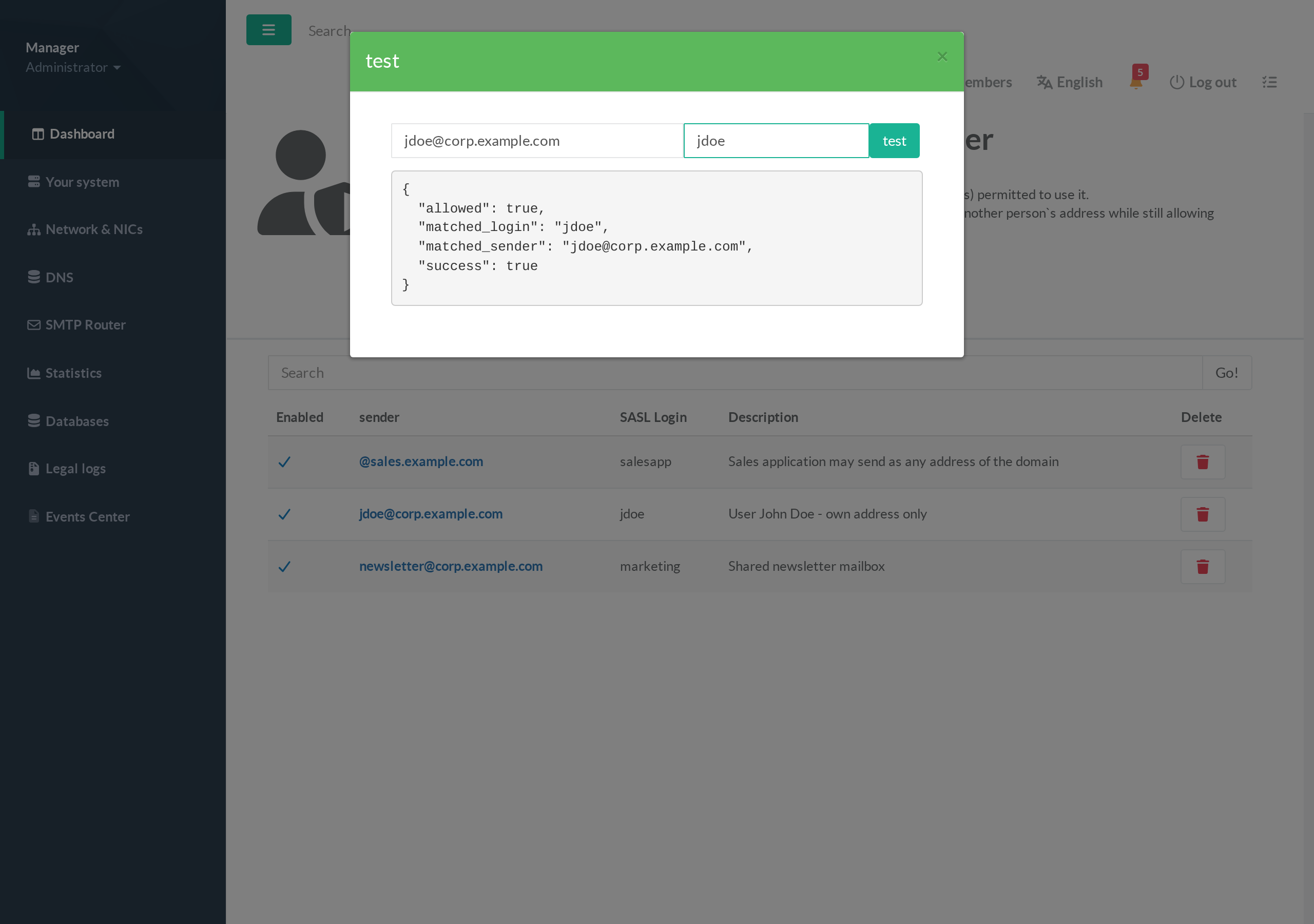
Before enforcing, verify your entries resolve as intended. Click test, enter a sender and a candidate SASL login, and click test.
"allowed": truewithmatched_login/matched_sendermeans that login is permitted to send as that address — the message would pass."allowed": falsemeans the pair would be rejected once enforcement is on — either the binding is missing, or the login is genuinely not allowed to use that sender.
¶ 5. Apply
Click Apply in the top toolbar. Artica rebuilds the maps table, wires the chosen restriction into the SMTP daemon, and reloads Postfix.
A green confirmation appears under the toolbar.
¶ Verifying with a real client
Authenticate as one login and try to send as an address bound to a different login. Postfix rejects the message at MAIL FROM/RCPT time with:
553 5.7.1 <victim@corp.example.com>: Sender address rejected: not owned by user jdoe
Sending as an address that is bound to your login is accepted normally.
¶ Turning it off
Open Parameters, turn Enable off, and Apply. Artica removes the restriction from the SMTP daemon; authenticated users can again send as any address. Your entries are kept, so you can re-enable later without re-creating them.
¶ Troubleshooting
Legitimate mail is rejected with "Sender address rejected: not owned by user"
The sender is not bound to that login. Add an entry (full address or the @domain form), or use test to confirm the expected pair resolves to allowed: true, then Apply.
Nothing is blocked even though entries exist
Enforcement is off, or no restriction is selected. In Parameters, enable Reject_sender_login_mismatch and pick a restriction, then Apply.
A shared mailbox or alias is rejected
Add one entry per (sender, login) pair that is allowed to use it; multiple logins may map to the same sender.
Applications that send as many addresses break
Bind the application login to the whole domain with the @domain sender form instead of listing every address.