This guide explains how to let mail clients (users, printers/scanners, or applications) send mail through your Artica SMTP relay by authenticating with a login and password — stored in a local Artica database, without requiring Active Directory or an external LDAP directory.
Artica stores the accounts in a dedicated database, generates a Dovecot passwd-file for each Postfix instance, and configures Postfix to delegate SMTP authentication to Dovecot through a Unix socket.
Passwords are stored hashed only (SHA512-CRYPT) and are never displayed again after entry.This feature is available Artica v4.50 Service Pack 7 or Artica v4.50 Service Pack 6 Hotfix 20260704-16.
¶ When to use this feature
- You need authenticated submission for a handful of devices or applications and you do not run Active Directory.
- You want each account isolated to a specific Postfix instance in a multi-instance deployment.
- You want a self-contained account store that Artica manages and backs up, independent of any corporate directory.
If you already authenticate against a Windows domain, use SMTP Authentication using Active Directory instead.
When directory authentication is enabled it takes precedence over local accounts — see Coexistence at the bottom of this page.
¶ 1. Open the SMTP Authentication accounts page
- On the left menu, choose
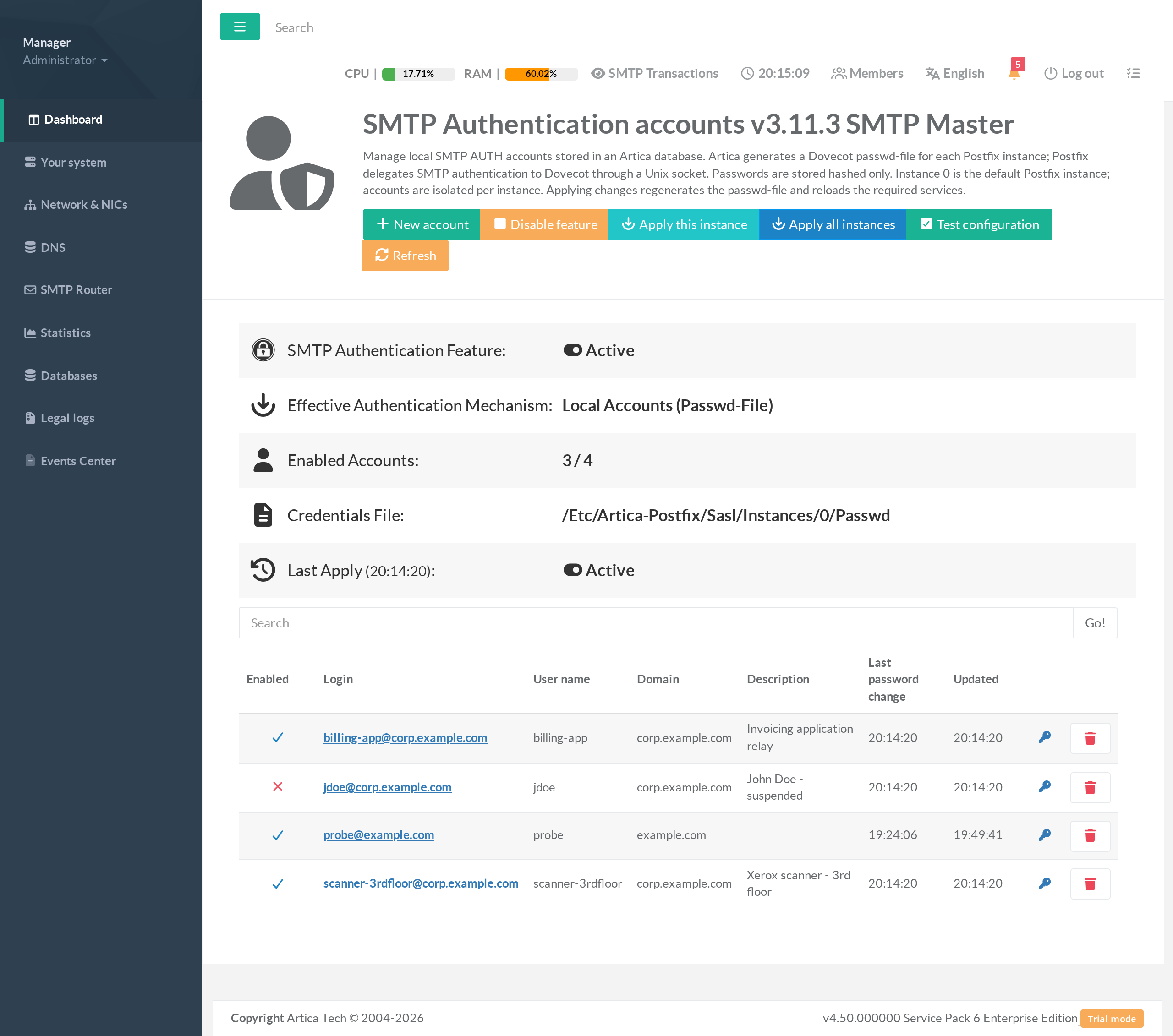
SMTP Router > Authentication > Local Members. - The page lists the accounts of the current SMTP instance (instance 0 is the default “SMTP Master”).
The status card at the top shows whether the feature is active, the effective authentication mechanism, the number of enabled accounts, the generated credentials file, and the result of the last apply.
¶ 2. Enable the feature
- Click the Enable feature button in the top toolbar.
- The SMTP Authentication Feature row switches to Active and the Effective Authentication Mechanism becomes Local Accounts (Passwd-File).
Enabling the feature is safe: it does not interrupt mail flow, and it changes nothing for domains and clients that do not authenticate. You can manage accounts while the feature is disabled — nothing becomes active until you enable it and apply.
¶ 3. Create an account
- Click New account.
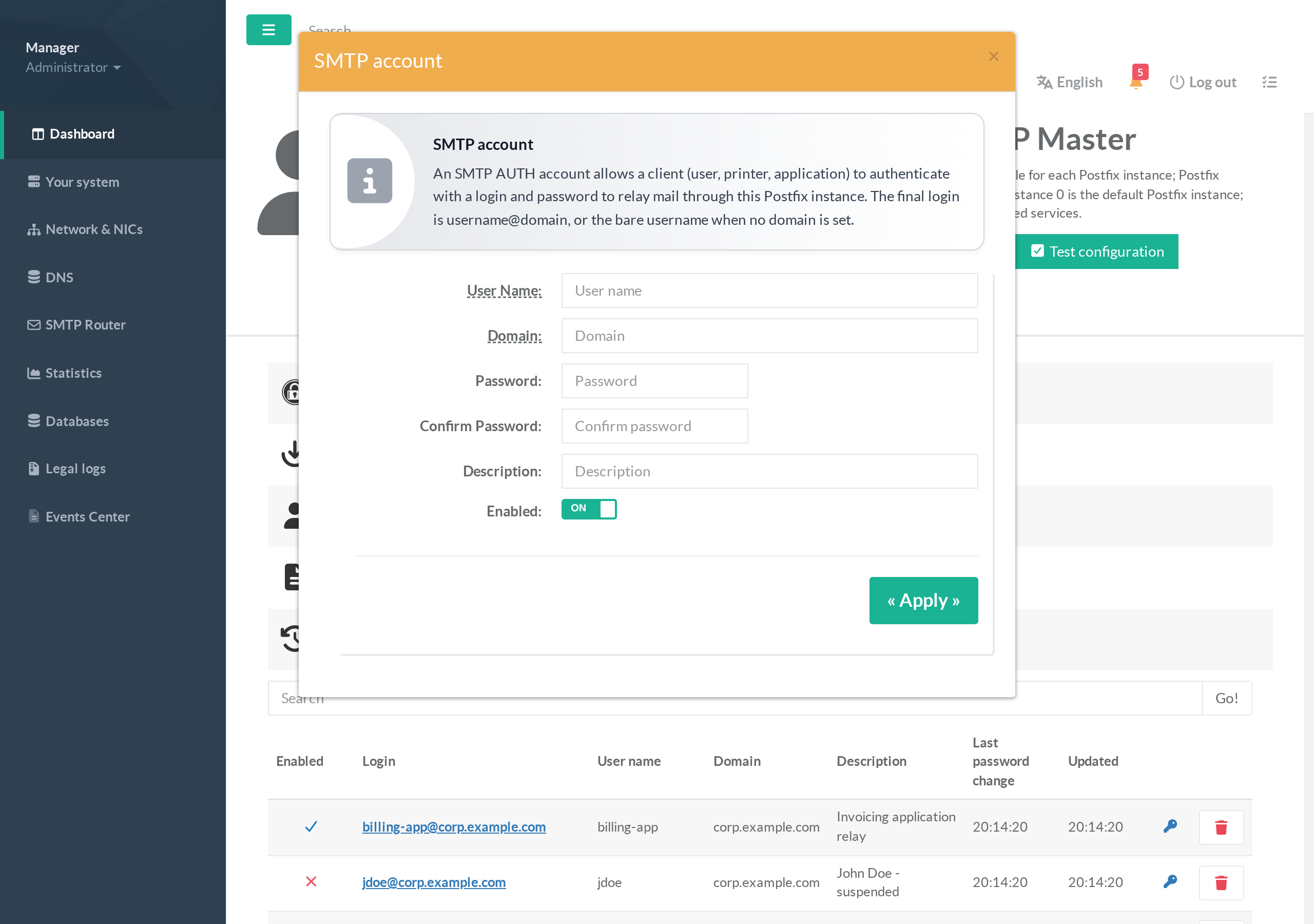
- Fill in the fields:
- User Name — the local part of the login, e.g.
scanner-3rdfloor. - Domain — optional. When set, the final login becomes
username@domain(e.g.scanner-3rdfloor@corp.example.com); leave it empty to use the bare user name. - Password and Confirm Password — required on creation. The password is hashed immediately and can never be displayed again.
- Description — a free-text note to help you identify the account later.
- Enabled — only enabled accounts can authenticate.
- User Name — the local part of the login, e.g.
- Click Apply.
The same login may exist independently on two different SMTP instances, but must be unique within one instance. Logins may not contain spaces, colons or line breaks.
¶ 4. Apply the configuration
Creating, editing or deleting accounts marks the instance as having pending changes; nothing changes for live authentication until you apply.
- Click Apply this instance to regenerate the credentials file, update the Dovecot authentication service and the Postfix parameters, and reload the required services for the current instance.
- In a multi-instance deployment, click Apply all instances to apply every instance at once; the result lists the outcome per instance.
¶ 5. Test the configuration
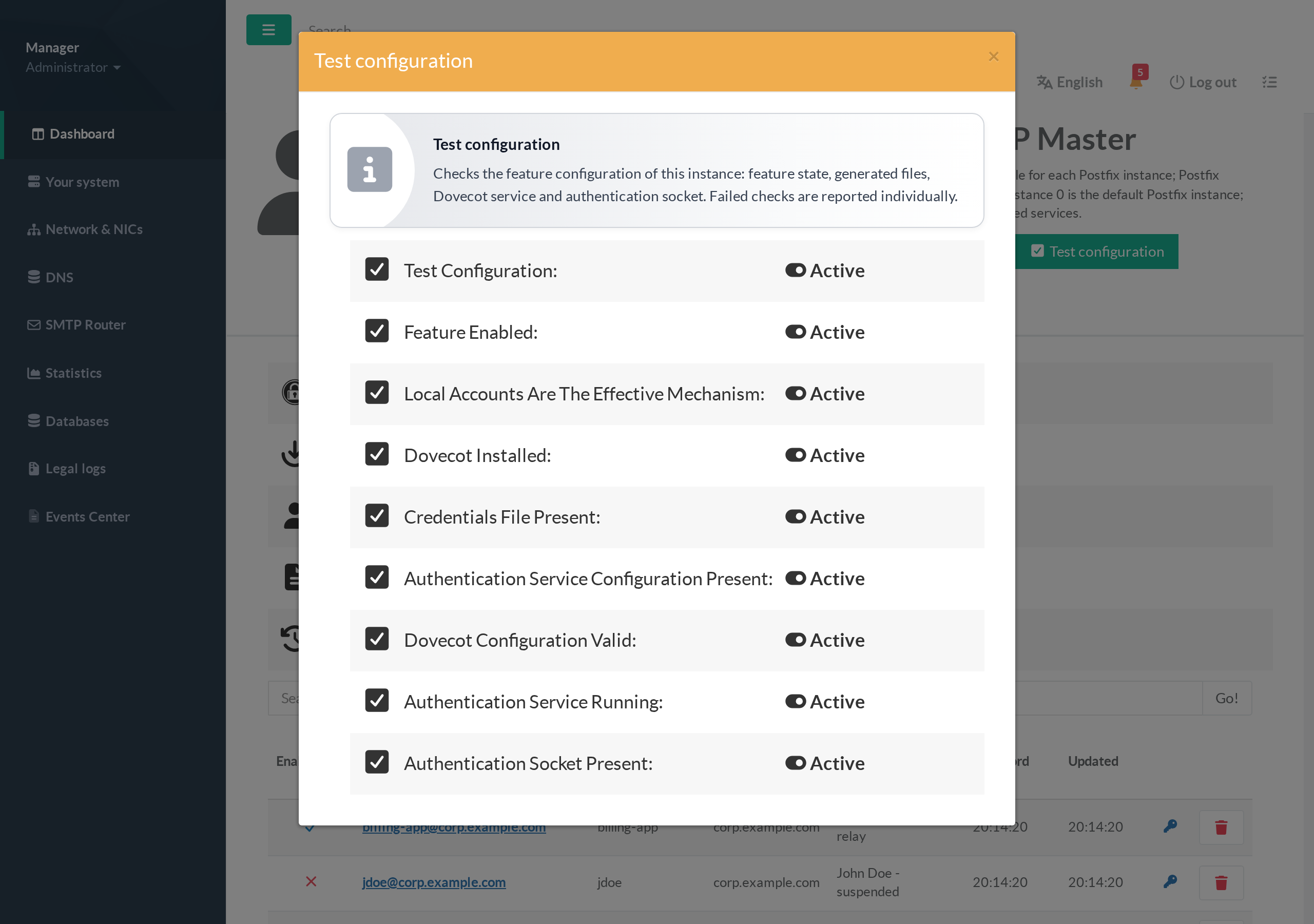
- Click Test configuration. Artica verifies, one by one: the feature state, that local accounts are the effective mechanism, that Dovecot is installed, that the credentials file and the authentication service configuration are present, that the Dovecot configuration is valid, that the authentication service is running, and that the authentication socket is present.
- Any failed check is reported individually so you know exactly what to fix.
¶ 6. Configure the mail client
Point the client at your Artica relay and enable SMTP authentication:
- Server: your Artica relay host.
- Port:
587(submission) or25, per your relay configuration. - Encryption: STARTTLS is recommended so credentials are not sent in clear text.
- Authentication:
LOGINorPLAIN, using the account’s full login (e.g.scanner-3rdfloor@corp.example.com) and its password.
A successful authentication returns 235 2.7.0 Authentication successful and the client is then allowed to relay. An unauthenticated client gains no new relay rights, and a wrong or disabled account is refused with 535 5.7.8 authentication failed.
¶ Managing existing accounts
- Enable / disable — click the status icon in the account’s row. A disabled account can no longer authenticate after the next apply, but its data is kept.
- Reset password — click the key icon; the new password takes effect after the next apply. The old password stops working; no password is ever shown.
- Delete — click the trash icon and confirm.
- Search — use the search box to filter by login, user name, domain or description.
¶ Turning the feature off
- Click Disable feature.
Artica removes only the settings this feature created: local-account authentication stops, the dedicated authentication service is stopped, and Postfix reverts to its previous SASL configuration.
Mail flow is not interrupted and any other authentication mechanism already in place is untouched.
Your accounts are retained, so re-enabling the feature restores service without re-creating them.
¶ Coexistence with directory authentication
When Active Directory / LDAP SMTP authentication is enabled, it takes precedence over local accounts.
In that case the page shows a notice, the effective mechanism reads Directory (LDAP/Active Directory), and the local accounts stay inactive until directory authentication is disabled.
This prevents the two mechanisms from silently conflicting.
¶ Troubleshooting
Test configuration reports "Dovecot installed" as failed
The dovecot-core package is not present. Install it (Artica installs it on demand when you enable the feature) and apply again.
The client gets 535 authentication failed with the right password
Confirm the account is enabled and that you applied the configuration after the last change. Re-run Test configuration to confirm the authentication service is running and its socket is present.
Effective mechanism shows "Directory (LDAP/Active Directory)"
Directory authentication is enabled and takes precedence. Disable it if you want the local accounts to be the active mechanism.
Changes do not take effect
Account changes only become live after Apply this instance (or Apply all instances). Watch for the “pending changes” notice on the status card.