The template feature
As you will see, a Web service configuration has a multitude of parameters. Templates allow you to replicate a specific configuration for new web services.
A template is a set of parameters for a web service.
It can be exported, imported and replicated in your reverse-proxy site park.
This feature is available on Artica v4.50 Service Pack 1 or Artica v4.50 Hotfix 20231103-02
Create a new template
A template is created by copying parameters of a Web service.
This can be done on a deactivated website, or on a production website.
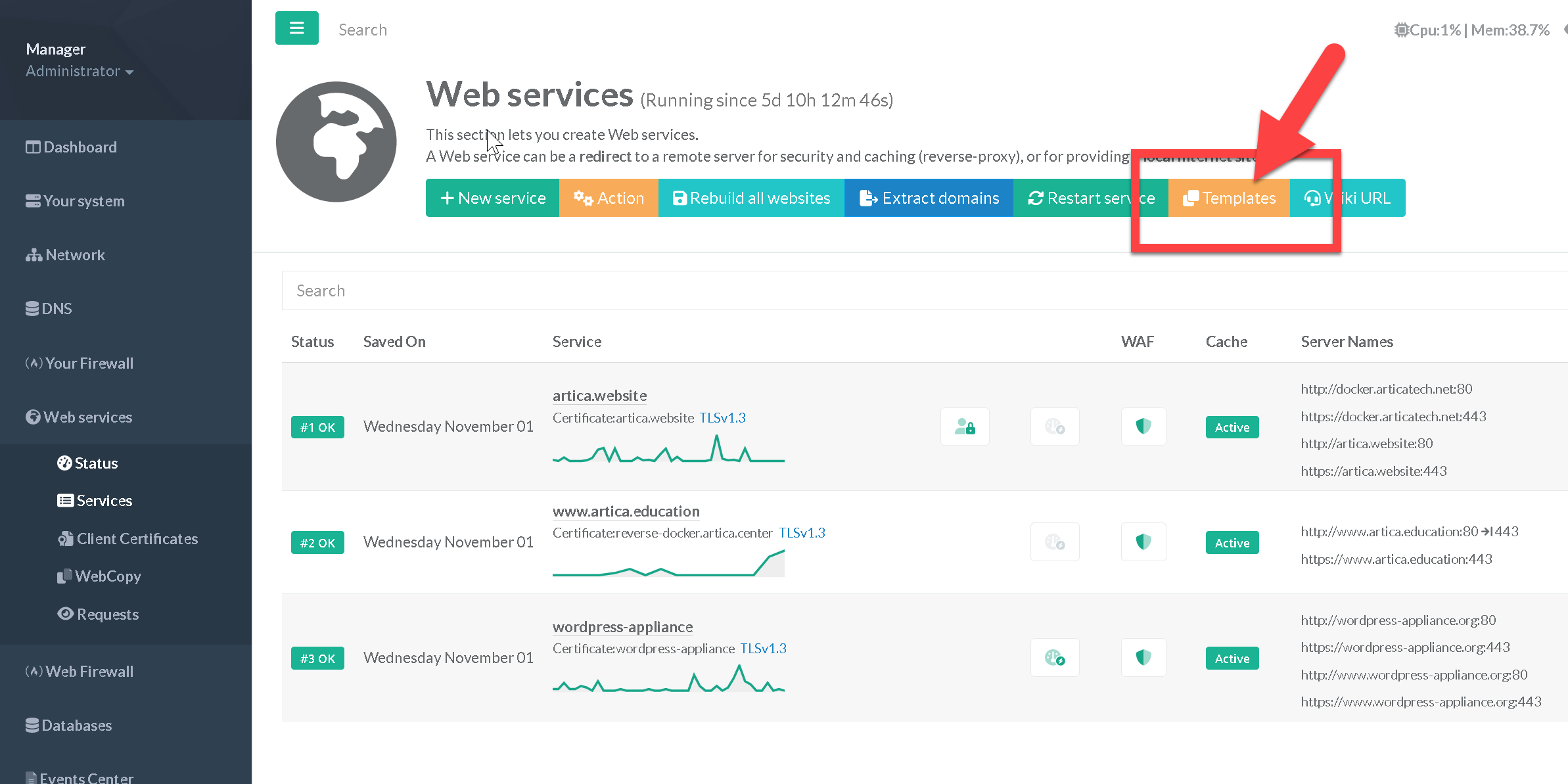
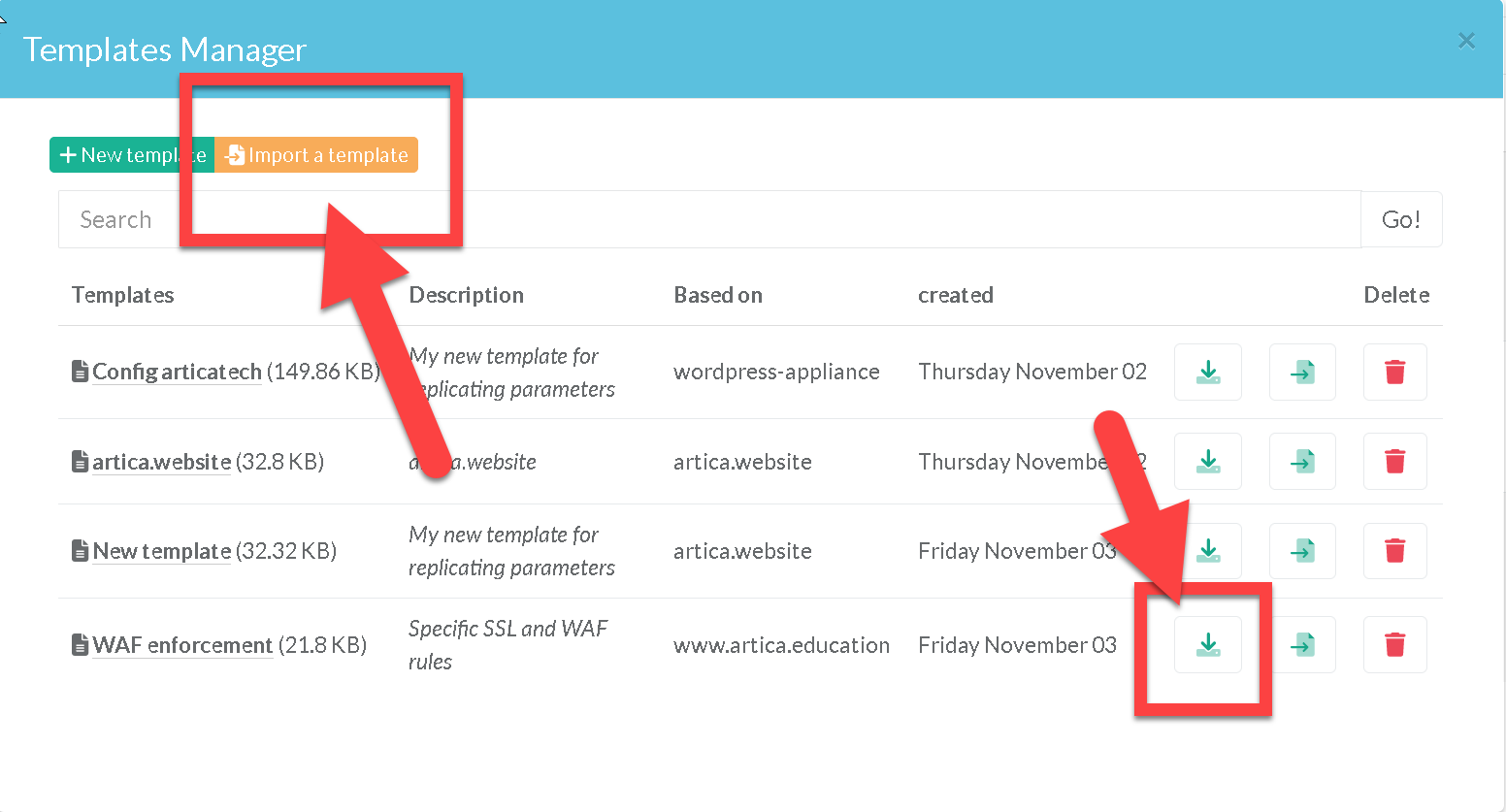
- On the reverse-proxy section, click on the button “Templates”
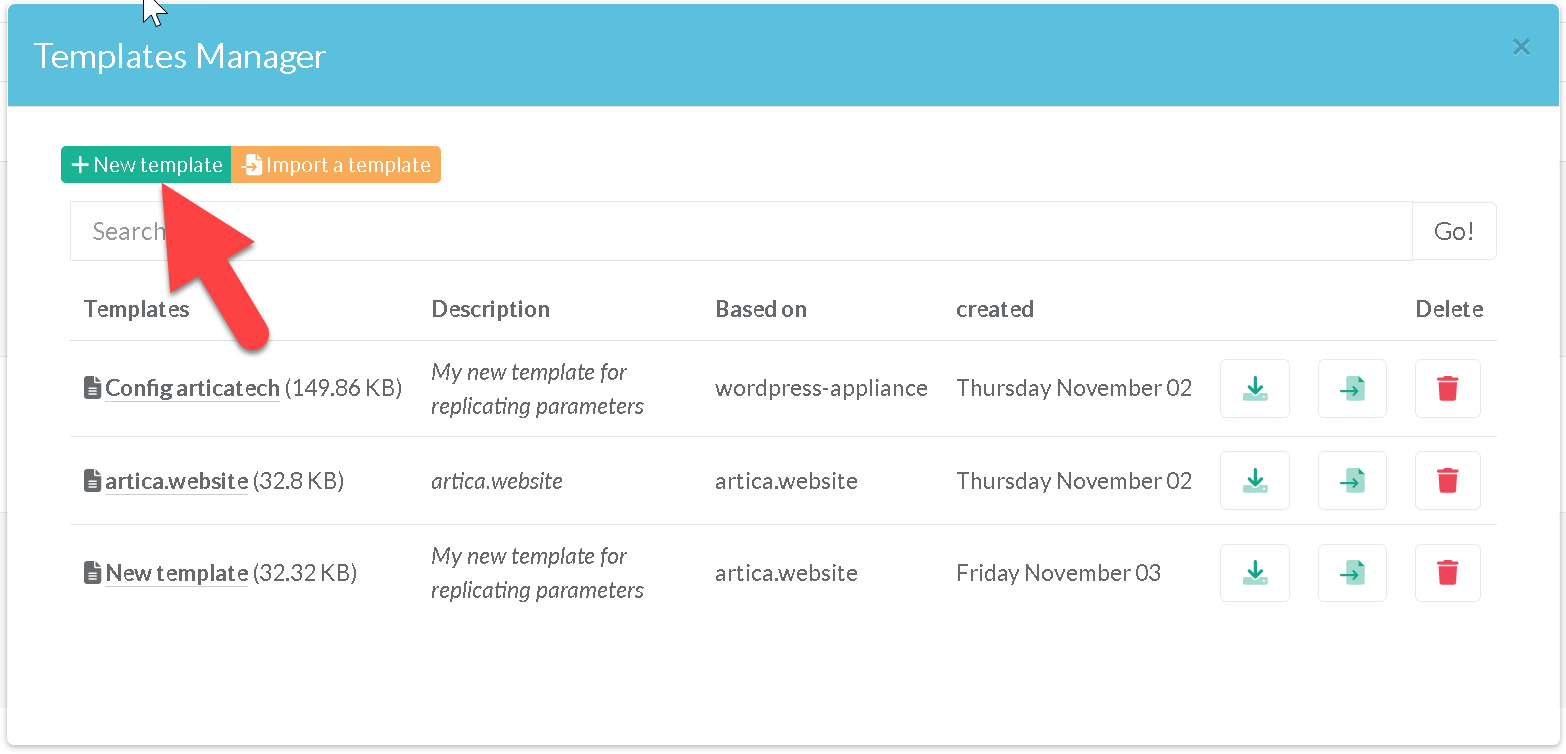
- In the Templates Manager windows, click on the button “New Template”
- In the form, the most important thing is to indicate the source website for which the parameters are to be copied.
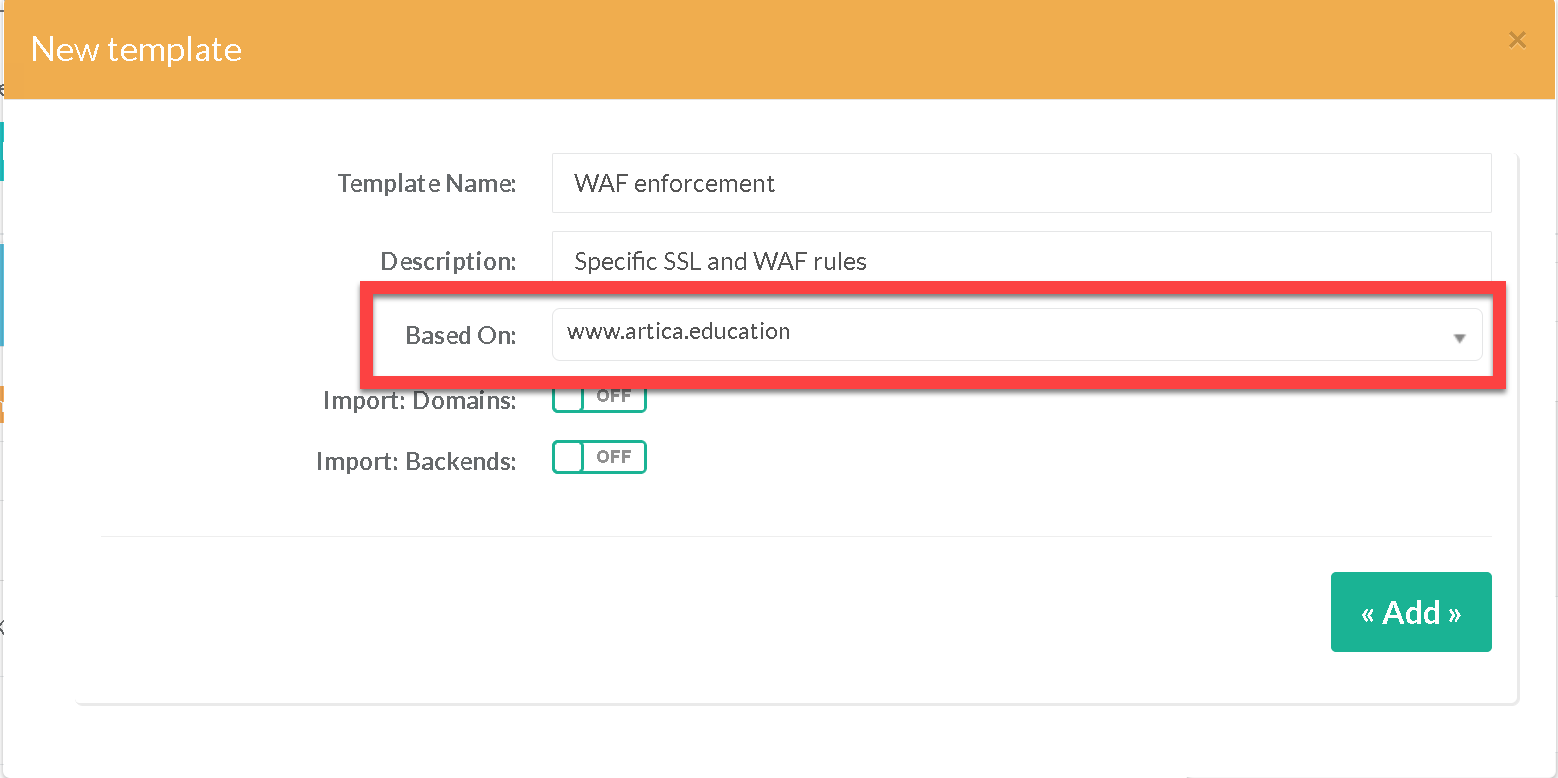
- The two checkboxes Import Domains and Import: Backends let you specify whether the template will store information on registered domains and/or back-end servers.
If unchecked, when you go to use this template, this information will have to be filled in.
Import/export
You can download (export) the template by clicking on the button in the column associated with the template.
Or you can use the "Import a template" button to load a previously downloaded template.
Create a new site with a template
When you create templates, they are displayed in the New Site Wizard.
This allows you to create sites based on a predefined set of configurations.
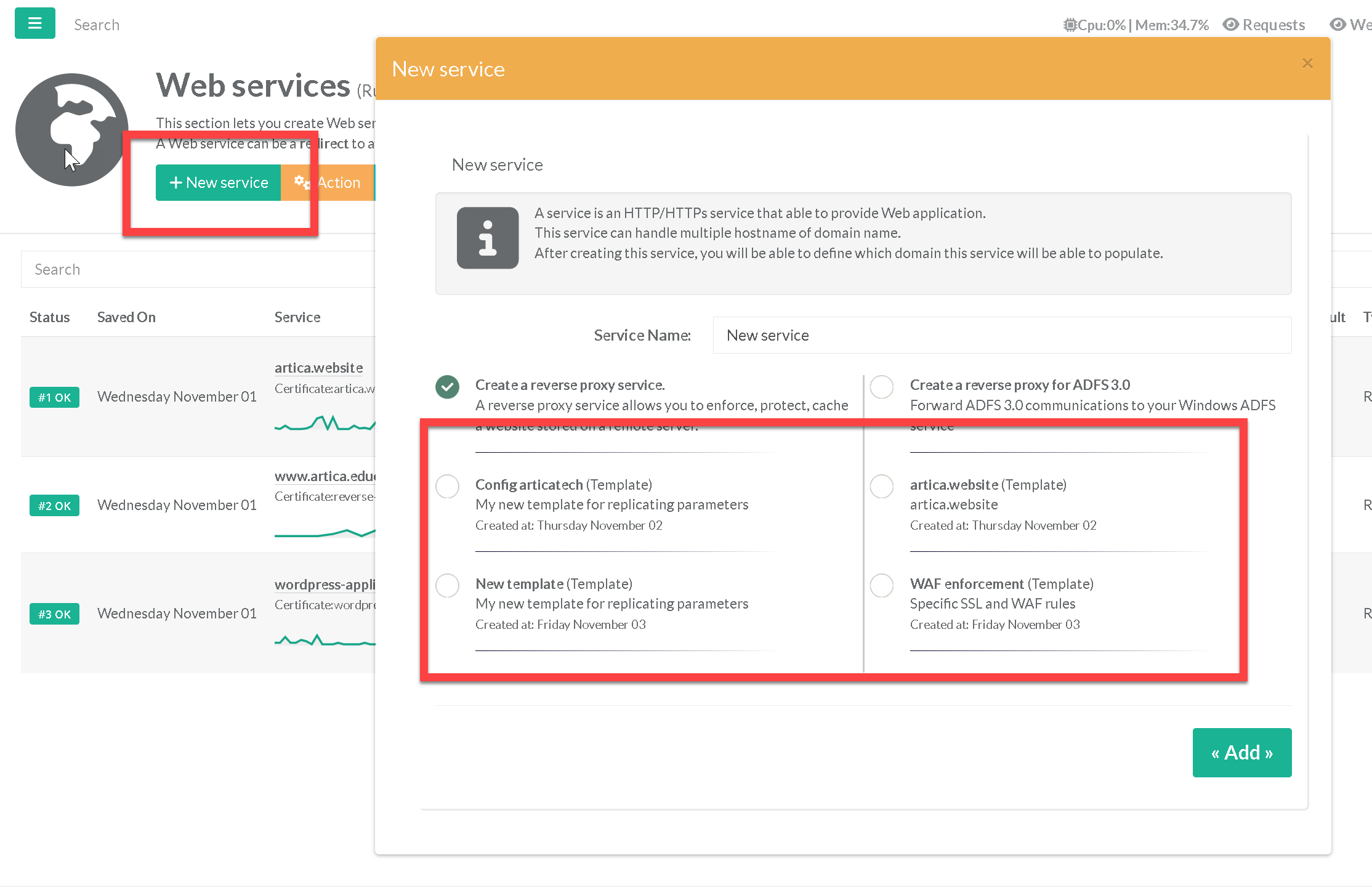
The list is mixed with Artica's fixed formats, which are marked (template)
Apply a template on an already created site.
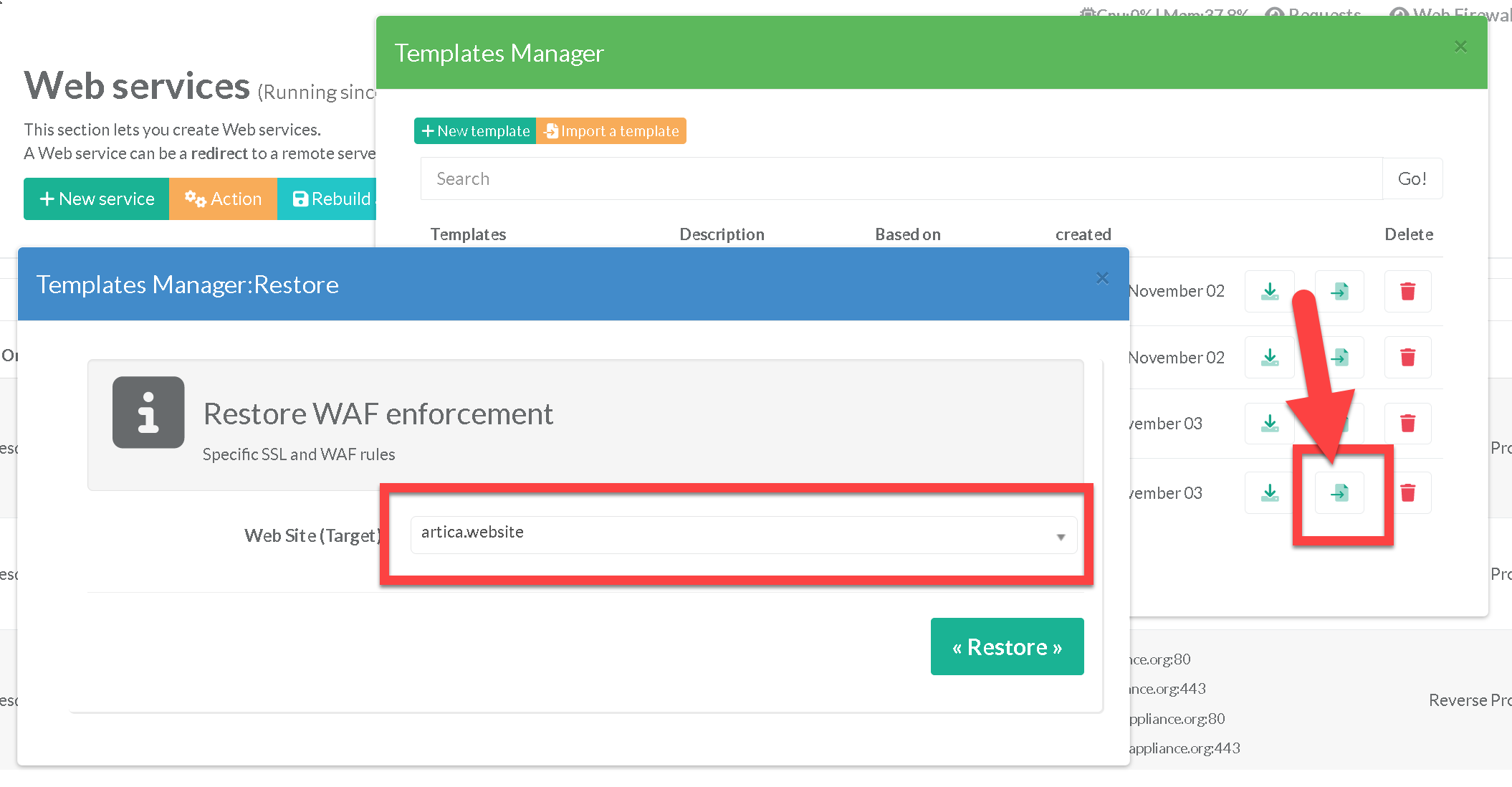
- If you wish to apply a template's parameters to an existing site, click on the second column in the template manager.
A pop-up window will appear, listing the sites already in production. - Select the website where you wish to restore the settings.
Please note that this operation will overwrite the existing configuration set, which in some cases could jeopardize your site.