Masquerading rules
This feature allows traffic from internal networks to be translated and routed through a single external IP address, simplifying NAT configurations and ensuring secure and seamless outbound connectivity
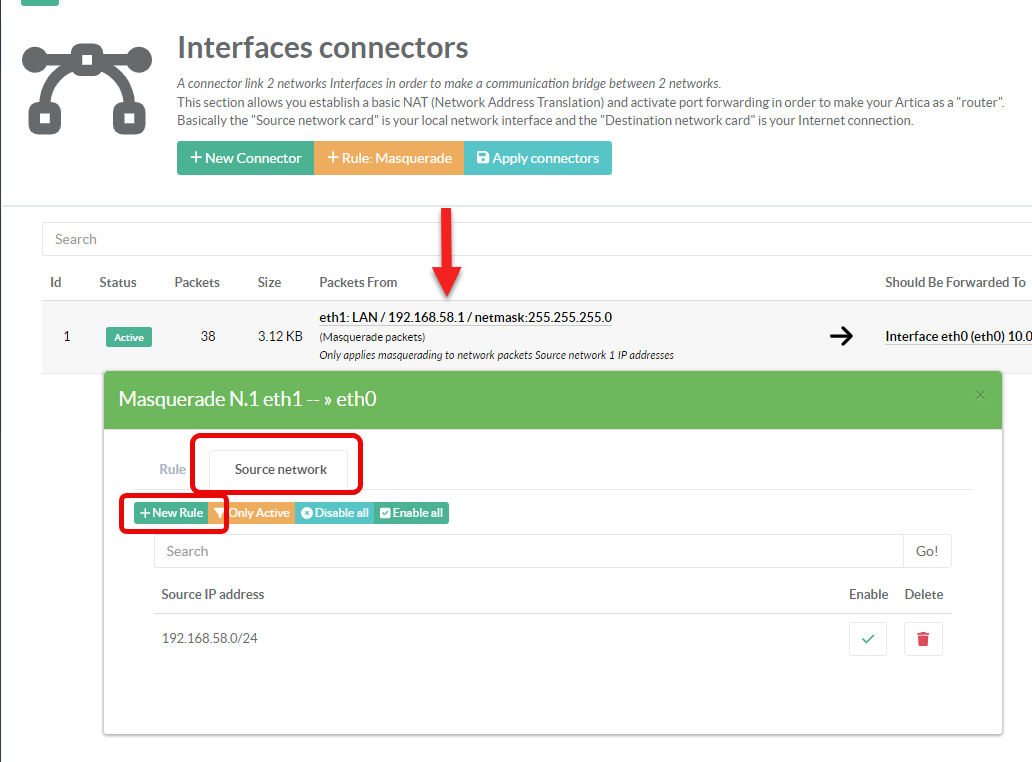
Artica allows you to configure masquerading rules from one network interface to another, with the ability to filter by source IP address.
This enables precise control over which internal IPs or subnets are allowed to access the Internet or another network through a specific outbound interface, supporting advanced NAT scenarios and improving security.Feature available on Artica v4.50 Service Pack 3 or Artica v4.50 Service Pack 2 Hotfix 20250401-00
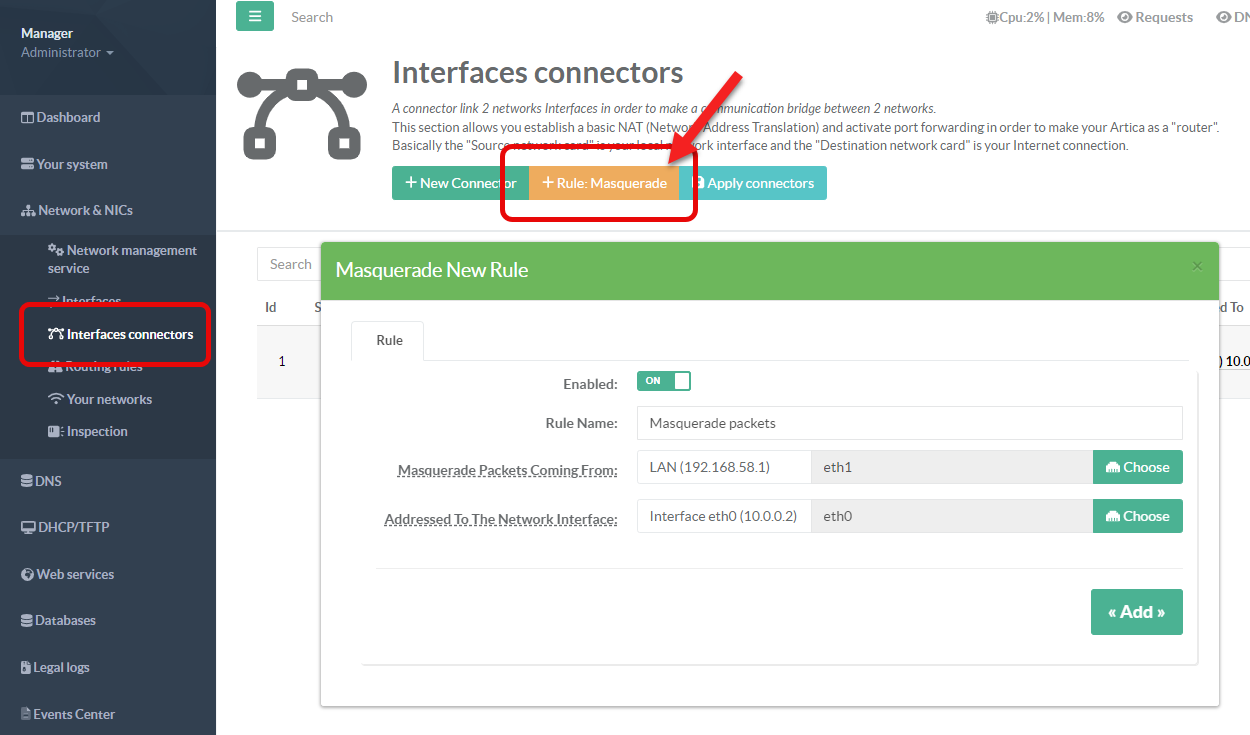
- On the left menu go to
Network & NICs > Interfaces connectors. - Click on Rule: Masquerade button
- Set the interface for incoming packets and the interface for outgoing packets
- If you want to refine the rule by source IP address, select your rule and use the “Source Network” tab.
- Add the networks or IP addresses you want to masquerade when packets originate from these nodes.