This page explains what happens between the moment you save a rule and the moment the kernel filters packets with it.
It answers the usual questions: when is my rule active? why is it not applied? in which order are rules evaluated? what happens to rules added by other software?
¶ Changes are applied automatically
When you create, modify, enable, disable, move or delete a rule, a NAT entry, a masquerade rule, a service or an interface setting, the console sends the change to the Artica service, which stores it and schedules a rebuild of the firewall.
- The rebuild starts about 6 seconds after the last change.
If you edit ten rules in a row, the firewall is rebuilt once, after the tenth. - Only one rebuild runs at a time; a change made during a rebuild triggers one more rebuild when it ends.
- The Apply Firewall rules button of the parameters page is still available, to force a rebuild immediately.
- While a draft is open, changes are saved but no rebuild runs: the requests are noted and the firewall is rebuilt once, when the draft is applied or discarded.
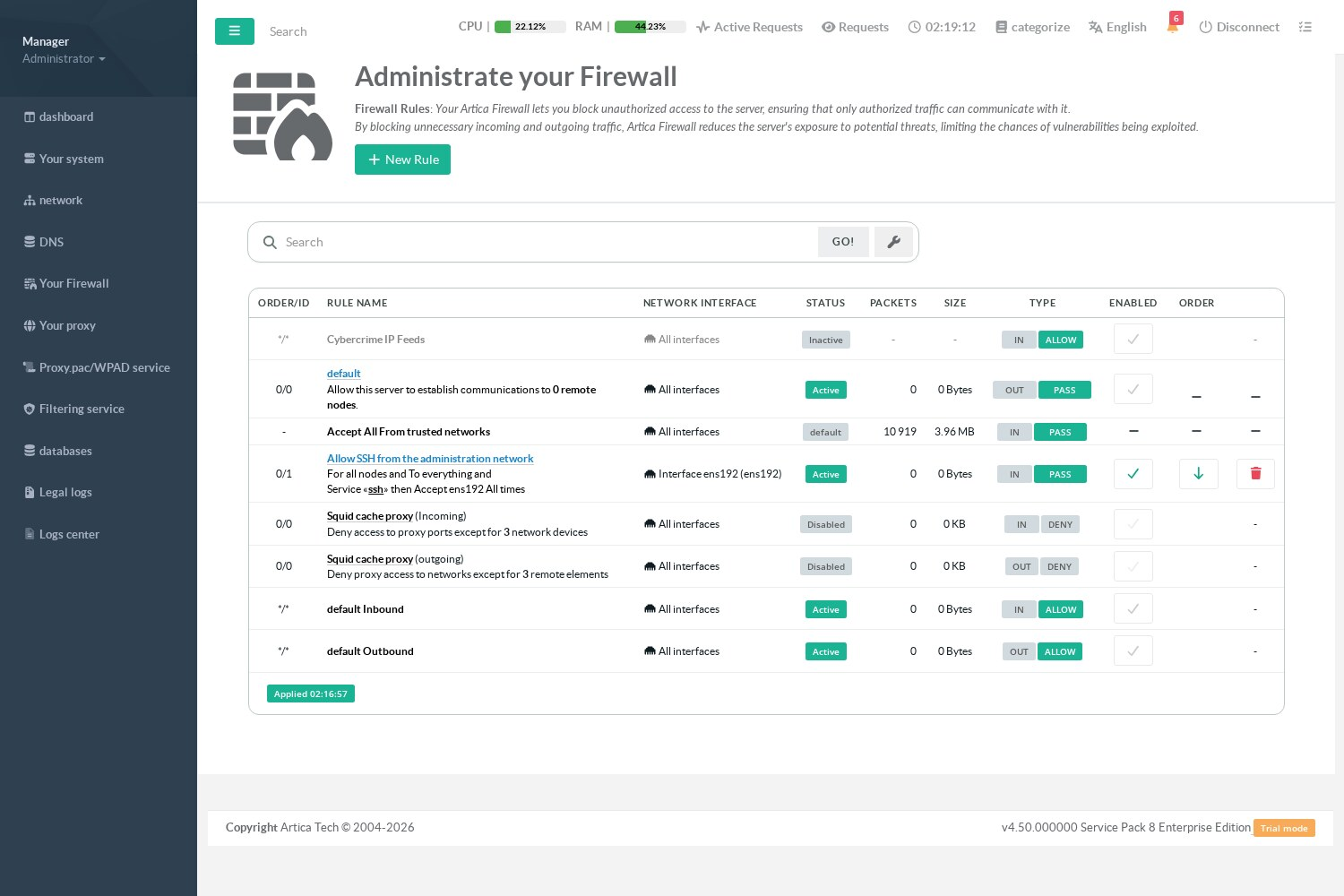
The badge at the bottom of the rules table tells you the outcome:
| Badge | Meaning |
|---|---|
| Applied hh:mm:ss (blue) | The last rebuild was accepted by the kernel at that time. |
| Changes waiting to be applied (orange) | A change was saved; the rebuild starts within a few seconds. |
| Applying the firewall rules | A rebuild is running. |
| N rules refused by the firewall (red) | The kernel refused some rules during the last rebuild: they are not active. Click the badge to list them with the exact error returned by iptables, then fix or disable each rule. |
Each applied change must be confirmed within a few minutes (3 by default); otherwise the previous configuration is restored automatically. See Configuration history and change confirmation.
¶ One transaction, never a window without filtering
Artica does not empty the firewall and then add rules one by one.
It builds the complete rule set in memory, has it validated by the kernel, and applies it with one transaction per table (filter, nat, mangle):
- if the transaction is accepted, the new rules replace the previous ones in a single step;
- if a single rule is refused by the kernel (for example a rule that refers to a module missing from your kernel), only that rule is excluded, the others are applied, and the excluded rule is listed with its error;
- if the whole table is refused, the previous rules stay in place and the administrator is notified.
This is why the firewall never leaves the appliance unprotected during a rebuild, even on a slow appliance with thousands of rules.
The same rules are built a second time for IPv6 and applied by a separate transaction (ip6tables-restore). A line that has no IPv6 equivalent is left out rather than widened, and a refused IPv6 transaction never cancels the IPv4 one. See IPv6 filtering.
¶ What a rebuild never touches
A rebuild only replaces what Artica owns:
- the chains it creates for your rules (
in_<interface>,out_<interface>,in_ALL, NAT and masquerade chains…); - the rules it places in the main chains (
INPUT,OUTPUT,FORWARD,PREROUTING,POSTROUTING), which carry the commentARTICA.BUILD.
Everything else survives a rebuild: rules and chains added by Docker, Fail2ban, a VPN, a script of yours, and the chains maintained by Artica protection modules (CrowdSec, DecisionIP, trusted networks, SSH black list, GlusterFS, network namespaces, Reverse-Proxy firewall). Each of those modules keeps its own chain and repairs it by itself.
¶ The order of protection rules
Protection modules are reached from the beginning of the INPUT chain. Artica keeps them in a fixed order, whatever the order in which the modules started:
| Position | Rule | Purpose |
|---|---|---|
| 1 | Loopback and Artica service access (LOOPBACK.ALLOW, ARTICAREST.ALLOW) |
The appliance always reaches its own services. |
| 2 | Proxy anti-flood (ANTIFLOOD.SQUID) |
Addresses flooding the proxy are dropped first. |
| 3 | Trusted networks (in_trusted) |
Trusted networks are accepted before any black list. |
| 4 | CrowdSec (in_crowdsec) |
Addresses banned by CrowdSec. |
| 5 | SSH black list (art_sshblock) |
Addresses banned after SSH authentication failures. |
| 6 | GlusterFS (in_glusterfs) |
Storage cluster peers. |
| 7 | DecisionIP (DECISIONIP) |
IP reputation lists. |
| 8 | Proxy schedule (SQUID_SCHEDULE) |
Time-of-day restrictions of the proxy. |
| 9 | Your interface rules (in_<interface>, in_ALL) |
The rules of the rules table. |
Two consequences worth knowing:
- Trusted networks are never banned by CrowdSec or the SSH black list.
- Trusted networks are not subject to the proxy time-of-day schedule.
The order is checked after each rebuild, each time a module installs its chain, and every 3 minutes. When it is already correct, nothing is touched; when it is not, the misplaced rules are moved in one transaction and keep their packet counters.
¶ Rules that cannot be applied
Before building, Artica checks each rule. A rule that cannot be built is shown with an orange label in the rules table instead of being silently ignored. Typical reasons:
- the rule's interface is not linked to the firewall (This network interface is excluded from the firewall) — see Link your interfaces to the firewall;
- the interface no longer exists or is disabled;
- the NAT or masquerade entry the rule belongs to was deleted or disabled;
- the rule asks for a service from which no port can be derived: the rule is not applied, because without ports it would match all the traffic of the interface.
¶ Self-repair
Every 3 minutes, Artica compares the enabled rules with the rules present in the kernel:
- if rules are missing, or if the firewall was emptied by hand (
iptables -F), the firewall is rebuilt; - after 3 unsuccessful rebuilds, Artica stops retrying for one hour and notifies the administrator, instead of rebuilding in a loop.
¶ Logging
- Packets rejected by the final policy of an interface are always logged with the prefix
ARTICA:REJECT:, at most 1 line per second (bursts of 5), so that a port scan cannot fill the disk. - A rule with Log All Events enabled logs its packets before applying its action.
- A rule whose action is Log only logs the packets with the prefix
ARTICA:LOG:<rule id>:and lets them continue to the next rules.
See Firewall events to read them.
¶ Checking from the command line
These commands are read-only:
# The transaction the next rebuild would apply, without applying it
articarest -firewall-build-plan

# Rules owned by the Artica rebuild
iptables-save | grep -c ARTICA.BUILD

# Order of the protection rules
iptables -S INPUT | head -15

# Duplicated rules (should print nothing)
iptables-save | sort | uniq -d | grep '^-A'¶ Stopping the firewall
The Stop button of the parameters page removes all the rules: the appliance is no longer filtered until you click Restart or Apply Firewall rules.
To remove the firewall completely, use uninstall on the same page.