← Back to the RDS Proxy main page
Targets are the servers users reach through the gateway.
Open RDS Proxy » Policies » Targets.
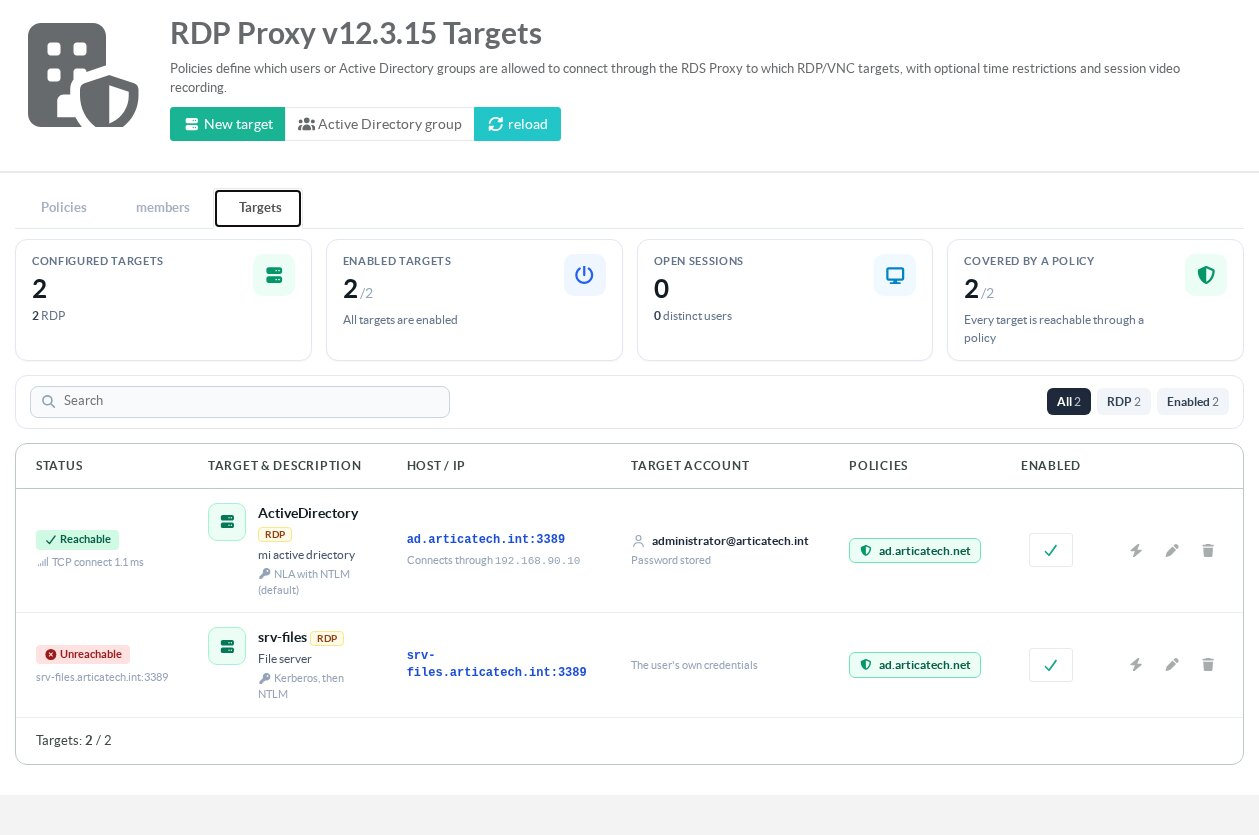
¶ Read the targets tab
- Tiles: configured targets per protocol, enabled targets, open sessions, and targets reachable through at least one active policy.
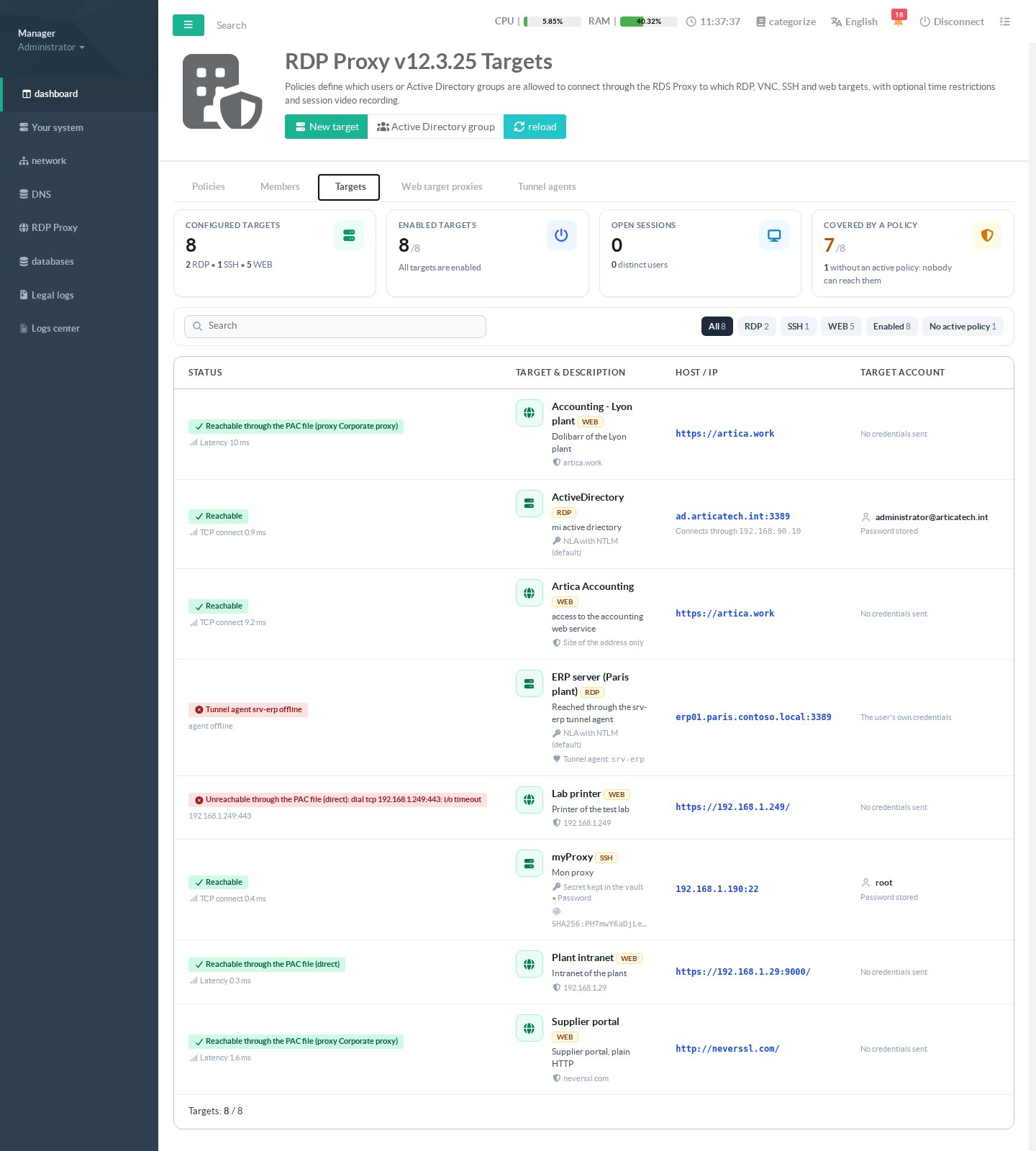
A target that no active policy covers cannot be reached by anyone. - Status: the gateway tests each target the way a session would reach it, after the page is displayed.
The lightning button runs the test again.
See Read the status column below. - Target & description: the alias, the protocol and, for RDP, the NLA mode.
- Host / IP: the address the gateway connects to.
- Target account: the account used on the server, and whether its password is stored.
- Policies: the policies that give access to this target.
¶ Read the status column
The test follows the real path of a session.
It changes with the protocol of the target and with the route of its active policies.
It only opens a connection.
It never signs in and changes nothing.
| Target | Test | Status shown |
|---|---|---|
| RDP, VNC or SSH target | TCP connection of 2 seconds to the address, or to the host name, and the port. | Reachable with the connection time (TCP connect), or Unreachable. |
| RDP or VNC target behind a tunnel agent | State of the agent on the tunnel receiver. The target is never tested directly, since the bastion cannot reach it. | Tunnel agent <name> connected, or offline. Also offline when the tunnel receiver does not run. |
| Web target, policy without proxy | TCP connection to the host and the port of the application address. | Reachable or Unreachable. |
| Web target, policy with an upstream proxy | Through the proxy, with its account. HTTPS: CONNECT host:port.HTTP: a HEAD request in absolute form, like a session.6 seconds. A proxy that resolves the target for the first time has time to answer. | Reachable via proxy <name>, or Unreachable via proxy with the reason: proxy unreachable, proxy authentication failed, proxy refused the destination, proxy disabled. Below it, Latency gives the time of the request through the proxy. |
| Web target, policy with a PAC file | The PAC file is evaluated on the application address. Its answers are tried in order, like a session: DIRECT, or a declared and enabled proxy. | Reachable through the PAC file, followed by direct, proxy <name> or direct, PAC failure fallback. Or Unreachable through the PAC file with the reason. Below it, Latency gives the time of the PAC evaluation and of the request. |
| Disabled target, or Active Directory group | No test. | Disabled, or Active Directory group. |
When several active policies give a web target an upstream proxy or a PAC file, each of them is tested, three of each at most.
The first one that works is shown.
Otherwise the first failure is shown.
The test of a web target starts from the network of the bastion.
It does not enter the network namespace of the policy.
A target reachable only from that namespace can show Unreachable while the sessions work.
See PAC files for web targets and Network confinement and upstream proxies.
REST API: GET /rdpproxy/targets/{id}/reachability returns mode (direct, proxy, pac, tunnel, ad_group, disabled), ok, latency_ms, detail, via and address.
It is a read-only call.
¶ Create a target
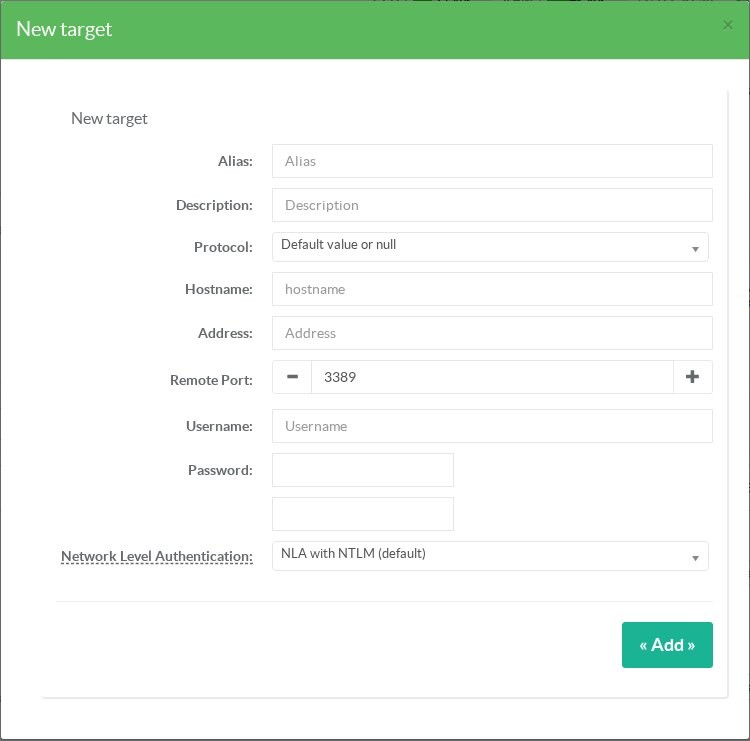
| Field | Meaning |
|---|---|
| Alias | The name users see in the list of servers. It does not need to be the real host name. |
| Description | A description shown in the list of servers. |
| Protocol | RDP, VNC, SSH or Web application. Web targets are described in Create a web target. SSH targets are described in Create an SSH target and its policy. |
| Hostname | The real host name of the server. It only needs to resolve on the appliance. |
| Address | Optional IP address. When set, the gateway connects to this address. |
| Remote port | The port of the RDP or VNC service on the server (3389 for RDP). |
| Username / Password | The account used to open the session on the server, for example user@domain.Users never see it. |
| Network Level Authentication | How the gateway authenticates to the server (RDP only), see below. |
¶ Network Level Authentication (NLA) mode
| Mode | When to use it |
|---|---|
| NLA with NTLM (default) | Works with any Windows server, including one addressed by its IP address. |
| Kerberos, then NTLM | Tries Kerberos first and falls back to NTLM when no ticket can be obtained. |
| Kerberos only | Requires the server's DNS name and a domain controller the appliance can reach. |
| No NLA (TLS only) | Only for old servers that do not support NLA. |
If users get an NLA error, see NLA authentication failed.
¶ Publish an Active Directory group of computers
Click Active Directory group to publish every computer of an AD group as a target.
Users then connect with their own Active Directory credentials.
See Use Active Directory with your RDS Proxy.