← Back to the RDS Proxy main page
Members are the identities users log in with on the gateway: local gateway accounts, or Active Directory groups. A member can connect only through the policies it is linked to. Open RDS Proxy » Policies » Members.
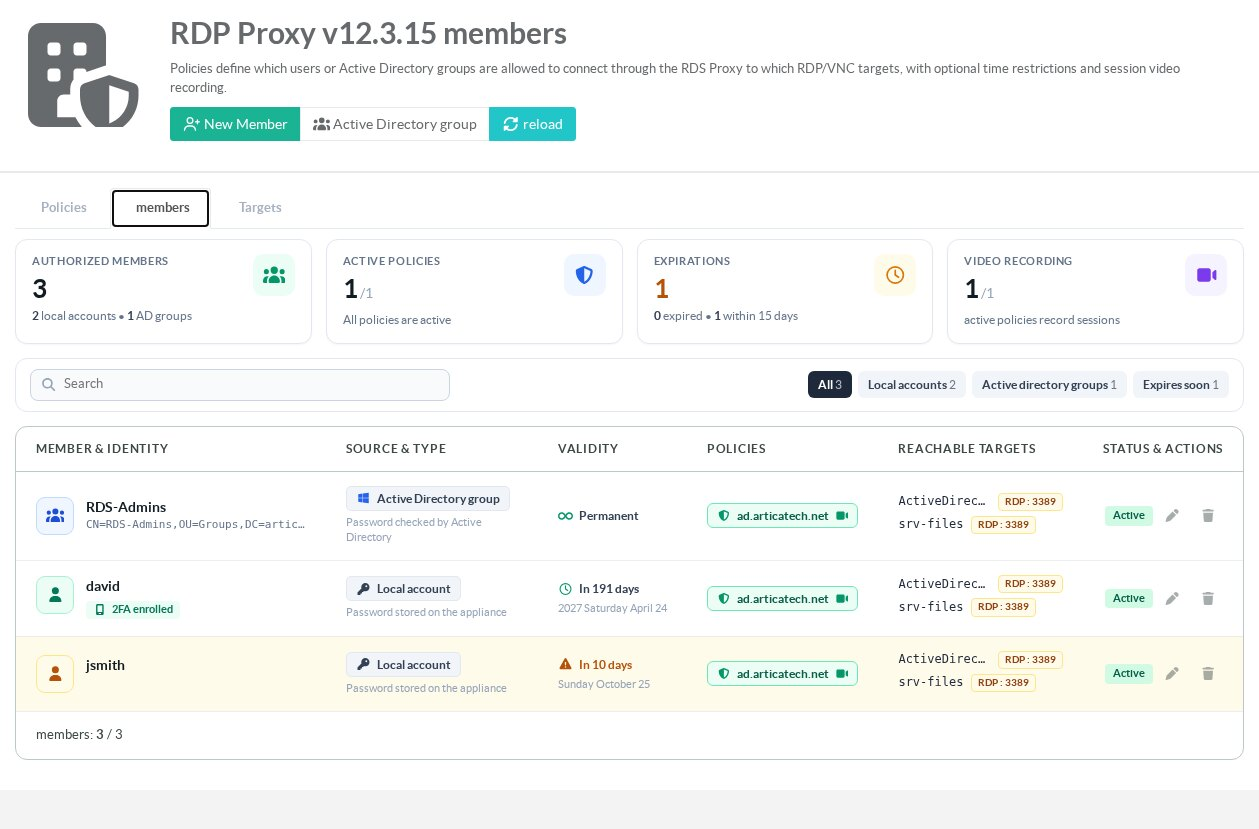
¶ Read the members tab
- Tiles: number of members (local accounts and AD groups), active policies, accounts expired or expiring within 15 days, and policies that record sessions.
- Quick filters: All, Local accounts, Active Directory groups, Expires soon, Expired, No policy. They combine with the search box.
- Member & identity: the account, its distinguished name for an AD group, and its second-factor state (enrolled, required, not enrolled yet, exempt, locked).
- Validity: Permanent, or the number of days left and the end-of-life date. Expiring accounts are highlighted in orange, expired ones in red.
- Policies: the policies the member is linked to. A camera icon marks recording, a lock icon the second factor; a paused policy is shown in grey.
- Reachable targets: the servers the member can reach through its policies.
¶ Create a local member
- Click New member.
- Enter the user name and the password the user will type on the gateway.
- Set the End of life (2099-01-01 by default, meaning no expiry): after that date, the account can no longer log in.
- Click Add, then link the member to a policy.
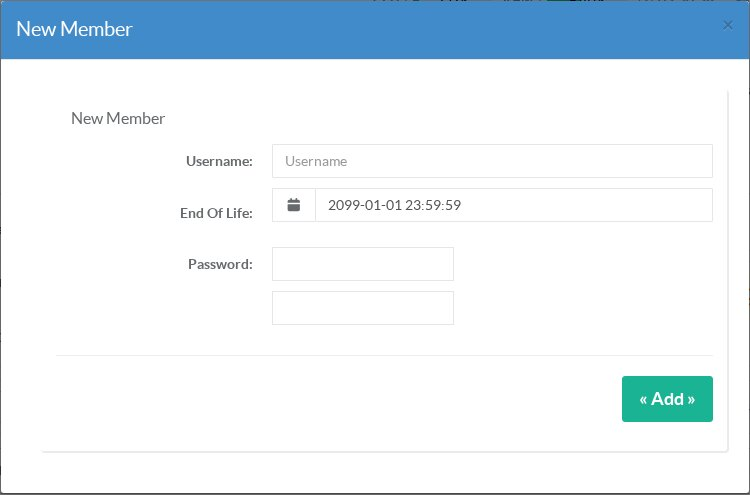
Local members are “masked” accounts: the user never learns the account used on the target server, which is stored with the target.
¶ Authorize an Active Directory group
Click Active Directory group and pick the group. Its members log in with their Active Directory account and password. This button requires the Active Directory feature and an Active Directory connection; see Use Active Directory with your RDS Proxy.