OOM-Killer monitor
OOM-Killer stands for Out-Of-Memory Killer, and it's a safety mechanism built into the Linux kernel.
When the system runs out of usable memory (RAM + swap), the kernel must free up memory quickly to avoid a complete crash.
The OOM-Killer will be executed in order to Identify memory-hungry processes, Select one (or more) to terminate,Free memory immediately so the system stays alive.
Without the OOM-Killer, the system could Freeze completely, Lose unsaved data, Require a hard reboot.
Basically, the OOM-Killer is a last-resort survival mechanism.
Artica is able to detect the OOM-Killer execution and write events/reportThis feature is available on Artica v4.50 SP3 or Artica v4.50 SP2 Hotfix 20250323-15
What process will be killed by OOM-Killer ?
The kernel uses a scoring system:
- Processes are given an OOM score based on:
- How much memory they're using
- Their priority (nice/oom_score_adj)
- Whether they're critical system processes
- The process with the highest score is usually selected
Where can i see when the system runs out of usable memory ?
When Artica detect the OOM-Killer execution, an alert “OOM-Killer triggered! Process Killed !” is generated in the system events.
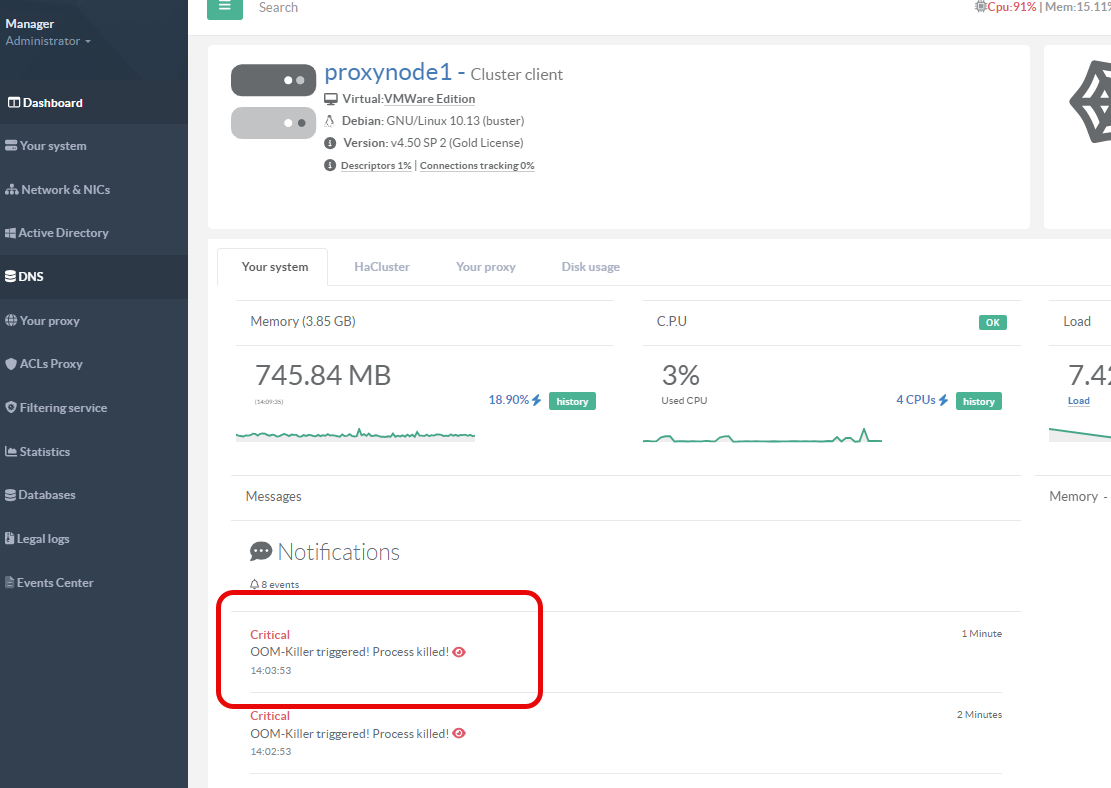
Where can i see notification report ?
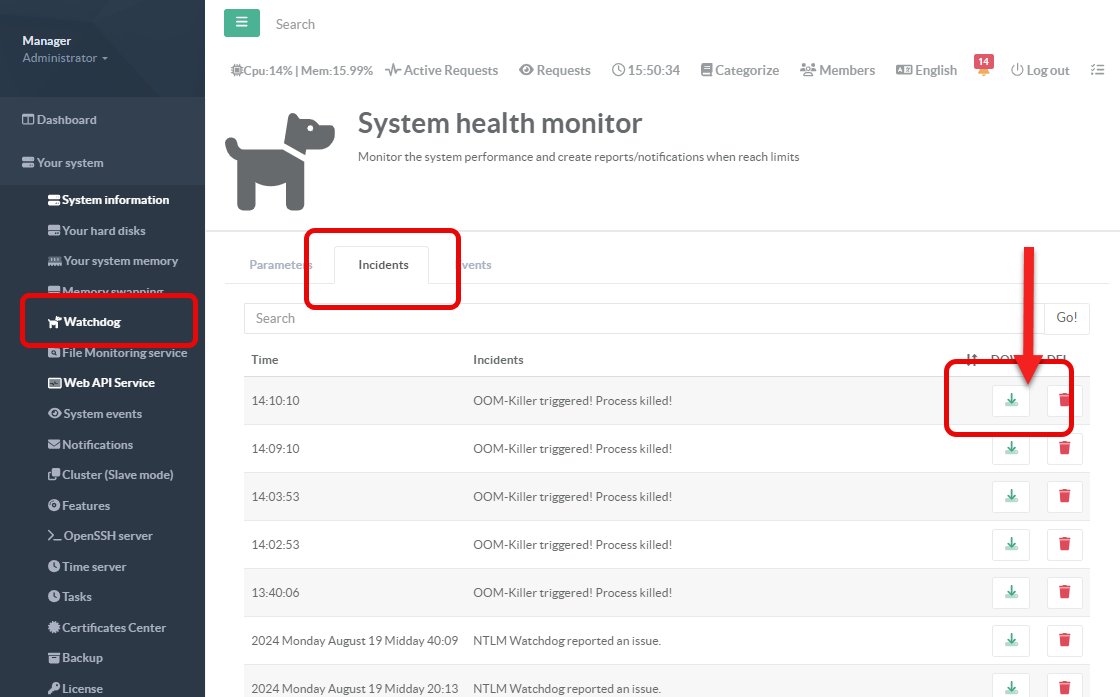
- All report are saved using the left menu
Your system > Watchdog - Select the “Incidents” tab.
- Use the download icon to get the report of the alert.