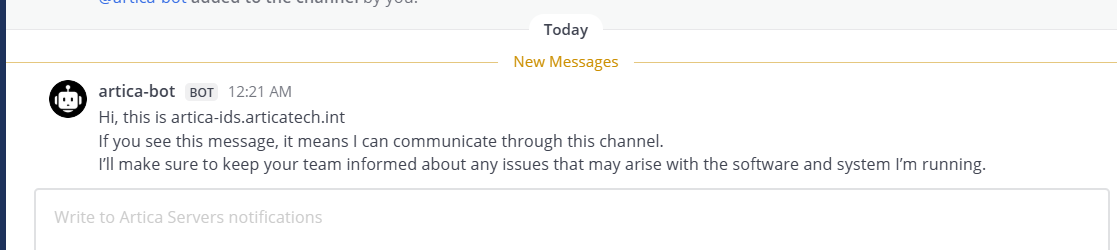
Your Artica server can connect to your Mattermost server as a communication bot.
With this method, Artica can post messages directly into a Mattermost channel to notify you about the various alerts and events it generates.
This feature is provided in addition to the standard SMTP email notification method.
¶ Create a Bot Account inside your Mattermost server (v5.10+)
Creating a dedicated bot account for posting messages to Mattermost is a best practice for several important reasons:
- Security & Accountability
- Bot tokens can be revoked without affecting user access
- Clear audit trail showing which messages came from automation vs humans
- If credentials are compromised, only bot access is affected, not a user account
- Permissions Control
- Bots can have restricted permissions (post-only, specific channels)
- Can't accidentally perform user actions (deleting channels, changing settings)
- Follows principle of least privilege
- Visual Distinction
- Mattermost displays bot messages with a "BOT" badge
- Users immediately know they're seeing automated messages
- Reduces confusion about message source
- Token Management
- Bot tokens don't expire when users change passwords
- More stable for long-running automation
- Can have multiple tokens for different services
- Rate Limiting
- Bot accounts have separate rate limits
- Won't interfere with user's normal Mattermost usage
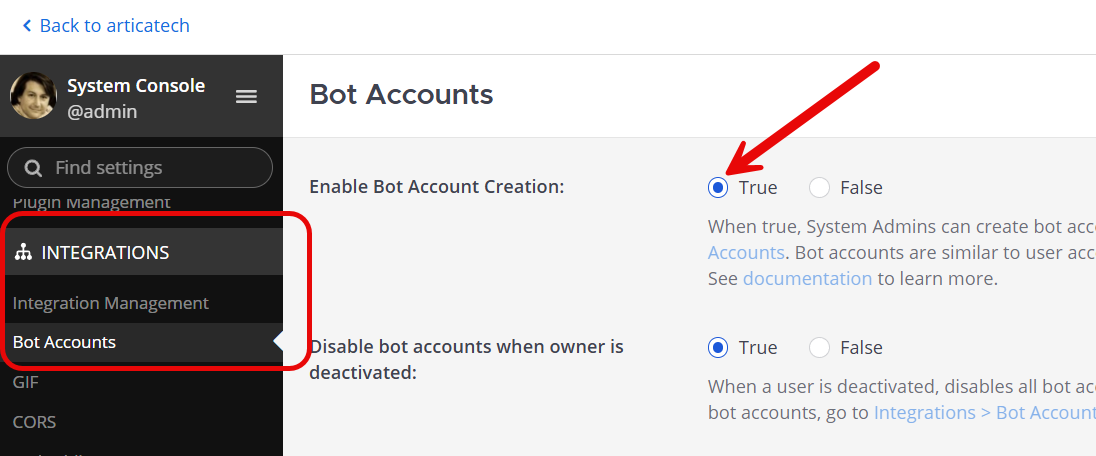
- In the Mattermost web console, go to
System Console > Integrations > Bot Accounts - Turn on “Enable bot account creation”. You can also turn to False on Disable bot accounts when owner is deactivated if you did not want to associate the bot to an user
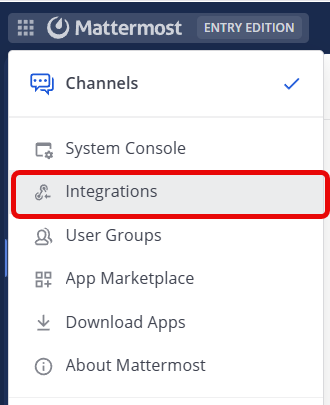
- On the top-left menu, choose “
Integrations”
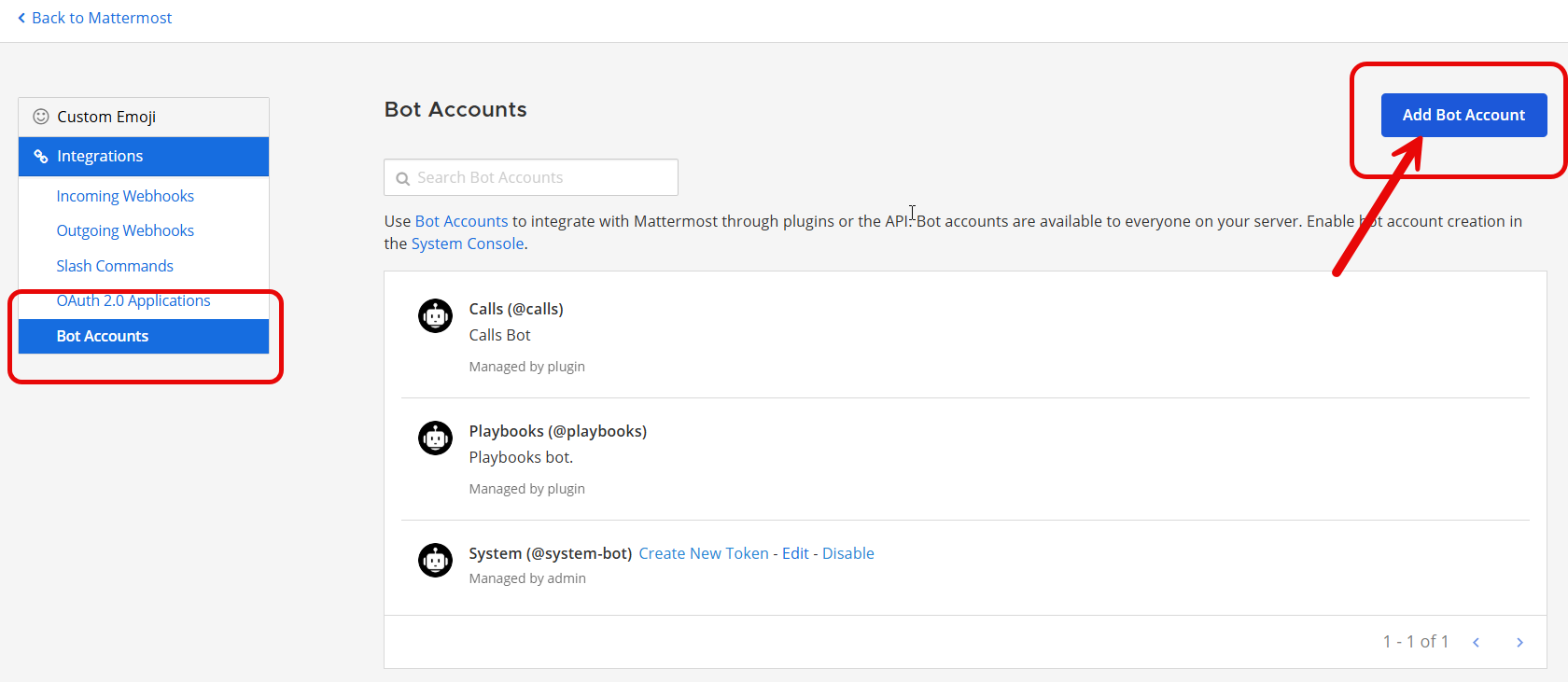
- Select
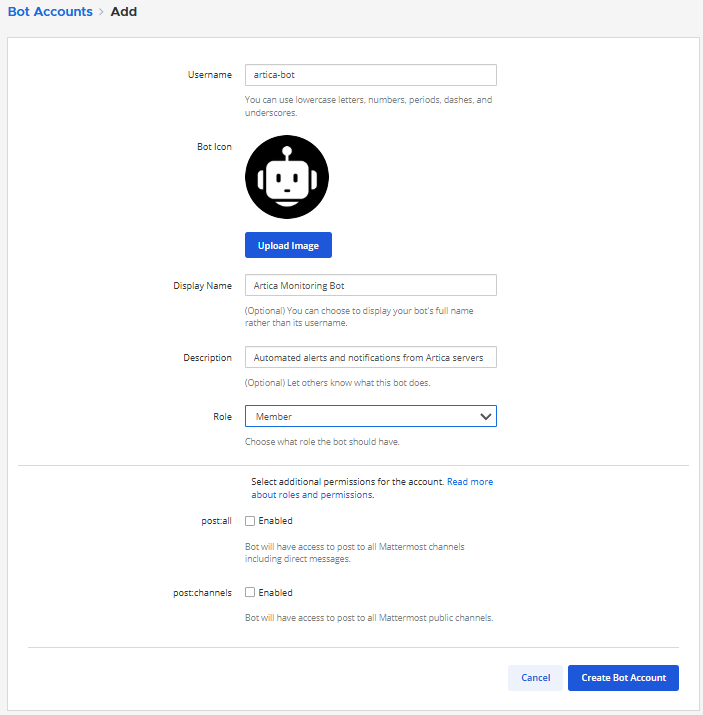
Bot Accountsand click on Add Bot Account button
- Set an Username ( Artica-bot), Display Name: "Artica Monitoring Bot" And Description: "Automated alerts and notifications from Artica servers" and Role: Member
- Click on Create Bot Account button
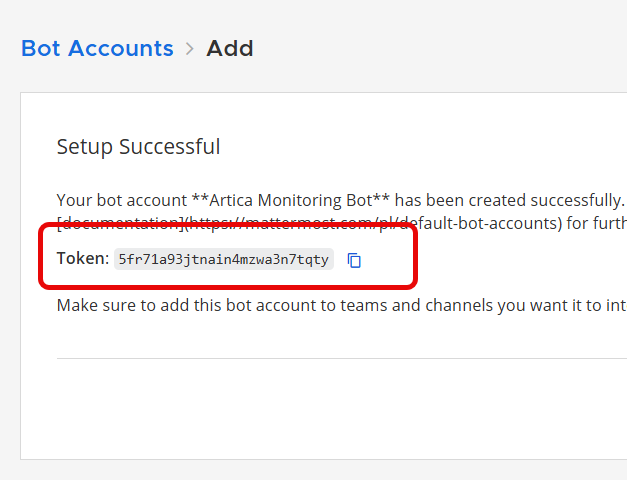
- Copy the generated access token (shown only once!)
¶ Add bot to team
You need to add the bot to the team first before you can add it to any channels
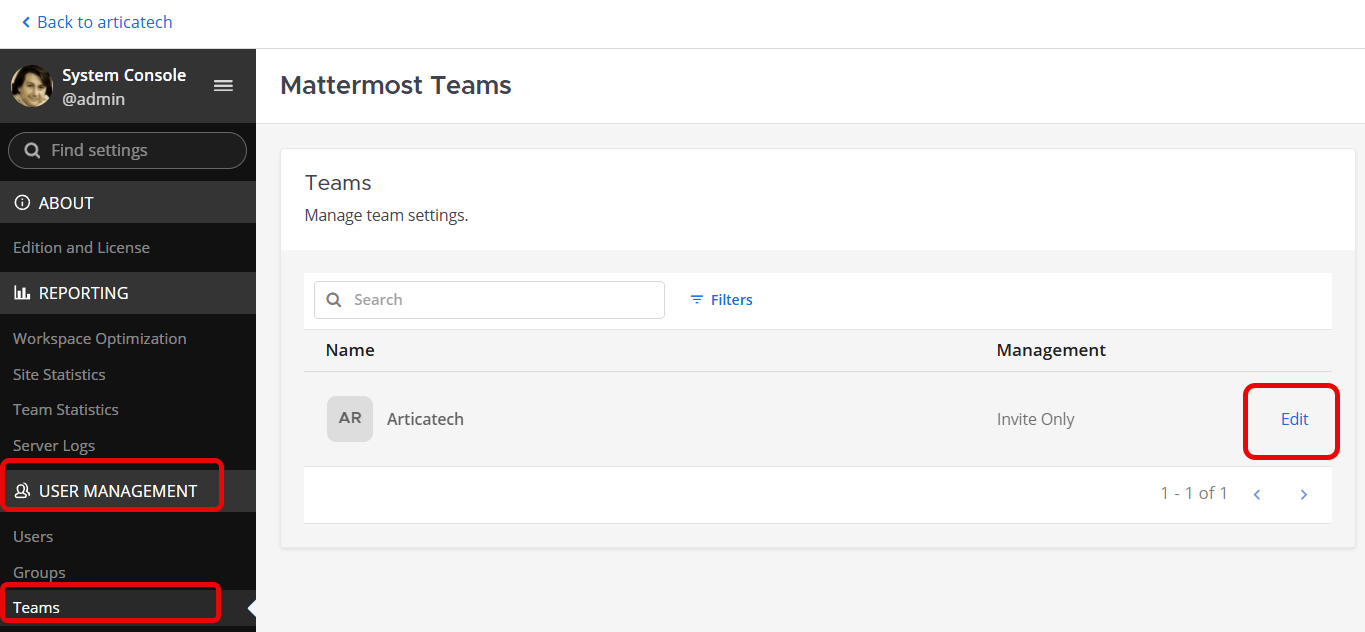
- go to
System Console > User Management > Teams - Choose your Team and click on Edit link
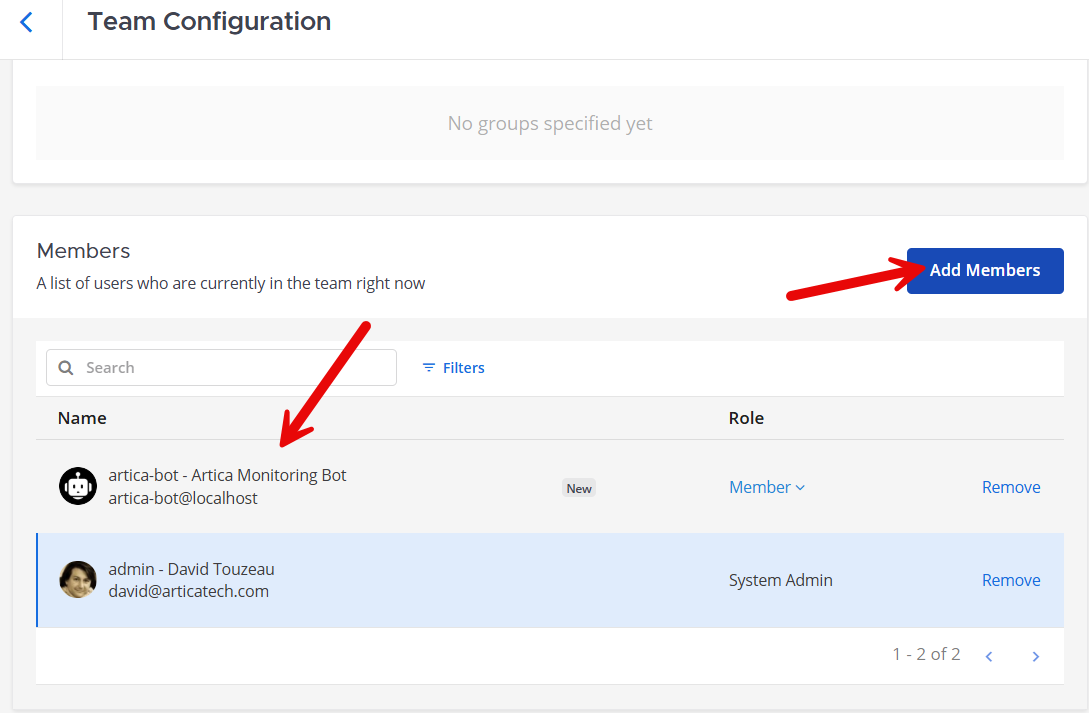
- Click on Add Members button and add the created bot to the Team.
¶ Create a private channel and limit channel access
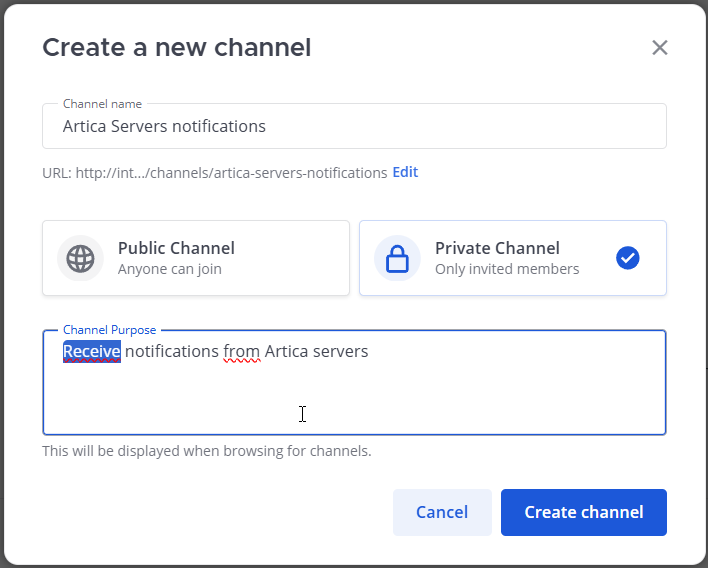
- Create a private channel “Artica Servers notifications”
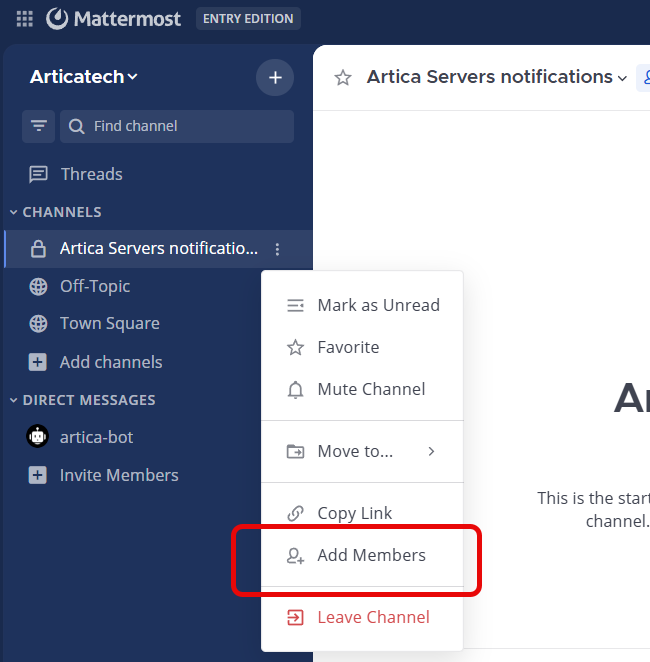
- Use the left menu in order to choose the menu “Add members” on your Channel.
- Add the created bot.
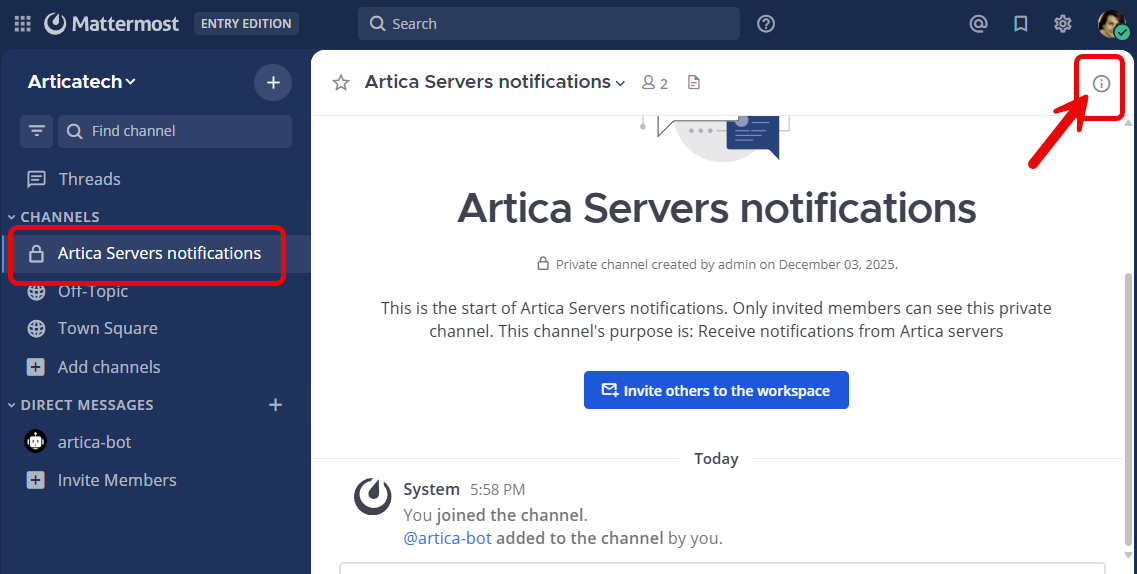
¶ Get the Channel ID
Open the desired channel, on the top-right click on the information ico
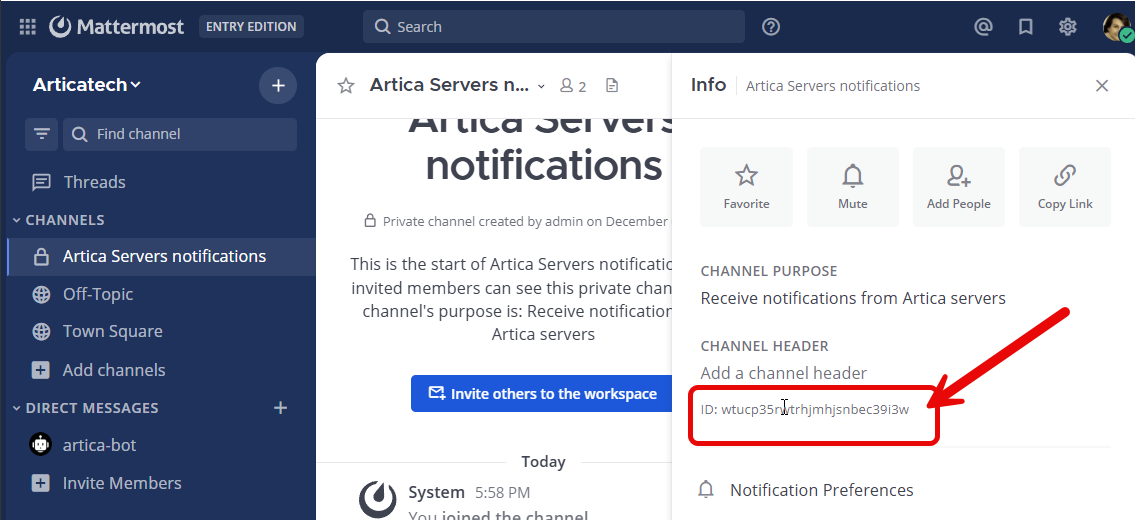
- You will see the label ID, the text after is the channel ID
¶ Enable Mattermost notifications in Artica
- On the left menu, go to
Your System > Notifications - Click on the grey link “Mattermost”
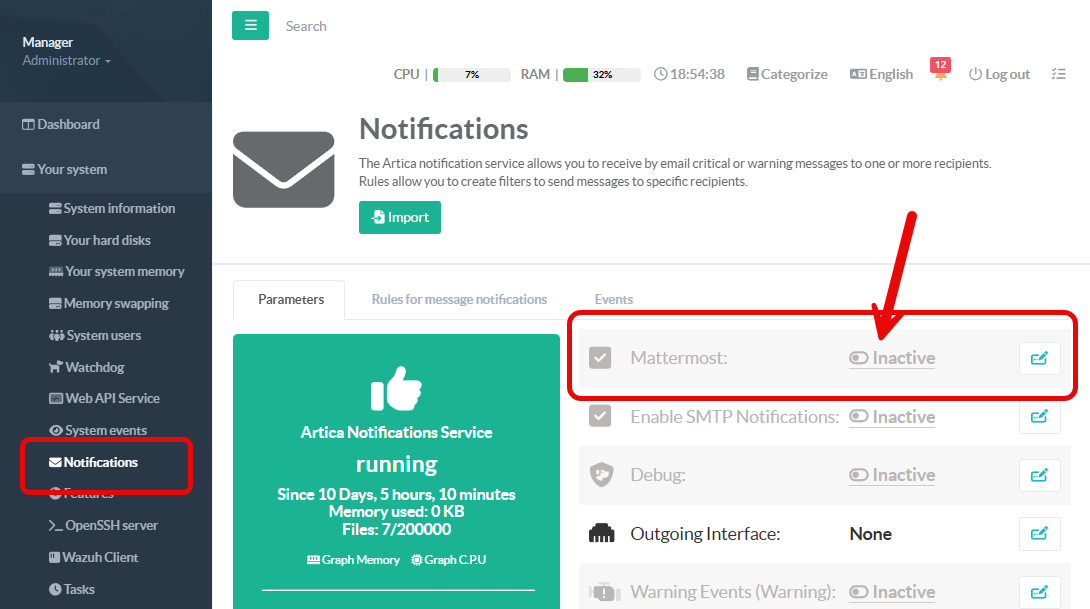
- Turn to ON the “Enable” checkbox
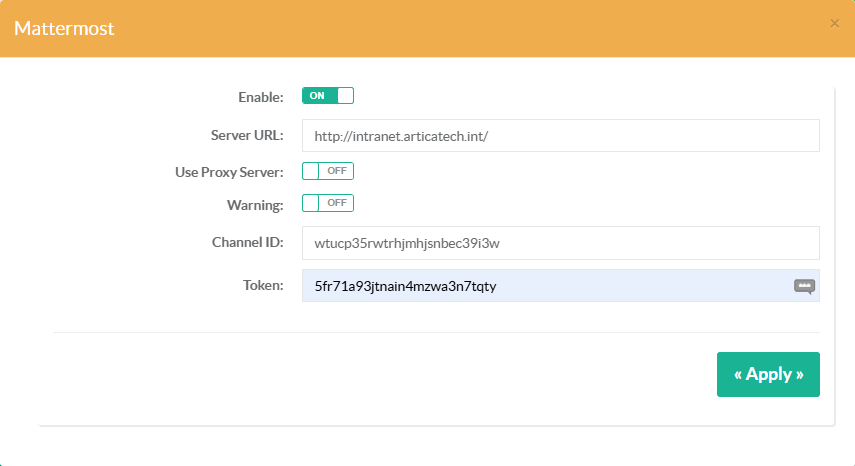
- Set the URL to your Mattermost server
- Enable the “Use Proxy server” If Artica must use the defined proxy service in Internet access section to communicate with your Mattermost server
- Enable the “Warning” option if you want Artica to post notifications with Warning Level ( yellow ). By default, only Critical alerts are posted.
- Set the Channel ID
- Add the token created after added the Bot account