Using Filebeat with Artica
Filebeat is a lightweight and efficient log shipper designed to collect and centralize log data.Running as an agent on your servers, it continuously monitors the log files or directories you define and forwards them to Elasticsearch
Filebeat is a lightweight and efficient log shipper designed to collect and centralize log data.
Running as an agent on your servers, it continuously monitors the log files or directories you define, captures new log events in real time, and forwards them to Elasticsearch or Logstash for indexing and analysis.
Install Filebeat package
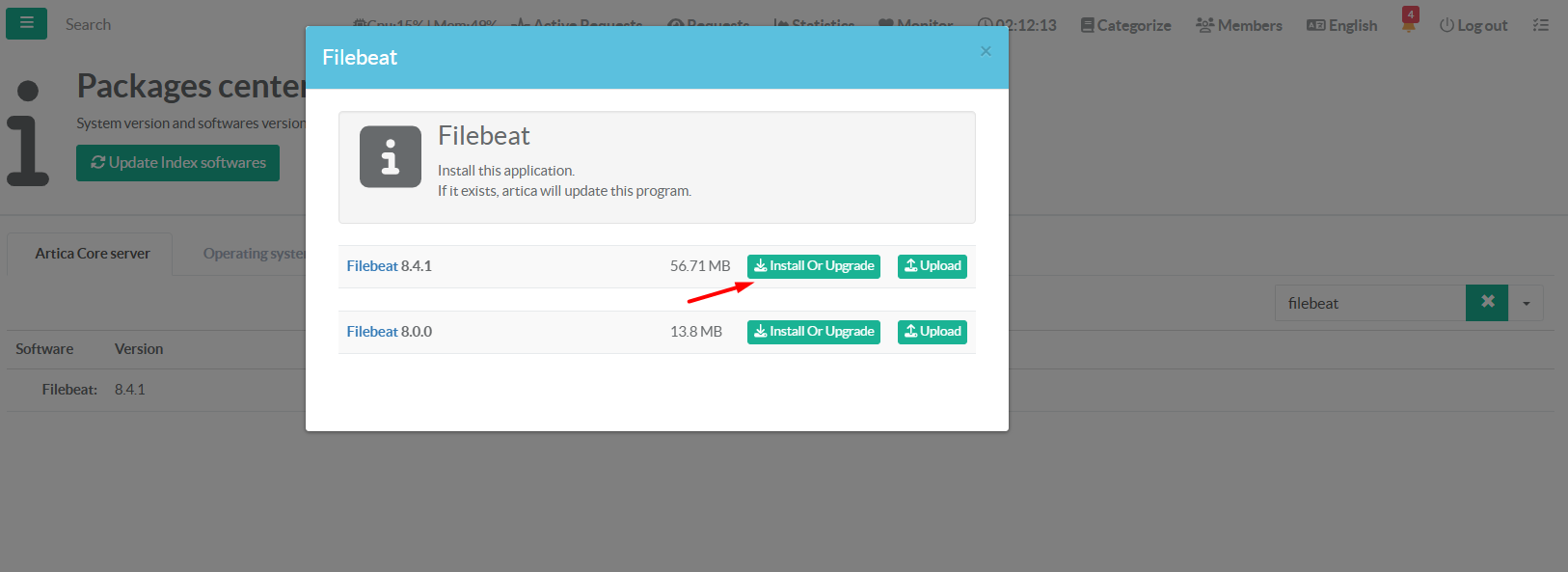
- On left menu navigate to
Your system > Update > Package Center - Search filebeat
- Click Install or Update
- Choose the lasted version and click Install or Update
Install Filebeat service
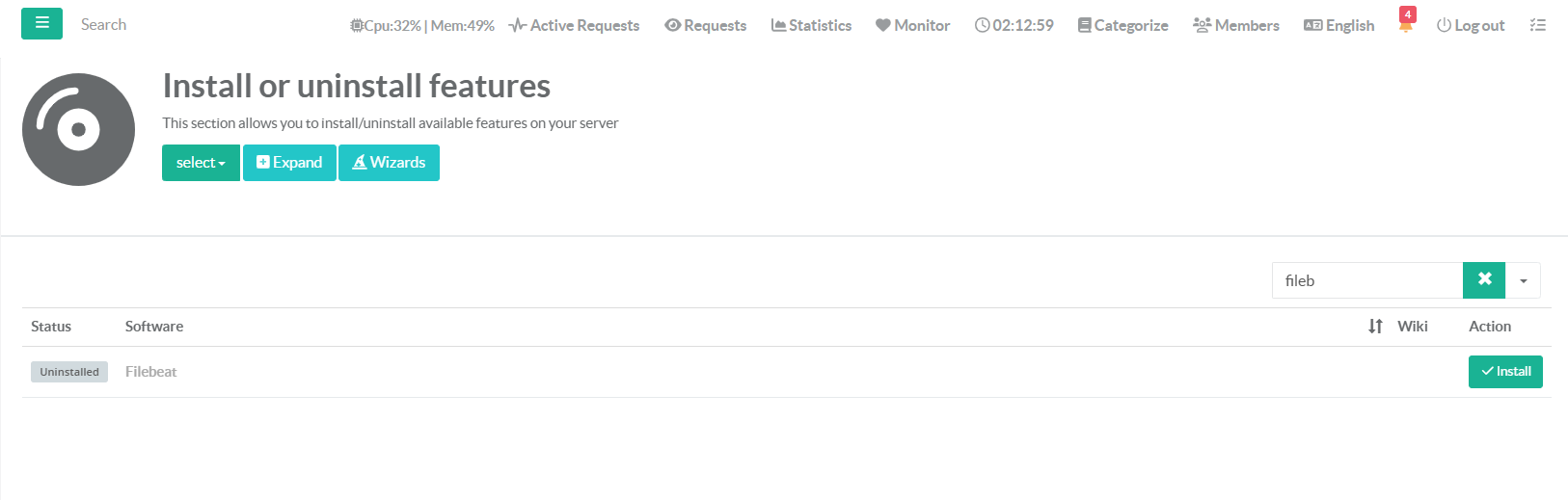
- On left menu navigate to
Your system > Features - Search Filebeat
- Click Install
Configure Filebeat service
- On left menu navigate to
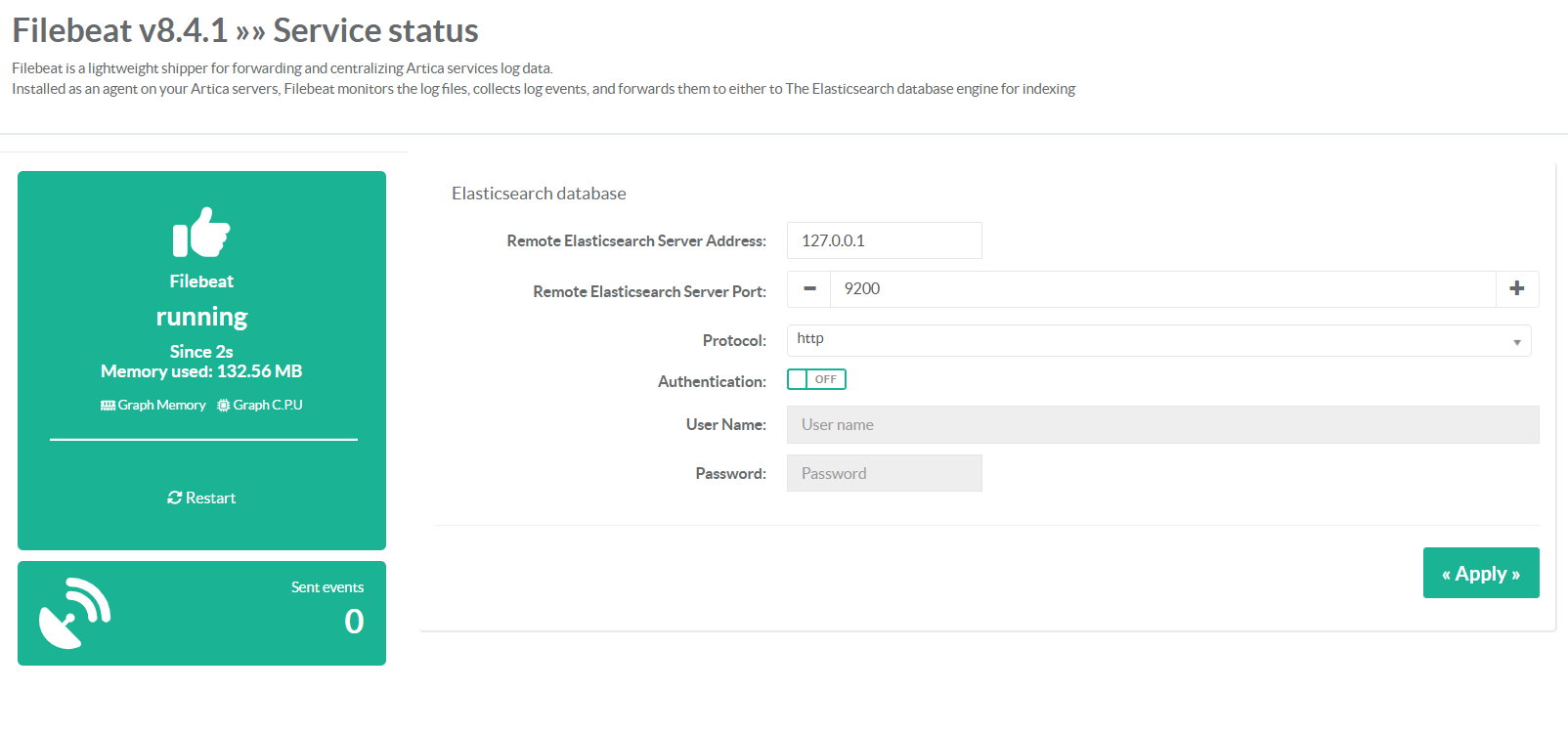
Filebeat - If Filebeats is installed on same server as Elasticsearch, leave the settings as is.
- If Filebeats is installed on a diferent server as Elasticsearch, configure the remote settings