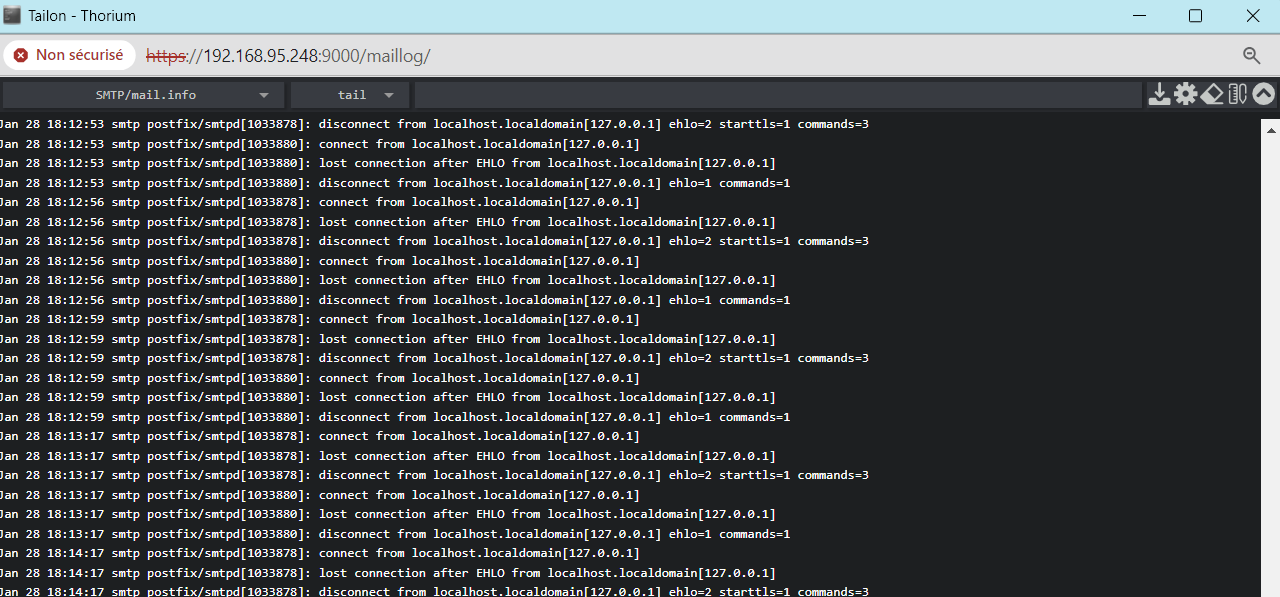
Display real-time logs using FronTail
FrontTail is a specialized tool designed for monitoring and viewing SMTP events in real-time.It is particularly useful for system administrators who need to keep an eye on SMTP system logs
FrontTail is a specialized tool designed for monitoring and viewing SMTP events in real-time.
It is particularly useful for system administrators who need to keep an eye on SMTP system logs
This feature is available with Artiva v4.50 Service Pack 1 or Artica v4.50 Hotfix 20250129-01
A) Get the package from Artica mirrors
You must download the components from Artica's update servers in order to place the software on the disk in order to get access to the feature
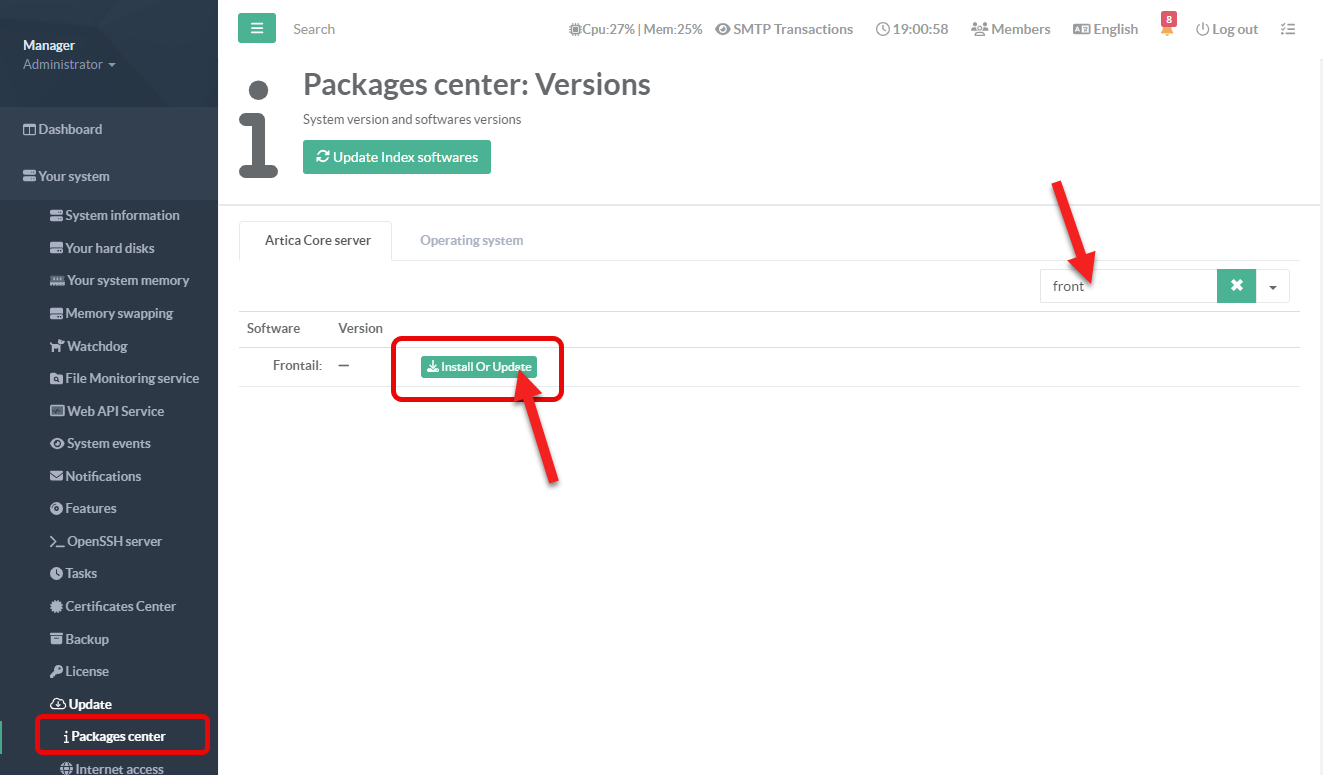
- On the left menu, go to
Your system > Packages Center - On the search box, type “front”
- Click on Install Or Upgrade button on the “Frontail” row
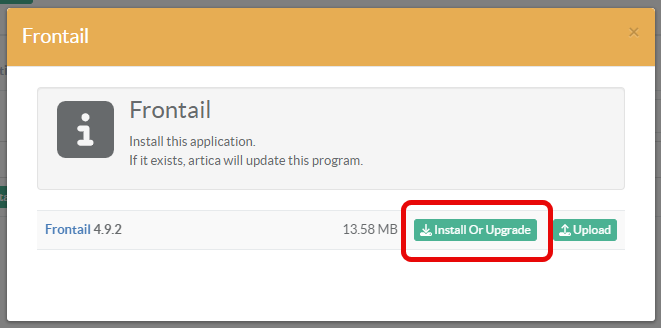
- Select the latest version and click on Install or upgrade button
B) Install the feature
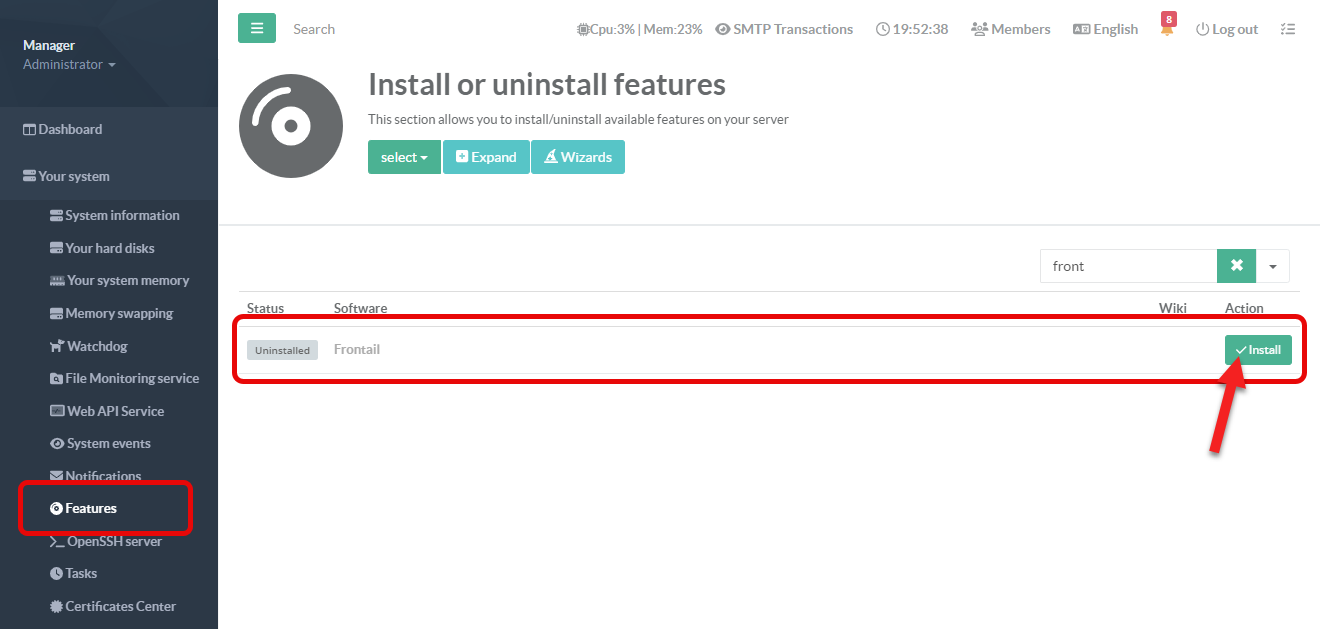
- On the left menu, go to
Your system > Features - On the search box, type “frontail”
- Click on install button under the Frontail row
Display logs
- On the left menu, go to
SMTP Router > Status - You will see the status of the service that turn flat files to web page
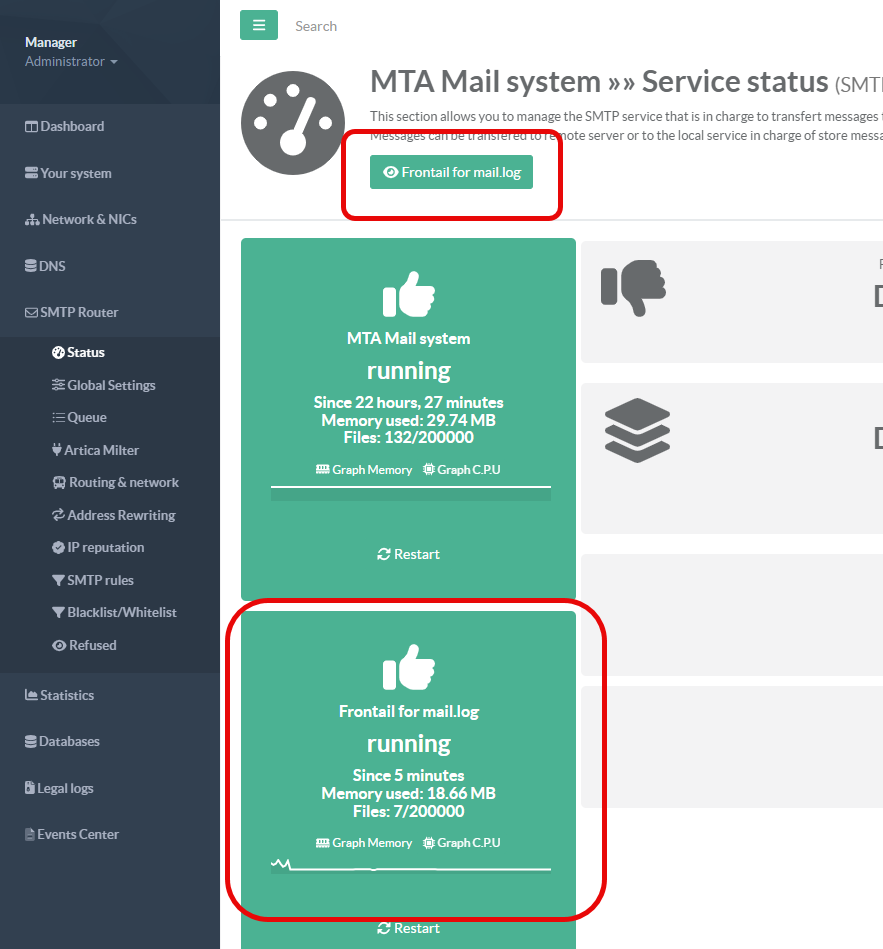
- Click on the “Frontail for mail.log” button in order to run a new web page for monitoring logs