Install binaries and create the DNSBL service
By default, the binaries needed to build a DNSBL service are not present in your Artica appliance. Simply ask Artica to fetch them for you
By default, the binaries needed to build a DNSBL service are not present in your Artica appliance.
Simply ask Artica to fetch them for you
Install binaries
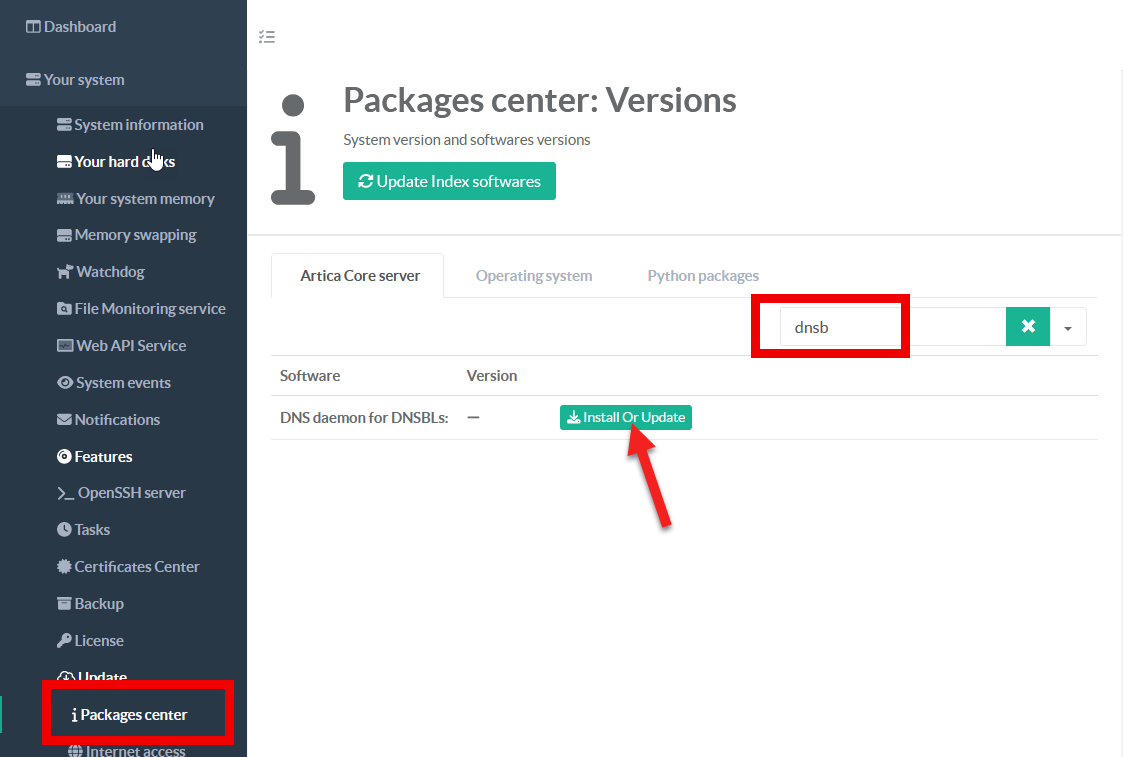
- On the left menu, choose “
Your System > Update > Packages center” - On the search field, type
dnsbl - Click on
Install Or Updatebutton on theDNS Daemon for DNSBLs
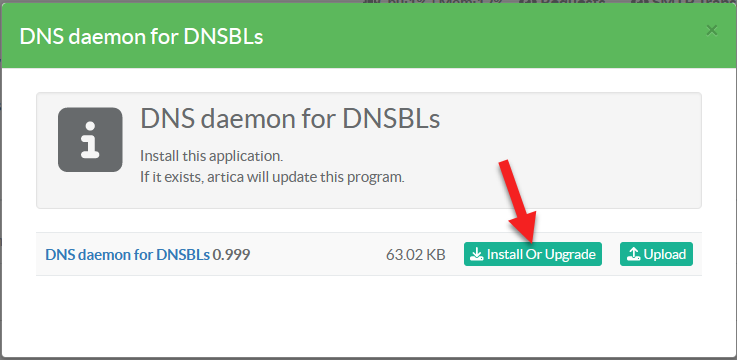
- Check the latest version and click on
Install or Upgradeto save binaries inside your appliance
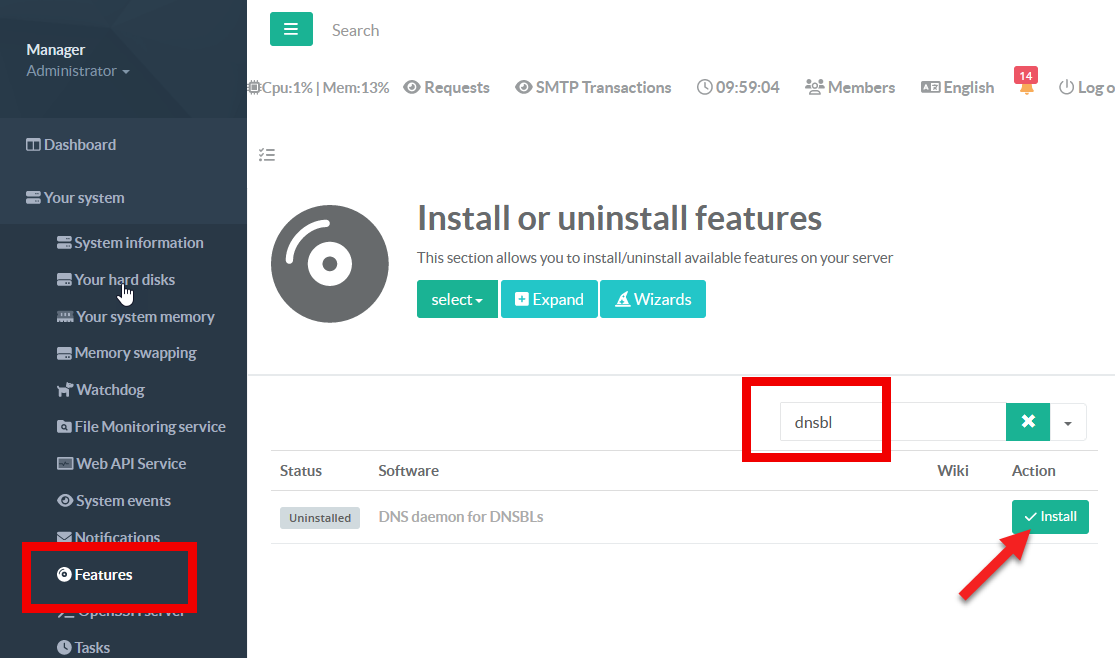
Enable feature
Now that the binaries have been installed, all you need to do is ask Artica to install the services and tasks required to run the service.
- On the left menu, go to
Your System > Features - on the Search field, type “
dnsbl” - Click on
Installbutton