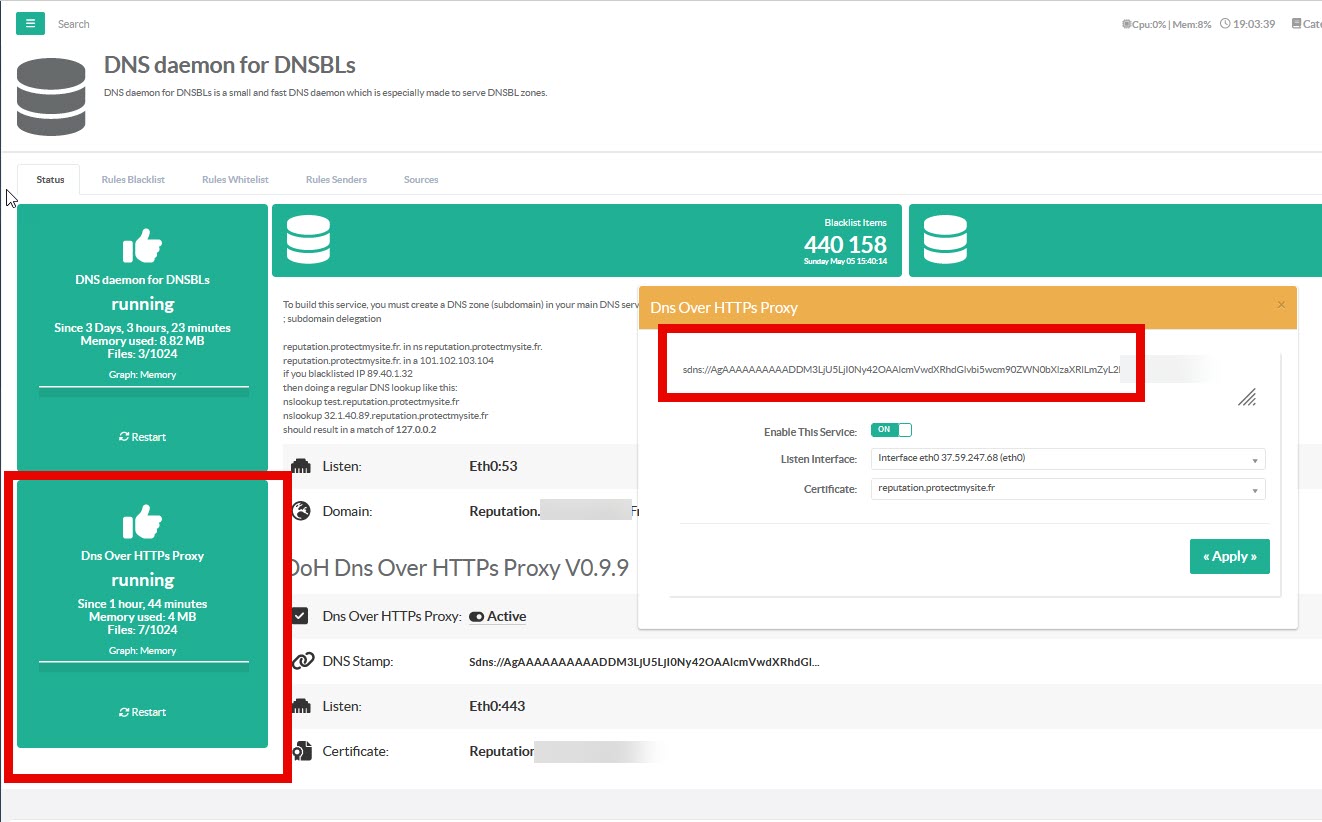
DoH support for the RBL service
If you want clients to request your databases using HTTPs, you can activate the DoH option.
DoH protocol support requires an SSL certificate and the Proxy Dns Over HTTPs service.
By default, this service is not installed on your server, so you should install it.This feature is available with Artiva v4.50 Service Pack 1 or Artica v4.50 Hotfix 20240508-19
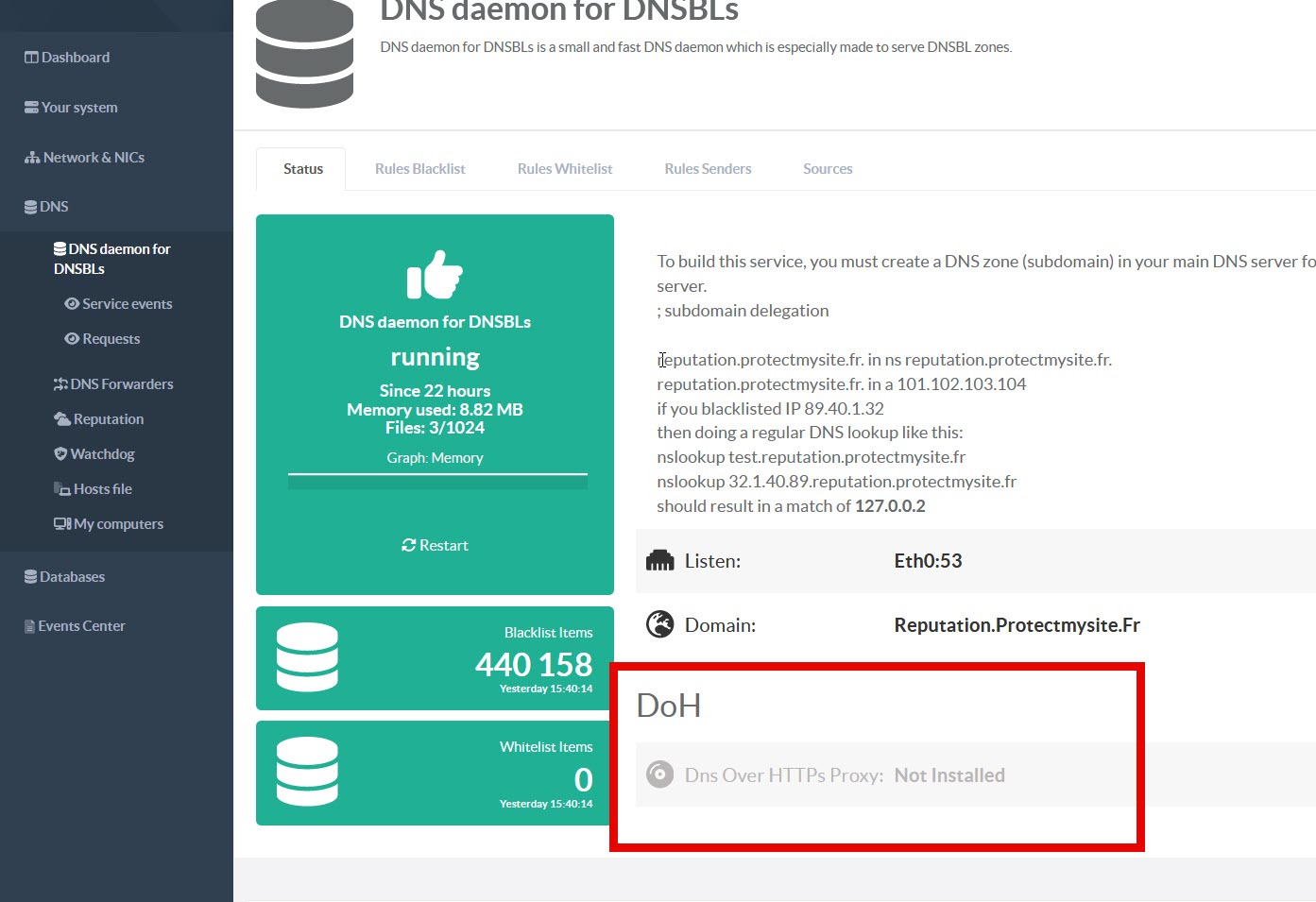
If you see the notice “Not installed”, then you need to install it using the Artica Web Console
A) Build the SSL certificate
You need an SSL certificate so that remote services can communicate with your DoH service.
To do this, use the certificate center to provide an SSL certificate.
B) Enable the DoH service
Once Installed, Click on the DNs Over HTTPs Proxy link
- Turn On the “Enable service”
- Select the Listen network interface.
- Select the SSL certificate to use.
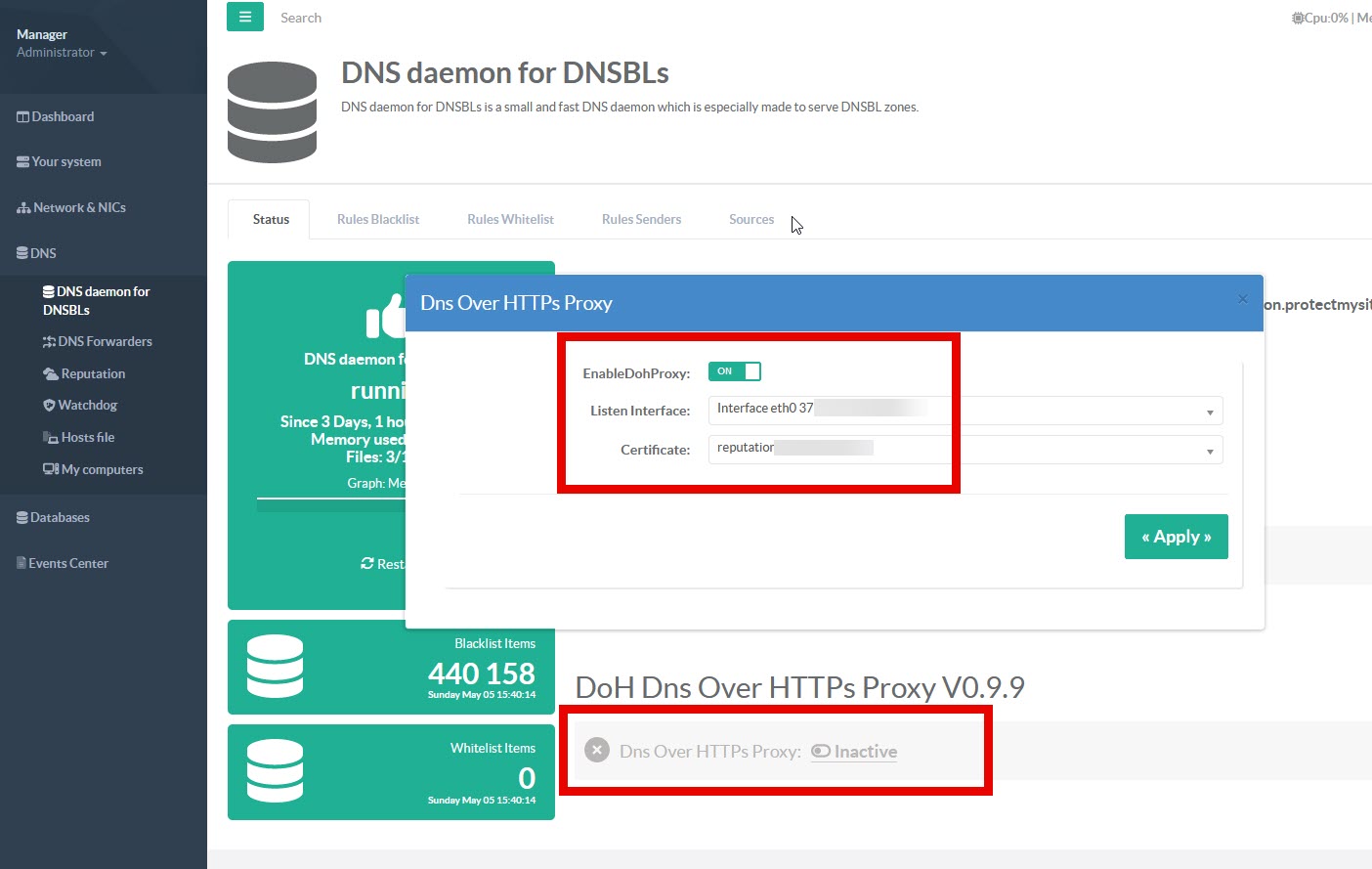
- Once settings saved, you will see the status of the DoH service and you can provide the DNS Stamp to reach your RBL server.