Artica can automatically inject a legal disclaimer or corporate signature block into outbound e-mail at the gateway, before the message is delivered.
Injection happens in the SMTP flow — nothing is installed on workstations and users never have to add a footer themselves.
The disclaimer is applied before S/MIME signing, so if you also sign outbound mail the signature covers the final message including its disclaimer.
This feature is part of the same module as S/MIME signing and is managed from the Web Console under SMTP Router > Outgoing rules > Mail Disclaimers .
Everything is scoped per Postfix MTA instance, so multi-tenant gateways can run different disclaimers per instance.
¶ Why inject disclaimers at the gateway?
- Guaranteed, uniform compliance.
Every outbound message carries the exact legal text you approved — no user can forget it, alter it, or use an outdated version.
This satisfies confidentiality-notice and corporate-identification requirements (e.g. company registration details) consistently across the whole organization.
- Zero client-side deployment.
No signature to configure in Outlook, Apple Mail, mobile clients or webmail.
The footer is added centrally and applies to every device and every mail app automatically.
- Central control & instant updates.
Change the wording once in the template and it applies immediately to all future mail. Ideal for time-bound notices, new legal mentions, or a company-wide rebrand.
- Personalized signatures without per-user setup.
Templates support{{sender.*}}and Active Directory{{ad.*}}placeholders (display name, title, department, phone…), so each sender gets a signature filled from the directory — no manual signature management.
- External-only targeting.
Apply the disclaimer only to mail leaving the organization (based on your list of internal domains), keeping internal conversations clean.
- Safe by design (fail-open).
If a template can't be rendered, the directory is unreachable, or the message can't be modified safely, the mail is delivered unchanged rather than blocked.
A disclaimer problem never stops business mail.
- MIME-aware and signature-safe.
The engine rewrites plain-text, HTML and multipart messages correctly, embeds inline logos asmultipart/related, and never touches a message that is already signed or encrypted — so it can't break an existing signature.
¶ Typical use cases
- Legal confidentiality notice.
Append the standard “This message is confidential and intended solely for the addressee…” footer to all external mail, with your company's registration and liability wording.
- Corporate e-mail signatures.
Give every employee a consistent, directory-driven signature (name, job title, department, phone, logo) without touching a single mailbox.
- Regulatory / sector mentions.
Add mandatory statements required in finance, healthcare, legal or public-sector communications, enforced at a single control point.
- Marketing or campaign banners.
Temporarily add an event announcement or promotional line to outbound mail, then remove it by disabling one rule.
- Multi-tenant hosting.
Run a distinct disclaimer per Postfix instance so each hosted organization gets its own footer from the same gateway.
¶ How it works
For every outbound message the engine:
- Selects the single highest-priority enabled rule that matches the sender and recipients.
Rules can target external recipients only (using your internal-domains list) and can be restricted to a sender AD group. - Checks the message:
if it is already signed or encrypted, the disclaimer is skipped (the rule's fallback decides whether to deliver as-is or reject), because modifying it would break the signature.
- Resolves the sender's attributes (envelope
{{sender.*}}values, plus{{ad.*}}from Active Directory when configured), renders the matched template, and injects it at the top or bottom of the body — handling plain-text, HTML and multipart structures, and wrapping an inline logo when present.
- Hands the modified message on to S/MIME signing (if enabled) and then to delivery.
- Records the decision — added, skipped or rejected, with the reason and duration — in the Events log and the Statistics counters.
A loop-protection header ensures each message is processed only once. All logging is privacy-safe: only envelope and identifier metadata are stored — never message bodies, rendered disclaimers or directory values.
¶ Step 1 — Create a template
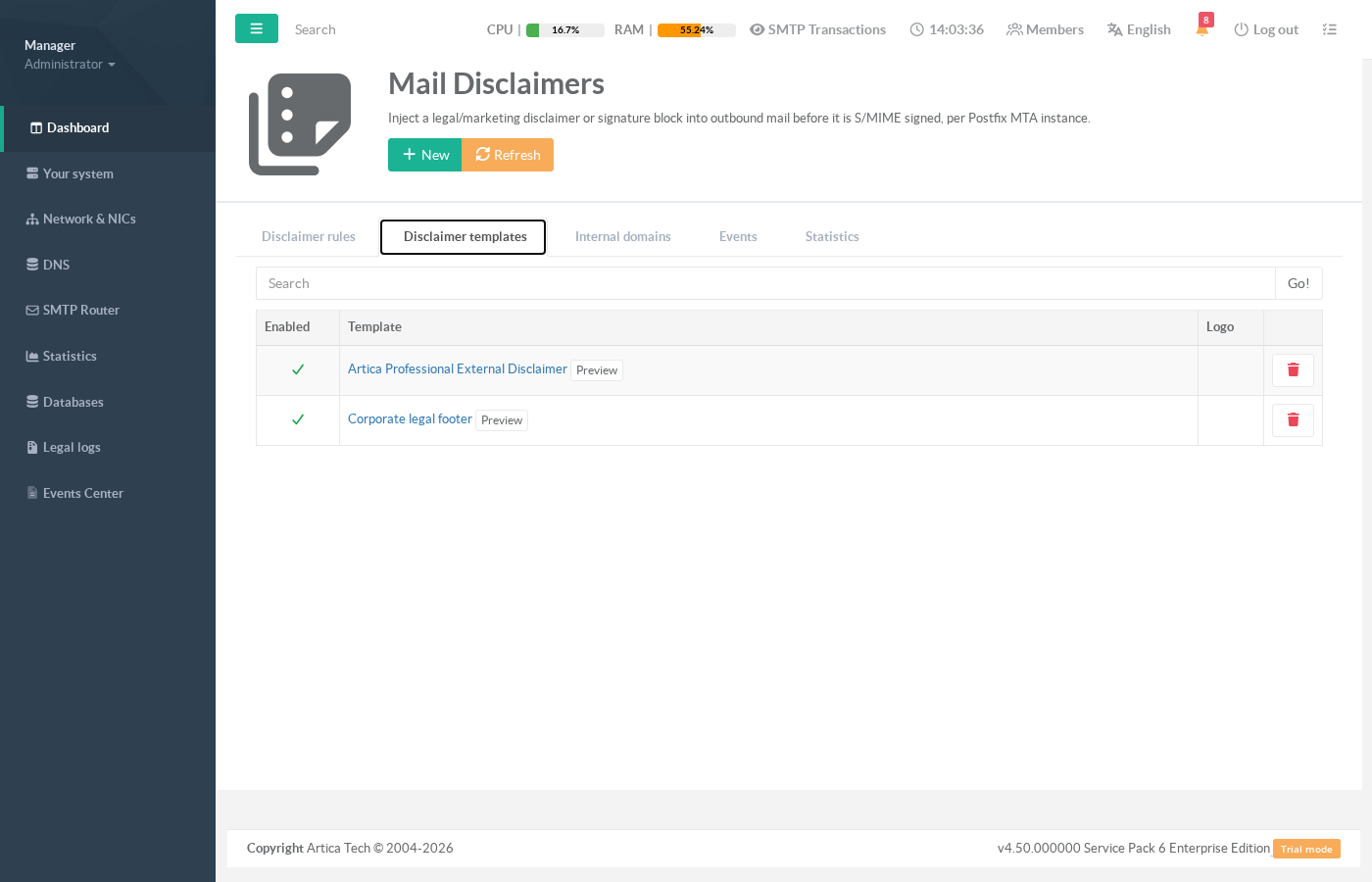
Open the Disclaimer templates tab and click New. A template holds an HTML version and a plain-text version of the disclaimer, plus an optional inline logo.
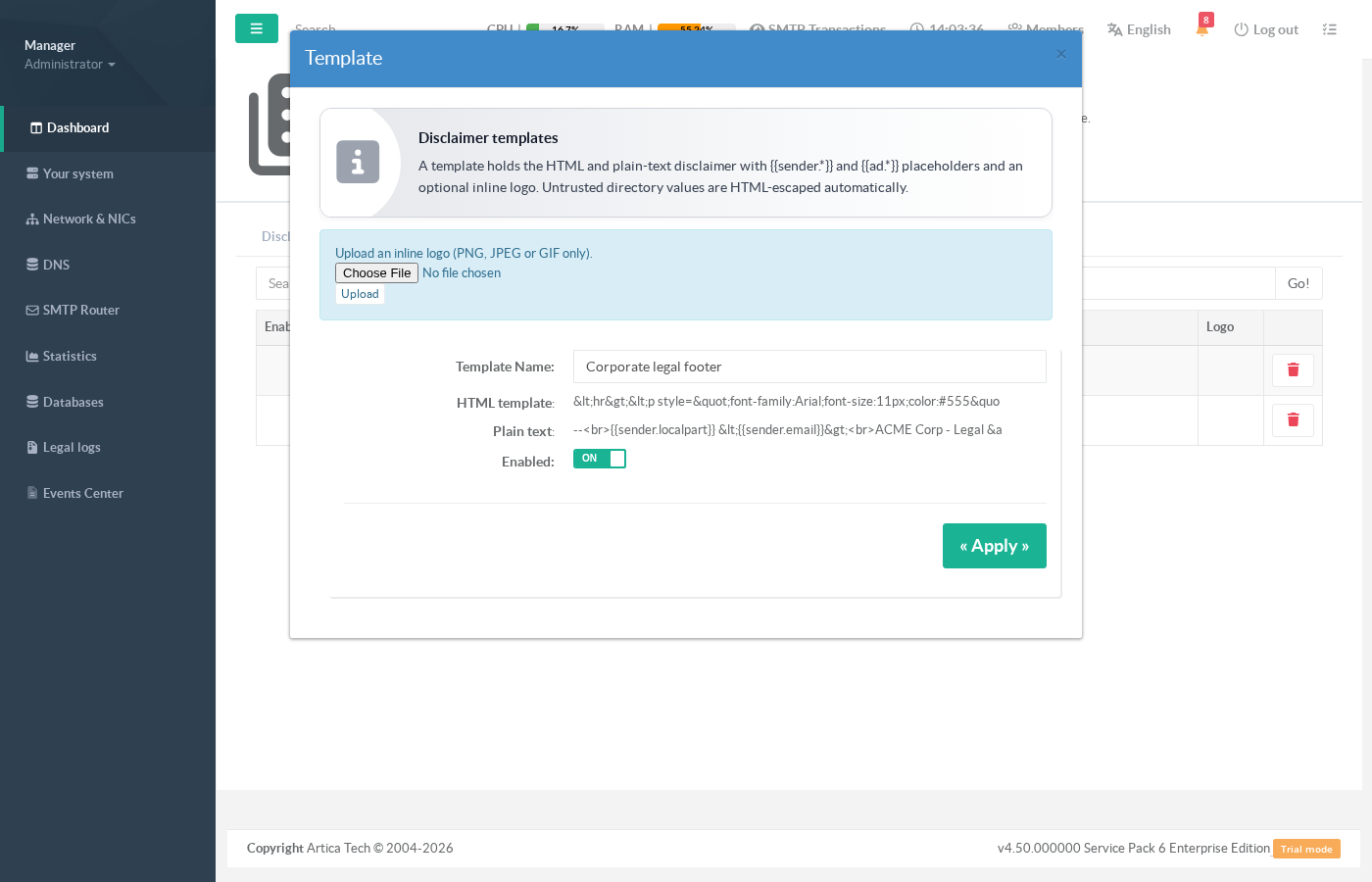
Supported placeholders:
| Placeholder | Value |
|---|---|
{{sender.email}} |
Full sender address (from the envelope). |
{{sender.localpart}} |
Part before the @. |
{{sender.domain}} |
Sender domain. |
{{ad.displayName}}, {{ad.givenName}}, {{ad.sn}} |
Directory display name / first name / surname. |
{{ad.title}}, {{ad.department}}, {{ad.company}} |
Job title, department, company (from Active Directory). |
{{ad.telephoneNumber}}, {{ad.mobile}}, {{ad.mail}}, {{ad.manager}} |
Contact attributes from the directory. |
{{logo.cid}} |
Content-ID of the uploaded inline logo (reference it in an <img src="cid:{{logo.cid}}">). |
The {{ad.*}} values require an Active Directory / LDAP connection to be configured. When no directory is available, those placeholders render empty (and the disclaimer is still applied). Values pulled from the directory are automatically HTML-escaped, so directory data can never inject markup into your template.
¶ Step 2 — Preview the render
From the templates tab, use Preview to render a template for a sample sender without sending any mail. Both the HTML and plain-text output are shown, together with any missing attributes and warnings:
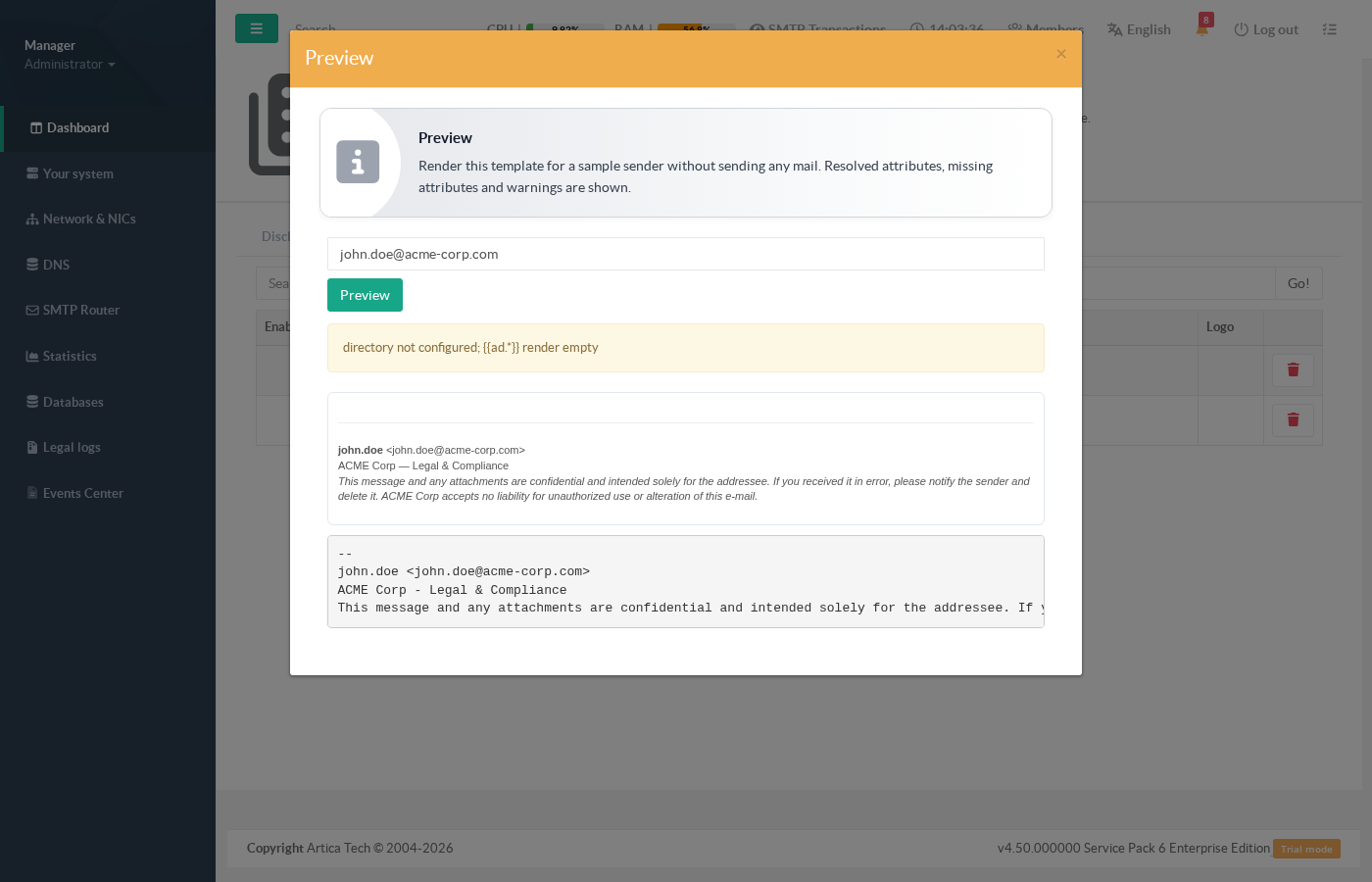
john.doe@acme-corp.com: the rendered HTML footer, the plain-text version, and a note that {{ad.*}} attributes are empty because no directory is configured on this test box.¶ Step 3 — Declare your internal domains
The Internal domains tab holds the list of domains considered “internal”. This is what an external-only rule uses to tell internal recipients apart from external ones (matched exactly, case-insensitive).
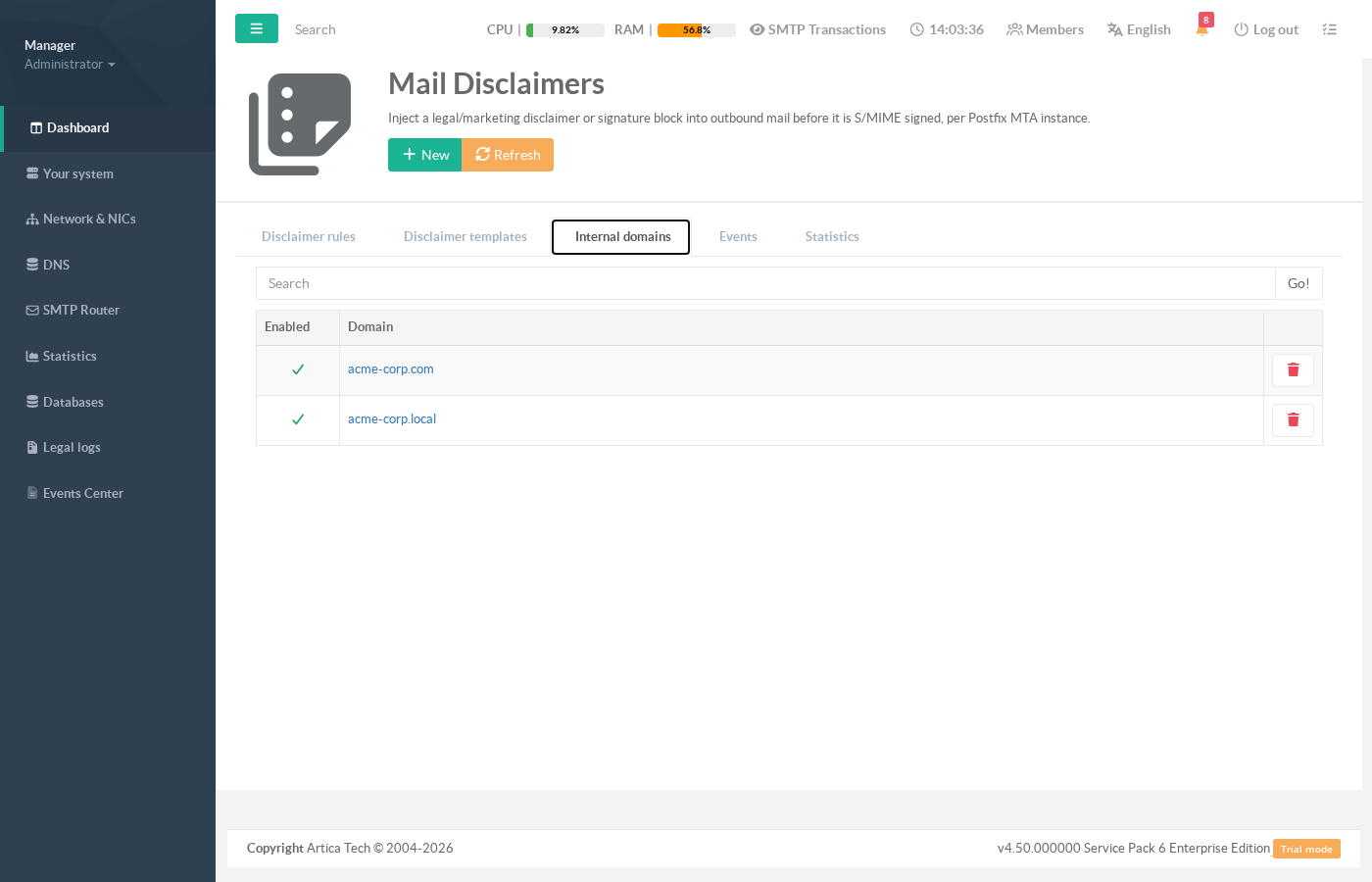
¶ Step 4 — Create a disclaimer rule
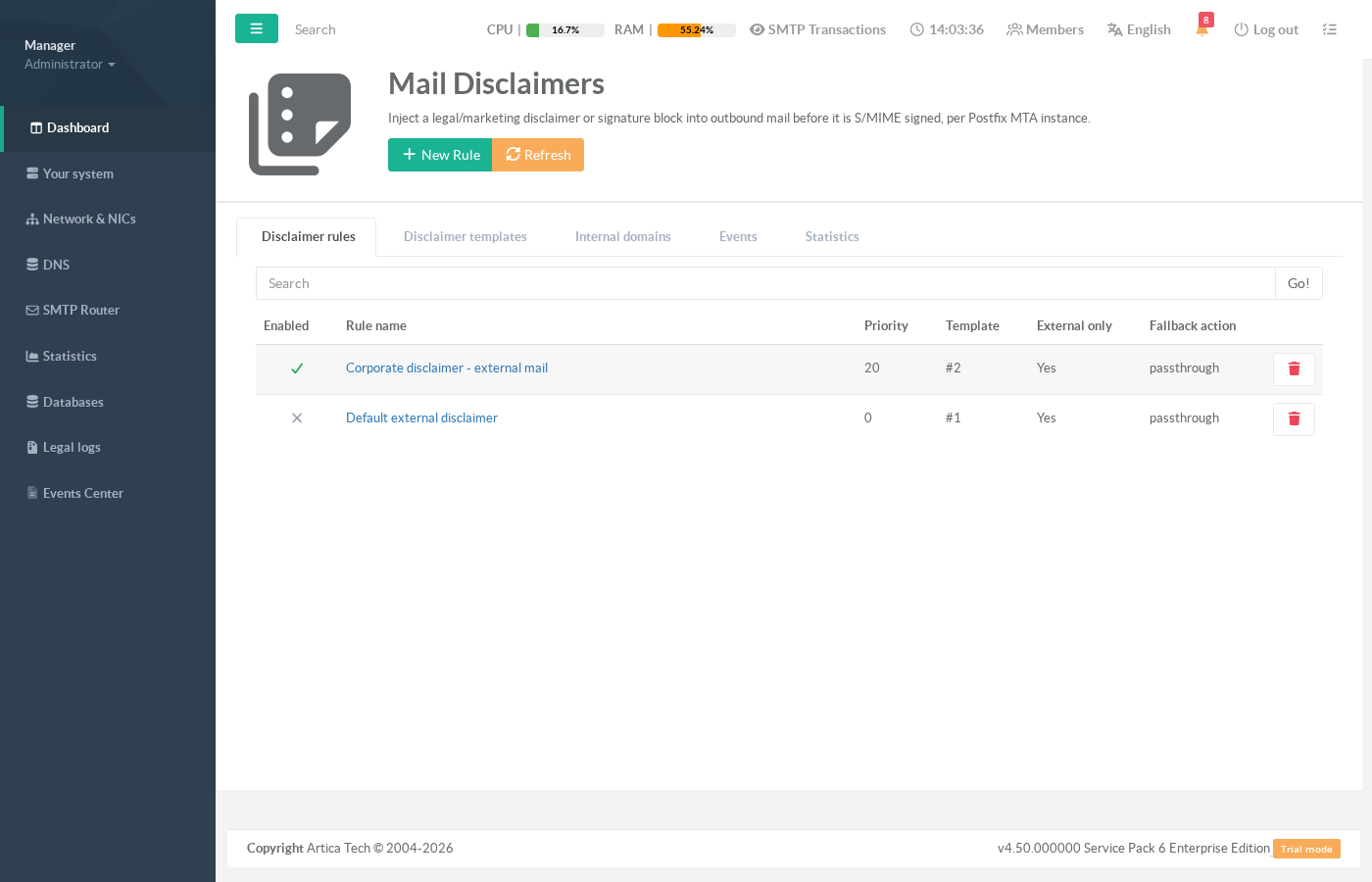
The Disclaimer rules tab defines which template applies to which mail. Rules are evaluated by priority (highest first); the single best match applies at most one disclaimer per message.
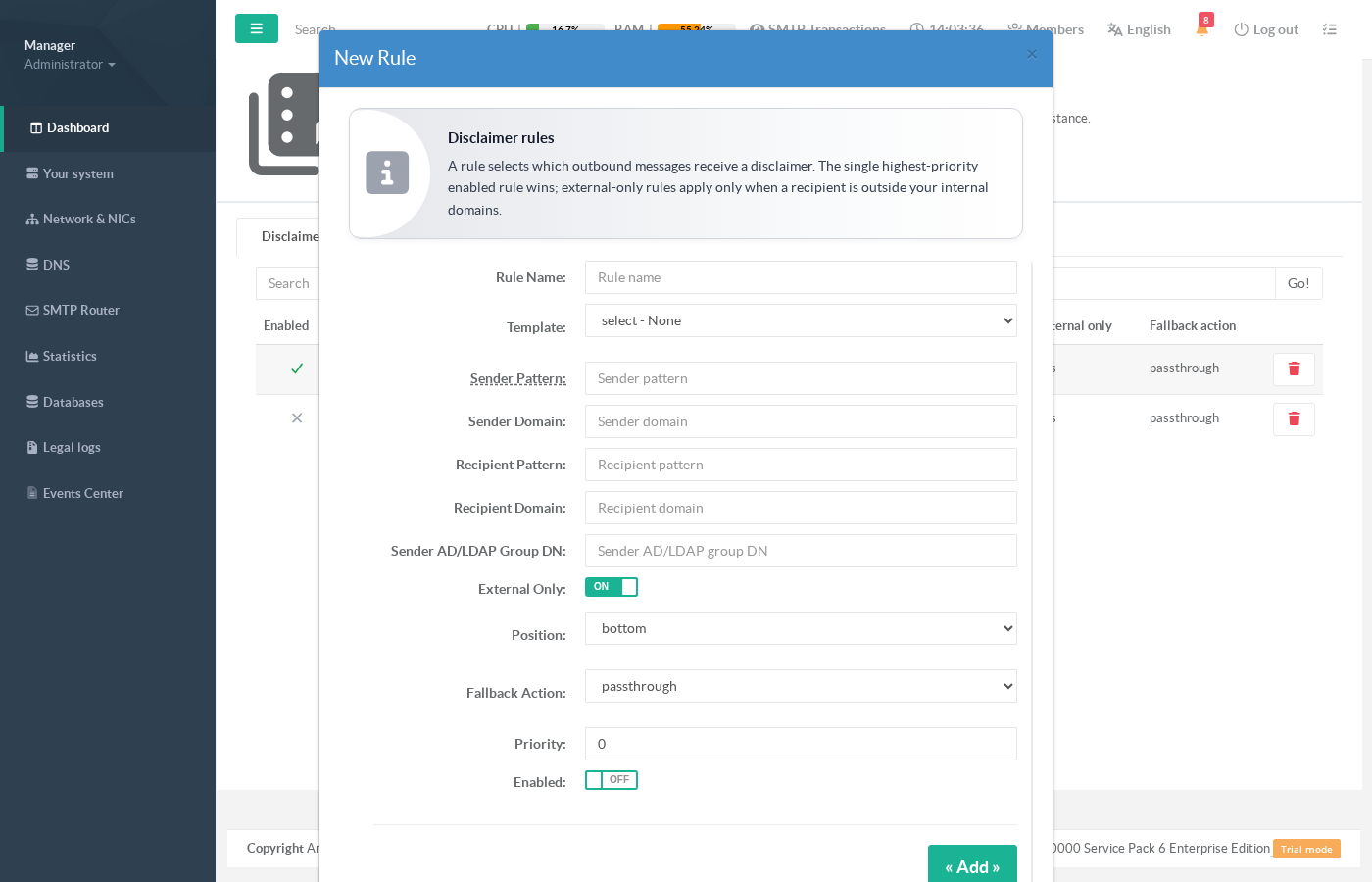
| Field | Meaning |
|---|---|
| Rule name | Free label shown in the list and the logs. |
| Template | The template to inject when the rule matches. |
| Sender / Recipient pattern | SQL-style pattern (case-insensitive: % = any sequence, _ = one character). Empty = match any. |
| Sender / Recipient domain | Exact domain match. Empty = match any. |
| Sender group (DN) | Optional: restrict the rule to senders that belong to this Active Directory group. |
| External only | When on, the disclaimer is applied only if at least one recipient is outside your internal domains. |
| Position | bottom (append, typical for footers) or top (prepend). |
| Fallback action | What to do when the message can't be modified (already signed/encrypted): passthrough — deliver unchanged; reject — refuse the message. |
| Priority | Higher wins. The single highest-priority matching rule applies. |
| Enabled | Disabled rules are ignored but kept in the list. |
The default rule shipped with the product is disabled: enable a rule (or create your own) once your template is ready. If no rule matches, the message is delivered untouched.
¶ Step 5 — Monitor activity
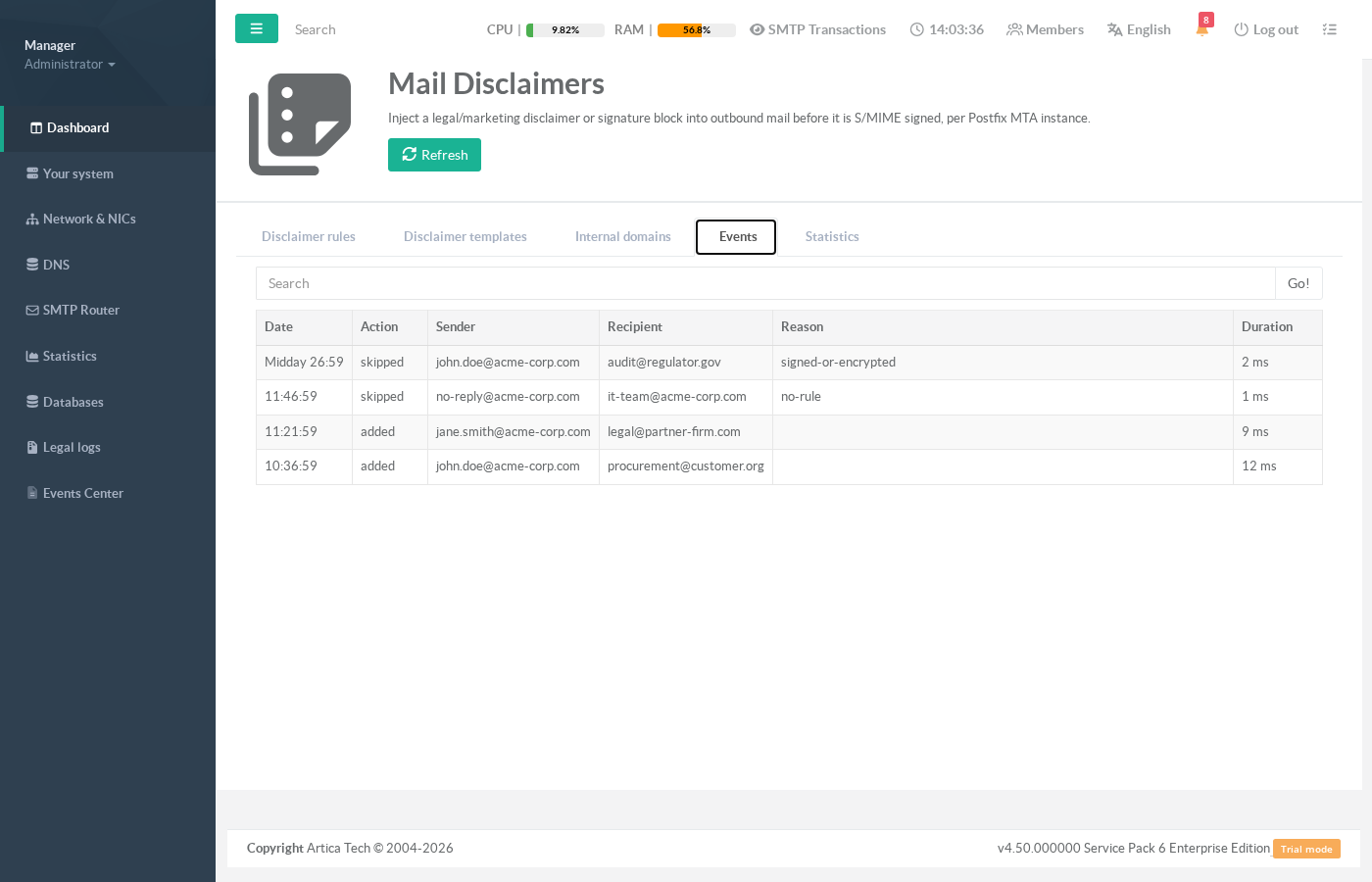
The Events tab is your audit trail — one row per processing decision, with the action taken (added, skipped, rejected), the reason for skips, and the processing time:
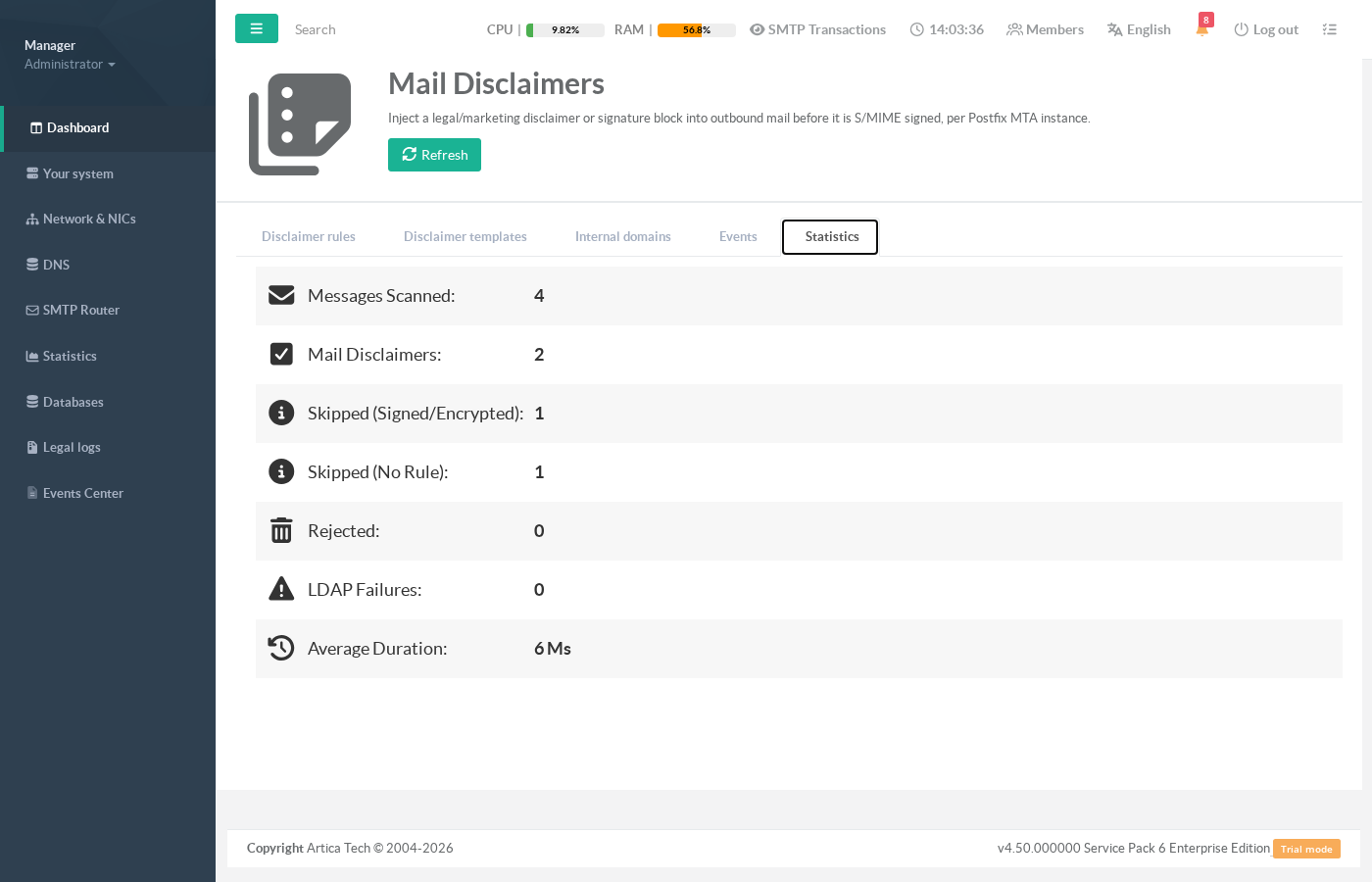
The Statistics tab aggregates those decisions: messages scanned, disclaimers added, skips by reason, rejections, directory (LDAP) failures and average processing time:
¶ Operational guarantees
| Situation | Behaviour |
|---|---|
| Message already S/MIME-signed or encrypted | Disclaimer is skipped; the rule's fallback decides delivery (passthrough by default). The engine never breaks an existing signature. |
| Template renders too large, or the MIME structure can't be rewritten safely | Message delivered unchanged (fail-open); the reason is recorded in Events. |
| Directory (AD/LDAP) unreachable | The disclaimer is still applied with empty {{ad.*}} values; a warning is logged. Mail keeps flowing. |
| No rule matches | Message delivered unchanged. |
Fallback set to reject on a signed/encrypted message |
The message is refused — the only case where mail is stopped, and always an explicit policy choice. |
¶ Best practices
- Populate Internal domains before enabling any external-only rule, otherwise the engine cannot tell who is external and the rule stays inert.
- Always maintain both an HTML and a plain-text version in each template so recipients using text-only clients still get the disclaimer.
- Use Preview after every template change to confirm placeholders resolve and spot any missing directory attributes.
- For personalized signatures, configure the Active Directory / LDAP connection (shared with the S/MIME module) so
{{ad.*}}placeholders are filled. - Keep footers concise: very large disclaimers can trip the size guard and fall open to unmodified delivery.
- If you also sign outbound mail, remember disclaimers are injected before signing — the signature will cover the disclaimer, which is exactly what you want.