The Spamassassin Connector object lets any Artica Milter rule use a SpamAssassin verdict as a matching condition. During evaluation, the milter submits the full message to the local SpamAssassin daemon (
spamd) and the object matches when the returned spam score reaches your threshold. You decide what happens next with the rule's action: reject, discard, tag the subject, copy to a mailbox...
¶ How it works
- A message reaches a rule whose objects include a Spamassassin Connector.
- The milter sends the complete message to
spamdon127.0.0.1:783for scoring. spamdreturns the SpamAssassin score (headers, body, network tests — whatever your SpamAssassin configuration enables).- The object matches when the score is greater than or equal to the threshold you configured (default
5, the standard SpamAssassin spam level). - Like any object, it combines with the rule's other objects with a logical AND — and the rule's action decides the message's fate.
¶ Advantages
- Bring a real content anti-spam engine into your ACLs: SpamAssassin's full scoring (Bayes, header heuristics, RBL/URIBL network tests) becomes a simple rule condition.
- You choose the consequence per score level: reject at a high score, tag the subject at a lower one — the same engine drives graduated policies.
- Composable: combine with other objects — e.g. only score messages from the Internet (not from trusted partner IPs), or only for a given recipient domain.
- Fail-safe by design: if
spamdis unreachable or times out (20 seconds), the object simply does not match and the rule does not fire — a SpamAssassin outage can never block your mail flow.
¶ Prerequisite
A SpamAssassin daemon must listen on 127.0.0.1:783 on the gateway. Verify it from the console:
ss -ltn | grep 783        # spamd listening?
echo "test" | spamc -R    # returns a score report when spamd answers
If SpamAssassin is not installed yet, deploy the SpamAssassin service (e.g. the distribution's spamassassin package or Artica's content-filtering stack) before enabling rules that use this object.
¶ Build an anti-spam rule
1. Create the rule that will carry the consequence — for example a Reject (notify) rule named Reject spam messages (see Rule actions).
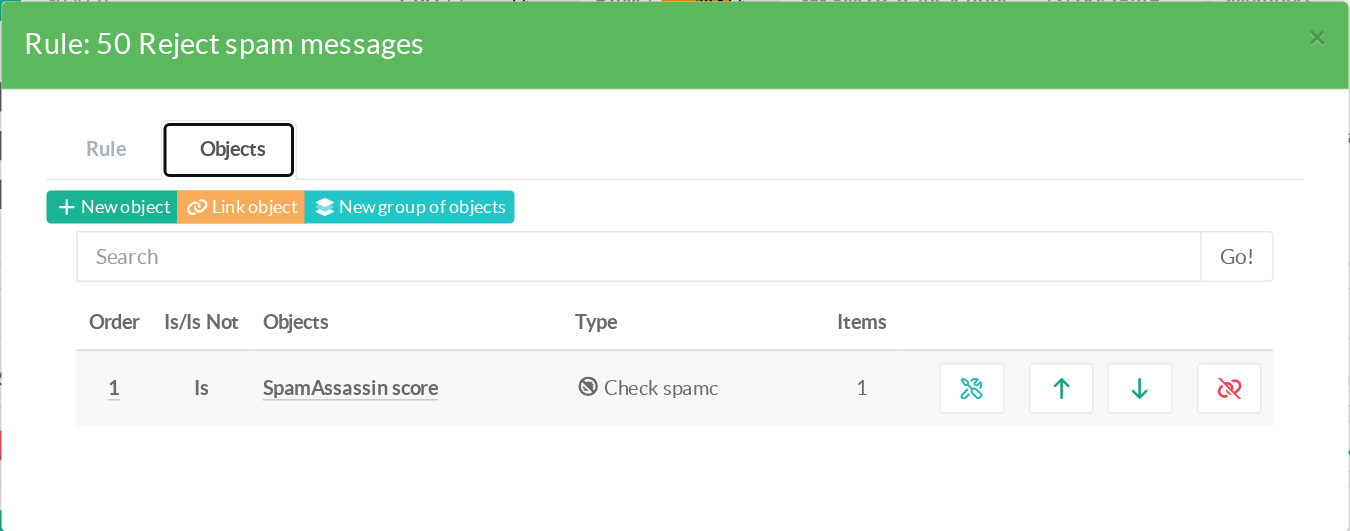
2. Open the rule, select the Objects tab and click New object. Choose the type Spamassassin Connector, give it a name (e.g. SpamAssassin score):
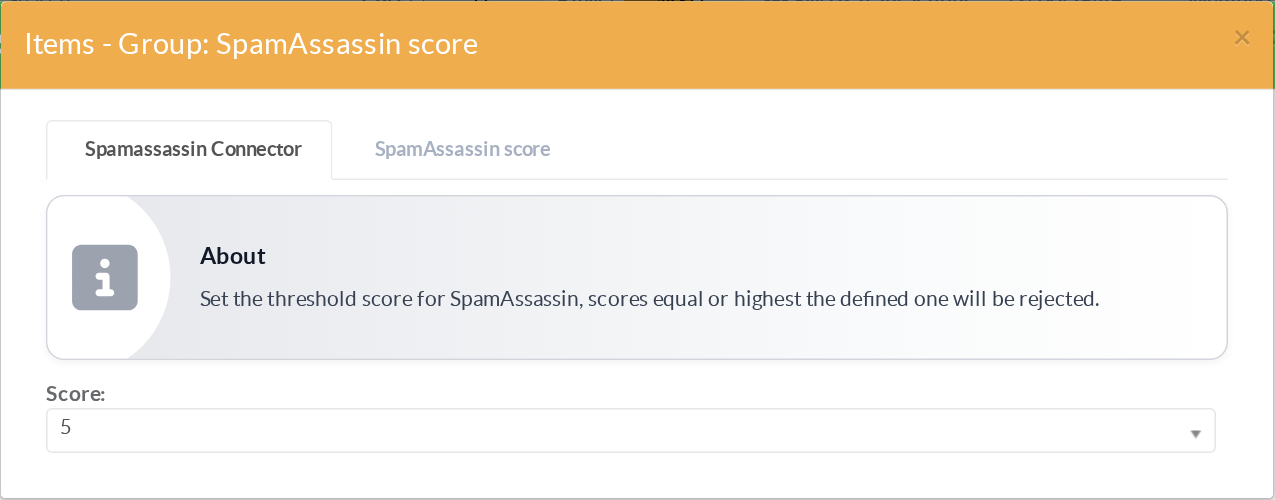
3. Open the object: the Spamassassin Connector tab exposes a single parameter — the score threshold (0 to 10, default 5). Scores equal or higher make the object match:
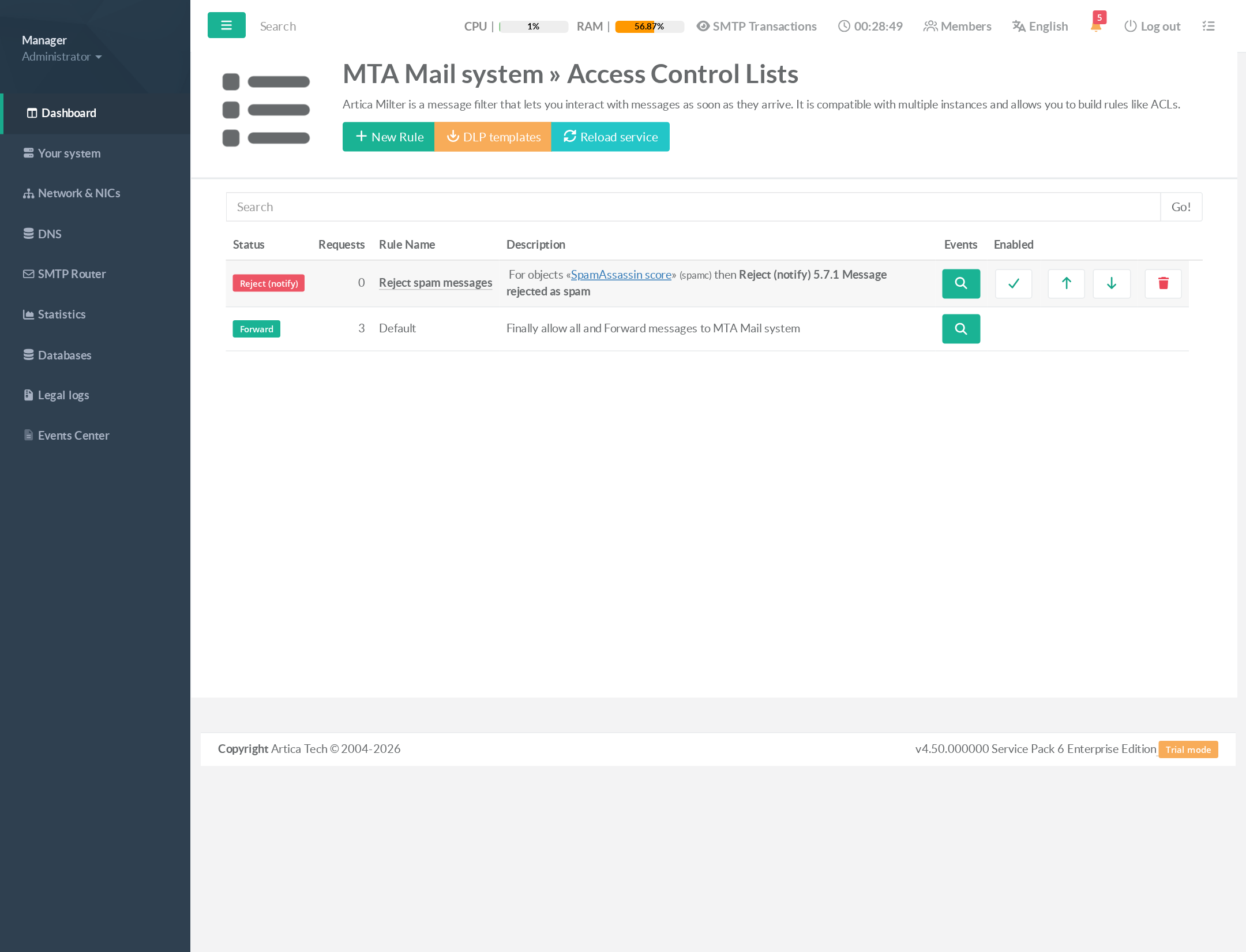
4. The rules list now reads as a full sentence — for objects «SpamAssassin score» (spamc) then Reject (notify):
¶ Choosing the threshold
| Threshold | Behaviour |
|---|---|
3 |
Aggressive — catches more spam, higher false-positive risk. Prefer non-destructive actions (Prepend, BCC). |
5 |
SpamAssassin's standard spam level — the recommended starting point for Reject/Discard. |
8–10 |
Only blatant spam — safe for hard reject even on sensitive mail flows. |
¶ Use cases
- Graduated anti-spam policy — two rules, same engine:
- Prepend
[SPAM?]with a Spamassassin Connector at threshold 3 (tag suspicious mail); - Reject with a second Connector at threshold 8 (refuse blatant spam).
- Prepend
- Scoped scanning: add a Source IP object (negated) next to the Connector so mail from trusted partner networks is never scored.
- Quarantine-style review: use the Blind carbon copy action with the Connector to copy suspected spam to a review mailbox while still delivering it.
Scoring submits the whole message to
spamdfor each evaluated rule — place SpamAssassin rules after your allow/whitelist rules so trusted flows skip the scoring cost entirely.
¶ Related pages
- Rule actions — what to do when the score is reached
- Available objects — combine the Connector with senders, IPs, recipients...
- Greylisting — a complementary, pre-content anti-spam layer
- Monitoring & REST API