A tenant is an isolated client organisation inside one Artica SIEM appliance.
Every event the SIEM stores carries the identifier of the tenant it belongs to, and every question asked of the SIEM is answered only from the tenants the person asking is entitled to.This page covers the whole mechanism:
What a tenant is, why you would use one, how to declare and maintain tenants inStatistics/SIEM > Tenants, and how to grant a group of users the right to read them.
¶ The concept
One appliance, several customers or several subsidiaries, and no way for one to see the other's traffic. That is the whole idea. It rests on three rules.
- Every stored event carries a tenant.
Proxy sessions, firewall verdicts, mail deliveries, web-filtering blocks, reverse-proxy requests, SMTP auto-blocks —
all of them are partitioned by tenant, in storage, in the pre-computed rollups and in the alerts.
- The tenant is decided by the appliance, never by the client.
A collector proves who it is with a client certificate; the SIEM looks up which tenant that certificate was registered for and stamps the events itself.
Nothing a collector sends can change the tenant its data lands in.
- The reading scope is resolved on the server too.
When an operator opens a SIEM page, the console does not ask the API for "the tenants I would like".
The appliance derives the scope from the account's groups and applies it to the query itself.
Editing the address bar cannot widen it — a tenant identifier passed in a URL by a non-administrator is simply ignored.
A tenant has exactly two attributes you manage, and the difference between them matters:
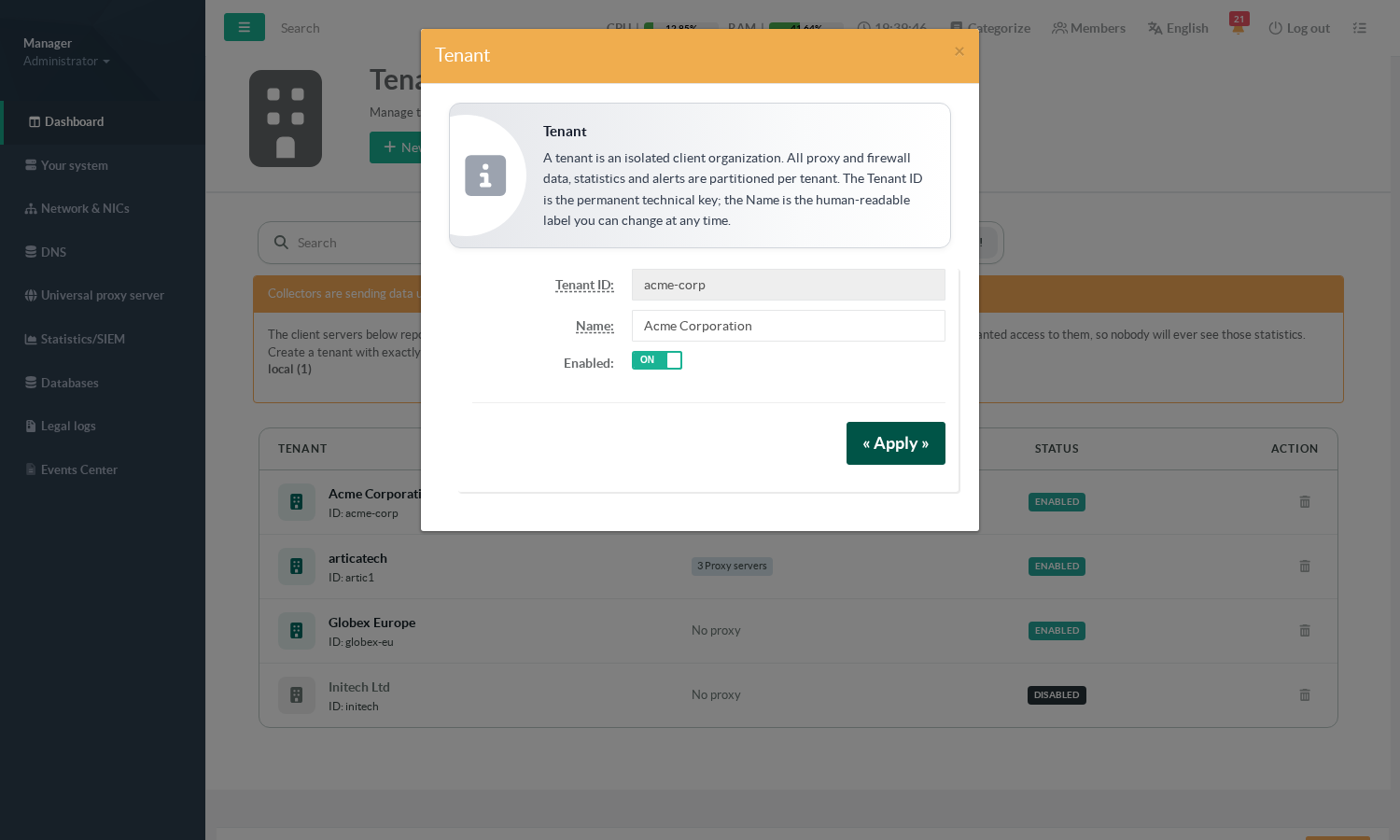
- Tenant ID:
The permanent technical key.
It anchors the client certificates, every stored event and the retention policy.
It cannot be changed after creation. - Name:
The human-readable label shown in the console.
Change it whenever you like; nothing depends on it.
¶ What it gives you
- One appliance serves several customers with no cross-visibility.
You buy, size and maintain a single SIEM instead of one per customer, and each customer still sees strictly their own traffic.
- You can delegate reading without giving away administration.
A customer's own IT staff, an auditor or a level-1 support team get read access to their perimeter. They never become administrators of the appliance, and they cannot reach anyone else's data.
- Rights are attached to groups, and they add up.
A person who belongs to three groups holding three different tenants reads all three, presented as one aggregated view rather than a selector to flip through. Adding a customer to somebody's perimeter is one checkbox on a group, not an account-by-account chore.
- Isolation costs nothing at query time.
The tenant is the first column of every sort key in the database, so restricting a dashboard to a perimeter is not a filter applied after the fact — it is how the data is read. Measured on this appliance: a single-tenant page answers in 100–107 ms, the same page over several tenants in 106–129 ms.
- An account with no tenant sees nothing, by construction.
An empty perimeter is refused outright; it is never treated as "no filter". The failure mode of this mechanism is a blank screen, never somebody else's data.
¶ Typical use cases
- Managed service provider.
One tenant per customer.
Each customer's proxies and firewalls report to the same appliance.
Each customer's IT contact is put in a group holding only their tenant.
Your own operators are in a group holding all of them. - Group with subsidiaries.
One tenant per subsidiary or per country.
The group CISO reads everything; each local administrator reads their own site.
Cross-subsidiary reporting stays possible for whoever holds several tenants at once.
- Separating environments.
Aprodtenant and alabtenant on the same appliance.
Test traffic never pollutes production figures or production alerts.
- Time-boxed access.
An auditor or an external consultant is put in a group carrying just the tenant under review, for the duration of the engagement.
Removing the group removes the access; nothing else has to be undone. - Merger or acquisition.
The acquired entity keeps its own tenant while its infrastructure is being absorbed, and the same people can be given both perimeters during the transition without any data being merged in storage.
¶ Where to find the screen
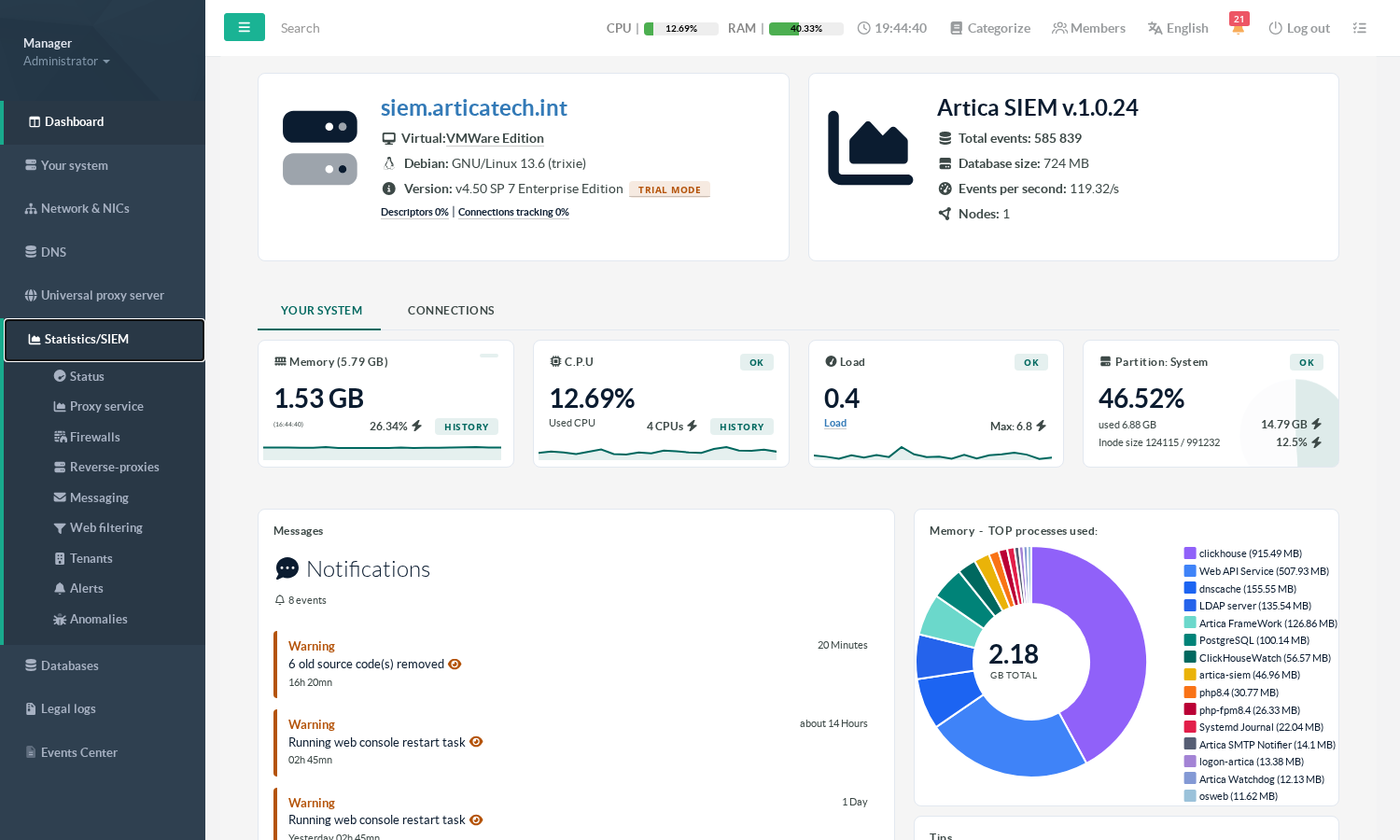
The tenants are managed in Statistics/SIEM > Tenants.
¶ The tenants list
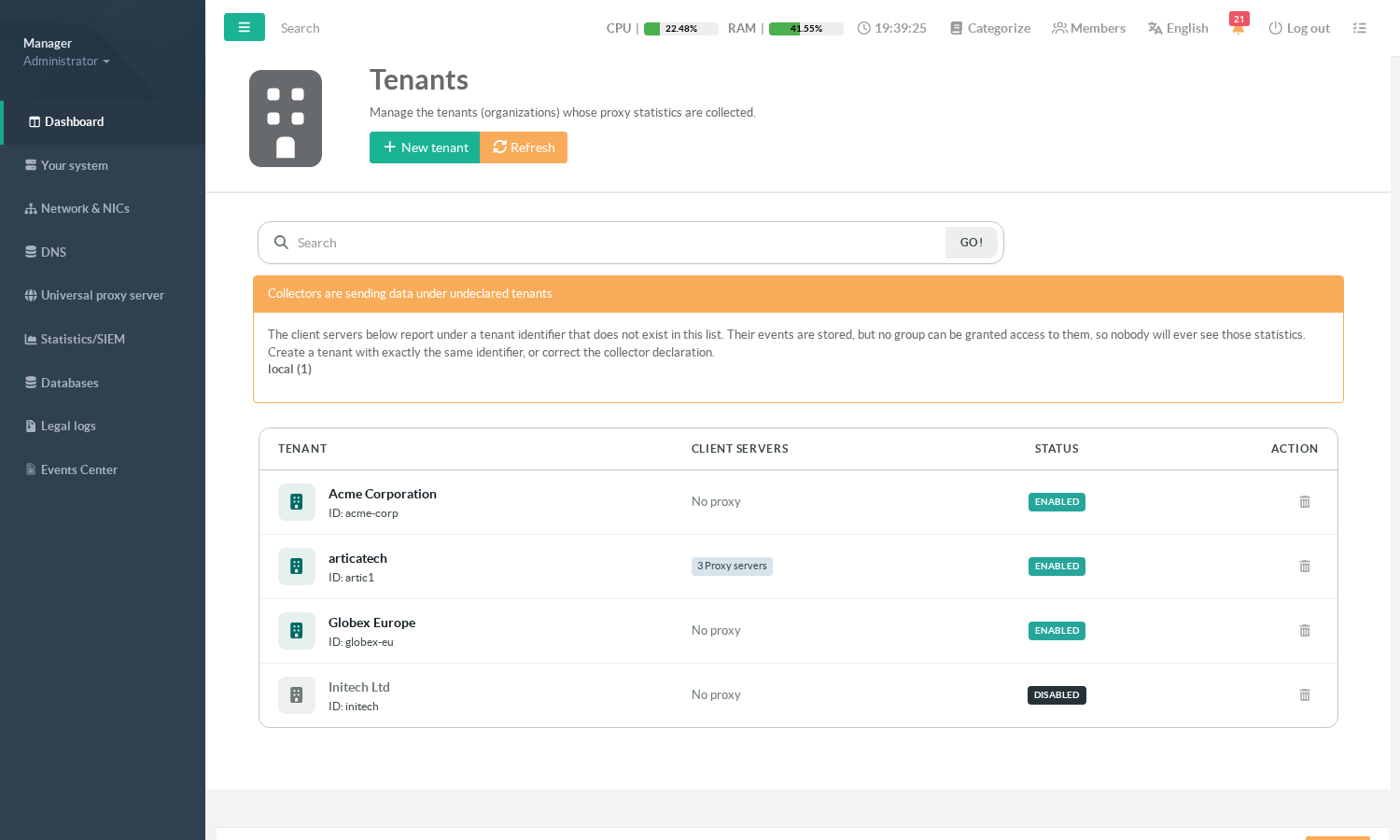
Four columns, each answering a different question:
- Tenant
The readable name, with the permanent identifier underneath.
Click the name to edit. - Client servers
How many collectors (proxies, firewalls, reverse-proxies…) are declared for this tenant.
No proxymeans nothing will ever be attributed to it: the tenant exists, but no machine is feeding it.
- Status
NABLEDorDISABLED.
A disabled tenant is no longer offered when granting rights. - Action —> delete.
"Collectors are sending data under undeclared tenants"
When this orange warning appears, one or more collectors are reporting under a tenant identifier that does not exist in the list.
This is worth acting on immediately, because of the way the two sides are validated:
- ingestion authenticates the collector, not the tenant.
Events keep arriving and keep being stored under that identifier; - the rights screen only ever offers tenants from this list.
An identifier that is not here can never be granted to anybody.
The result is data that is written correctly and that nobody will ever be able to read, silently.
Two ways out:
- Create a tenant with exactly the same identifier
- Correct the collector's declaration so it reports under a tenant that exists.
¶ Creating a tenant
- Click New tenant.
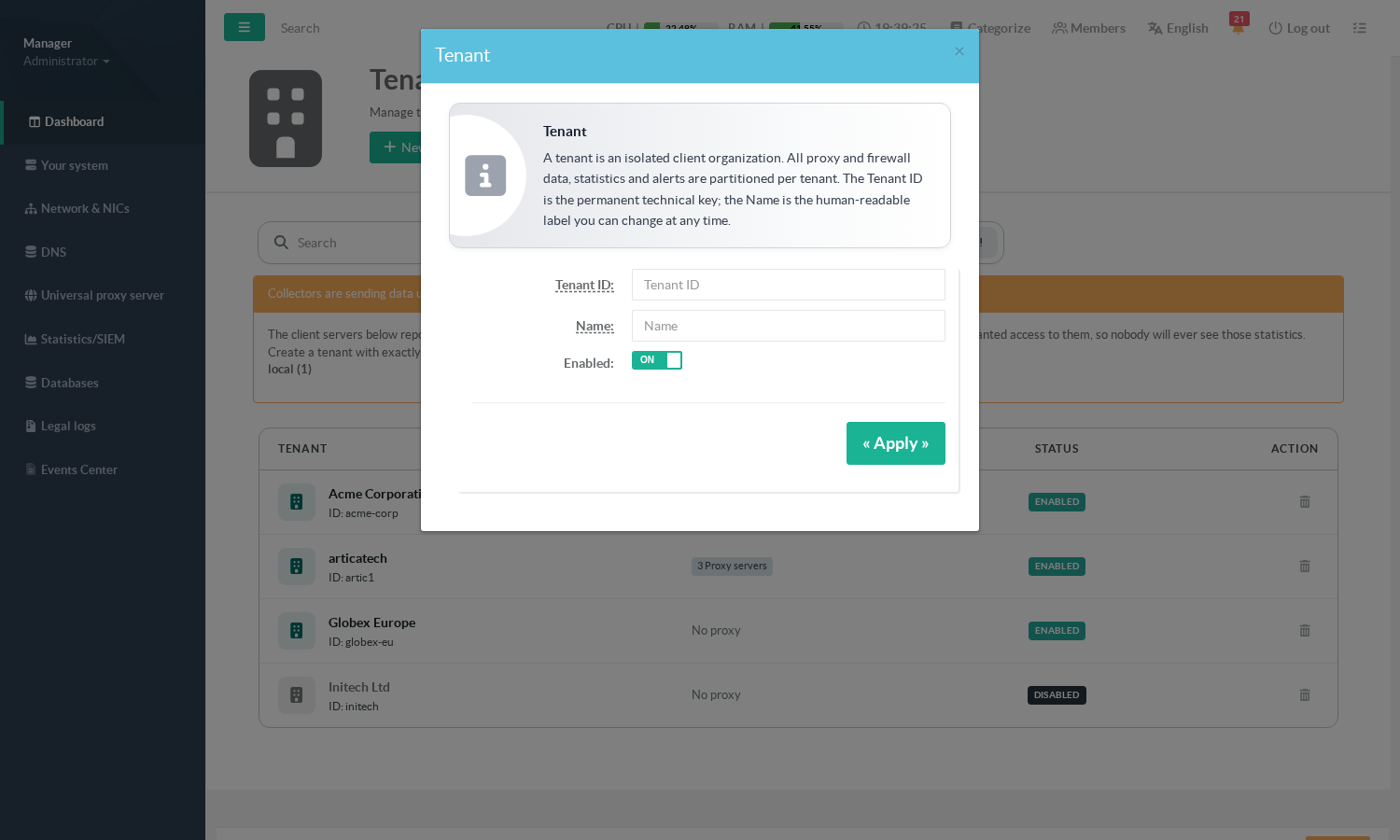
- Tenant ID
Lowercase letters, digits, hyphen or underscore; no spaces, no accents.
Examples:acme-corp,site-lyon-01.
Choose it carefully: it cannot be changed afterwards, because it is written into every event already stored and into the client certificates already issued. - Name
What operators read.
Free text, changeable at any time. - Enabled
leave it on unless you are preparing a tenant in advance.
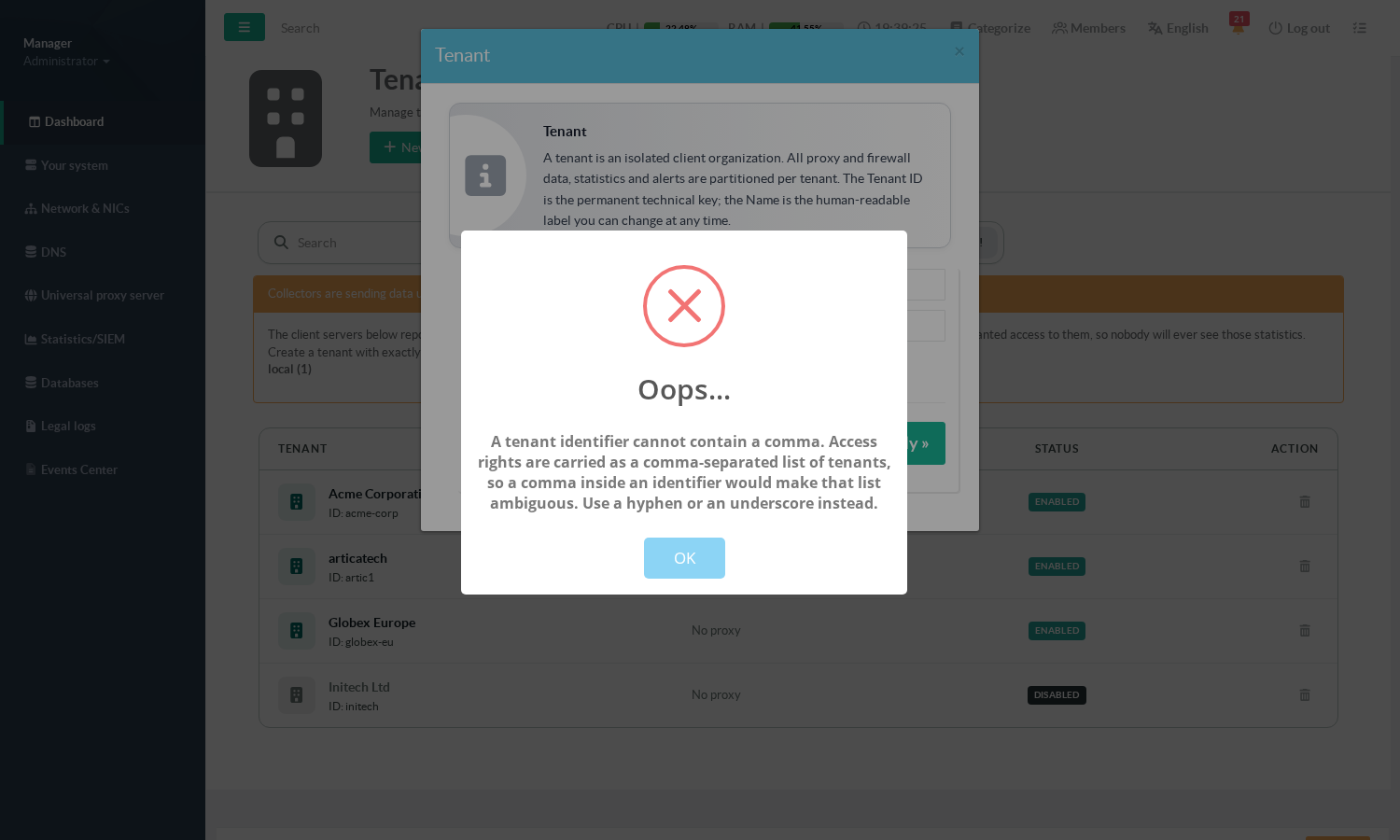
A comma is refused.
Access rights travel as a comma-separated list of tenants, so a comma inside an identifier would make that list ambiguous. Use a hyphen or an underscore instead.
¶ Editing, disabling, deleting
Clicking a tenant name reopens the same form with the identifier shown but locked.
Only the name and the enabled switch can be changed.
Three operations that are easy to confuse — they do quite different things:
- Disable
The tenant stops being offered when granting rights to a group.
It does not revoke rights already granted, and it does not stop collectors from sending.
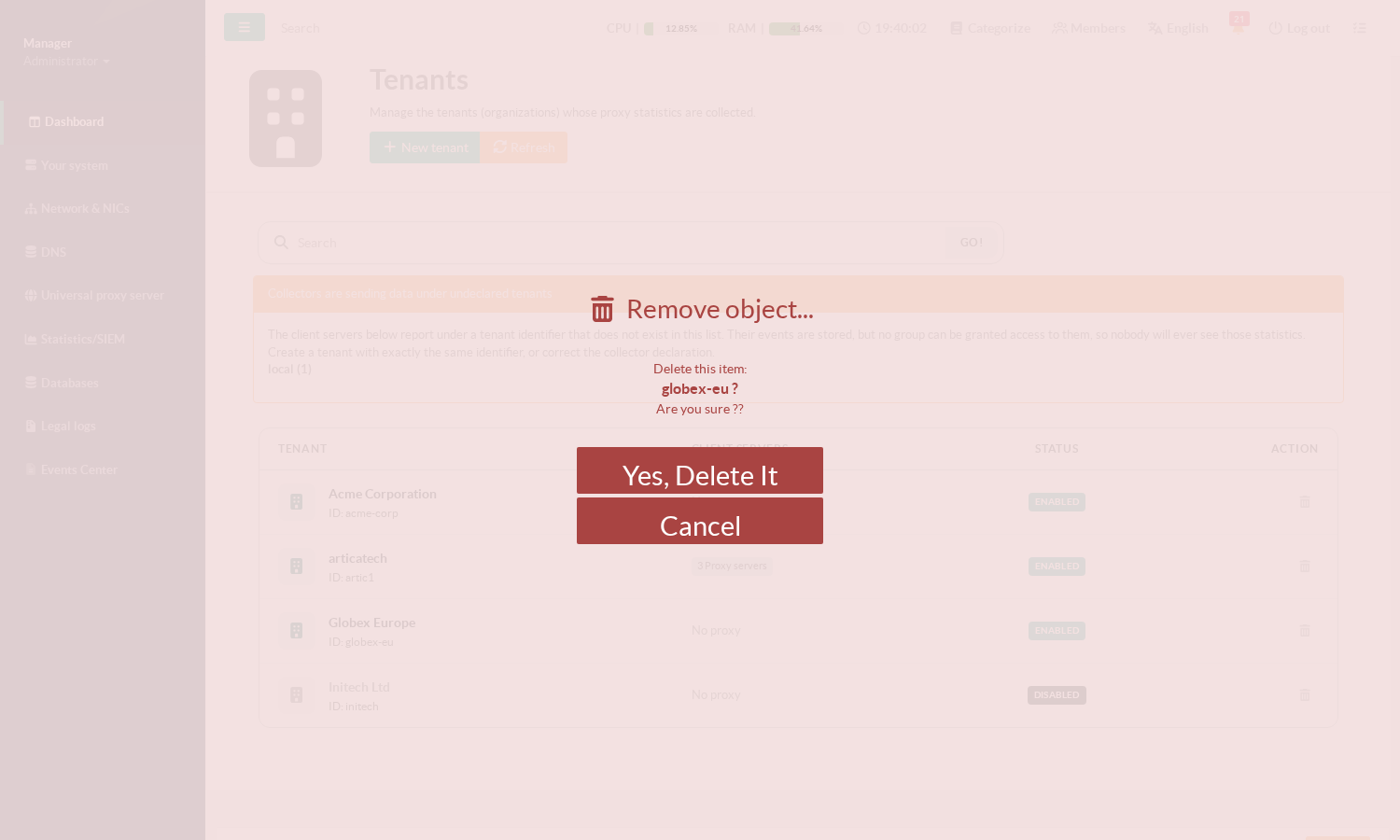
Use it for a tenant that is no longer fed, so nobody grants a right over data that has stopped moving. - Delete
Removes the declaration only.
The events already stored are not deleted, and any collector still configured for that tenant keeps sending:
the tenant immediately reappears in the orange "undeclared tenants" warning above.
Retire the collectors first, then delete the tenant. - Rename — cosmetic, always safe.
¶ Granting a tenant to a group of users
Declaring a tenant does not give anyone access to it.
Access is granted per group, in Members > Groups > your group > SIEM tenants.
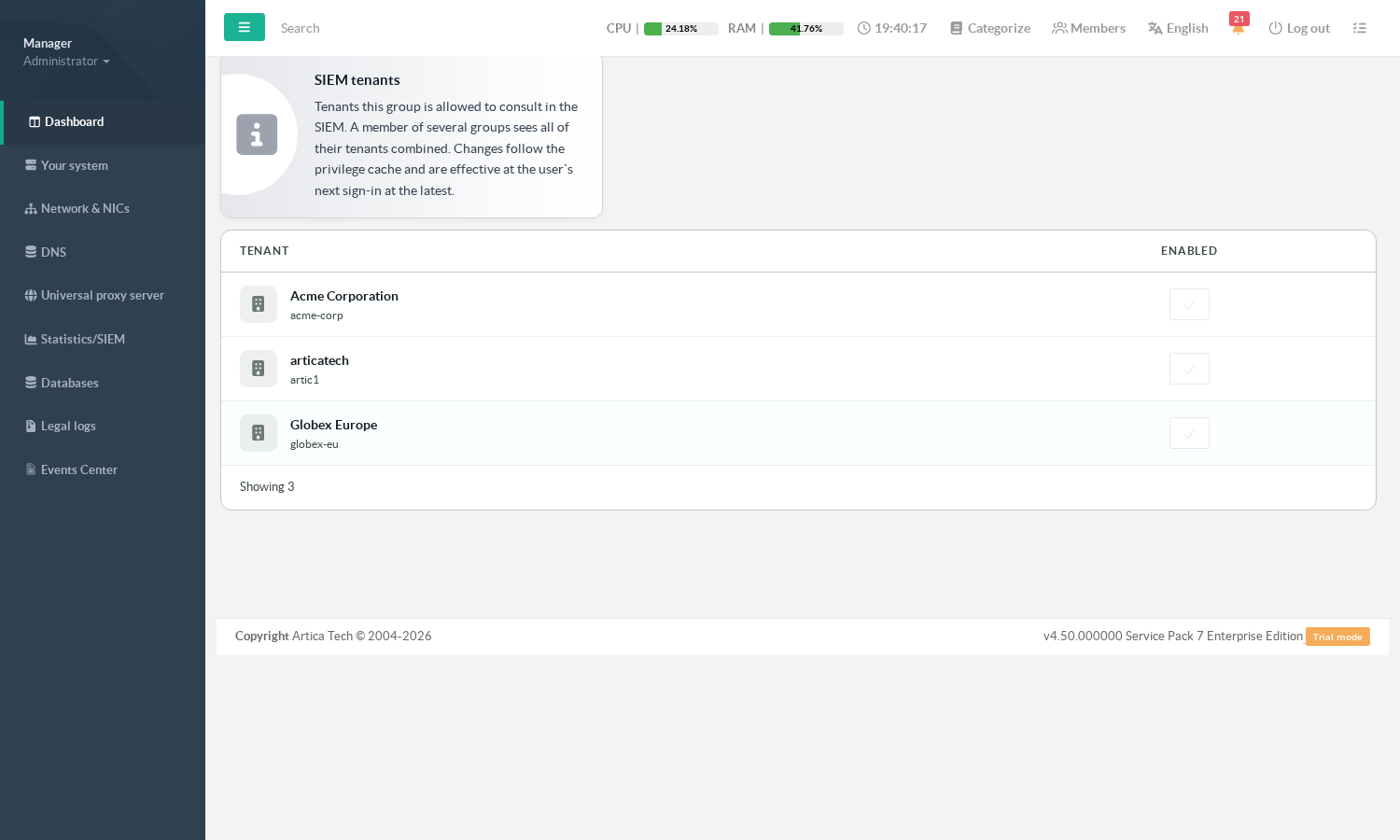
Tick every tenant the group is allowed to consult. Four things to know:
- Memberships add up.
A user belonging to several groups reads the union of their tenants. There is no need for a "group per combination".
- Only enabled tenants are offered
Granting a right over a tenant that nothing feeds any more would be a right over nothing.
- Changes follow the privilege cache.
They are effective at the user's next sign-in at the latest.
If you need one to apply immediately, have the user sign out and back in.
- Administrators are unaffected.
A full administrator of the appliance already reads every tenant and does not need to be granted any.
¶ What an entitled operator sees
- One tenant
The SIEM pages look exactly as they always have.
No banner, no extra column.
This is the case for the vast majority of accounts.
- Several tenants
The pages show the aggregated view of the whole perimeter, with a banner stating how many tenants are being read,
and a tenant column added to the rankings so that two machines with the same name in two different customers stay two distinct lines instead of being merged into one inflated total. - No tenant
SIEM pages report that no perimeter has been granted,
rather than showing an empty dashboard that would read as "there is no traffic".
¶ Troubleshooting
| Symptom | Cause | What to do |
|---|---|---|
| Orange banner: collectors sending under undeclared tenants | A collector reports under an identifier that is not declared. Its events are stored but unreadable by anyone. |
Create a tenant with exactly that identifier, or fix the collector's declaration. |
| A tenant is missing from the group's SIEM tenants tab | It is disabled. | Re-enable it in Statistics/SIEM > Tenants. |
| A user is told no perimeter has been granted | None of their groups holds a tenant. | Tick at least one tenant on one of their groups. |
| A newly granted tenant is not visible yet | The perimeter is cached with the account's privileges. | Have the user sign out and back in. |
The tenant shows No proxy and stays empty |
No collector has been declared for it. | Declare one — see Connect a proxy to the Artica SIEM. |
| An identifier is refused at creation | It contains a comma. | Use a hyphen or an underscore. |
¶ Recommended order of operations
- Declare the tenant in
Statistics/SIEM > Tenants. - Declare its collectors (proxies, firewalls, reverse-proxies) against that tenant and issue their certificates.
- Check the tenant's Client servers count stops showing
No proxy, and that no orange warning appeared. - Create or pick the group that should read it, and tick the tenant in its SIEM tenants tab.
- Have a member of that group sign in and confirm they see the expected perimeter — and only it.