Back to Artica SIEM for FortiGate
The Destinations page reads the same traffic as the Clients page from the other side. For each site or address, it shows how much the internal devices downloaded from it and uploaded to it, how many clients reached it, and when.
¶ Why use it
- You can see which machines talk to a given site, and how much data they exchanged with it.
- Large uploads to an unknown destination are easy to spot and to trace back to the client that sent them.
- The period runs from one hour to 21 days, and the header filters by tenant and FortiGate.
¶ Downloaded and uploaded
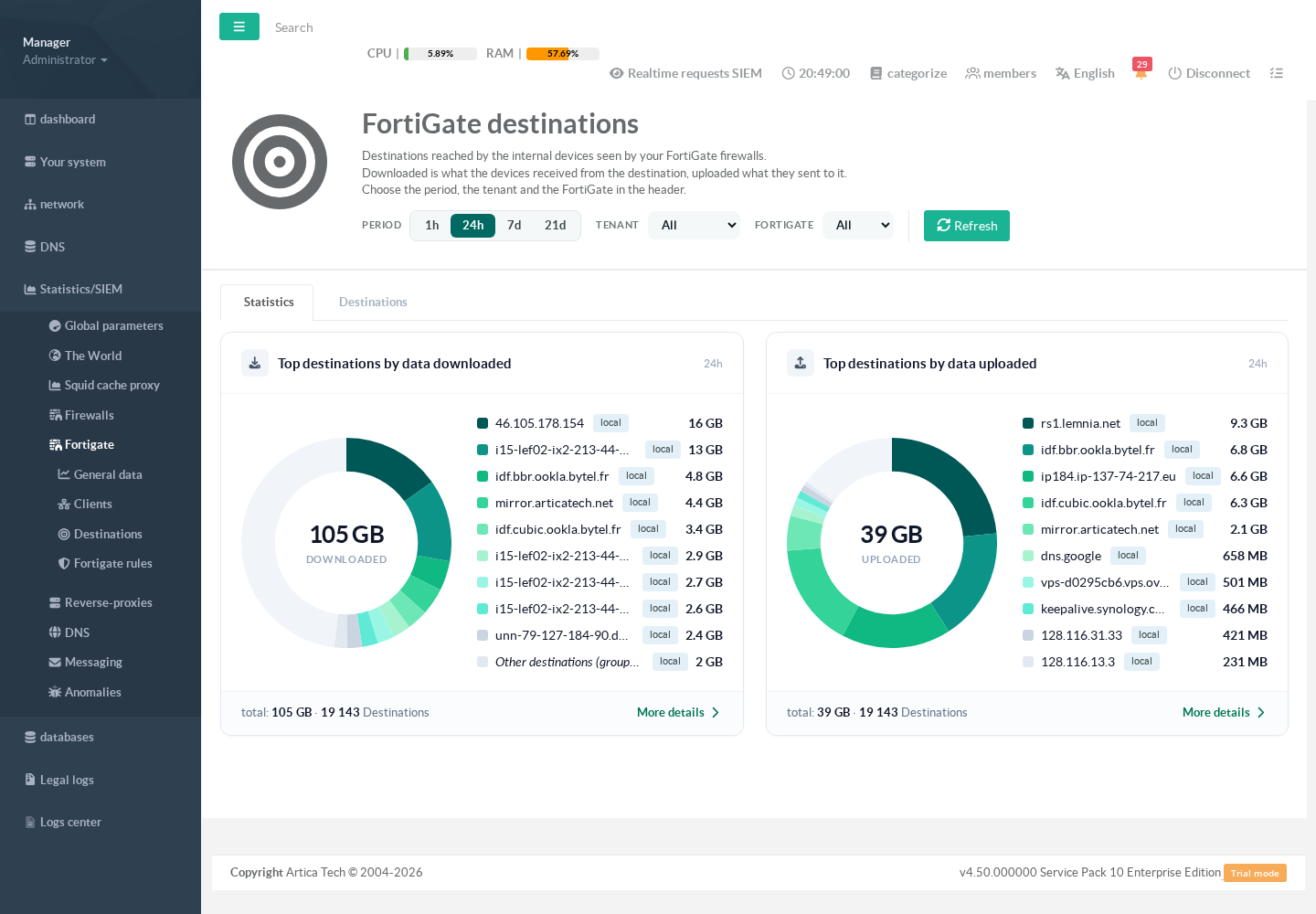
Downloaded is what the internal devices received from the destination. Uploaded is what they sent to it. A destination is named by the host name the FortiGate reports for web traffic, otherwise by the DNS name of its address, otherwise by the address itself.
When a single client reaches more than 200 destinations in one 10-minute slice, the rest is grouped under Other destinations (grouped).
¶ Statistics tab
Statistics/SIEM > Fortigate > Destinations.
¶ Destinations tab
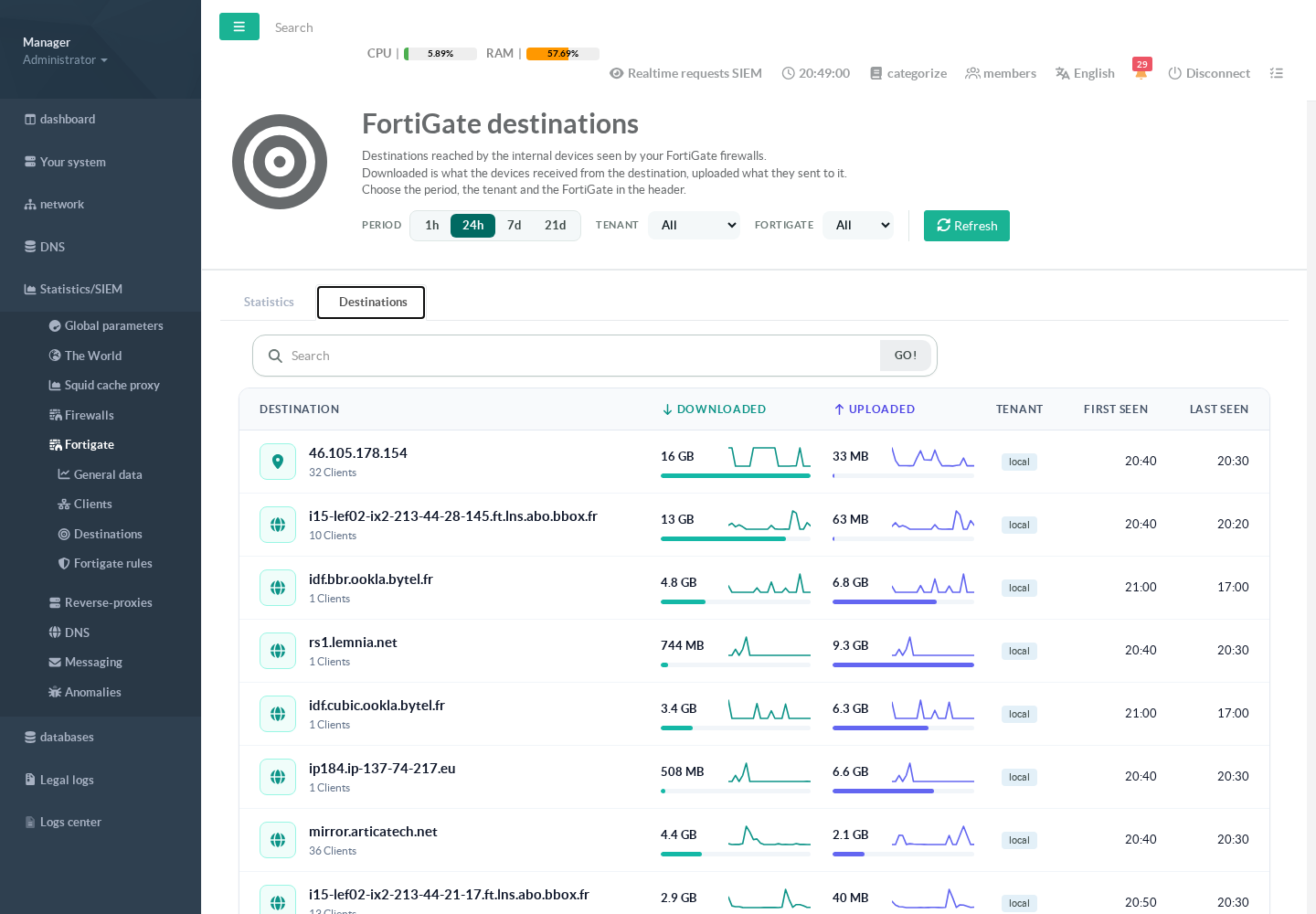
The list shows the 500 destinations that moved the most data in the period, with the number of clients, the data downloaded and uploaded with their trend lines, and the first and last time seen. The search box matches the destination name.
¶ Destination details
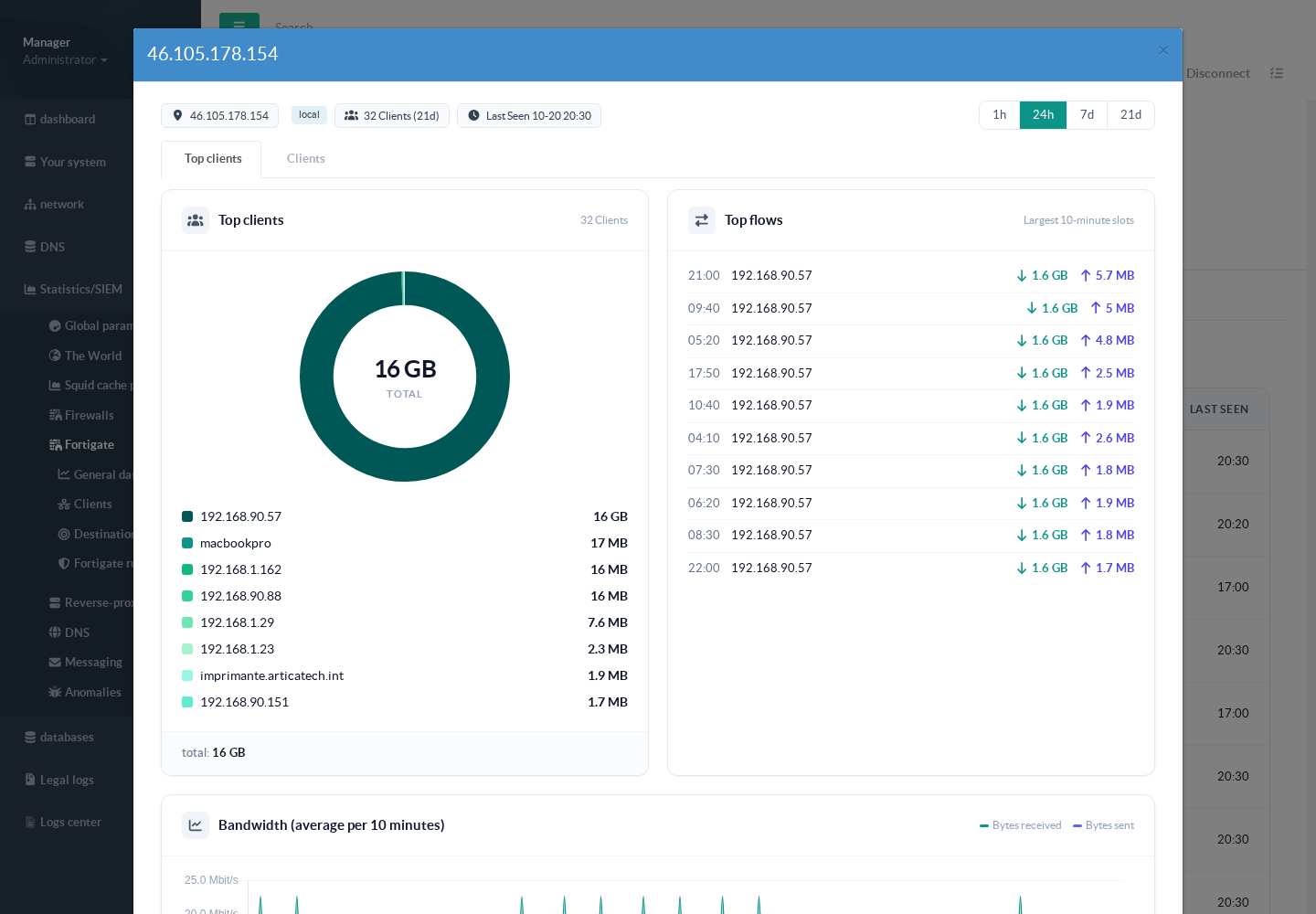
Click a destination. The first tab shows its top clients, the largest 10-minute transfers by client and the bandwidth curve. The second tab lists every client that reached it, with search by name or address. A client's name opens its own details on top.