Turn on the automatic vitrification feature for a designed website.
- From the main services table, click on “Vitrification” grey link.
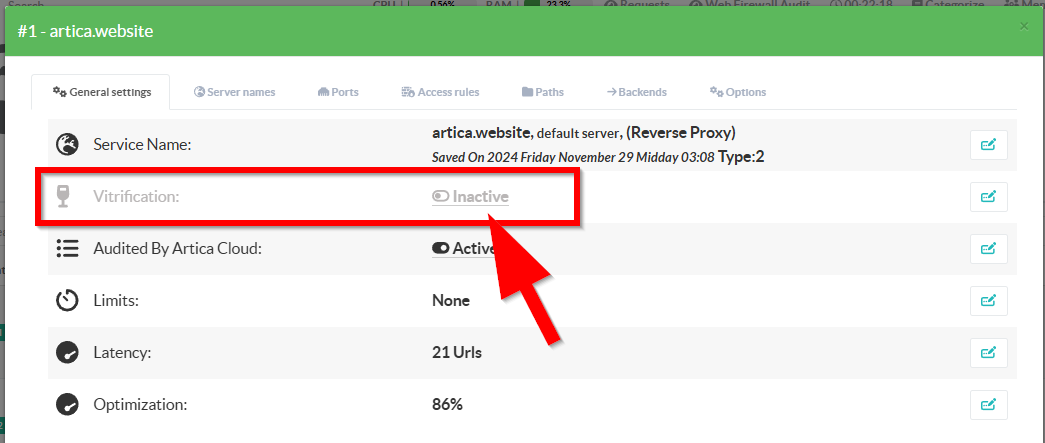
- Turn on the Vitrification main option.
- By clicking on “Directory size” you can define the maximum storage size (in MB) allocated for the HTML copy of your website, as well as the crawling depth used to retrieve pages within your site.
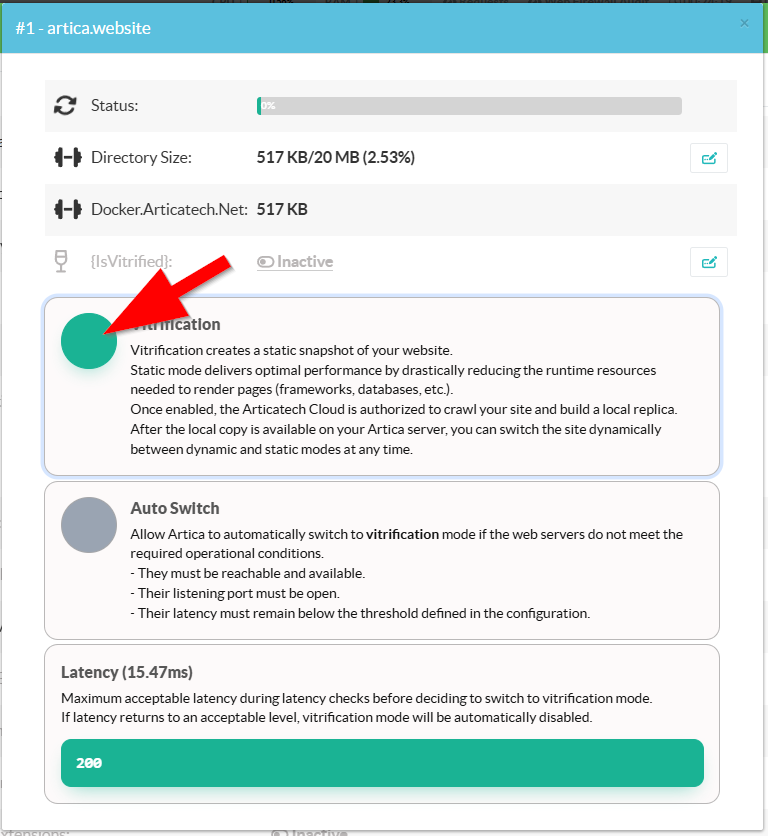
- Is vitrified:
Indicates whether the site is being served from the local copy.
Clicking on it allows you to toggle the state and switch the site to vitrification mode or revert it back to normal operation.
- Auto Switch:
Artica is responsible for regularly testing the health and performance of backend servers.
It measures their latency to evaluate operational stability.
If the calculated latency exceeds the configured threshold, vitrification mode is automatically activated, and the reverse proxy switches to serving the local static HTML copy.
- Latency:
Maximum acceptable latency in milliseconds during latency checks before deciding to switch to vitrification mode.