An Artica reverse-proxy knows every HTTP request it serves and every ModSecurity rule that fires — and keeps that knowledge only as long as its own logs.
Connecting it to an Artica SIEM appliance streams both over mutual TLS, in real time, into a store that answers questions months later.
Two operations, in this order: issue a client certificate on the SIEM, then import it on the reverse-proxy and point it at the appliance.
¶ What gets forwarded
- HTTP requests served by nginx — host, path, status, bytes, upstream, cache decision, response time.
- ModSecurity rule hits — the WAF events, with the rule that fired and its severity.
- Backend health measurements — how each upstream is answering, over time.
Each family is a separate switch: you can forward requests without the WAF, or the WAF alone.
¶ Why connect it
- Retention without loading the reverse-proxy.
Events are stored on the appliance and pre-aggregated.
The reverse-proxy keeps only what it needs to run, and a question about last quarter is still answerable.
- Several reverse-proxies read as one.
Five nodes behind a load balancer answer as a single dataset.
One search, one ranking — instead of five consoles to open and reconcile by hand.
- An appliance outage costs nothing.
The forwarder holds events in memory and spills to a disk spool when the appliance is unreachable, then drains when it comes back.
Stopping the SIEM does not stop the reverse-proxy, and does not lose its traffic.
- Mutual TLS, both ways.
The appliance proves who it is, and the reverse-proxy proves who it is.
Nothing is accepted from an unregistered node, and the tenant the data lands in is decided by the certificate — never by the sender.
- The WAF becomes searchable.
A ModSecurity hit stops being a line in a file:
it joins the same timeline as the request that triggered it.
¶ Typical use cases
- Incident forensics.
"What did this address do on our public sites last Tuesday?"
Answered from one place, across every reverse-proxy node.
- Tuning WAF.
Which rules fire most, on which host, and how many are false positives
Measured before touching the ruleset rather than after complaints.
- Managed hosting.
One tenant per customer:
The customer's own staff read their sites' traffic and nothing else.
see Granting tenant privileges to a group.
- Capacity and backend SLA.
Response times and upstream health kept over months.
A slow degradation is visible as a slope rather than as a bad morning.
- Compliance retention.
Access logs stored off the serving node, on an appliance you own.
¶ Before you begin
- The proxy must reach the SIEM on TCP 9443 (the ingestion port).
Check it from the proxy before starting. - At least one tenant must exist on the SIEM (
Statistics/SIEM > Tenants).
The reverse-proxy form cannot be saved without one. - The SIEM ingestion port must be serving TLS.
See Troubleshooting below:
if it serves cleartext, the proxy install fails with an error that appears to blame the certificate. - You need an account with the global role on the SIEM console;
the Proxies page is refused otherwise.
¶ Declare the reverse-proxy on the SIEM
- On the SIEM console, open
Statistics/SIEM > Nodes.
The page lists every declared collector with its tenant, its status, when it was last seen, and its certificate.
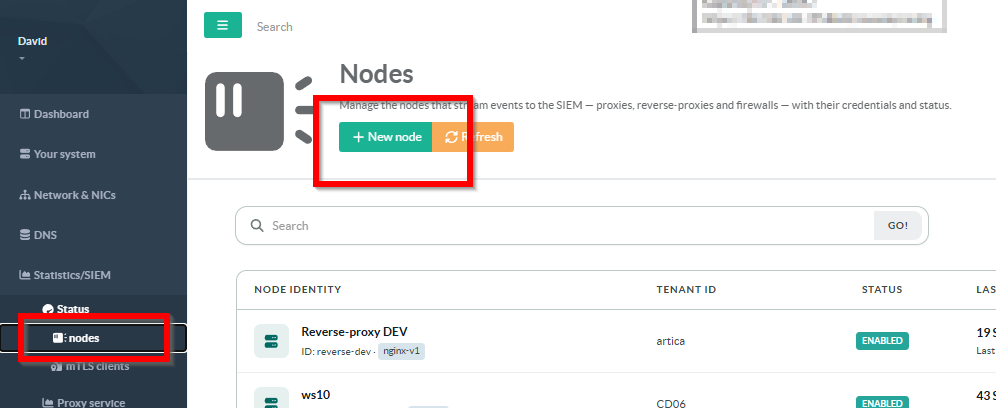
Two columns answer “is this collector alive?” together, and they are not redundant.
Last seen tells you a packet arrived. Events (24h) tells you how much traffic actually flowed over the last day — a proxy that reconnects every minute and forwards nothing looks perfectly healthy on Last seen alone.
A dash in that column means the SIEM could not compute the figure, which is not the same statement as a zero.
- Click New Node to open the declaration form.
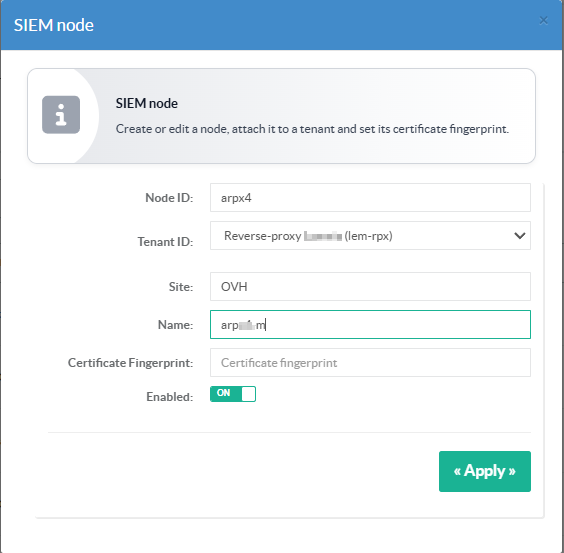
| Node ID | Required. The technical identity of the collector, and the Common Name written into its certificate. Use something stable and readable — rpxy-129, reverse-paris. It cannot be changed later without issuing a new certificate. |
| Tenant ID | Required. The tenant this reverse-proxy's traffic belongs to. It becomes the certificate's Organization field and drives who is allowed to see the data. |
| Site | Optional. A free label used to group nodes of the same location in the dashboards. |
| Name | Optional. The display name in the console. Falls back to the node ID when empty. |
| Certificate fingerprint | Leave empty. It is filled automatically when you generate the certificate in step 2. |
| Enabled | Whether the SIEM accepts data from this node. Leave it on. |
- Click Apply.
¶ Generate the client certificate
On the left menu, choose Status > mTLS clients
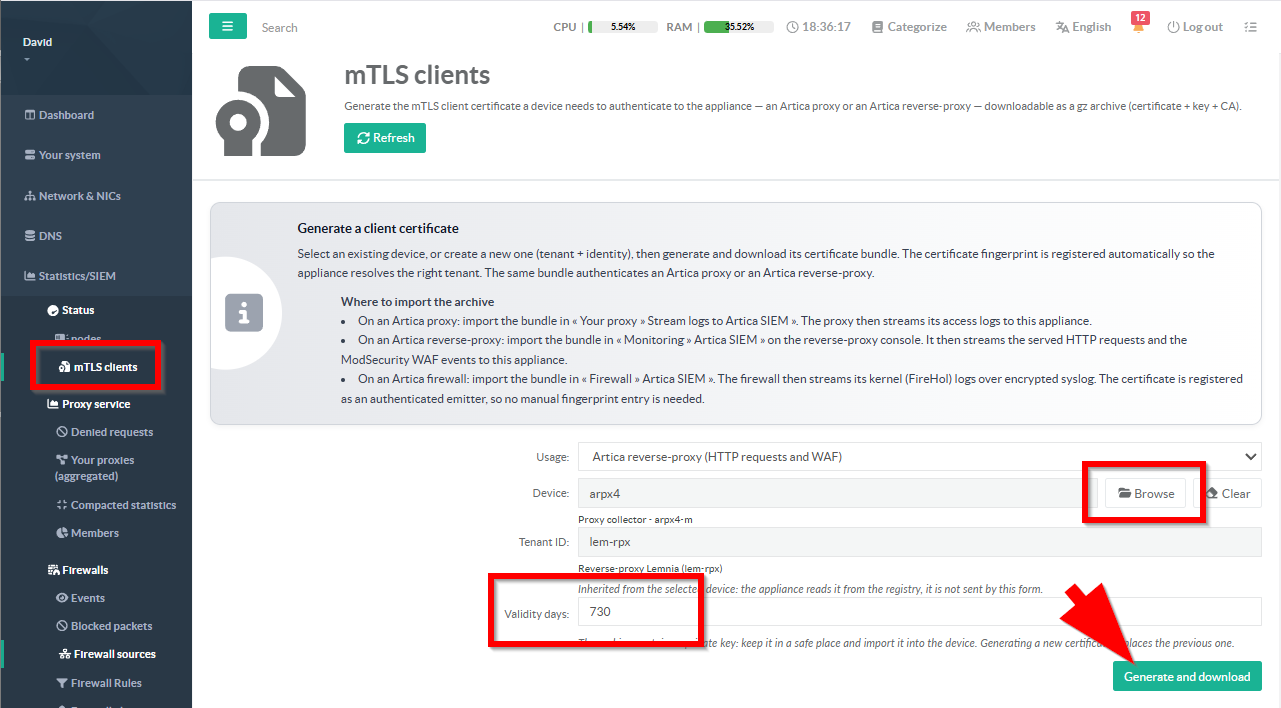
- Usage - What is the node: A proxy, A reverse-proxy…
- Device — choose the saved nodes from the list
- Select the validity day period of the certificate.
Generating downloads a .tar.gz holding three files: client.crt, client.key and ca.crt.
Keep it: it contains a private key, and the appliance does not store a second copy.
Regenerating replaces.
Issuing a new certificate for an existing node registers the new fingerprint and retires the old one — the node stops being accepted until it imports the new bundle.
¶ Import it (on the reverse-proxy)
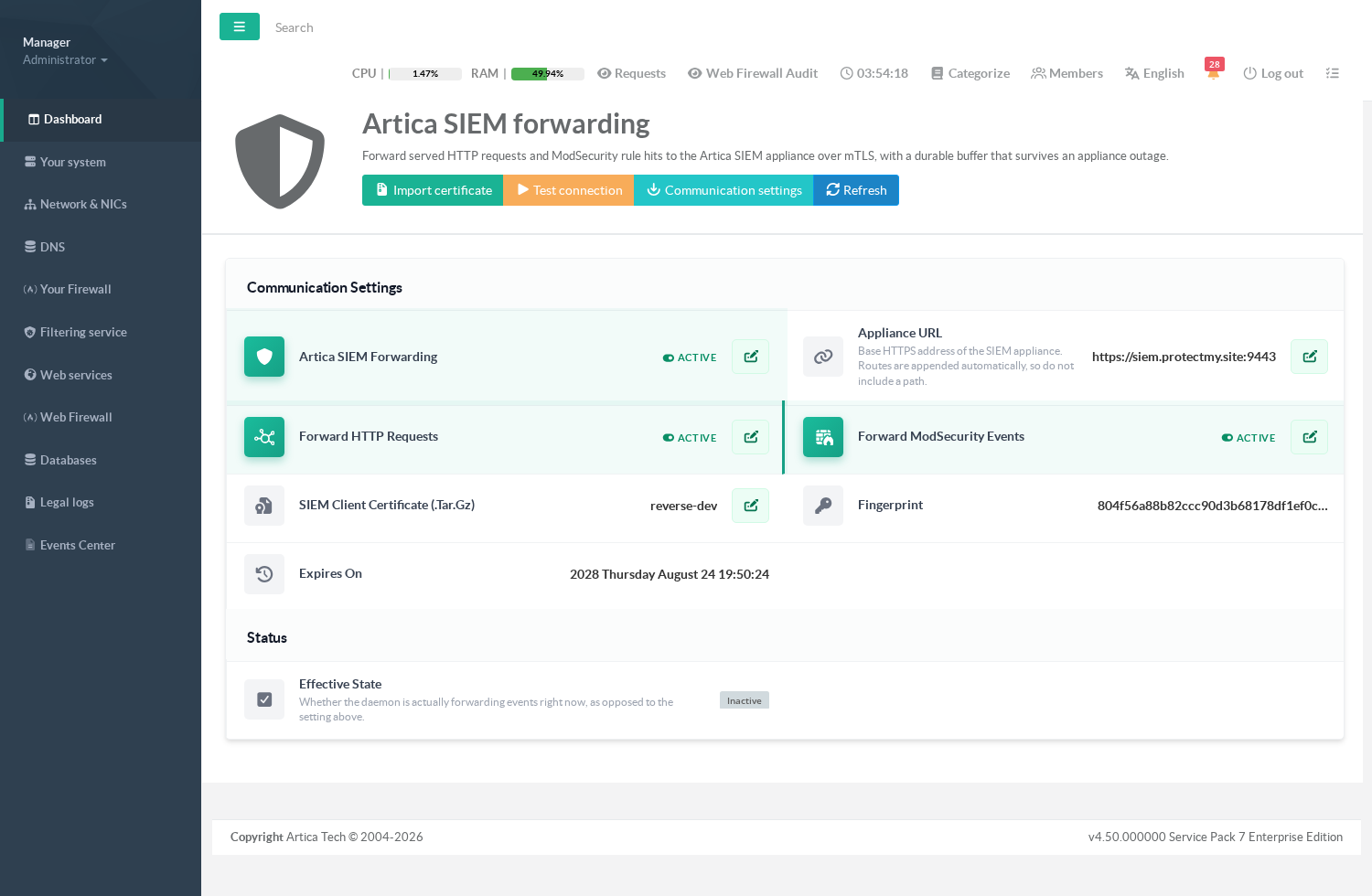
On the reverse-proxy console, open Web services > Artica SIEM forwarding.
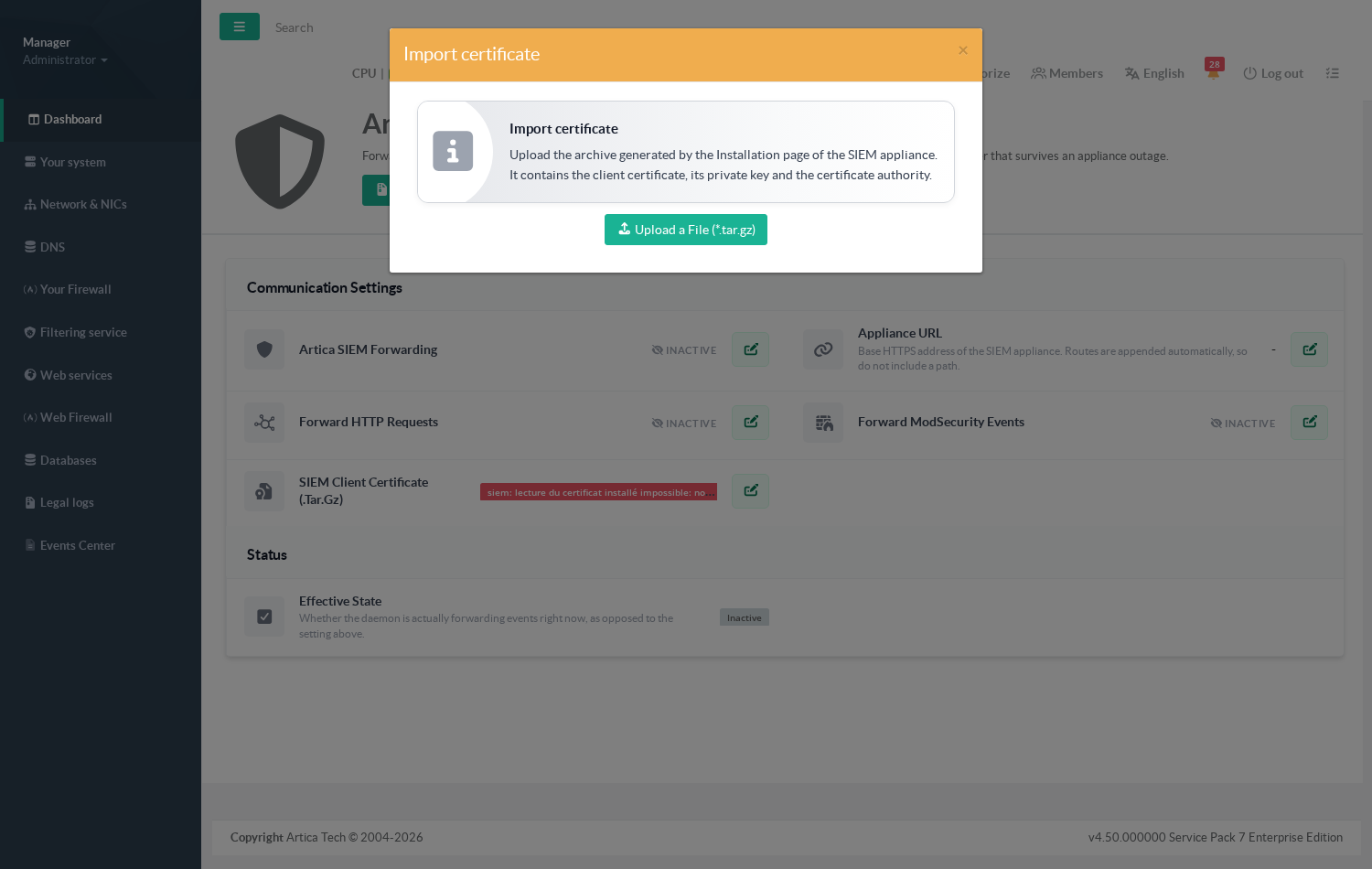
Before the import, the page states plainly that nothing is configured:
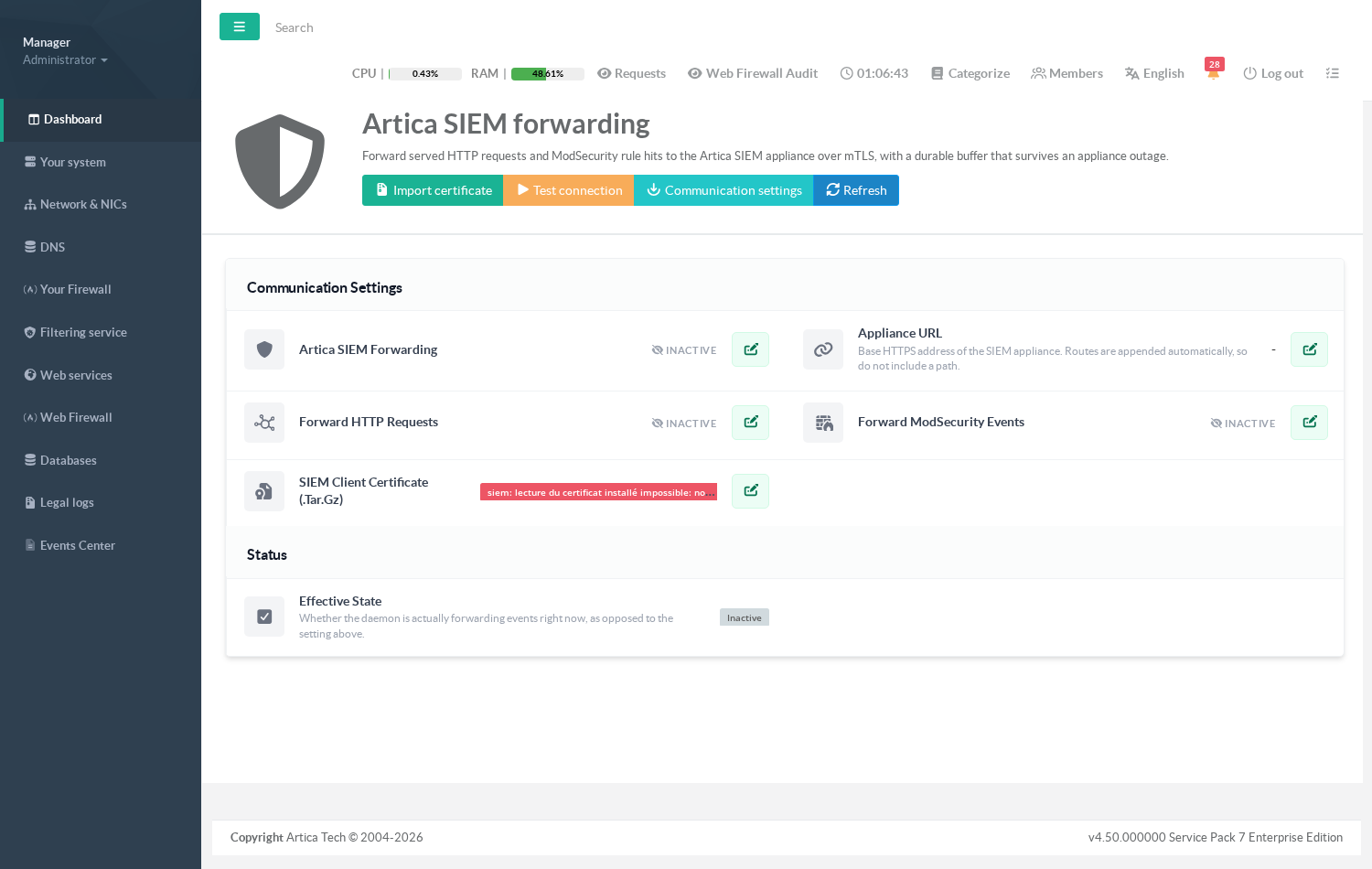
Click Import certificate and upload the archive as it was downloaded — do not unpack it.
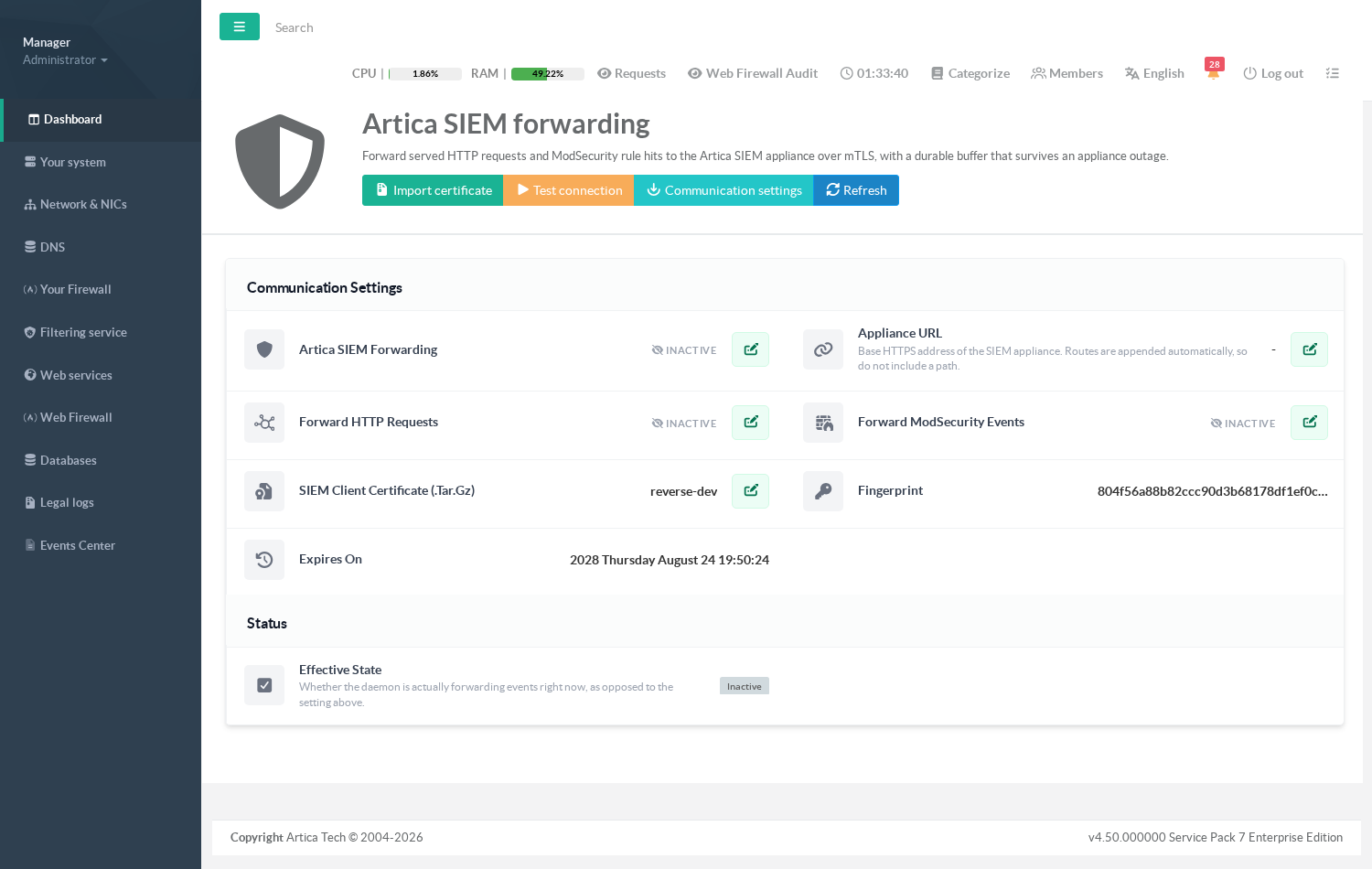
The page then shows what it installed:
The node name, the fingerprint and the expiry date.
Check the fingerprint matches the one the SIEM registered — that pair is the whole authentication.
¶ Step 3 — Point it at the appliance
Open Communication settings.
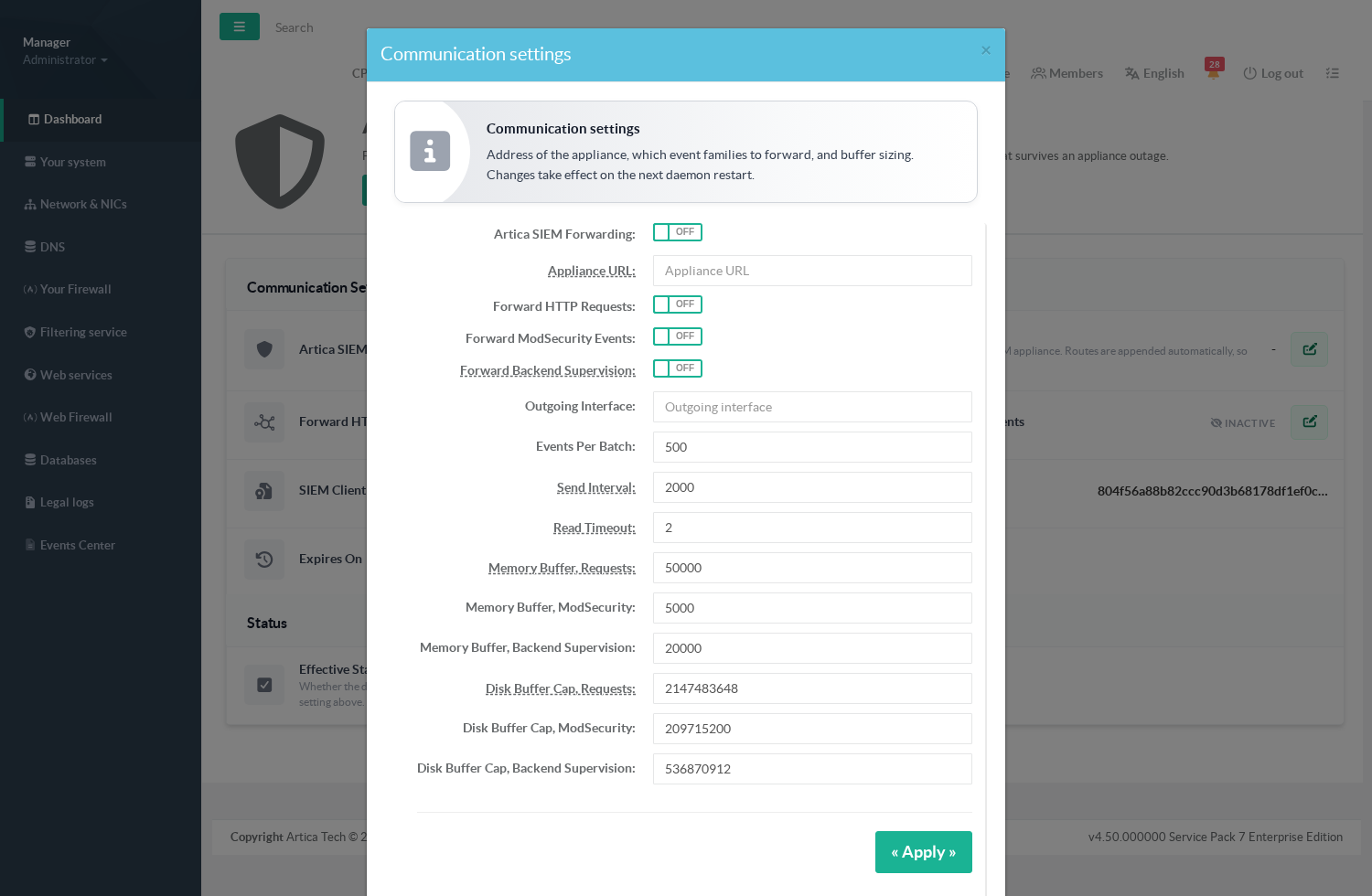
- Appliance URL — the base HTTPS address including the ingestion port, for example
https://siem.example.com:9443.
Routes are appended automatically, so do not put a path here. - Artica SIEM forwarding
The master switch. - Forward HTTP requests / Forward ModSecurity events / Forward backend SLA — one per family.
- Batch size, flush interval, ring and spool sizes — leave the defaults unless the appliance asks for smaller batches.
Then use Test connection. It sends one real event through the whole path — TLS, certificate, ingestion route — and reports what came back.
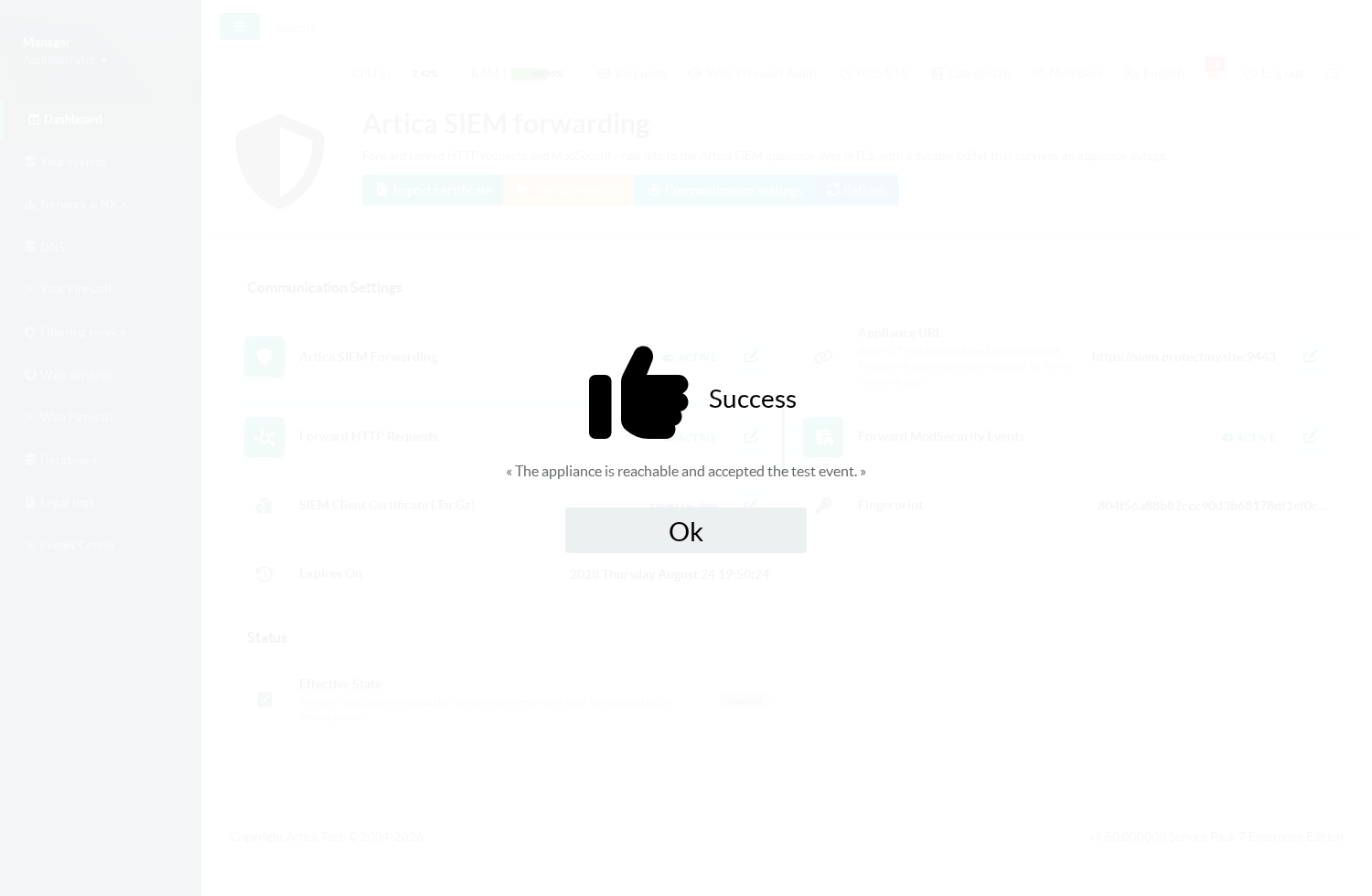
Once forwarding is on, the page reports it as active, and the Effective state line tells you whether the daemon is really forwarding right now — as opposed to merely being configured to.
¶ Step 4 — Confirm on the SIEM
Back on the appliance, Statistics/SIEM > Proxies lists every collector.
The reverse-proxy appears with its node name, a nginx-v1 badge that identifies the family, and a Last seen that moves as it forwards.
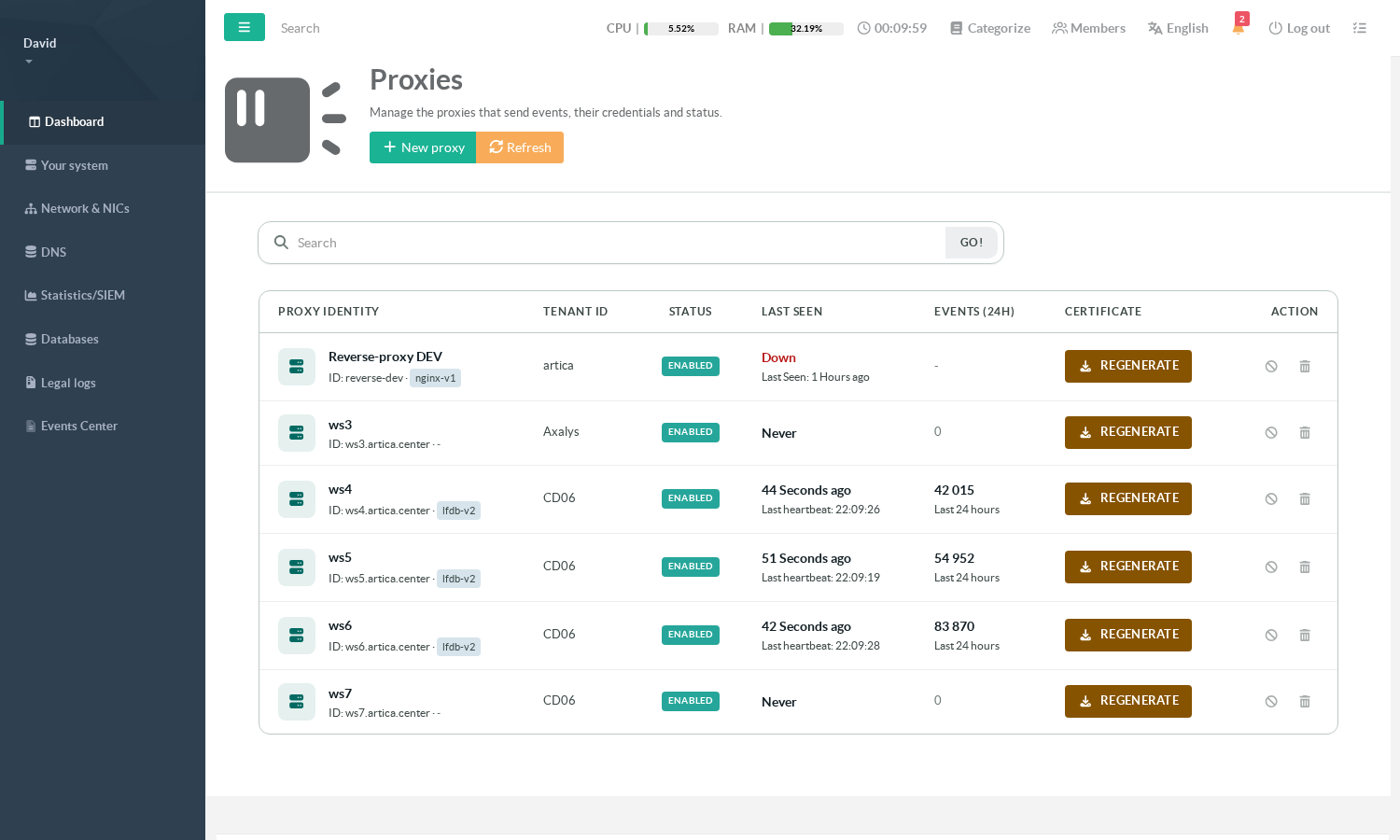
Its Events (24h) column shows -, not a number, and that is deliberate: reverse-proxy events are stored without a collector identifier, so the appliance cannot attribute a count to one node. A 0 there would claim the node sends nothing, which is a different — and wrong — statement. Compare with the proxies below it, whose counts are real.
From then on, the traffic shows up in the reverse-proxy dashboards under Statistics/SIEM > Reverse-proxies.
¶ Troubleshooting
| What the test says | What it means | What to do |
|---|---|---|
| Reachable, test event accepted | The whole path works. | Nothing. |
| Reachable but the certificate was refused | TLS completed; the appliance does not recognise this certificate. | Re-issue the bundle for this node and import it again. A regeneration on the SIEM invalidates the previous one. |
| Reachable but the payload was rejected | The two sides disagree on the event format. | Update whichever is older. |
| Reachable but the batch is too large | The batch exceeds what the appliance accepts. | Lower Batch size. |
| Unreachable or saturated | Nothing answered. | Check the URL and its port, the network path, and that the ingestion port is open it is not the console port. |
| The page reports no certificate | None installed, or the archive could not be read. | Import the .tar.gz as downloaded, unmodified. |
| Configured as active, effective state inactive | The daemon is not forwarding despite the setting. | Check that at least one family switch is on and that a certificate is installed. |
¶ Certificate lifetime
The bundle carries an expiry, shown on the reverse-proxy page and recorded on the appliance. When it passes, the node stops being accepted — the forwarder spools, it does not lose events, but nothing reaches the SIEM until a new certificate is imported.
Re-issue from the same Installation screen by selecting the existing node rather than creating a new one: the node keeps its identity, its history and its tenant, and only the certificate changes.