Permissions Policy Header
The Permissions Policy will allow your web site to enable or disable certain browser features and APIs in the interest of better security and privacy.It is being created to allow site owners to enable and disable certain web platform features
The Permissions Policy will allow your web site to enable or disable certain browser features and APIs in the interest of better security and privacy.
It is being created to allow site owners to enable and disable certain web platform features on their own pages and those they embed.
Being able to restrict the features your site can use is really nice but being able to restrict features that sites you embed can use is an even better protection to have.
This option is available on Artica v4.50 Service Pack 1 or Artica v4.50 Hotfix 20231101-16
Delivering a Permissions Policy Header is just as simple as issuing the other various security headers.
You simply need to decide the restrictions you'd like to place on your page and build the policy to return.
Alternatively, you can add the header and tuning it yourself using the functionality explained here
- Select your Web site in the main table and click on the grey link “Permissions policy”
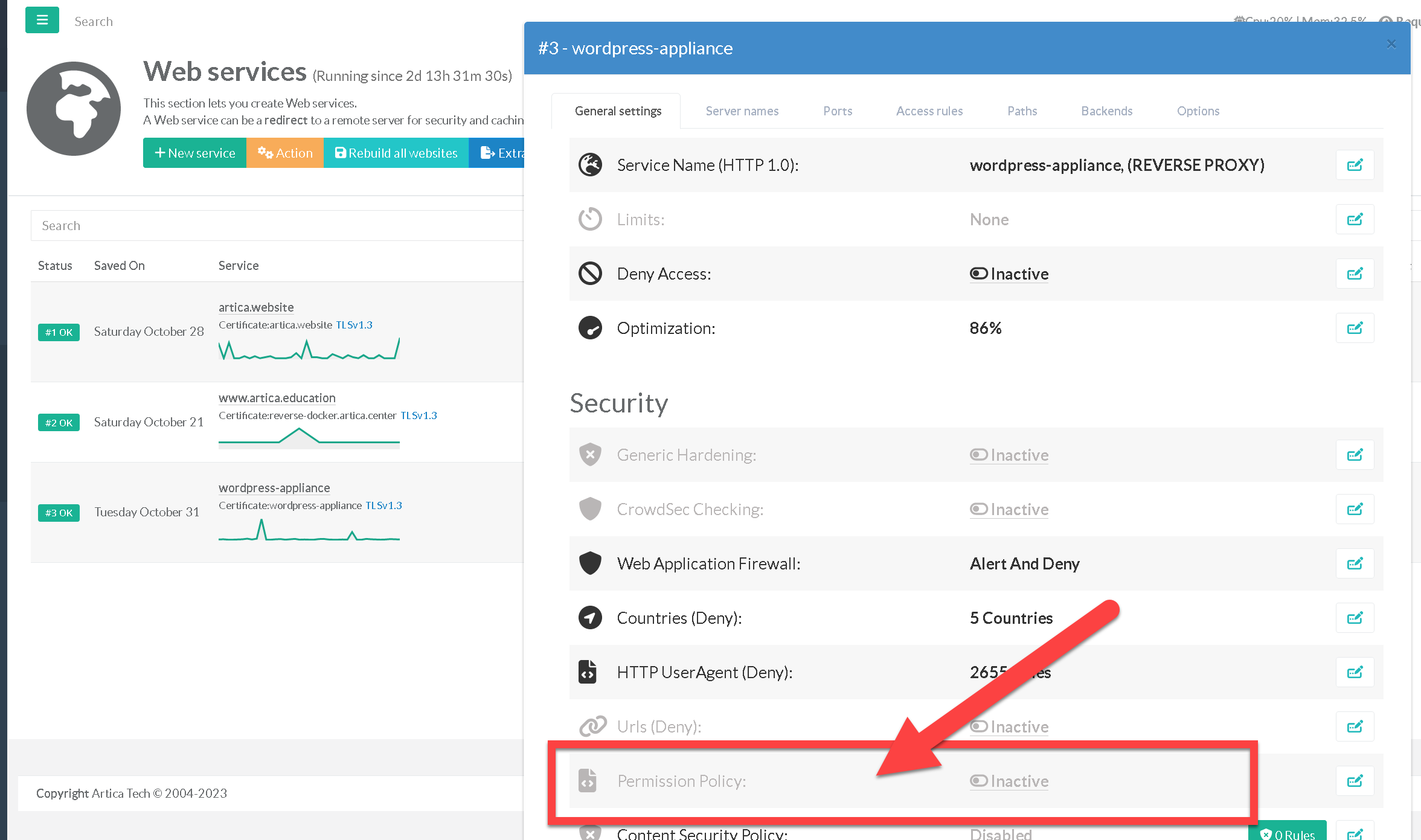
- Turn On the option to activate the rule.
Artica will create default rules for you, but they may not correspond to your website.
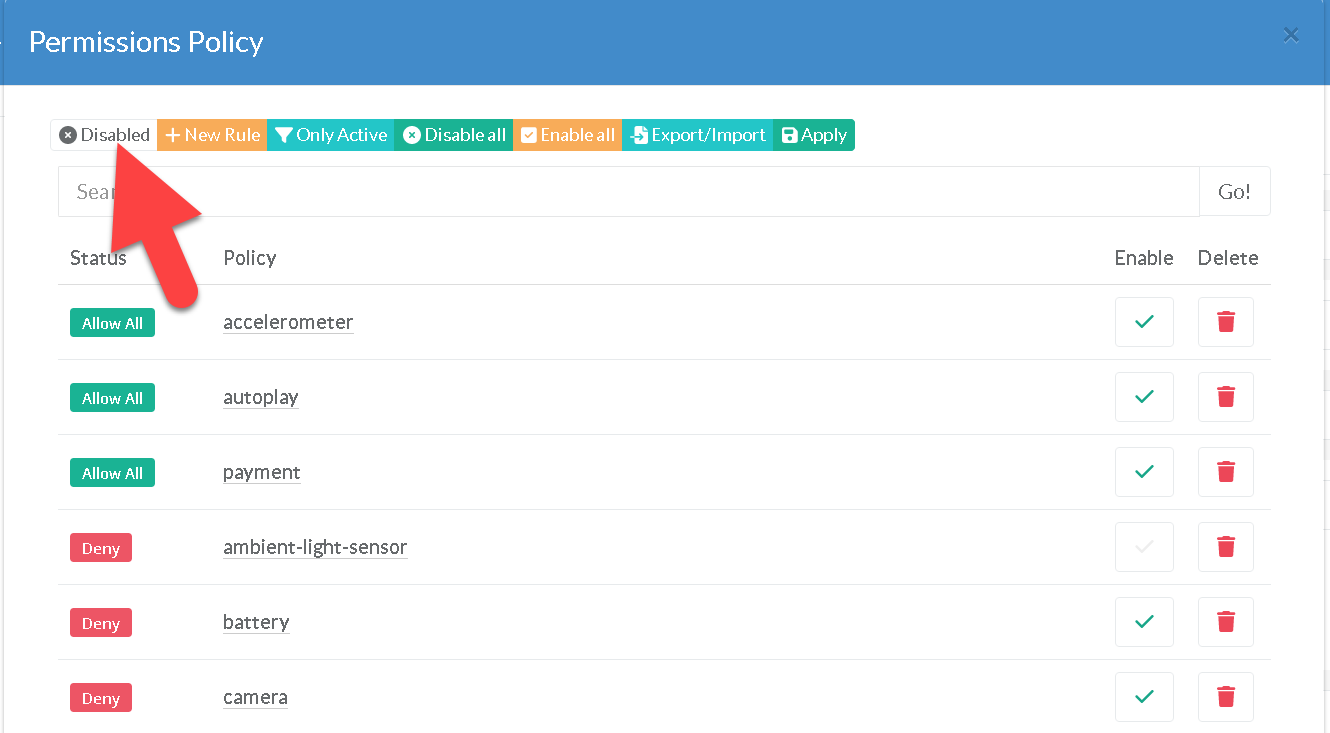
A rule can have 3 states
- Allow All
This will allow the current page to use the functionality and all the navigation contexts nested within it, such as iframes. - Allow website
This will allow the current page to use the functionality and all nested navigation contexts like iframes only if they are on the same origin, so for example if you frame your own site on your page. - Deny
The feature is disabled for the current page and all nested navigation contexts such as iframes.