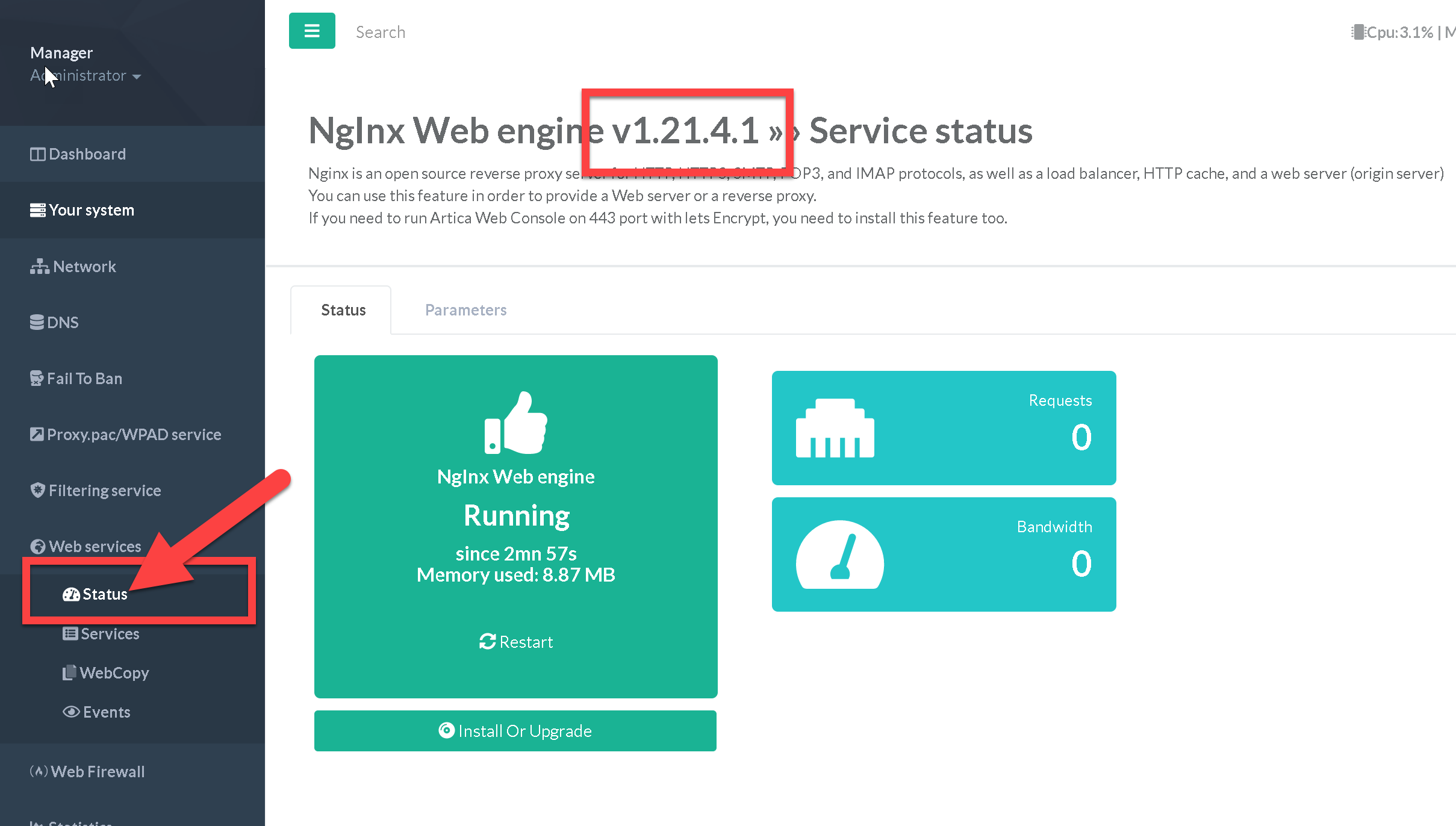
Manual Upgrade of the Reverse Proxy Engine (Debian 10)
The software center's automatic update feature only installs officially approved and tested packages. In certain situations—such as specific fixes or feature requests—Artica support may provide unofficial packages for manual installation.
Back to the reverse-proxy main section | Upgrade Officially the reverse-proxy-service
To upgrade your current reverse-proxy version, you need to use Artica 4.40 version or Artica 4.30 with an “unstable” Service Pack
Warning: Packages are only available For Debian 10!
Available release packages
- Version 1.21.4.1 Real : reverse-proxy-1.21.4.1.tar.gz (88,5Mb) - OpenSSL 3.0.1 WAF 3.0.7
Available beta packages
- Version 1.21.4.1 RC1 : reverse-proxy-1.21.4.1rc1.tar.gz (87,6Mb) - OpenSSL 3.0.1 WAF 3.0.6
- Version 1.21.4.1 RC3 : reverse-proxy-1.21.4.1rc3.tar.gz (88,2Mb) - OpenSSL 3.0.1
How to upgrade ?
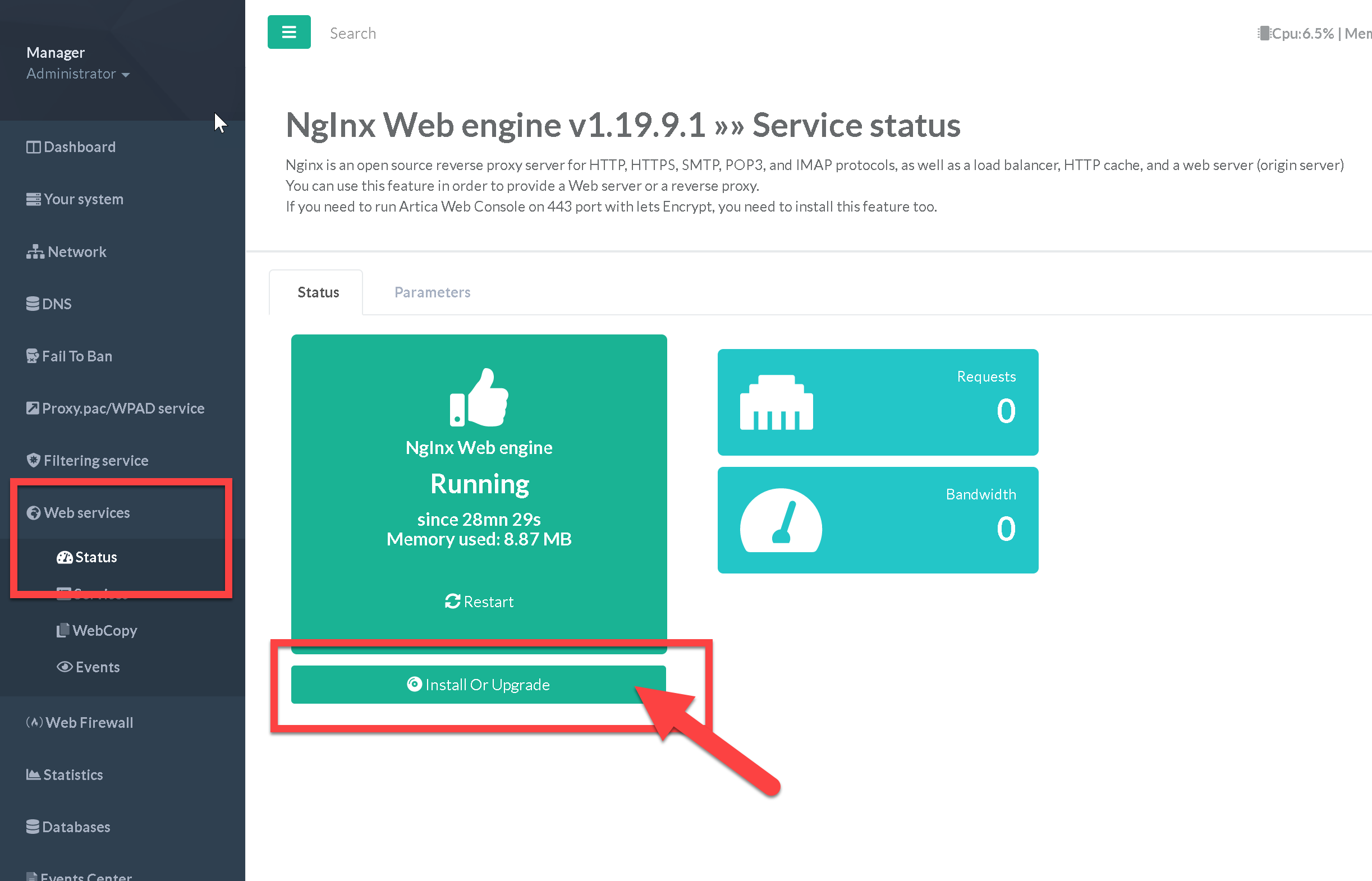
- On the left menu, choose “Web Services” / “Status”
- Click on the “Install Or Upgrade” button
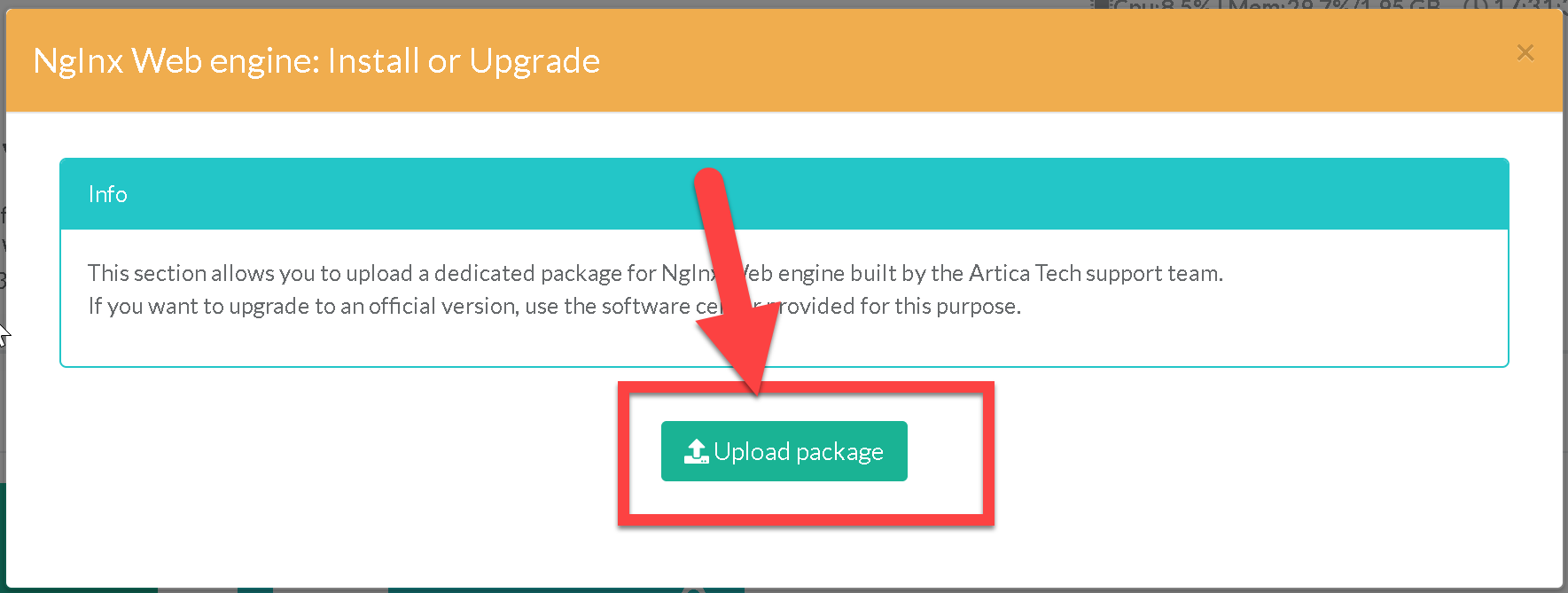
- Click on the button upload package on the popup page.
- Select the tar.gz package on your disk
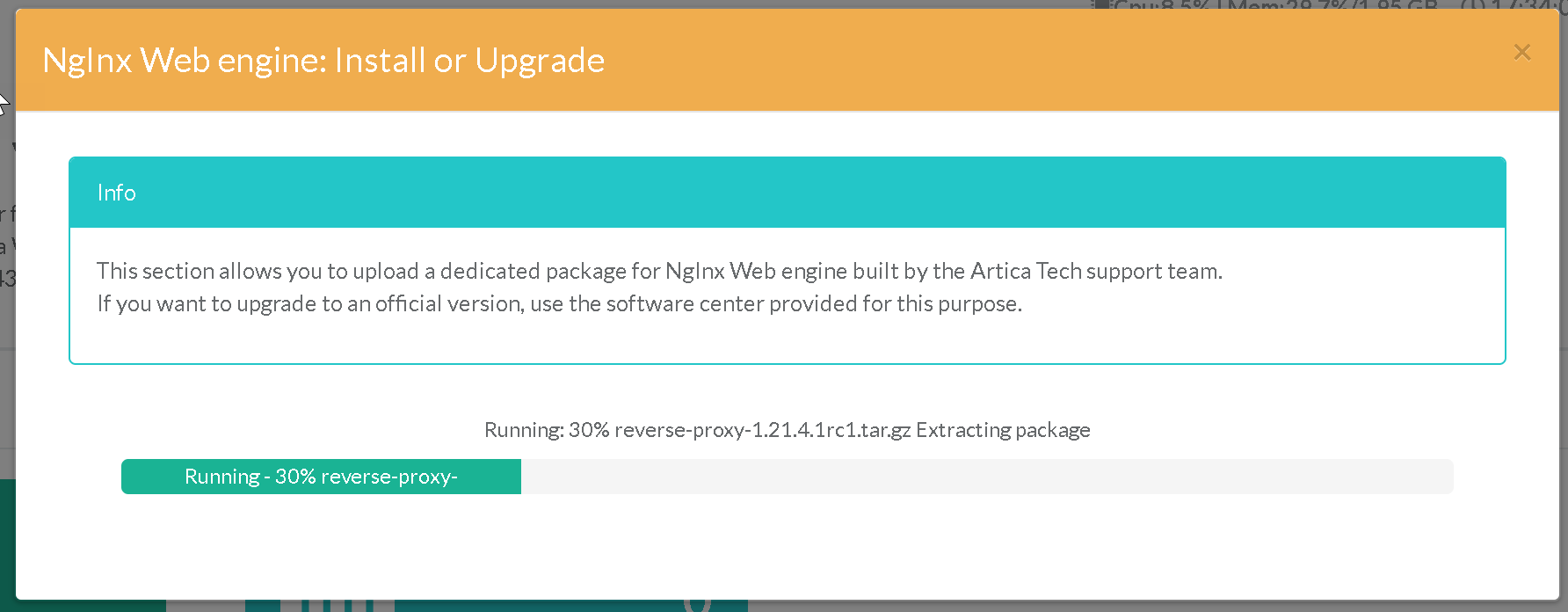
- Wait during the upload task
- Installation will start automatically after uploading the package.
- Click again on the Status in the left menu to update the version in the title.