Verify is a web page is cached by your reverse-proxy
When you have enabled caching in the reverse proxy, how do you know if a web page or an object is cached or not
Return back to reverse-proxy main section | Enable cache on your websites
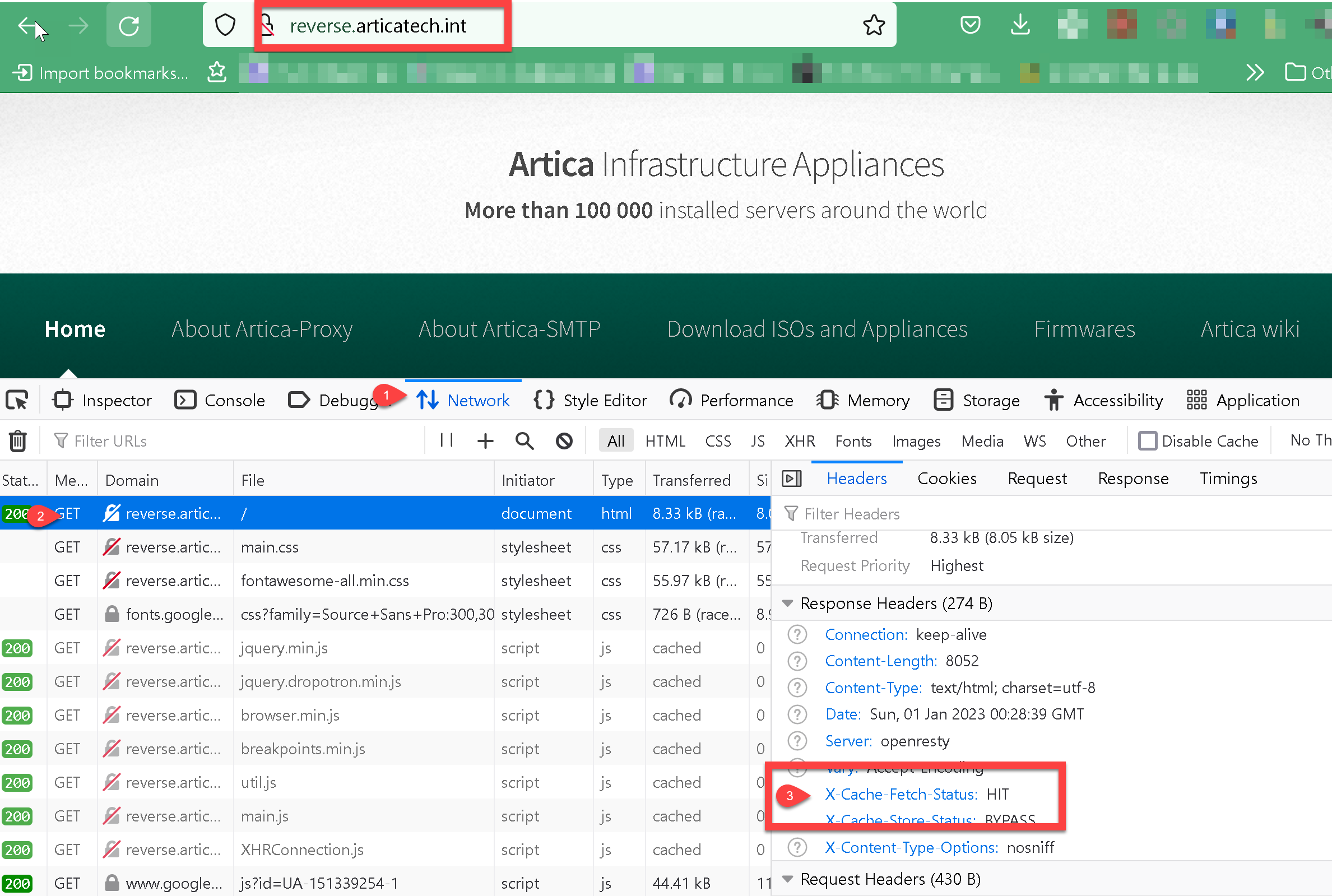
To verify is a webpage is cached, open your Firefox browser, use the
F12key to open the developer edition and go to your website
- Select
networkoption - open a query and in the right panel, go to “
Headers” > “Response Headers” - Check the “
X-Cache-Fetch-Status”.
If the entry is HIT, then the content came from the Redis database.
If the entry is MISS, then the cache is fetched from the web server backend.