Caching your websites with the Reverse-Proxy
The caching performed by the reverse proxy is a very interesting feature because it allows you to limit the load on your back-end servers.
Back to reverse-proxy main section | Back to Wordpress edition main section | Enable the cache on your wordress website | Check if web pages are cached
The caching performed by the reverse proxy is a very interesting feature because it allows you to limit the load on your back-end servers.
The use of the cache makes it possible to drastically reduce the performance requirements of the Web engines because the means of generating dynamic pages are only called upon at the appropriate moment.This feature is available on Artica v4.40 service pack 25 or above
A) Enable the caching websites feature
- On the left menu, choose “
Web services" > “Status” - Click on “
Parameters"Tab
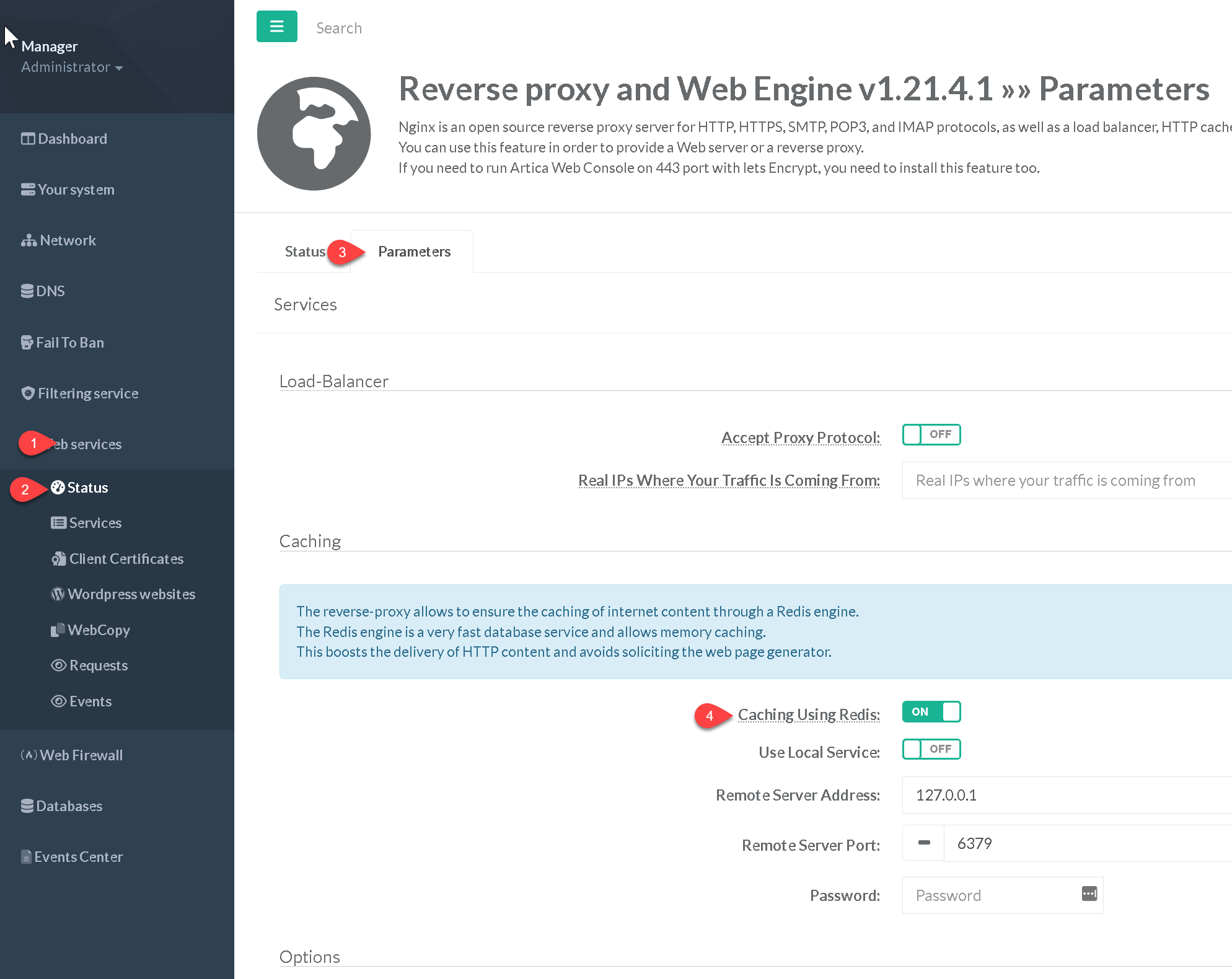
- Turn on the “Caching using Redis” option
- Set the address, port and password of your remote Redis server or use the option “Use Local service” if you have installed the Redis service on the same server of your reverse-proxy website.
B) Enable caching on your Website
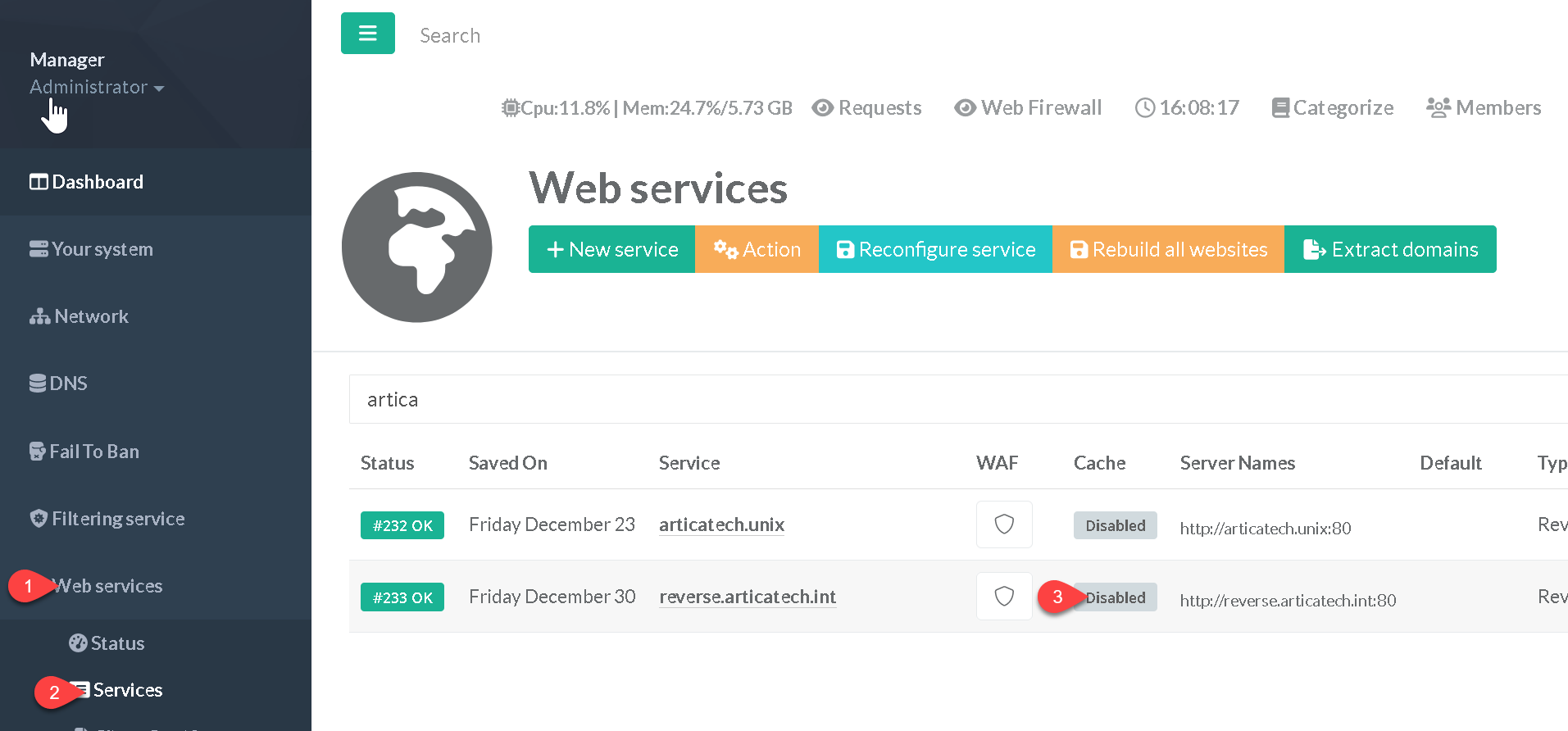
- After enable the feature, go into your main table that list all your websites.
- Click on the grey icon under the “cache” column.
- Turn on the option “Caching using Redis”
- Set the time to live of the data stored in the Redis database in “Cache Time” field.
- You can force browsers to cache elements inside their local cache, enable the appropriate option.
- Click on Apply button

See: How to check if your web page are correctly cached.
Optional) Install and Use a Redis server
For the caching technique, we have chosen to use a Redis database.
This one has several interesting features:
- Redis uses memory to provide the most used objects, which drastically reduces disk I/O.
- A Redis server can be installed remotely, which makes it possible to mutualize caching with a cluster or balance reverse-proxy farm.
- Redis also provides clustering, which ensures the resilience of the caching.
Please note that if you're looking for performance and cache mutulization isn't your motivation, you're better off with a disk cache, which is much faster.
Of course Artica offers you the complete installation and administration of a Redis server.
It is possible to install the Redis server on the reverse-proxy but it is better to install it as a back-end server in order to mutualize this skill.
So, the first thing to do is to install your Redis server locally or on another server