Redirect a proxy deny acl to a skined error page
The aim is to redirect blocked requests to a specific error page using the error page service
The aim is to redirect blocked requests to a specific error page using the error page service
Web error page service has been improved with 4.50 Hotfix 20241031-14
A) Select the ACL that use the Web error page service
This operation lets you define which ACLs will use the error page service
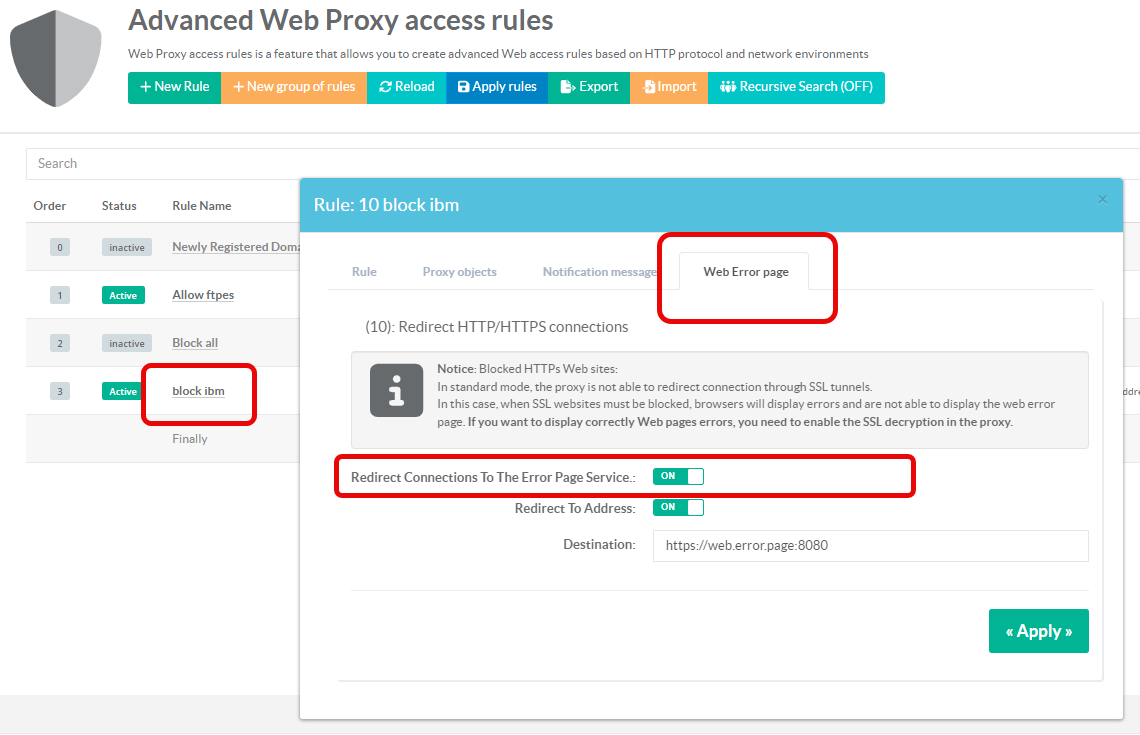
- On your Proxy ACLs, select the denied ACL you want to personalize the error page
- Choose “Web error page” tab.
- Turn on the “Redirect Connections To The Error Page Service” option.
If you want to personalize the redirect host and protocol, (type https://hostname or http://hostname) by enabling the option “Redirect to Address”
B) Create a new Web error page service rule
This operation creates a rule for the error page in order to customize it and modify its content according to the ACL rule.
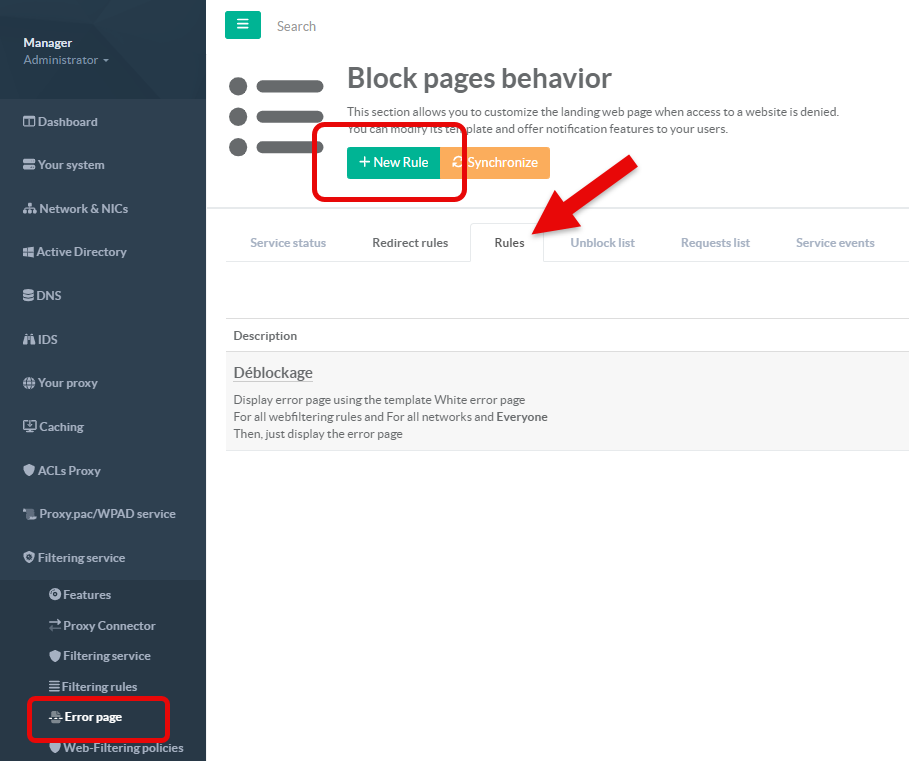
- On the left menu choose
Filtering service>Error pageand choose the tabRules - Click on New rule button
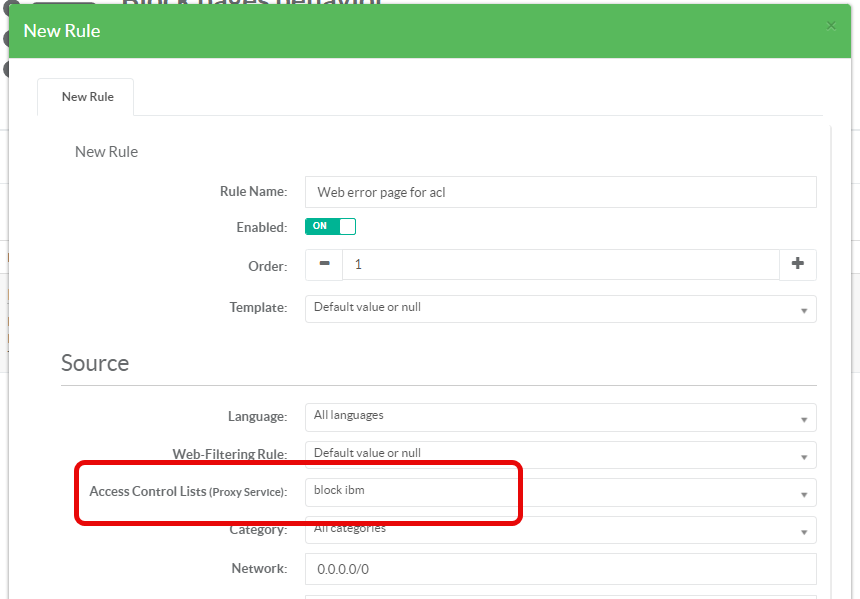
- Give a name of the rule
- Most important, choose the proxy ACL inside the “Access Control Lists ( Proxy service )” drop down list
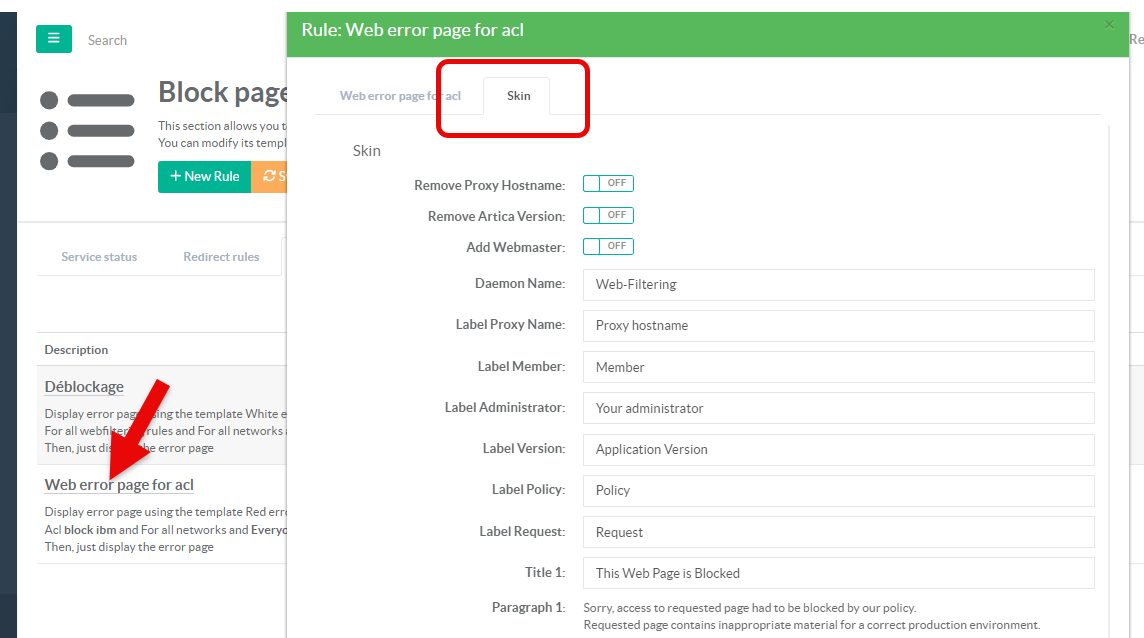
- Open again the Web error page rule from the main table
- Click on the “Skin” tab
- Tune and modify the content of the error page
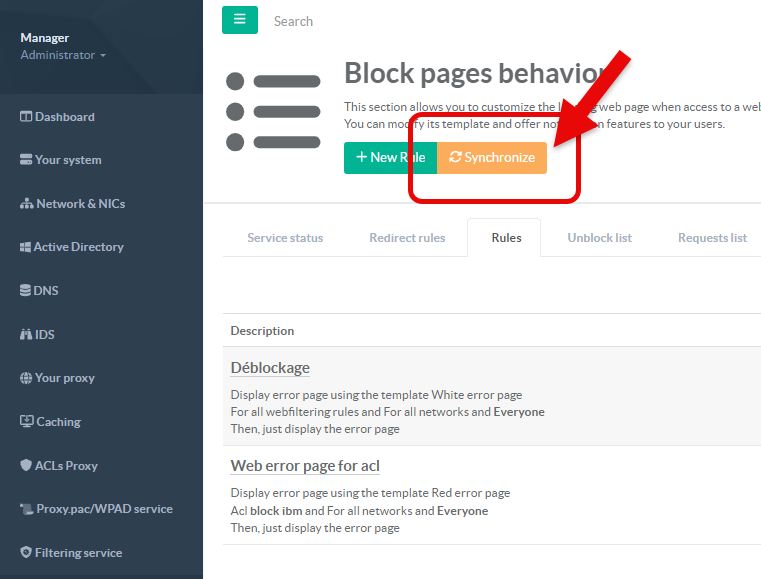
- Finally click on Synchronize to make changes in production