Add ipv6 addresses
An ipv6 network address is created in the main network interface configuration. You can add several ipv6 network addresses to a single physical card
An ipv6 network address is created in the main network interface configuration.
You can add several ipv6 network addresses to a single physical cardThis feature is available on Artica v4.50 Service Pack 1 or Artica v4.50 Hotfix 20240126-01
- In the
“Network & NICs” > Interfaces, choose the Network interfaces ( details ) tab - Select your Network interface
- Click on the IPv6 tab
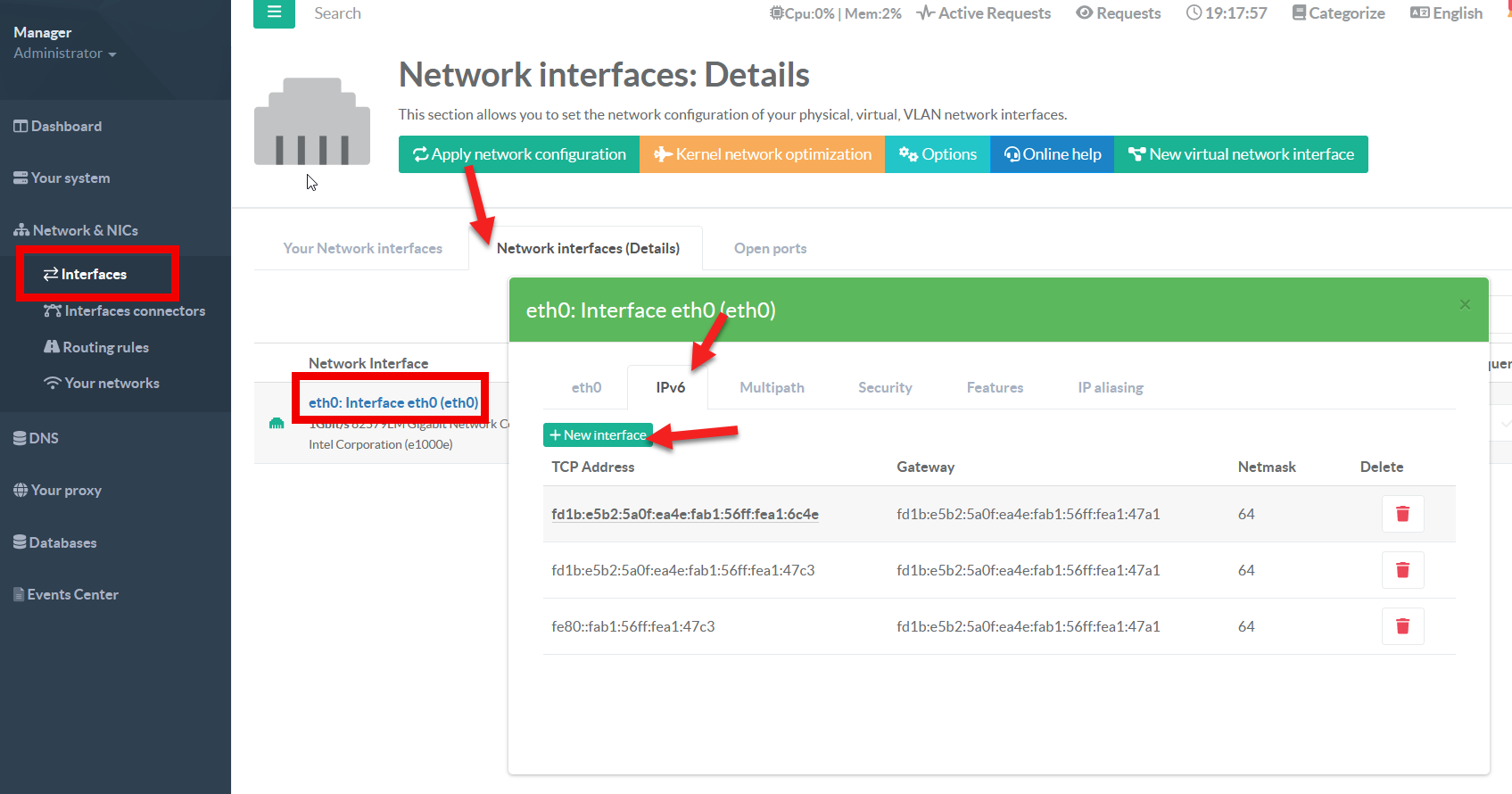
- Click on “New interface” button to create a new IPv6 address
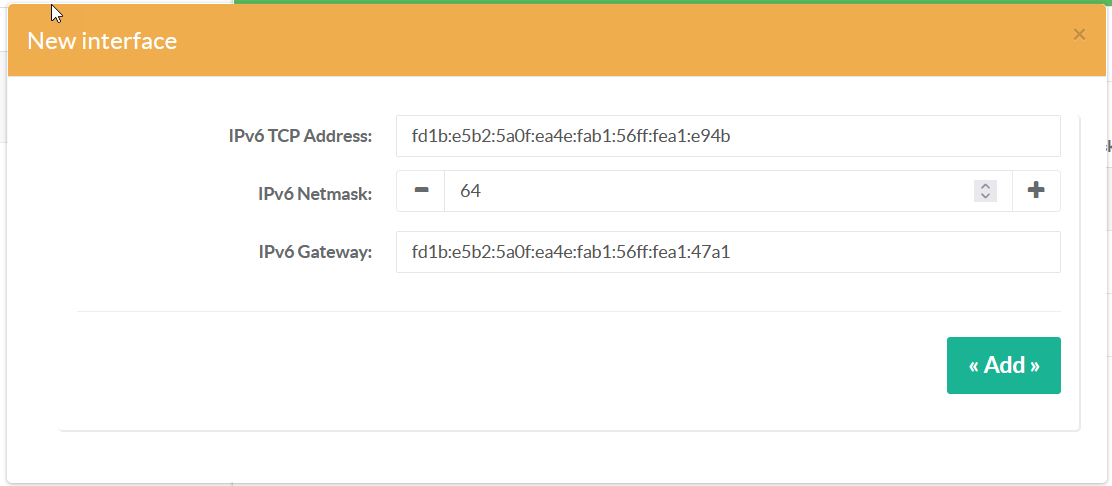
- Set the IPv6 address, the bit mask and the gateway.