IPv6 parameters using Unix console
Manage IPv6 settings using the Artica Unix console
How to manage IPv6 network settings through the Artica console.
This feature is available on Artica v4.50 Service Pack 7 or Artica v4.50 Service Pack 6 Hotfix 20260316-00
Enabling IPv6
- 1. From the main menu, select
Network - Select
IPv6— the current status is shown as Active or Inactive - Selecting this item toggles IPv6 on or off
- The network is automatically reconfigured after toggling
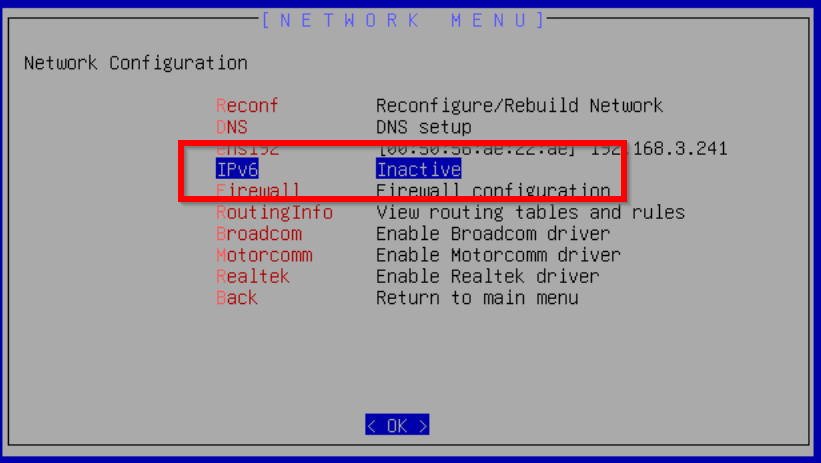
- When IPv6 is inactive, only the toggle item is visible.
- Once activated, an additional
IPv6Confmenu item appears to manage addresses per interface.
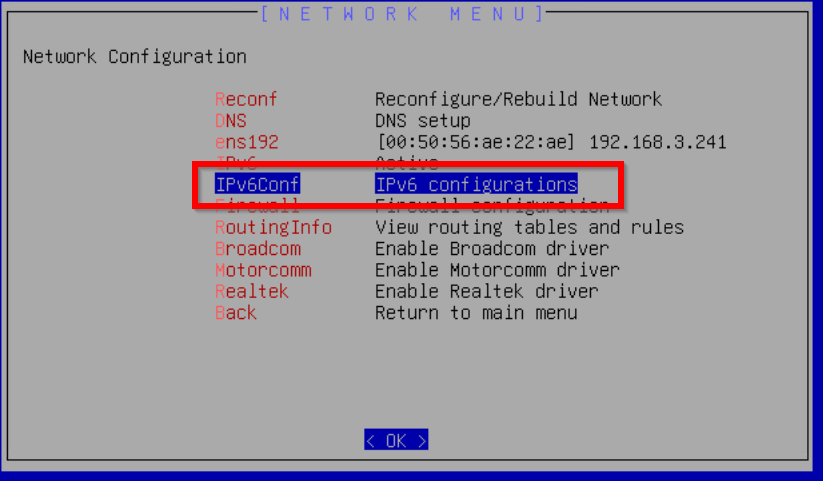
IPv6 Configurations Menu
Navigate to Network > IPv6Conf to open the IPv6 configurations page.
This screen lists all physical network interfaces with:
- Interface name (e.g., ens192, eth0)
- MAC address
- Number of IPv6 addresses currently assigned
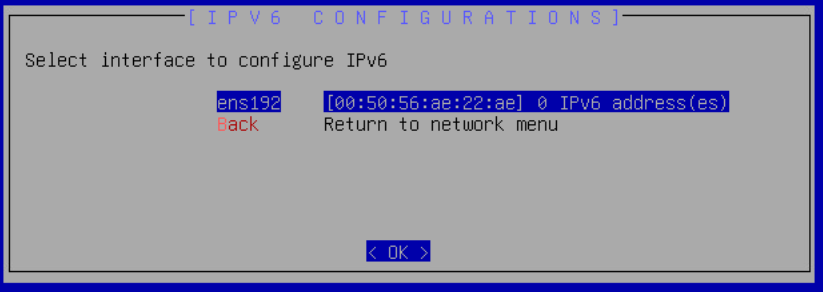
- Select an interface to view and manage its IPv6 addresses.
Viewing IPv6 Addresses
After selecting an interface, the console displays all IPv6 addresses currently configured.
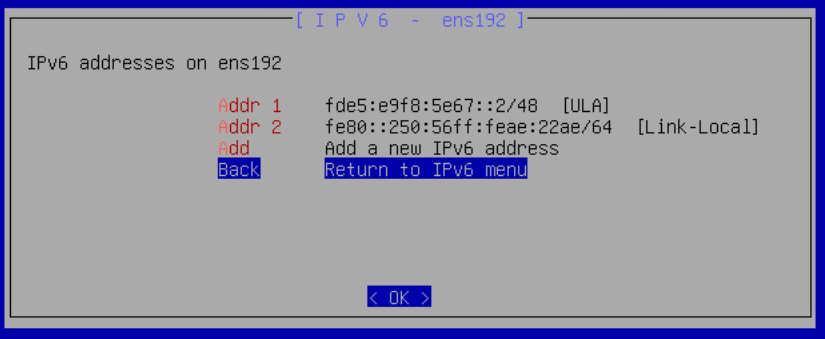
Each entry shows:
- Address: The IPv6 address with prefix length (e.g., `2001:db8::1/64`)
- Type: Link-Local, ULA, or Global
- Gateway: The IPv6 gateway, if configured
Select any address to edit or delete it.
Adding an IPv6 Address
From the interface address list, select Add.
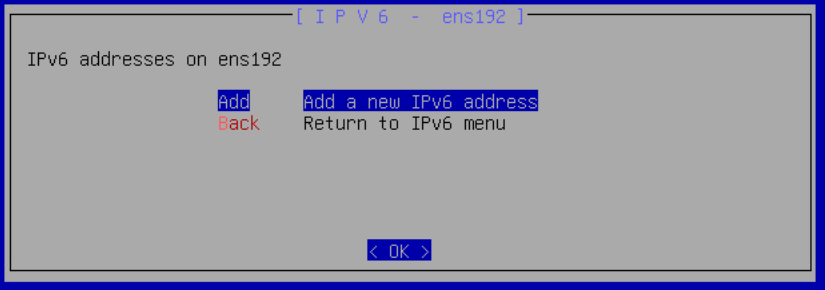
You are presented with three options:
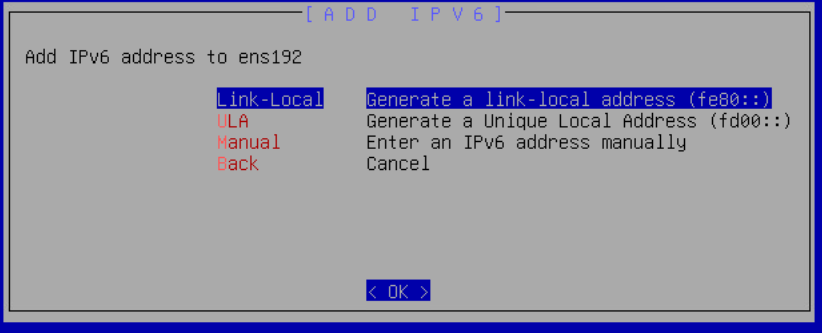
- Link-Local (fe80::)
Generates a link-local address derived from the interface MAC address using the EUI-64 format.
Link-local addresses:- Are scoped to the local network segment
- Use prefix fe80::/64
- Do not require a gateway
- Are automatically generated with a /64 prefix
The generated address is pre-filled in the form.
You can adjust it before saving.
- ULA (fd00::)
Generates a Unique Local Address following RFC 4193. ULA addresses:- Are used for private IPv6 networking (similar to RFC 1918 for IPv4)
- Use the fd00::/8 prefix with a random 40-bit identifier
- Default prefix length is /48
- Gateway is optional
The generated address is pre-filled in the form.
You can adjust it before saving.
- Manual
Opens an empty form where you can enter any valid IPv6 address.
Fields:- IPv6 Address: A valid IPv6 address (e.g., `2001:db8::1`)
- Prefix Length: CIDR prefix, between 1 and 128 (common values: 48, 64, 128)
- Gateway (optional): IPv6 gateway address for routed traffic
The address type (Link-Local, ULA, or Global) is automatically determined from the address prefix.
All addresses are applied to the interface immediately after confirmation.
Editing an IPv6 Address
- Select the address from the interface address list
- Select
Edit - Modify the address, prefix length, or gateway
- Confirm to apply
Editing removes the old address from the interface and adds the new one.
Deleting an IPv6 Address
- Select the address from the interface address list
- Select Delete
- Confirm the removal
The address is removed from both the system configuration and the network interface.
IPv6 Address Types Reference
- Link-Local :Prefix fe80::/10 Range fe80:: to fe80::ffff:ffff:ffff:ffff
Communication on the local segment only.
Always present on IPv6-enabled interfaces
- ULA: Prefix fc00::/7 range fd00:: to fdff:ffff:ffff:ffff:ffff:ffff:ffff:ffff
Private networks, inter-site communication without global reachability
- Global (GUA) Prefix: 2000::/3 range 2000:: to 3fff:ffff:ffff:ffff:ffff:ffff:ffff:ffff
Globally routable addresses, assigned by ISPs or RIRs
Common Prefix Lengths
/1281 Loopback or host route/642^64 Standard subnet (required for SLAAC)/482^80 Site allocation (ULA default)