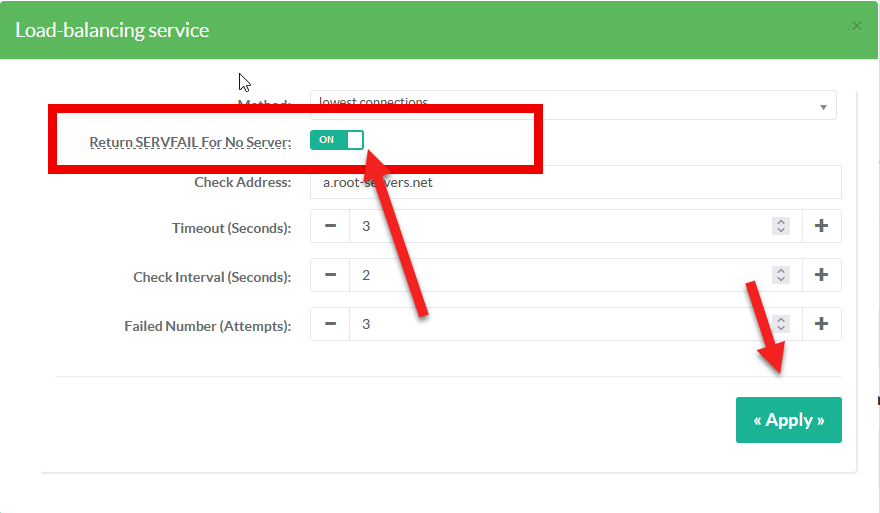
Return SERVFAIL for no server in DNS Firewall
Return a ServFail when no servers are available, instead of the default behaviour of dropping the query.
How to return a ServFail when no servers are available ?
The default behaviour is dropping the query.
To do this, backends must be marked as unavailable when the request arrives.
Please note that the DNS service will not generate a response once the request has been sent to a backend.
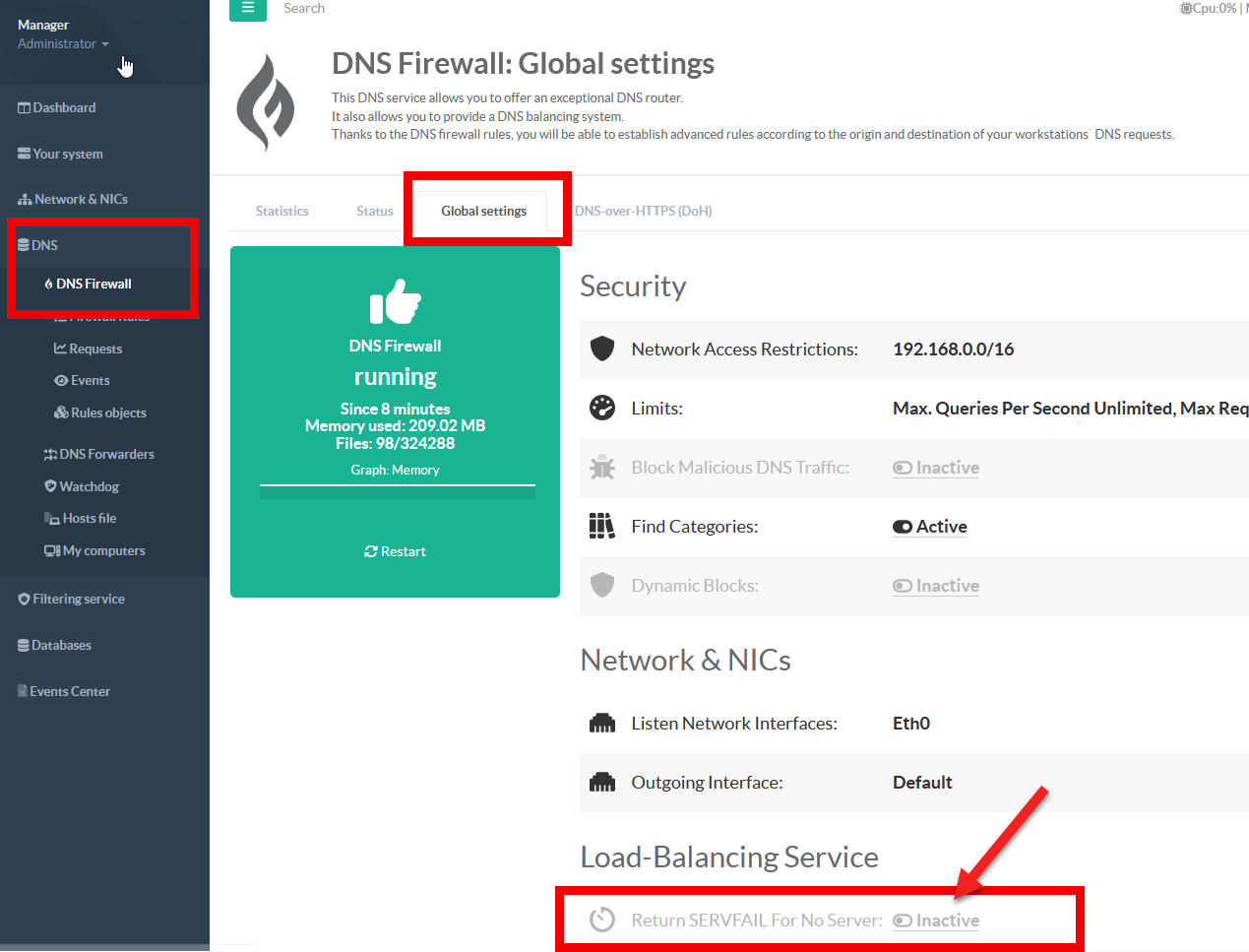
- On the left menu, choose “
DNS > DNS Firewall” click on “Global settings” tab - Under the Load-Balancing section Click on the “Return SERVFAIL for no server” link
- Turn on the option Return SERVFAIL for no server and click on Apply button