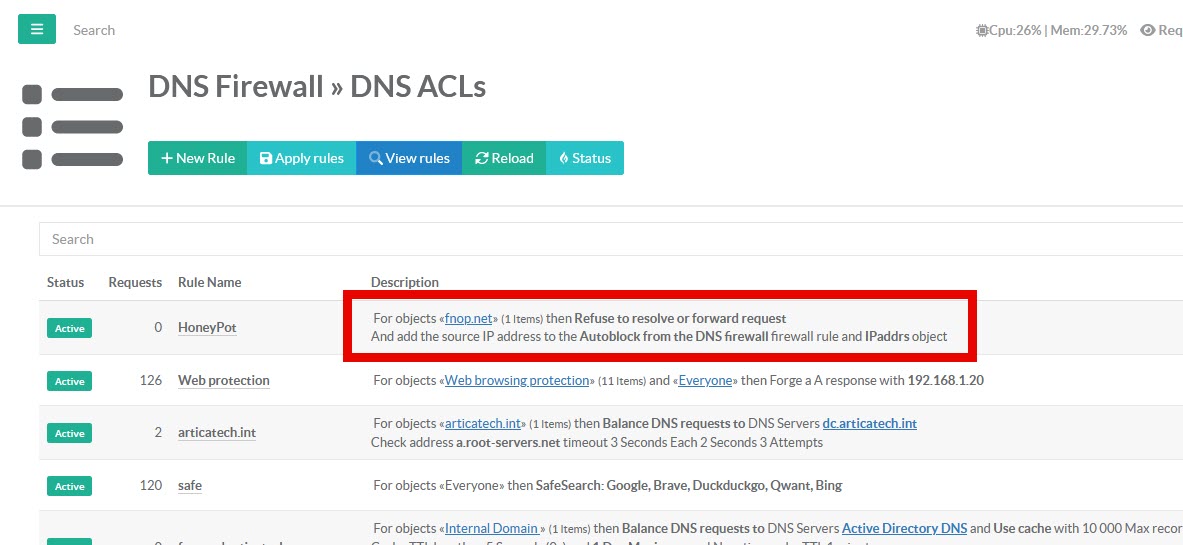
Feed the local firewall with the Refuse to resolve or forward request rule
The DNS firewall can interact with the local firewall to enrich prohibition rules. The DNS firewall can add an element to a firewall rule object.
Let's take the case where we want to create a honeypot rule.
For example, when a client wishes to resolve the domainfnop.net, we require the DNS service not only to refuse the resolution, but also to block the client at firewall level from any further resolution.This feature is available on Artica v4.50 Service Pack 1 or Artica v4.50 Hotfix 20240426-01
A) Create a rule and an object on the Firewall level.
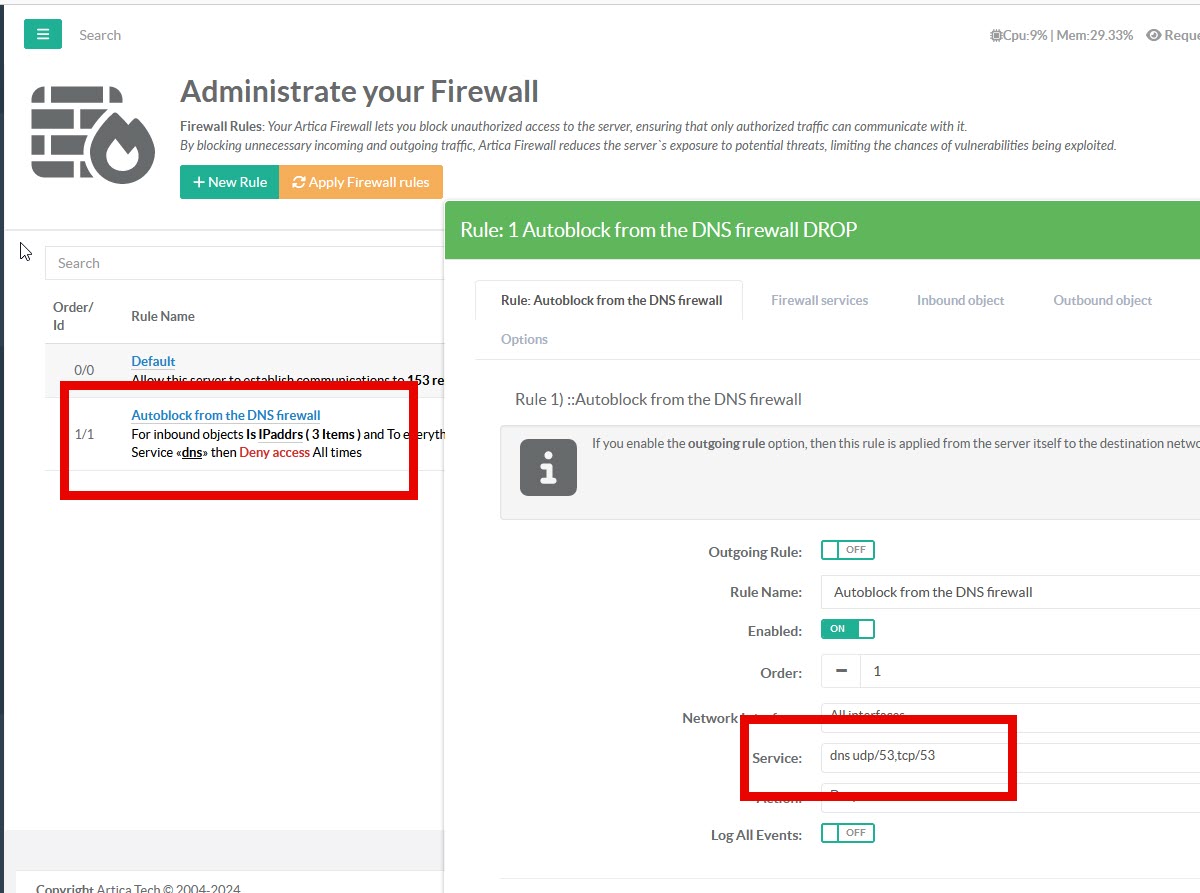
- On the Artica Firewall section, create a Deny rule based on the DNS service ( or any other service )
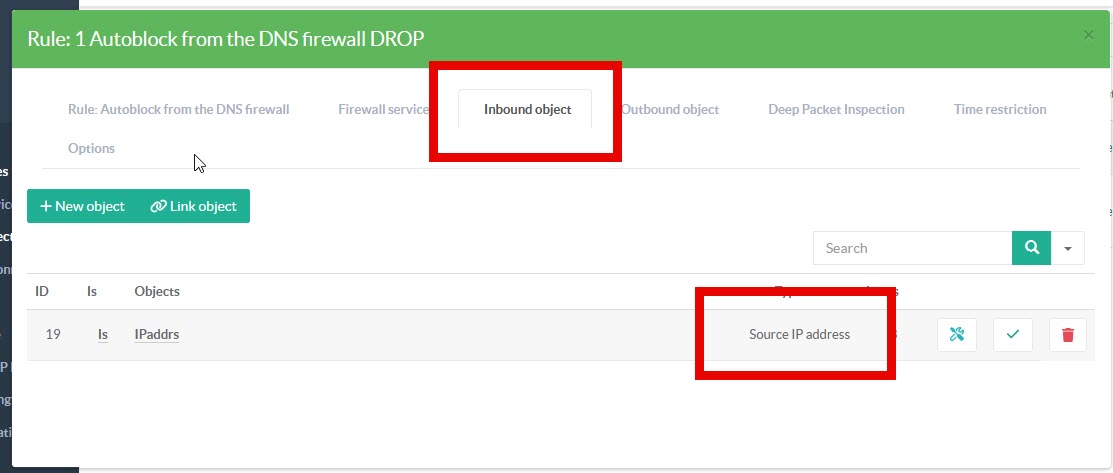
- Create a new object based on the Source IP
B) Create a DNS Firewall rule in link it to your Firewall object
- On the DNS Firewall, create a new rule based on “Refuse to resolve or forward request”
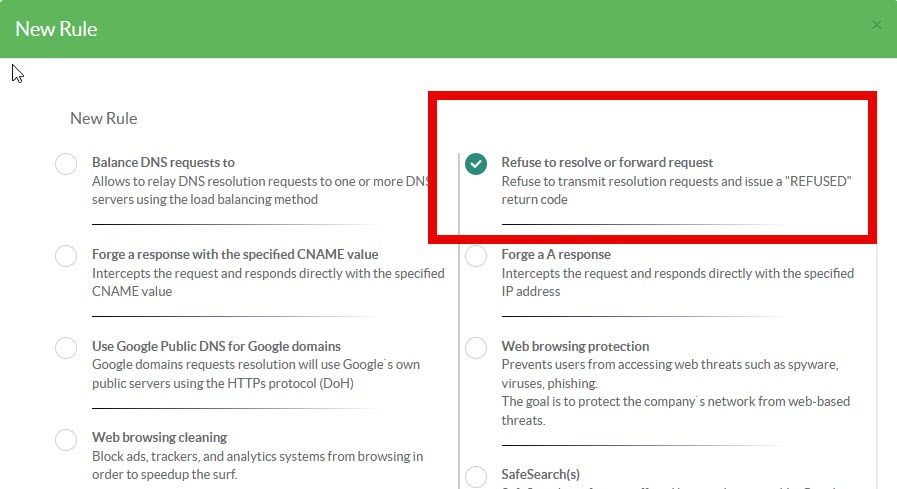
- Inside the rule main settings, choose the firewall rule/object you wan to automatically add.
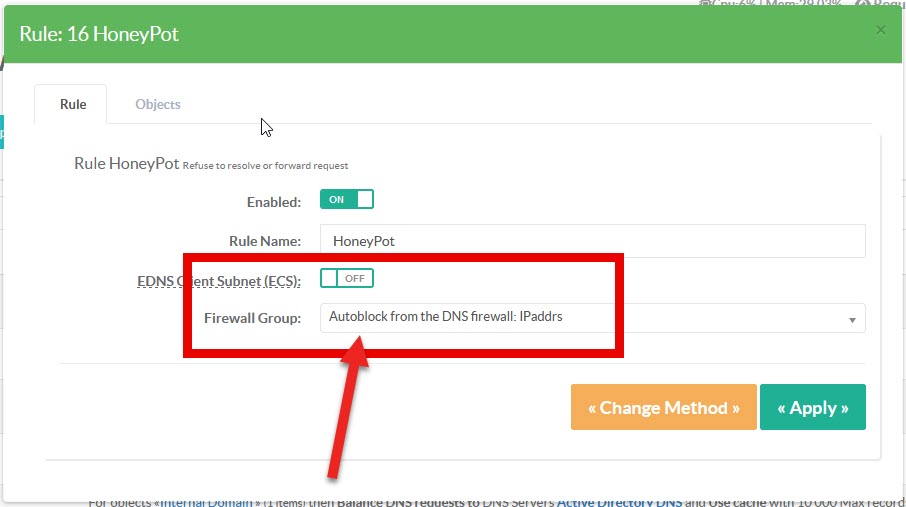
- Now you have built a rule that automatically add source ip addresses inside the FireWall rules when a request matches your DNS Firewall rule