Deploy DNS-Over-HTTPS (DoH) with DNS Firewall
DNS privacy is a major concern for many, and for good reason. DNS queries contain fields that are considered private, revealing sensitive information about a person's Internet browsing and activities.
Back to DNS Firewall | DNS-Over-HTTPS downstream servers
To address these concerns, two DNS privacy standards have gained popularity over the past two years.
DNS-over-HTTPS (DoH) provides another form of secure transport where DNS queries and responses are passed as HTTPS traffic.
This feature is available in Artica v4.30 with Service Pack Instable 925 or Artica v4.40
Configure The DNS Firewall with DoH
- On the left menu, choose DNS / DNS Firewall
- Select the tab “DNS-Over-HTTPS (DoH)” tab
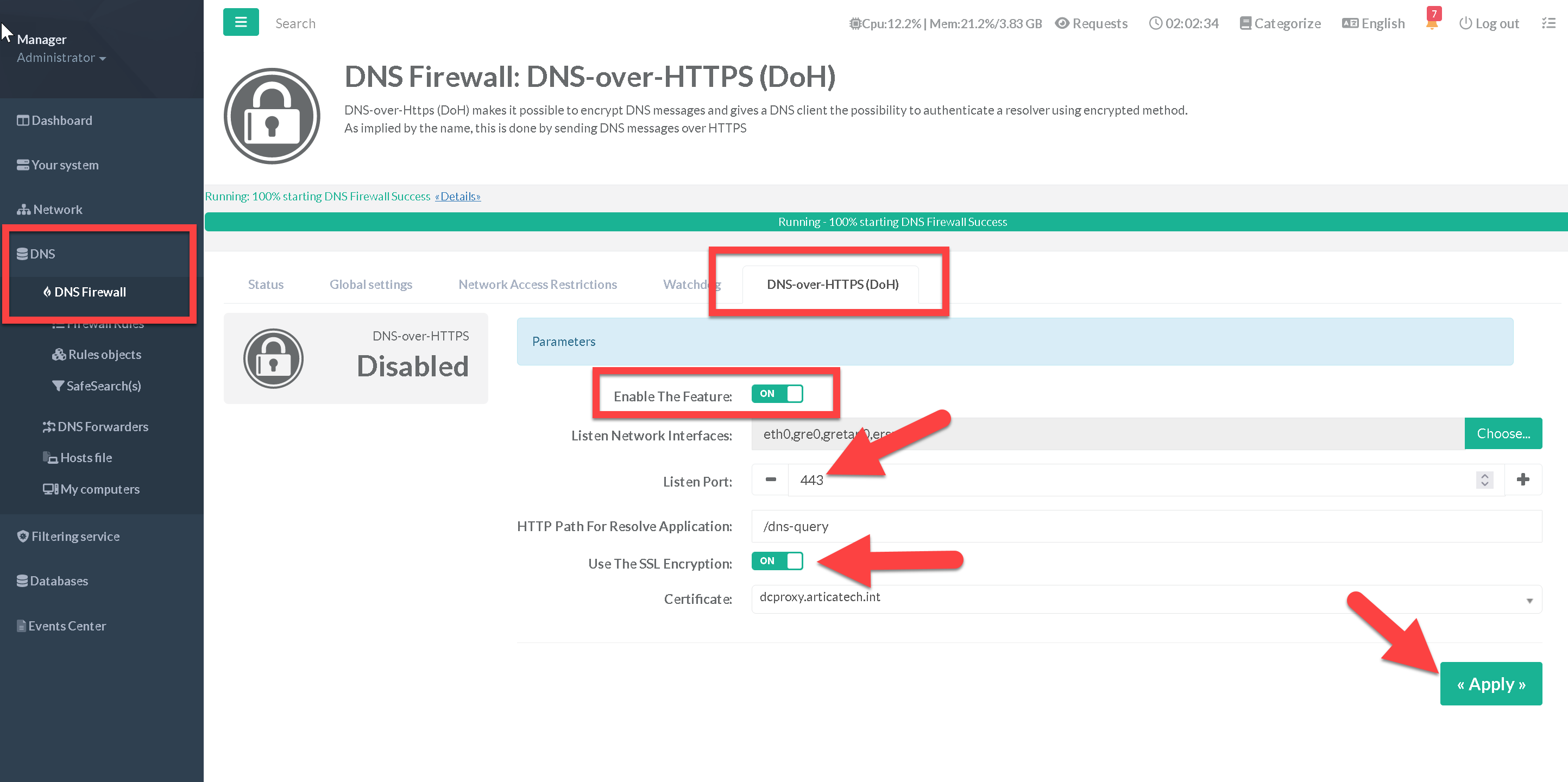
- Turn on the Enable the feature option
- Choose listen interfaces to bind the DOH service.
- Choose the listen port (use 443)
- Turn on the “Use the SSL Encryption” and select the certificate created inside the Certificate Center
- Click on Apply button
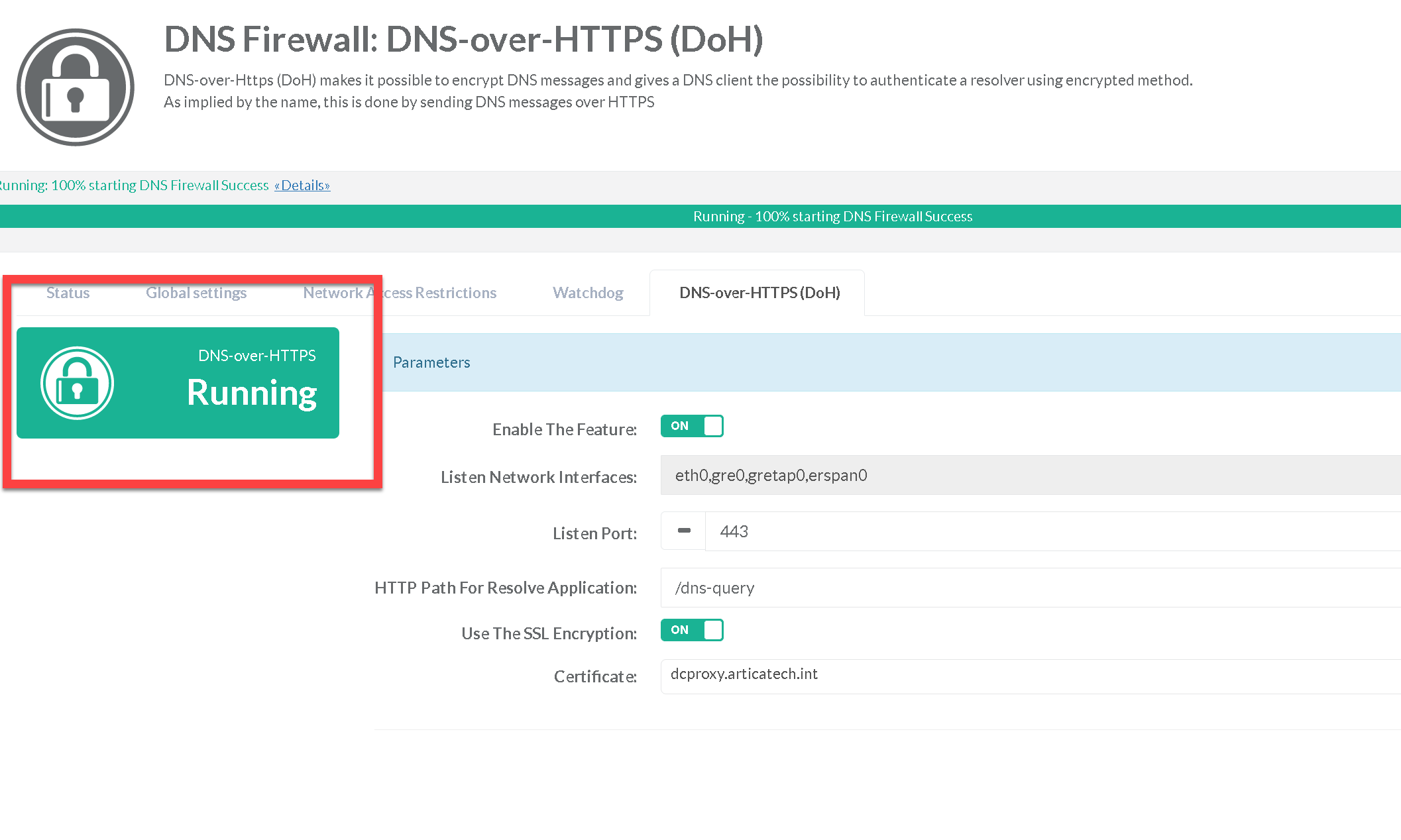
After apply, the widget must be turned to green, that means the HTTP DNS service is available.