Link the Artica Windows Agent to your Artica server
This operation allows Artica to inform it of the presence of a new Agent, so that it can retrieve the database of records.
This operation allows Artica to inform it of the presence of a new Agent, so that it can retrieve the database of records.
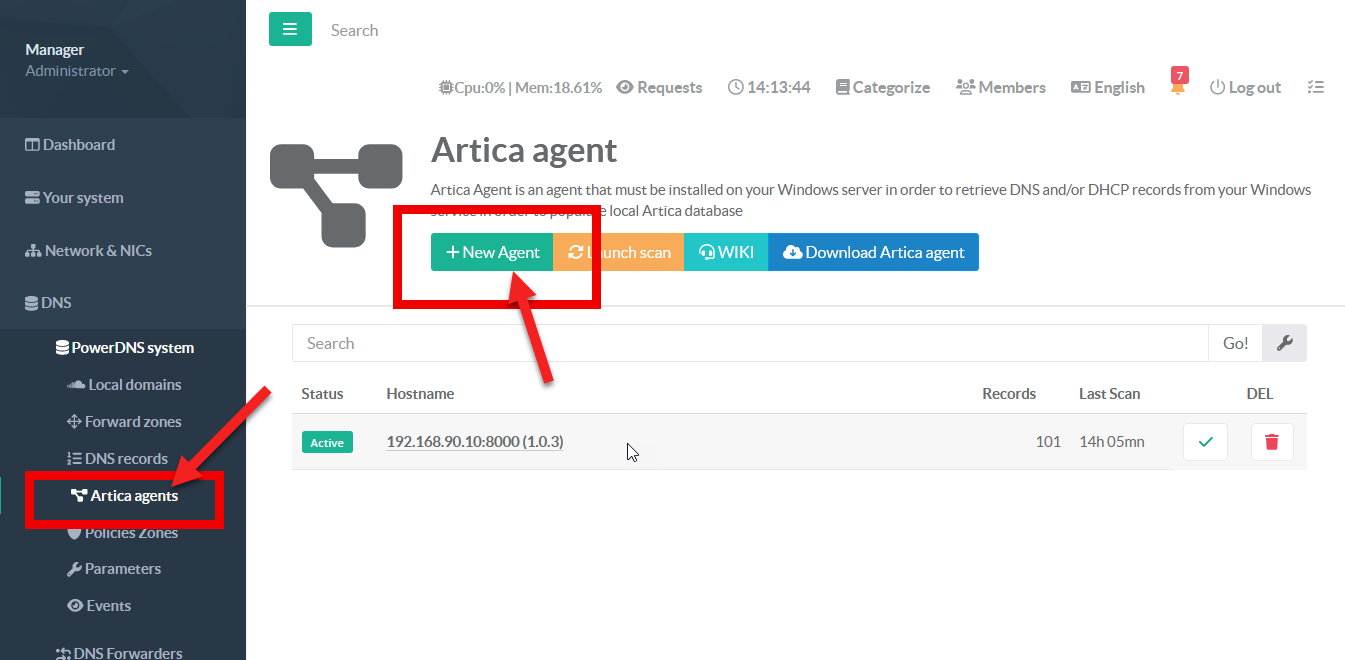
- On the left menu, select Artica Agents.
- Click on the “
New Agent” button
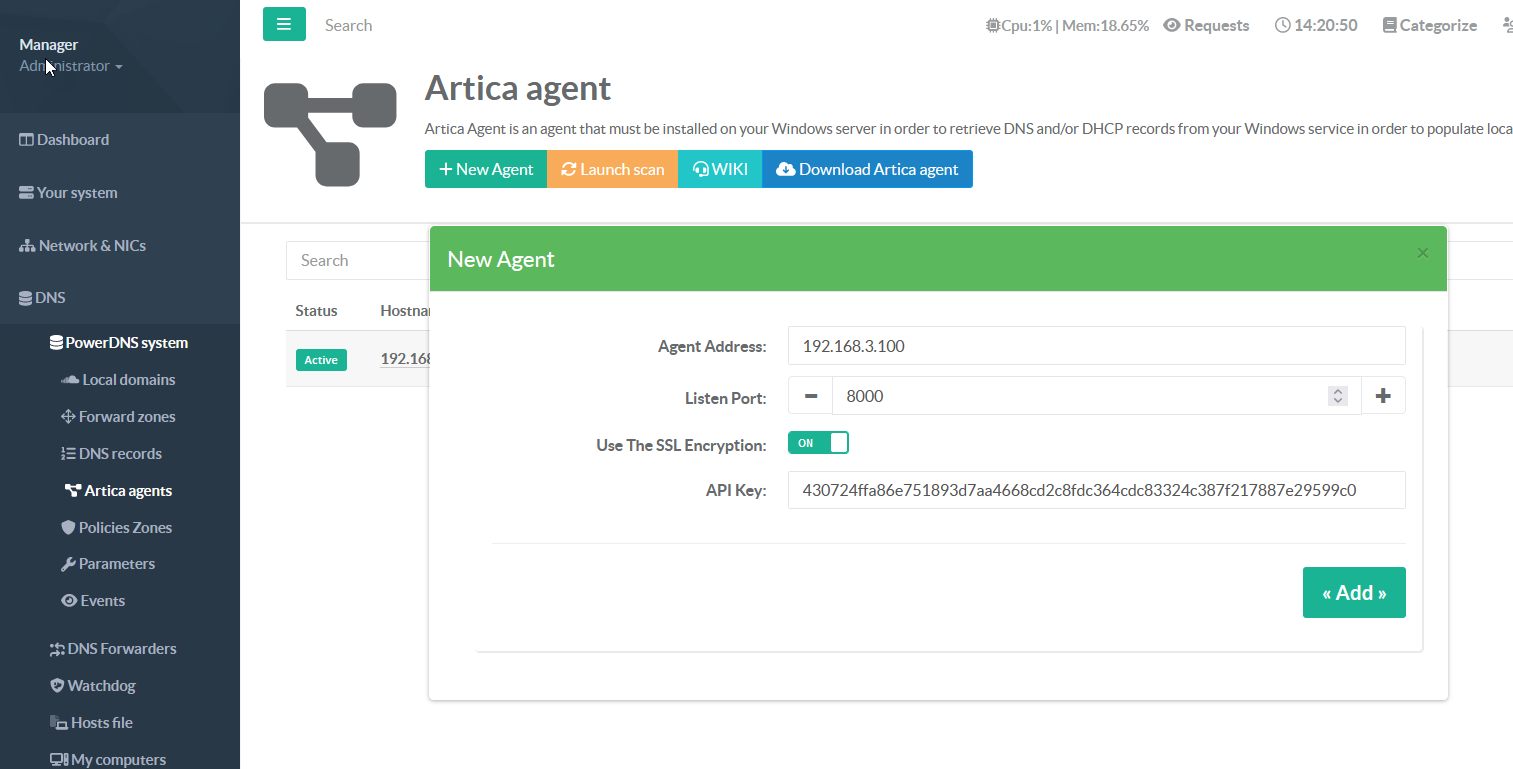
- Set the address and port of the installed remote Windows agent.
- Enable the SSL checkbox if you have enabled the SSL inside the agent.
- Set the API Key that can be retreived using the command “
artica-dns-dhcp-agent.exe -print-token” command line
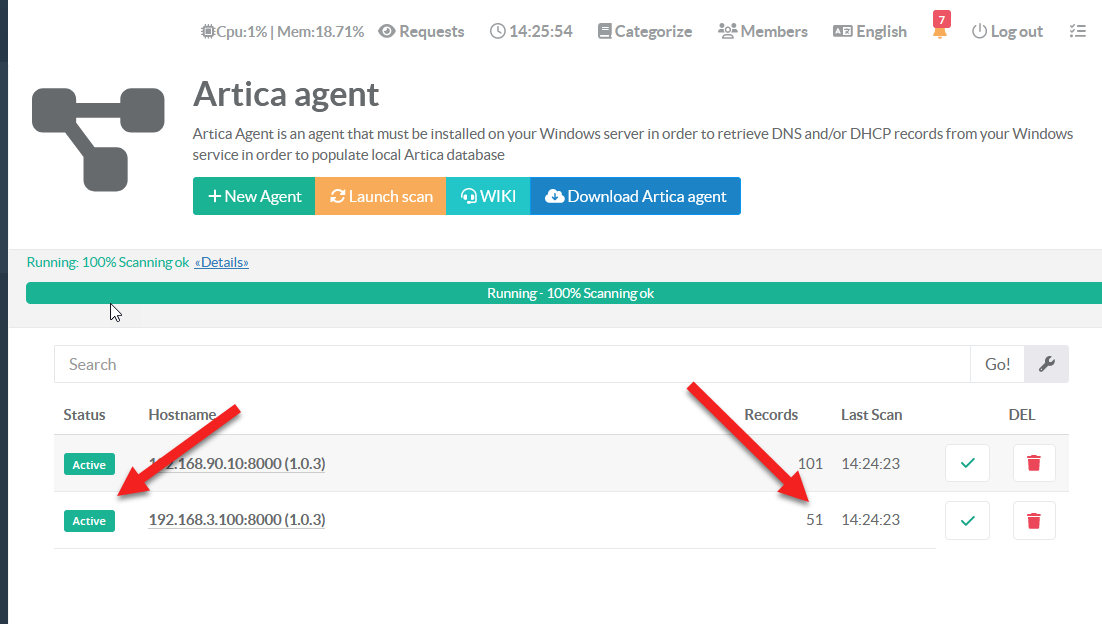
- The Agent will be added inside the table and Artica starts to retreive data.
- If data has been discovered, then the "records" column will store the number of items imported from the Windows server.